Reschedule and Cancellation Reasons
You can configure cancellation and reschedule reasons to capture and track why interviews either don't go ahead or are moved to a new interviewer, date, and/or time. This feature can also be used to log and track no-shows.
You can specify cancellation and reschedule reasons within Ashby, or candidates can specify them when rescheduling or cancelling via their direct booking confirmation page. Recording this information in Ashby helps improve interview scheduling efficiency, time to schedule, and, ultimately, time to hire metrics.
Prerequisites: You must be an Organization Admin to create reschedule and cancellation reasons.
Permissions & access
Reschedule and Cancellation Reasons are available on all plans. Users on the Foundations, Legacy Plus, Plus, and Enterprise plans can configure cancellation reasons that are candidate-facing:
Foundations | Legacy Plus | Plus | Enterprise |
|---|---|---|---|
✅ | ✅ | ✅ | ✅ |
Users on the Enterprise plan and users on the Plus plan who have purchased the Advanced Scheduling Automation Add-OnAdvanced Scheduling Automation Add-On can configure and create reschedule and cancellation reasons that are internal-facing and have access to the reporting fields for this feature too.
Foundations | Legacy Plus | Plus | Enterprise |
|---|---|---|---|
❌ | ❌ | ✅* (if the Advanced Scheduling add-on has been purchased) | ✅ |
Overview
This video is an optional overview. All steps are written out within this guide.
Enabling reschedule and cancellation reasons
To enable reschedule and cancellation reasons in Ashby:
- Use the Reasons for Ashby Users and Reasons for Candidates dropdowns to enable the feature.
You can choose from the following options for each:
- Off: Ashby does not ask for a reason when an interview is rescheduled or cancelled.
- Optional: When rescheduling or cancelling, a reason can be selected, but this field is not required.
- Required: When rescheduling or cancelling, a reason must be selected.
Creating custom reschedule and cancellation reasons
While Ashby provides a default list of reasons, you also have the option to create custom reschedule and cancellation reasons.
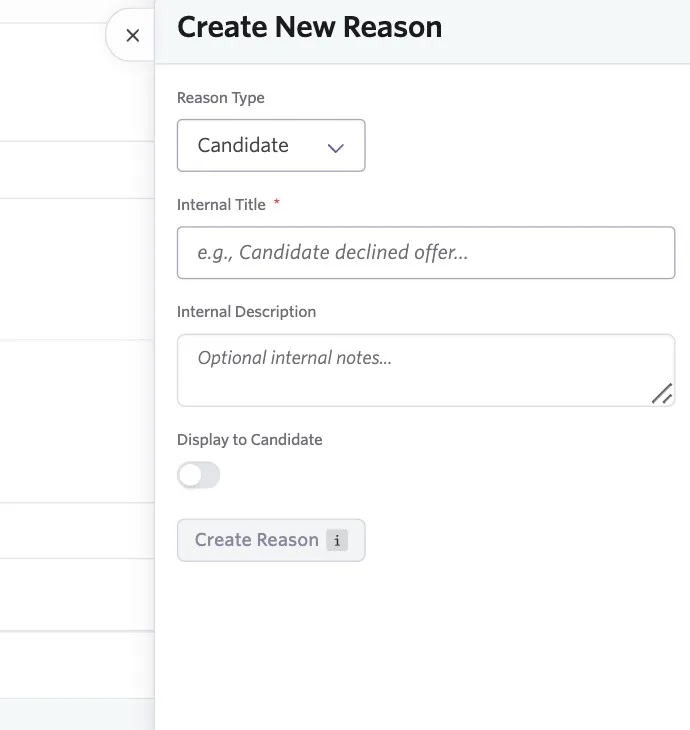
To create a new reschedule or cancellation reason, click + New Reason and complete the following fields:
Reason Type: Whether the cancellation is because of the candidate (for example, a scheduling conflict on the candidate's side), the interviewer (for example, a scheduling conflict on the interviewer's side), or the company (for example, pausing hiring).
Internal Title: The title of the reason, displayed to Ashby users.
Internal Description: A description of the reason, displayed to Ashby users.
Display to Candidate: If enabled, you have the option to set a candidate-facing title and description, and candidates can select this reason when cancelling or rescheduling themselves.
Archiving or editing an existing cancellation or reschedule reason
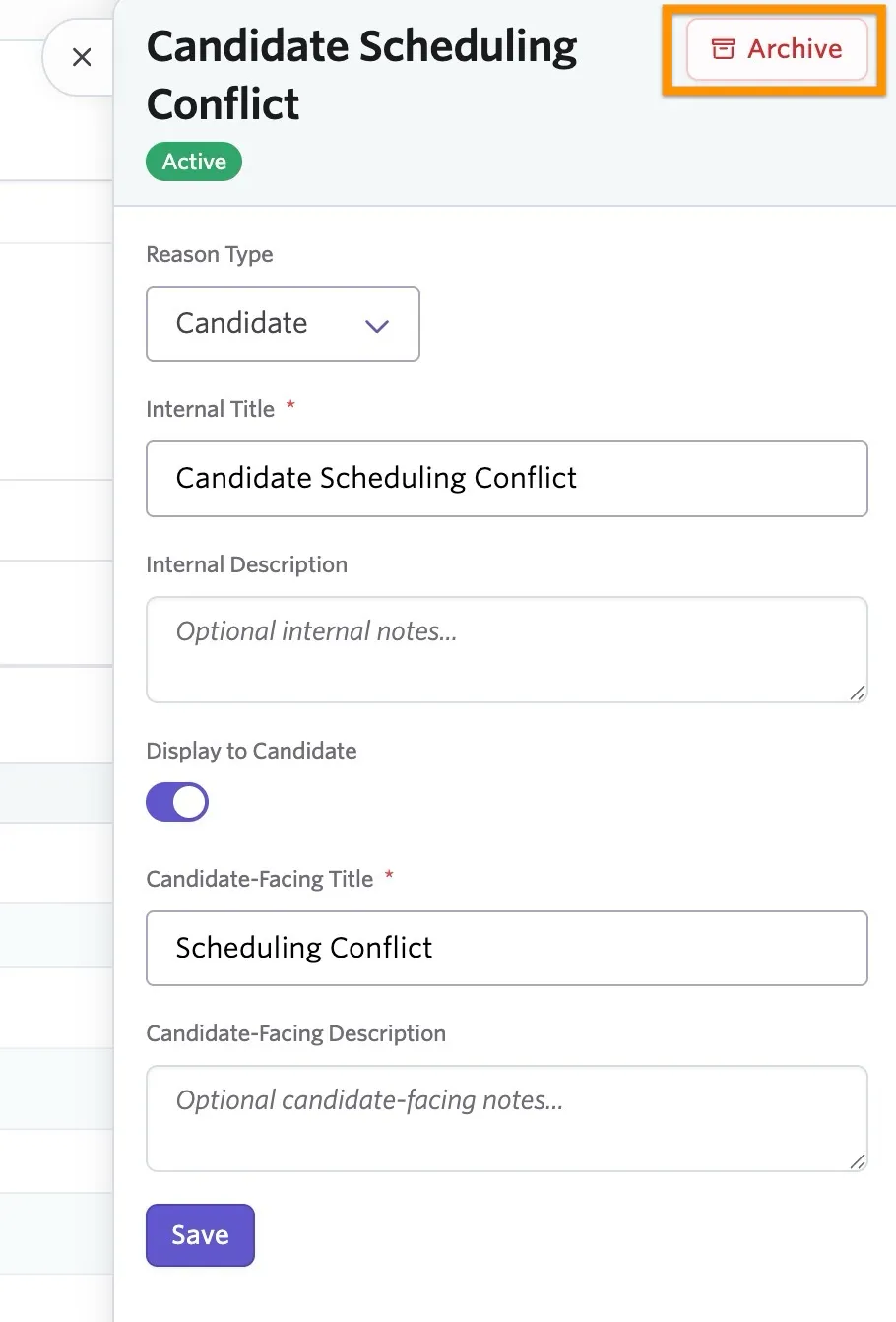
Click on any cancellation or reschedule reason in the Active Reasons list to make changes.
To deactivate an existing cancellation or reschedule reason, click Archive when viewing the reason details.
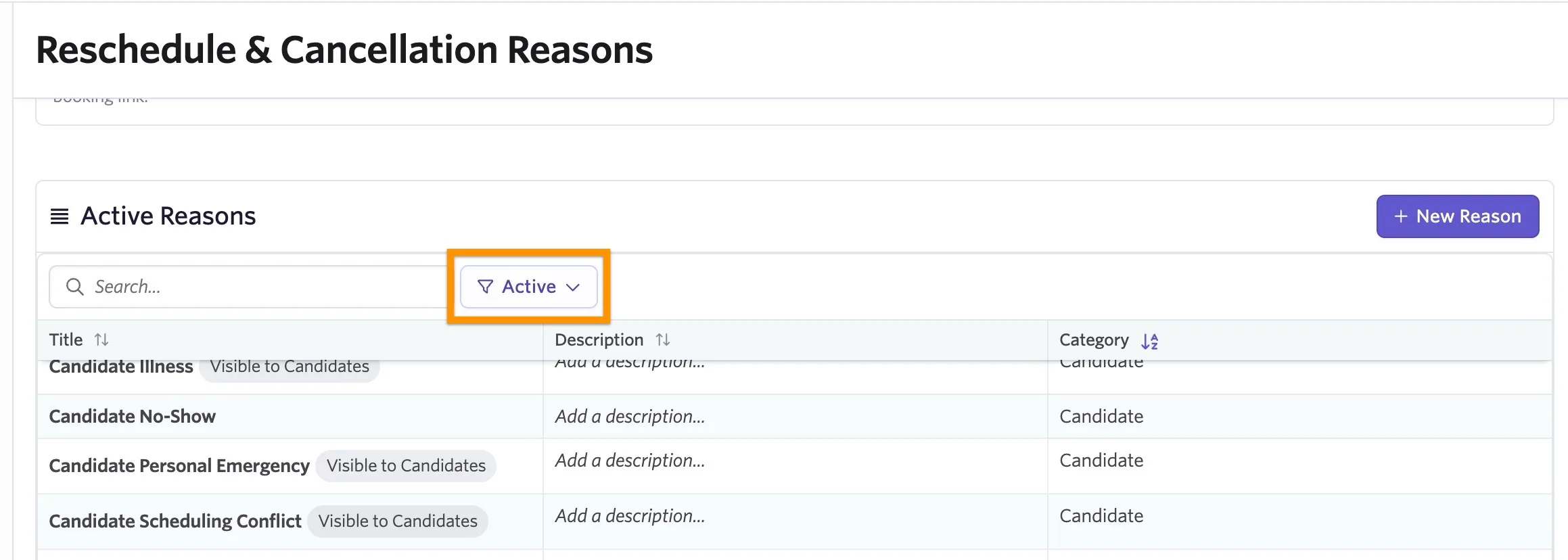
To reactivate a reschedule or cancellation reason:
- Change the Active dropdown to Archived. The display switches to a list of your archived reasons.
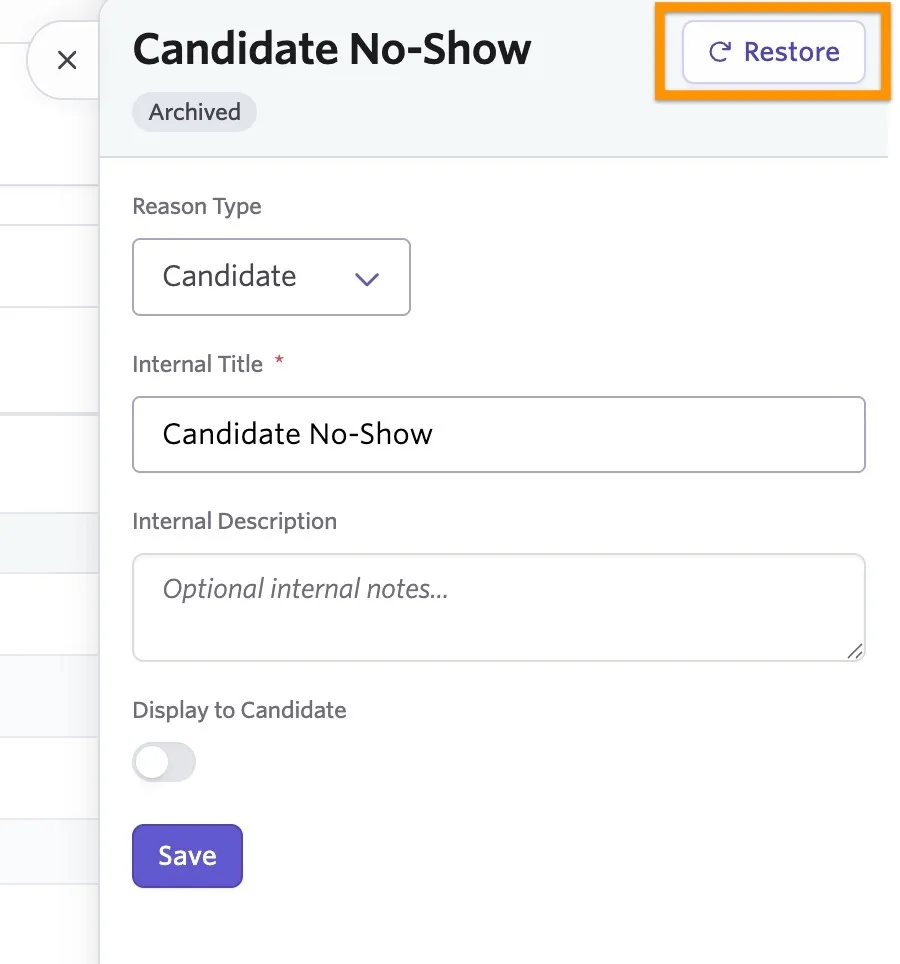
- Click on the reason you'd like to restore to open the reason details.
- Click Restore.
Where users can specify a cancellation or reschedule reason
Internal cancellation and reschedule reasons are only available for Enterprise users or Plus users who have purchased the Advanced Scheduling Automation Add-OnAdvanced Scheduling Automation Add-On.
Adding a cancellation reason
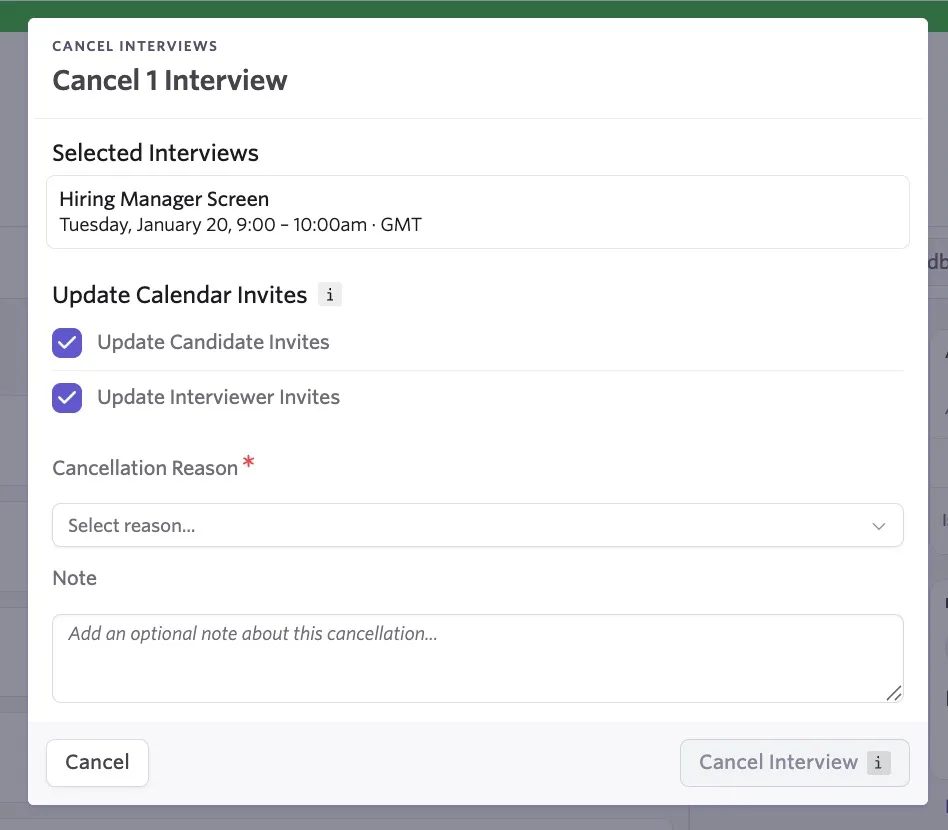
If a user cancels the interview by selecting Actions, then Cancel Interview on the interview activity on the candidate's profile, they are prompted to specify the cancellation reason. Users also have the option to add a clarifying note if needed.
Adding a reschedule reason
Users can specify a reschedule reason at the point of confirming the cancellation or reschedule. When a user clicks Schedule on the Communications page, they are asked to select a reason from the dropdown provided. There is also a space for any optional notes to add further clarification if needed.
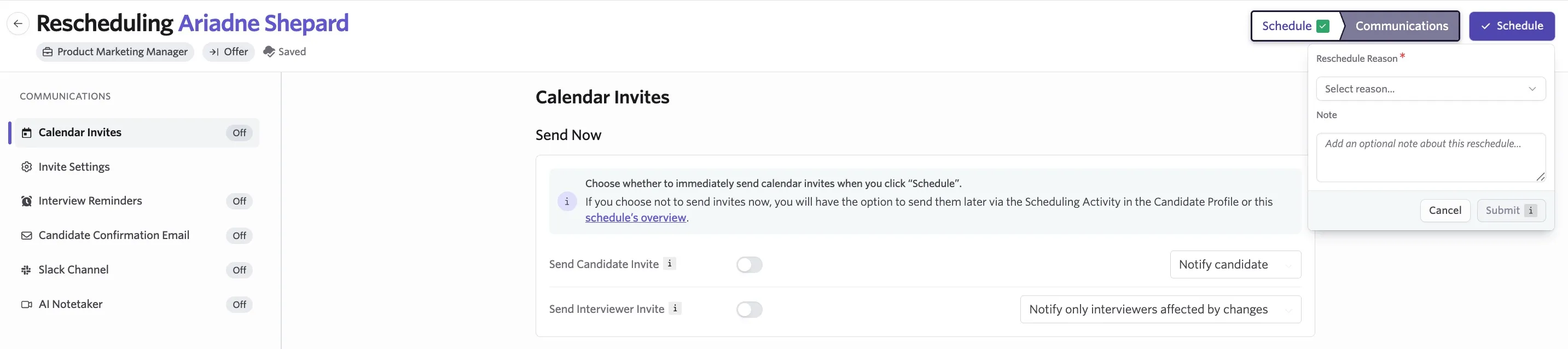
A reschedule reason is only required if the date and time and/or an interviewer on the panel is being updated. For adjustments to the interview (such as updating the location of the interview), Ashby does not ask for a reschedule reason, even if this is set as required.
Where candidates can specify a reschedule reason
Candidate-facing reschedule reasons are available on the Foundations, Legacy Plus, Plus, and Enterprise plans.
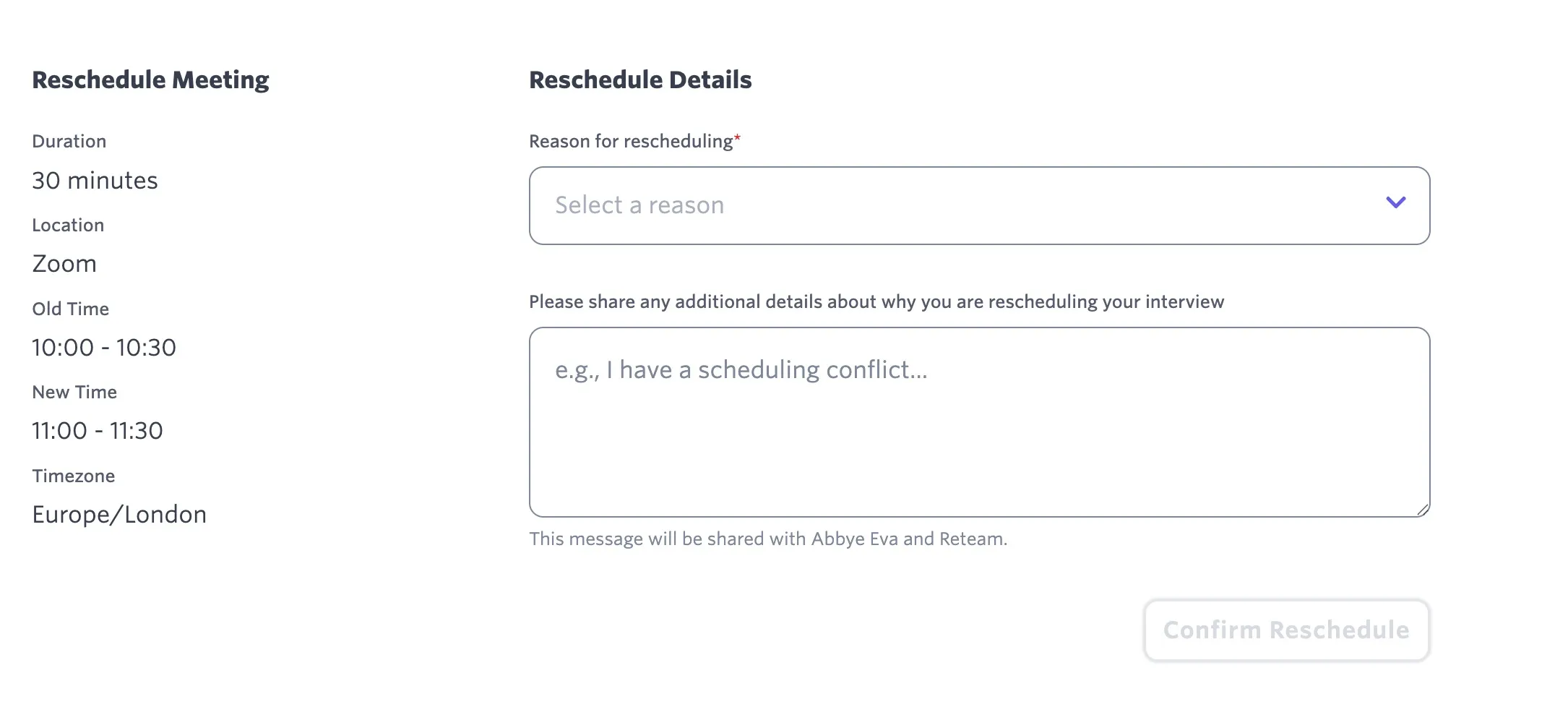
If a candidate has booked via a direct booking link, they have the option to reschedule the interview. At the point of confirming the reschedule, they are asked for a reschedule reason and have the option to add a note before confirming.
Where candidates can specify a cancellation reason
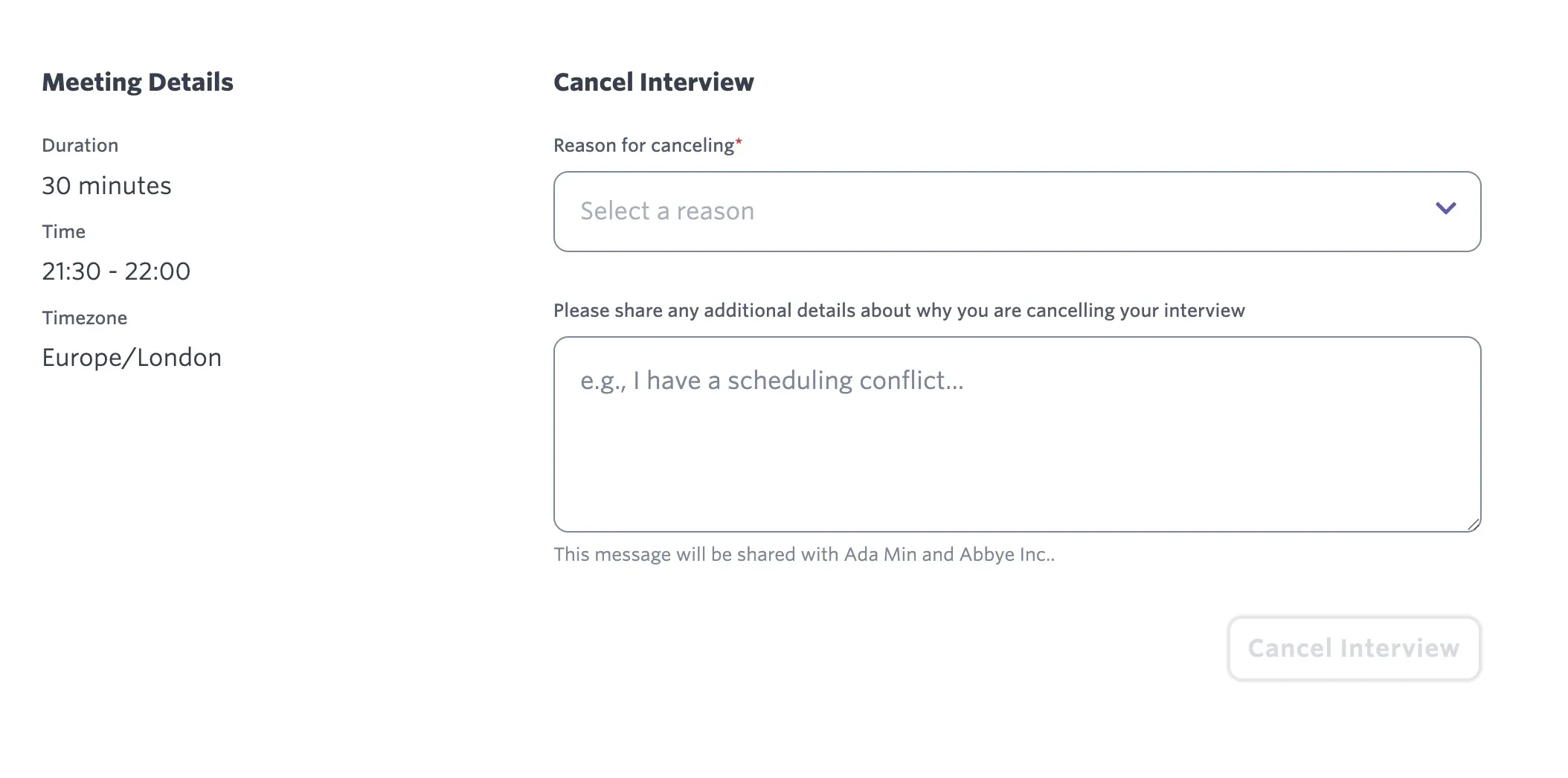
If the candidate has booked via a direct booking link, they can click the three dots on their confirmation page to cancel the interview. At the point of confirming the cancellation, they are asked for a cancellation reason and have the option to add a note.
Reporting on cancellation and reschedule reasons
Reschedule and cancellation reasons can be reported on using the Interview Schedule Versions reporting subject, which is only available as part of the Advanced Scheduling Automation Add-OnAdvanced Scheduling Automation Add-On. Click the link for more information.
The following fields are available as part of the Interview Schedule Versions subject:
Field | Definition |
|---|---|
Schedule Change Reason | The reason submitted for rescheduling or cancelling this interview schedule version. |
Schedule Change Reason Type | Whether a schedule change reason was submitted for a reschedule or a cancellation. |
Schedule Change Reason Submitted By | The user who submitted a reason when rescheduling or cancelling this interview schedule version. |
Schedule Change Reason Submitted By Type | Whether a reschedule or cancellation reason was set by an Ashby User, a Candidate, or an Ashby Automation. |
Schedule Change Reason Category | The category of the reschedule or cancellation reason submitted for this interview schedule version (Candidate, Interviewer, Company, or Ashby Automation). |
Schedule Change Reason Note | Any text included as an optional note when submitting a reschedule or cancellation reason. |
When reporting on reschedule or cancellation reasons, please note that a reschedule or cancellation reason is stored on the version that was replaced with a new version and not on the latest version of the interview schedule. Check out the reporting example at Advanced Scheduling Metrics for additional guidance.
FAQs
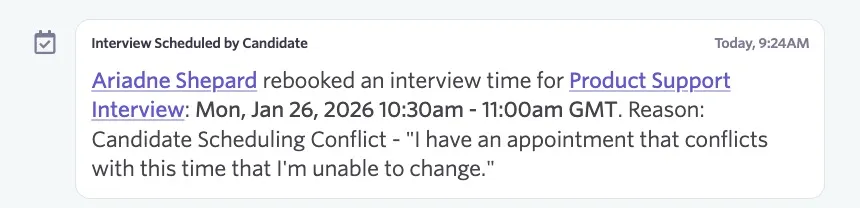
Can I view an interview cancellation or reschedule reason on the candidate's feed?
Yes. The reason for the cancellation or reschedule is listed in the candidate's feed on their profile within the cancellation or reschedule event.
Can I limit the number of times a candidate can reschedule?
This isn't currently possible.