Reporting on Job Postings
You can add Job Postings as a subject when building reports in Ashby. This article covers what fields can be added to reports, along with a few example reports.
Available Job Posting reporting fields
Below are the available Job Posting fields that can be reported on, with a brief description of each field.
Field | Definition |
|---|---|
Job Posting Title | The title given to the job posting. |
Status | The status of the job posting (published or unpublished). |
Social Description | The text added to the Social Description section of your job posting. |
External Visibility | Whether the post is set as listed or unlisted on your public-facing job board. |
Internal Visibility | Whether the post is set as listed or unlisted on your internal job board. |
Location | The location listed on the job posting. |
Application Deadline | The deadline set for applications (if enabled). Appears as a date with a timestamp or a null value. |
Automatically Unpublish? | Only available to display if an application deadline has been set. |
Application Form Title | The title of the application form assigned to the job posting. |
Application Form Type | Whether the application form is a shared or custom application form. |
Job | The job the job posting is assigned to. |
Auto-Confirm Application Enabled? | Whether an application confirmation email has been configured for this job posting. |
Auto-Confirm Application Email Template | The email template sent as part of the application confirmation email. |
Auto-Reject Application Enabled? | Whether auto-reject rules have been configured and activated for the job posting. |
Auto-Reject Application Email Template | The email template sent as part of the auto-reject configuration. |
Created At | The date and time the job posting was originally created. |
Published At | The date and time of the last publication of the job posting. Postings can be unpublished and re-published, so this is a most-recent event timestamp. |
Job Posting report examples
Custom reports are not available on the Foundations Plan.
For foundational information on building custom reports that is not covered below, see Custom ReportsCustom Reports.
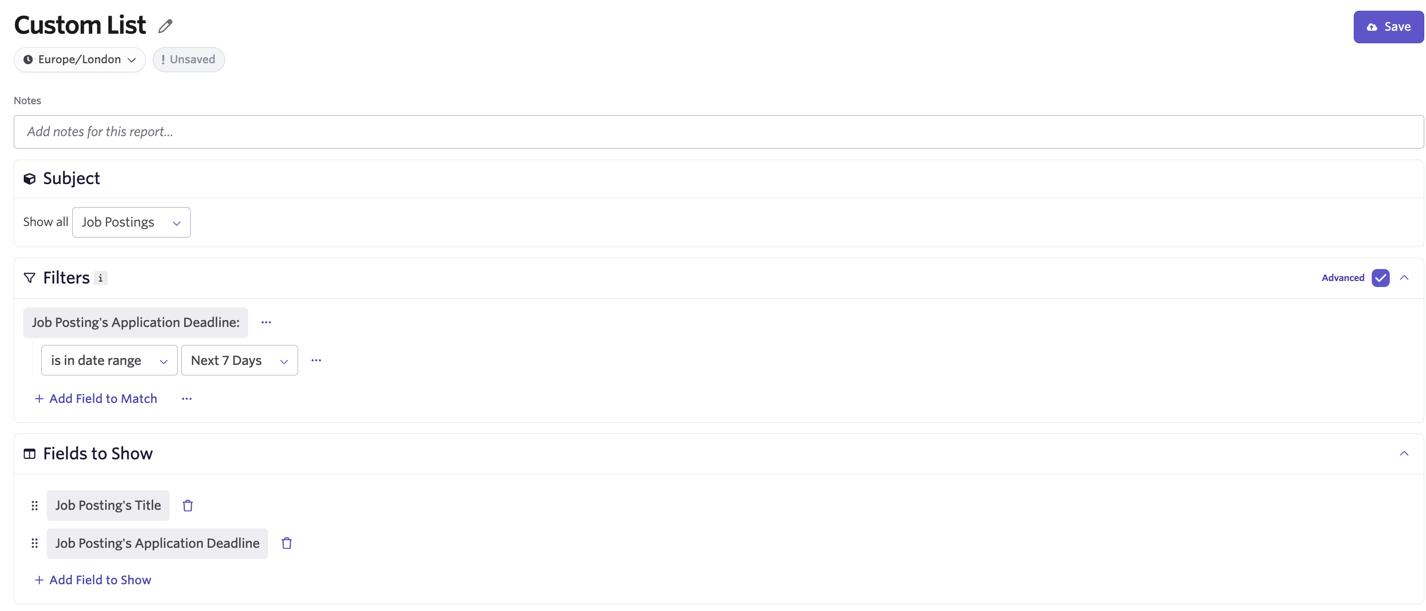
Use case: View all application deadlines reached in the next seven days
- Navigate to Reports, then Report Builder. For this report, select Custom List.
- Configure the below settings, filters, and fields:
- Subject: Job Postings.
- Filters: Job Posting's Application Deadline = is in date range (set to the next seven days).
- Fields to Show: Job Posting's Title, Job Posting's Application Deadline.
To receive notifications about this report, you can set up an alert. More on this at Alerts.
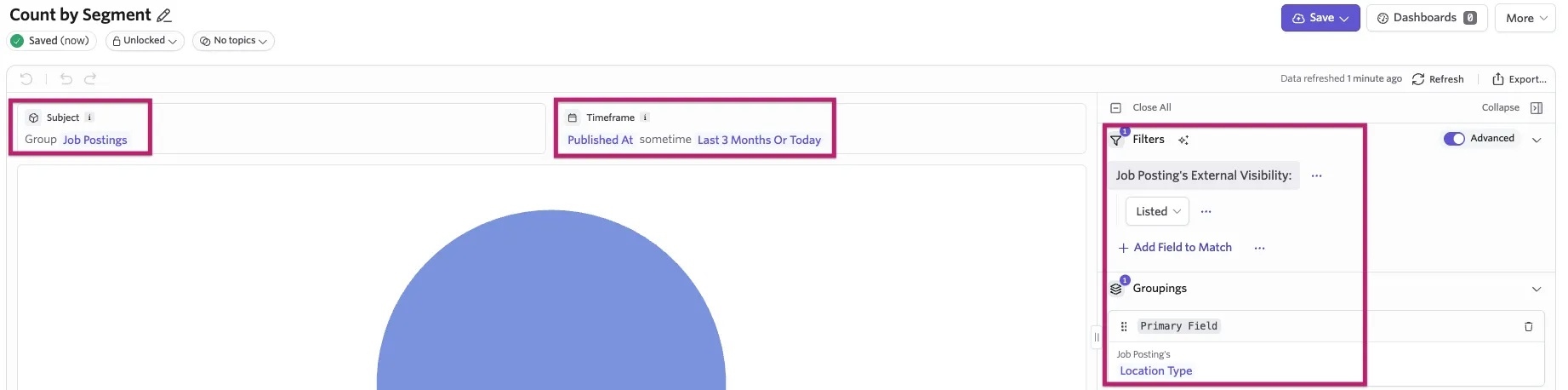
Use case: View all job postings published and listed externally within the last three months, grouped by the posting location type
- To build this custom report, navigate to Reports > Report Builder and select the Segmentation option.
- Configure the below settings, filters, and fields:
- Subject: Job Postings.
- Time Range: Job Posting's Published At to show the last three months.
- Filters: Job Posting's External Visibility = Listed.
- Group By: Job Posting's Location Type.
Use case: View all job postings with a custom application form linked to them
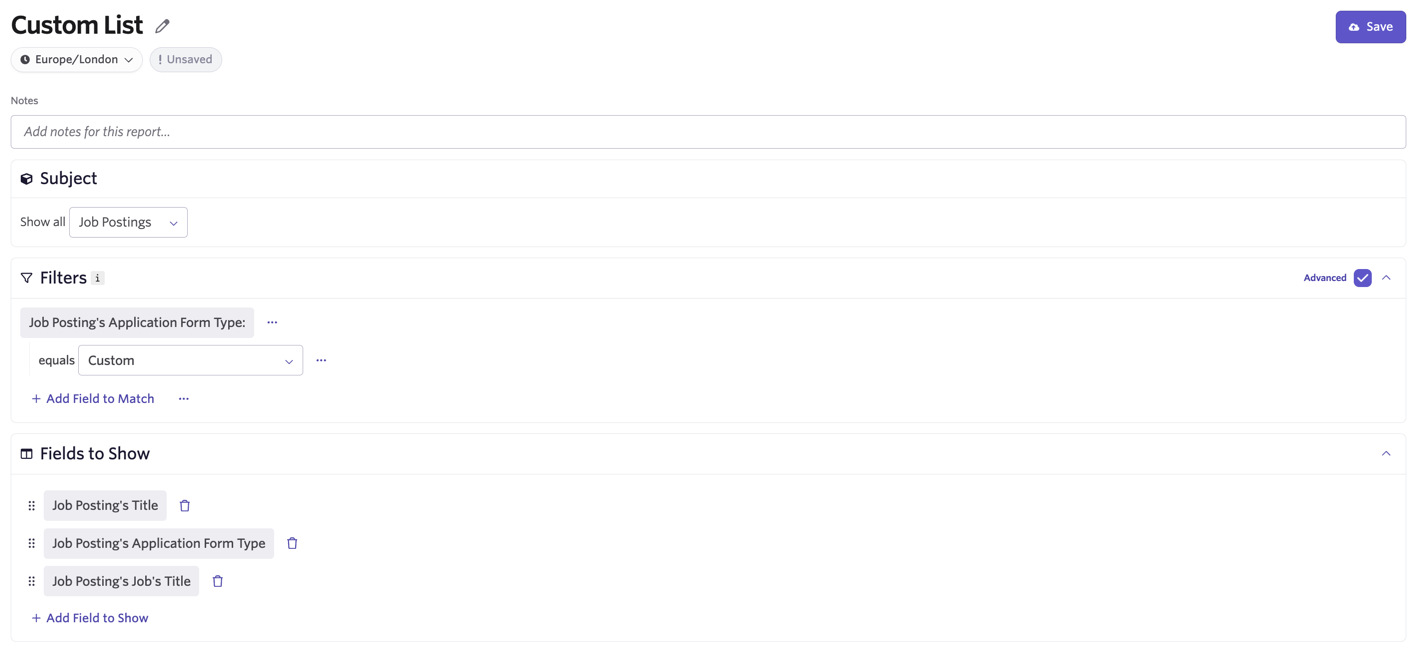
- To build this custom report, navigate to Reports > Build Report and select the Custom List option.
- Configure the below settings, filters, and fields:
- Subject: Job Postings.
- Filters: Application Form Type = Custom.
- Fields to Show: Job Posting's Title, Job Posting's Application Form Type, Job Posting's Job Title.