Refapp
Refapp is a talent intelligence solution that helps recruiters conduct efficient, professional and secure reference checks on each candidate. The tool also enables seamless and accurate Right To Work checks. Refapp's intuitive and user-friendly interface allows you to quickly, securely and efficiently gather information from references. Automatically collect 360-degree candidate insights and hire people who will thrive and help your organisation grow. Establish a digital reference checking process in a smooth step-by-step way. We have a vast library of questionnaire templates you can use straight out of the box. You can also create custom-made templates, enabling you to get started with your digital reference checking within minutes. Refapp automatically collects the answers in a comparable easy-to-read report which can be shared securely with your team or client.
Prerequisites
You’ll need Ashby Org Admin access to enable the integration.
Create Project templates in Refapp first before initializing any assessments in Ashby.
Connect Refapp with Ashby
Request your Refapp API key with Refapp Support at [email protected]
Once you’re provided with your Refapp API key, head over to the Refapp integration settings page in the Ashby integrations marketplace. Tap on + Enable Refapp.
Copy and paste the Refapp key you were provided with into the Refapp API Key field.
Generate an Ashby API key by clicking on the drop-down box in the Ashby API Key field. Type in the API key name you’d like to use for this integration and click on + Create new API key to generate the new key. Copy the newly-created key.
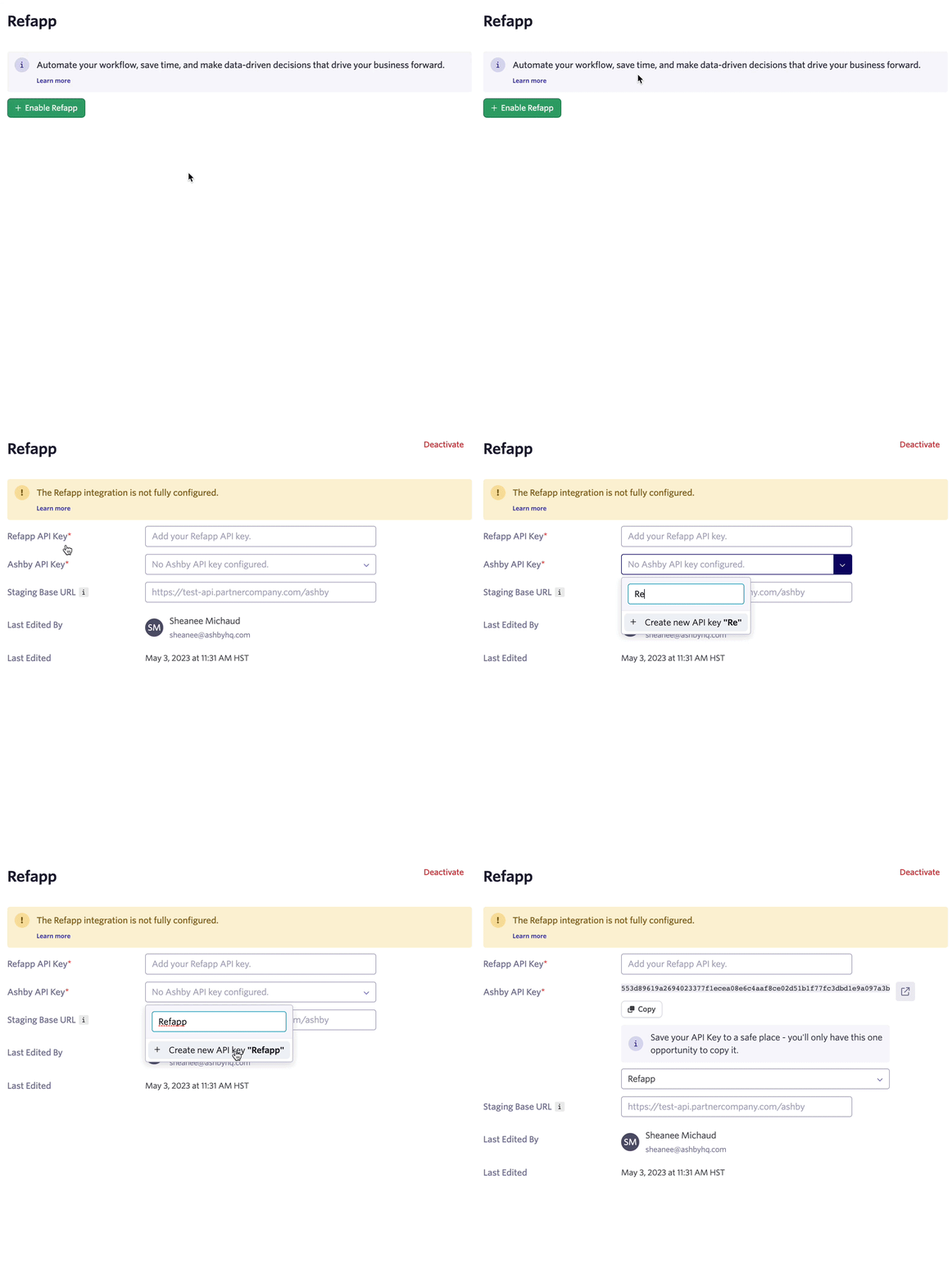
Head over to your Refapp and navigate to Company Settings >> Integrations. Select Configure on Ashby and paste the Ashby API key.
That’s it! You’ve now integrated Refapp with Ashby
Using the Integration
You can now initiate reference checks through Ashby. Project templates will need to be set in Refapp first, then selected in Ashby when initializing the reference check.
This can be done by manually initializing the assessment in the candidate’s profile or added as an interview plan stage activity to automate initializing the assessment when a candidate is moved to a specific stage.
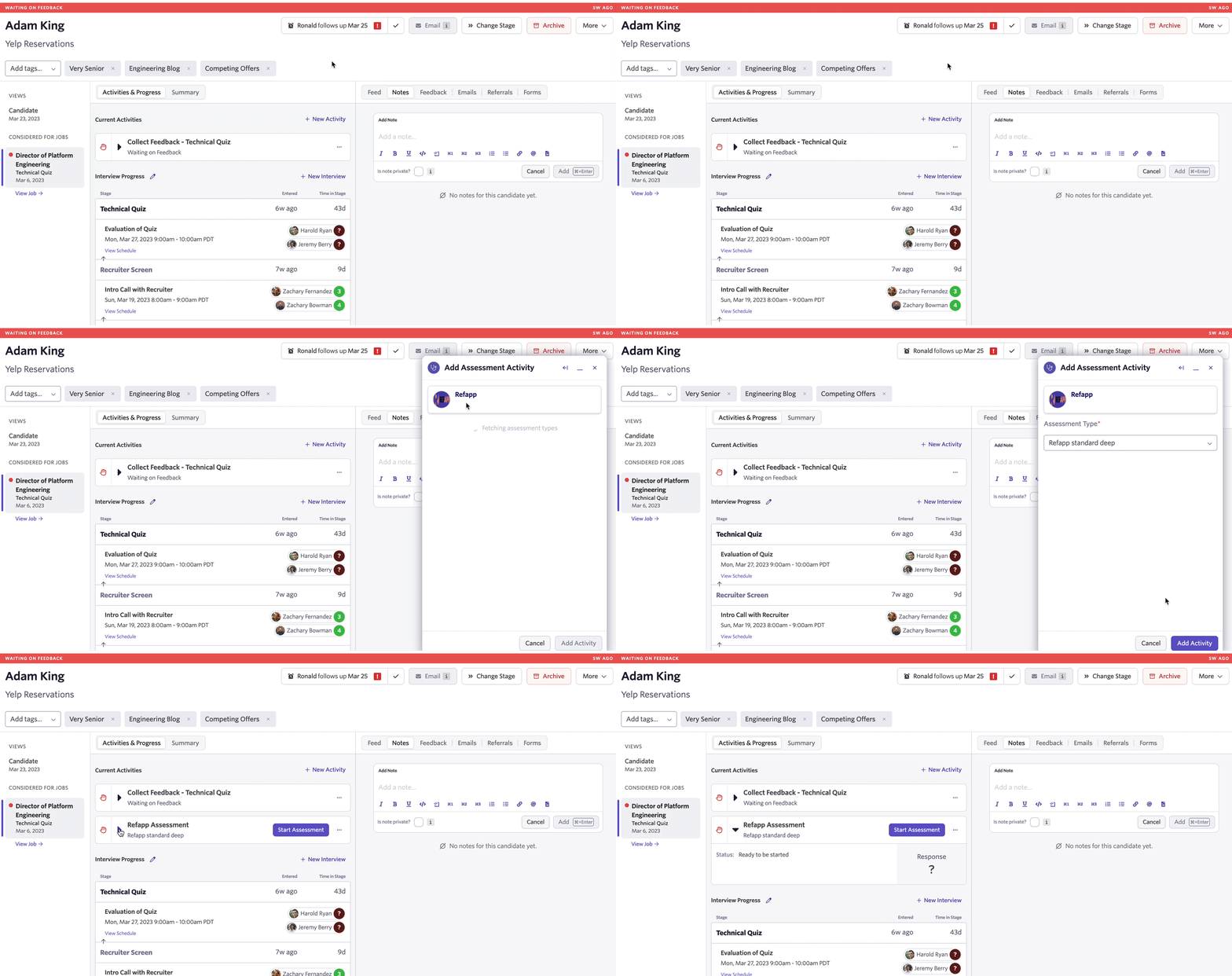
Initializing an assessment on the candidate’s profile: Click on + New Activity on the candidate’s profile page and choose Assessment.
Then, select Refapp and choose the Project template in the Assessment Type drop-down box.
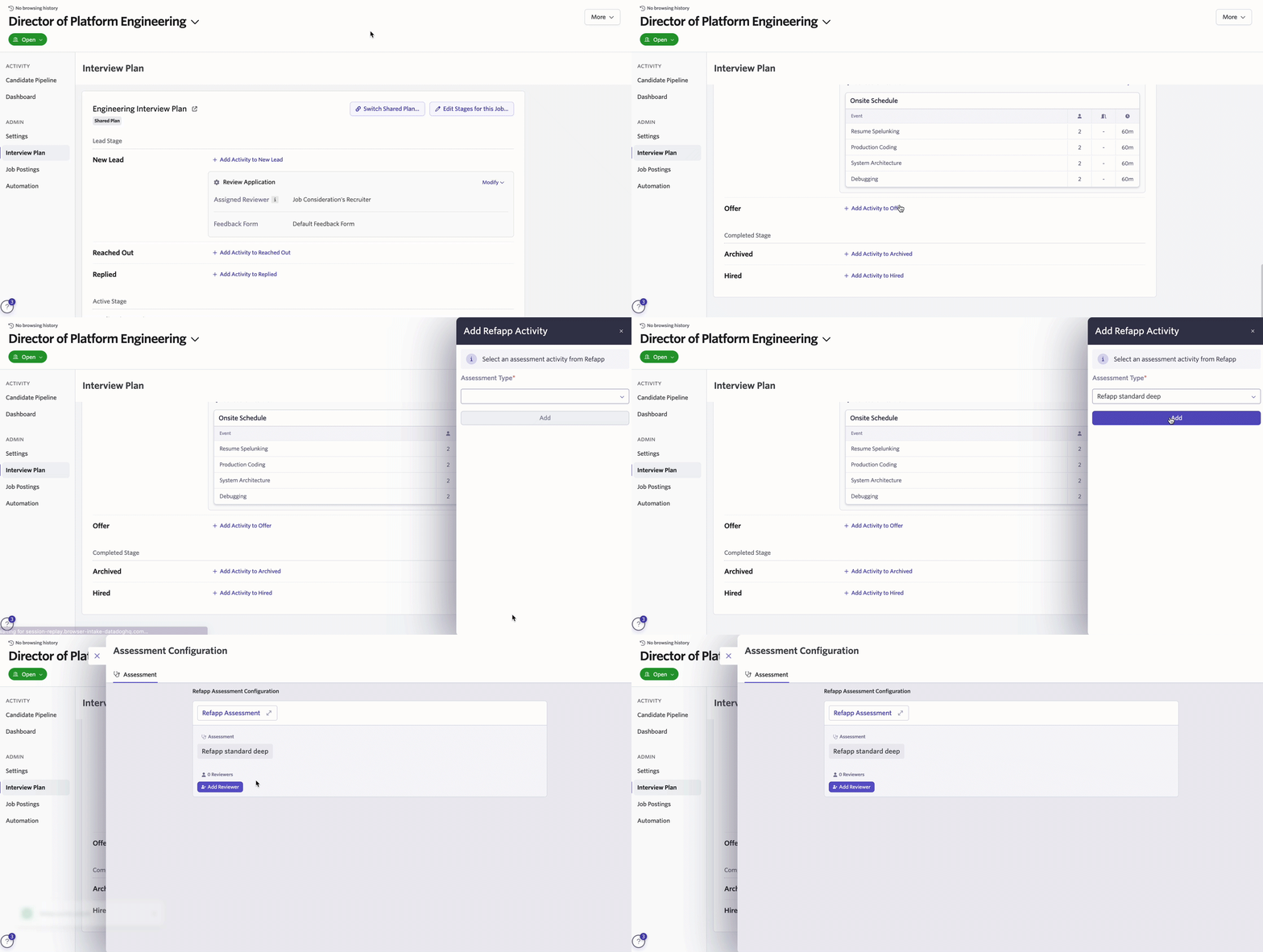
Adding the assessment as an interview plan stage activity: In the interview plan stage, click on + Add Activity and choose Refapp. Then, select the Project template in the Assessment Type drop-down box and choose a Reviewer for the assessment.
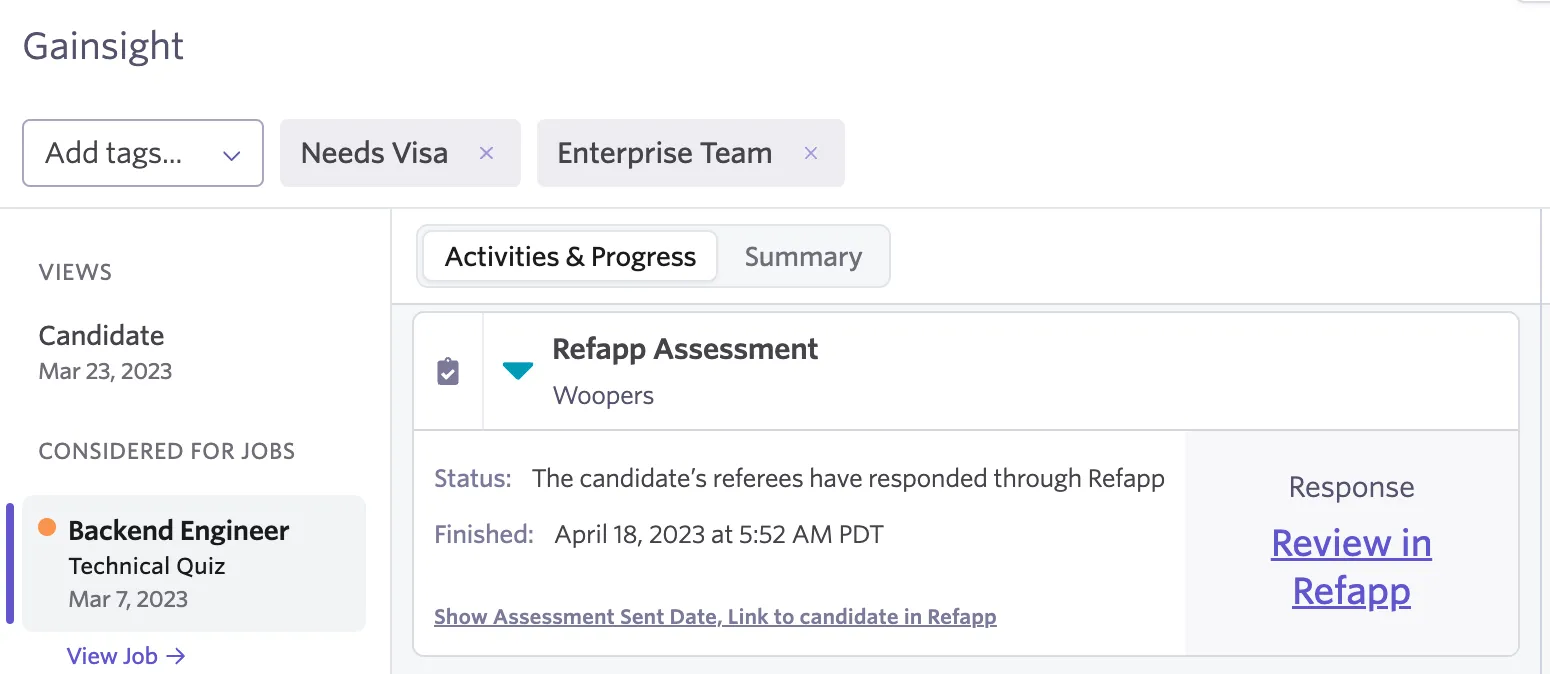
After initializing the assessment, tap on Start Assessment in the candidate’s profile to add the candidate to the Project in Refapp. If you have your Project template has automation enabled, an email or SMS will be sent to the candidate to provide referees.
The status of the reference check will show on the candidate’s profile page.
Video Walkthrough
Head over to https://support.refapp.com/knowledge/video-how-does-the-integration-between-refapp-and-ashby-work to view a video walkthrough of setting up and using the integration.
Additional Information
For more information, Refapp has articles on How do I set up the integration between Refapp and Ashby and How does the integration between Refapp and Ashby work. If you have any questions or feedback about the integration, please reach out to our team at [email protected].