Paychex
2 min
Once a candidate has accepted an offer you can push their data into Paychex to kick off the new employee onboarding process.
Overview
Sync custom fields | Sync offer letters | Sync file uploads | One or two-way sync |
|---|---|---|---|
❌ | ❌ | ❌ | One-way sync from Ashby to Paychex. |
Integrating Paychex and Ashby
- Reach out to [email protected] with your Paychex organization’s displayID and we will request that your Paychex account be linked to Ashby. Once we confirm they are linked, please move to step 2.
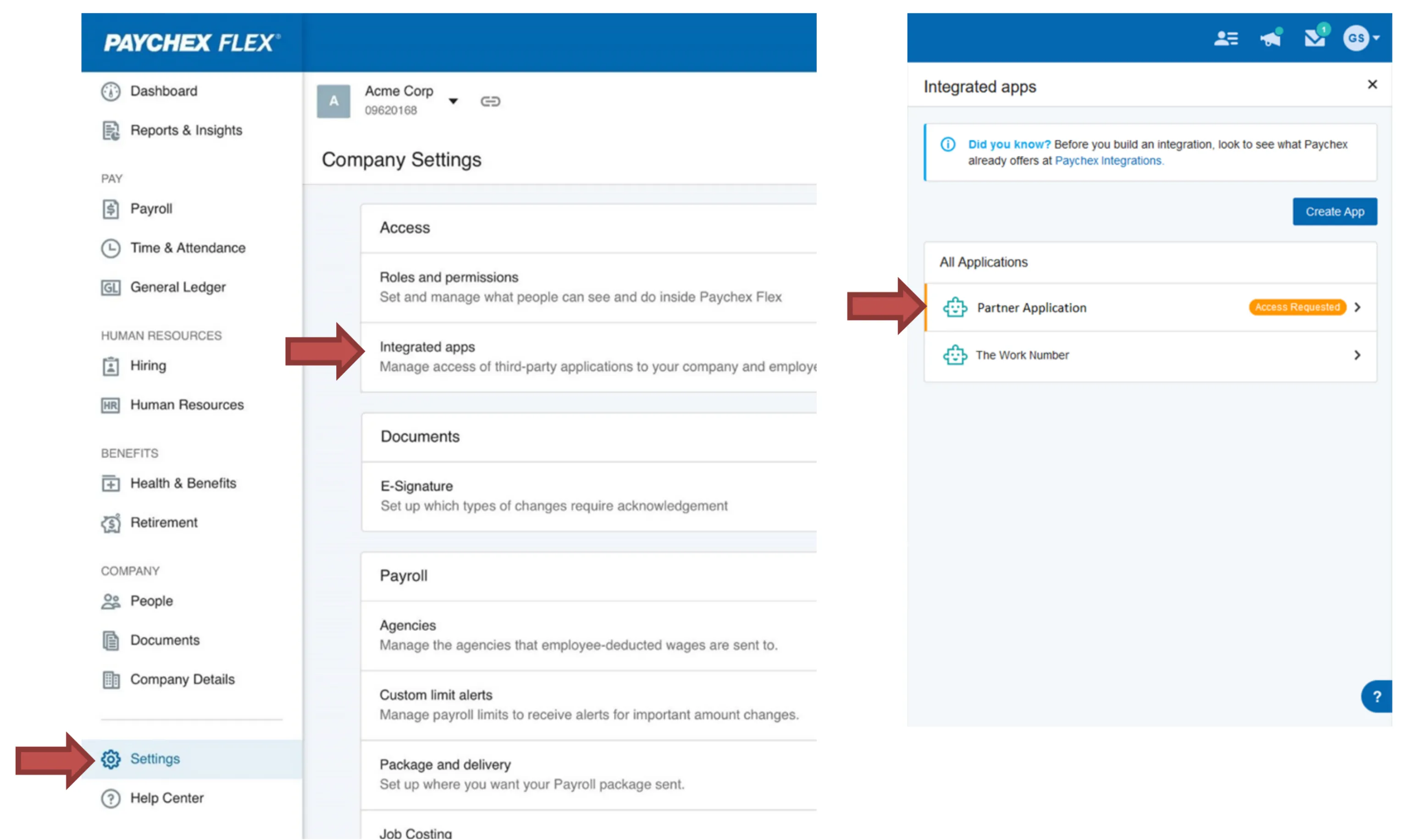
- Login to Paychex Flex, navigate to Company Settings > Integrated Applications
- Once logged in, you will see the app with an Access Requested notice
Important: The following must be performed by a Flex Admin User
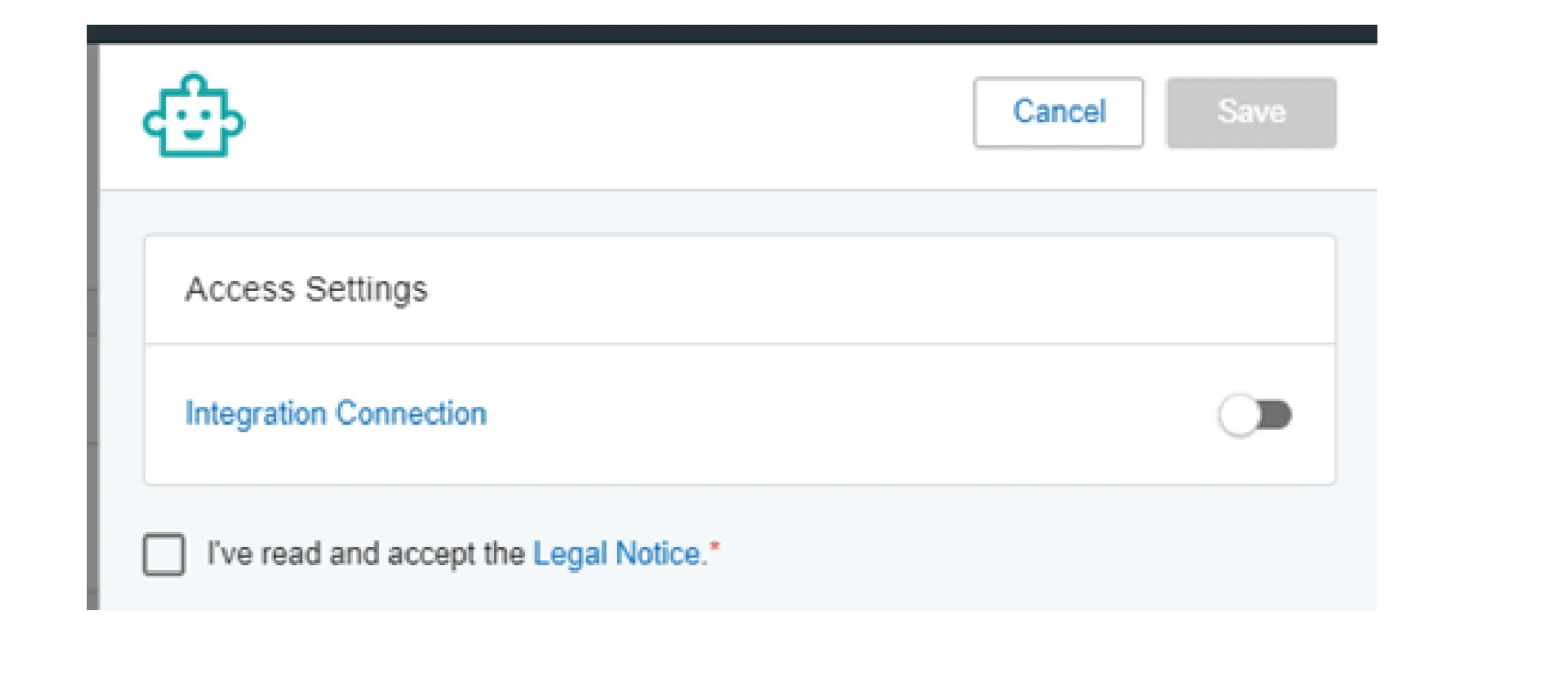
Then toggle on the integration, agree to the legal notice, and click Save.
We push the following candidate data from Ashby to Paychex:
- Candidate name
- Employment type
- Worker type
- Email address