Offers & E-Signatures
Offer Approvals
12 min
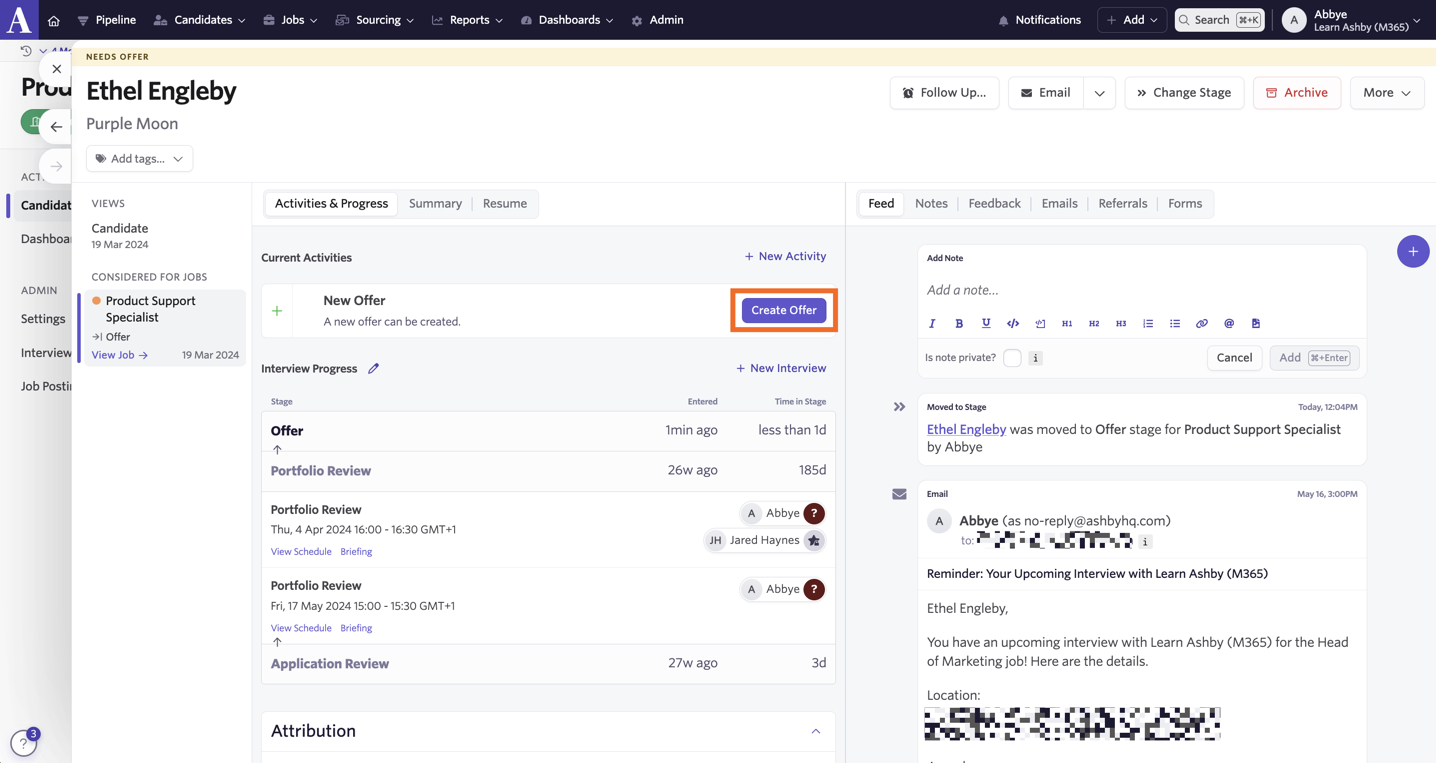
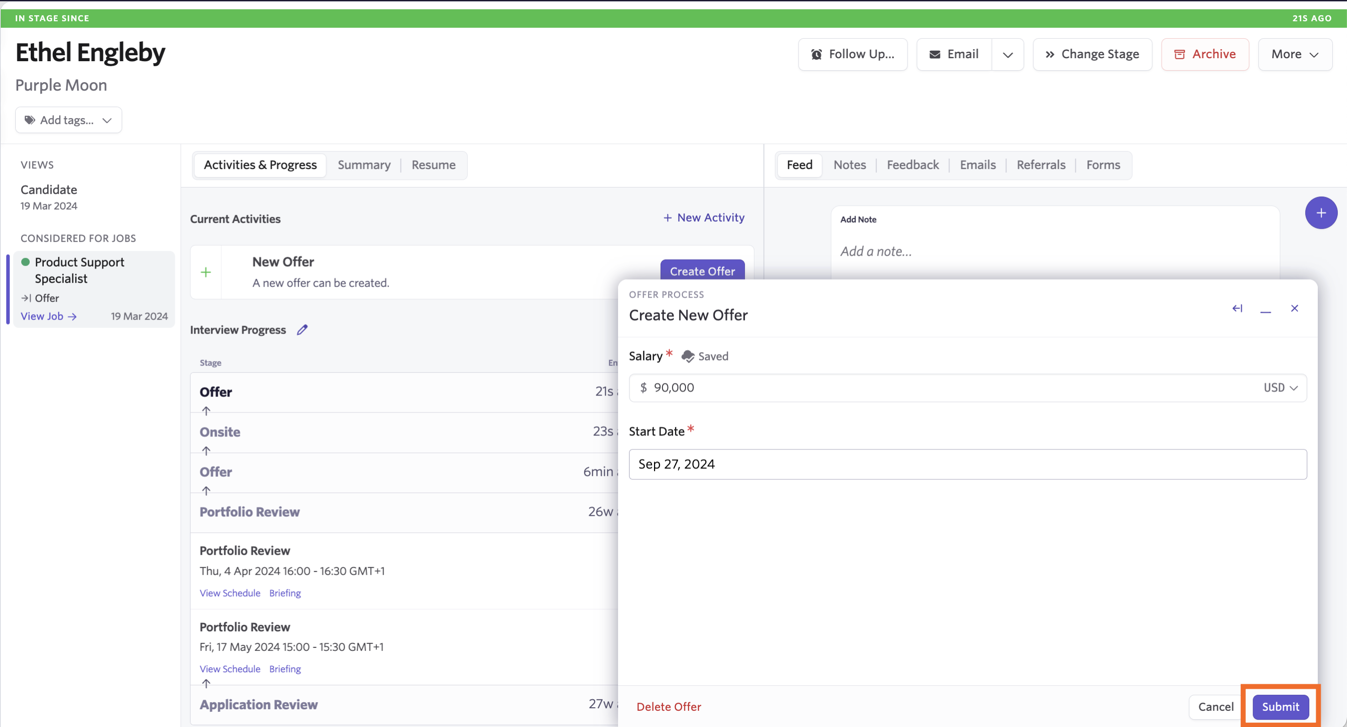
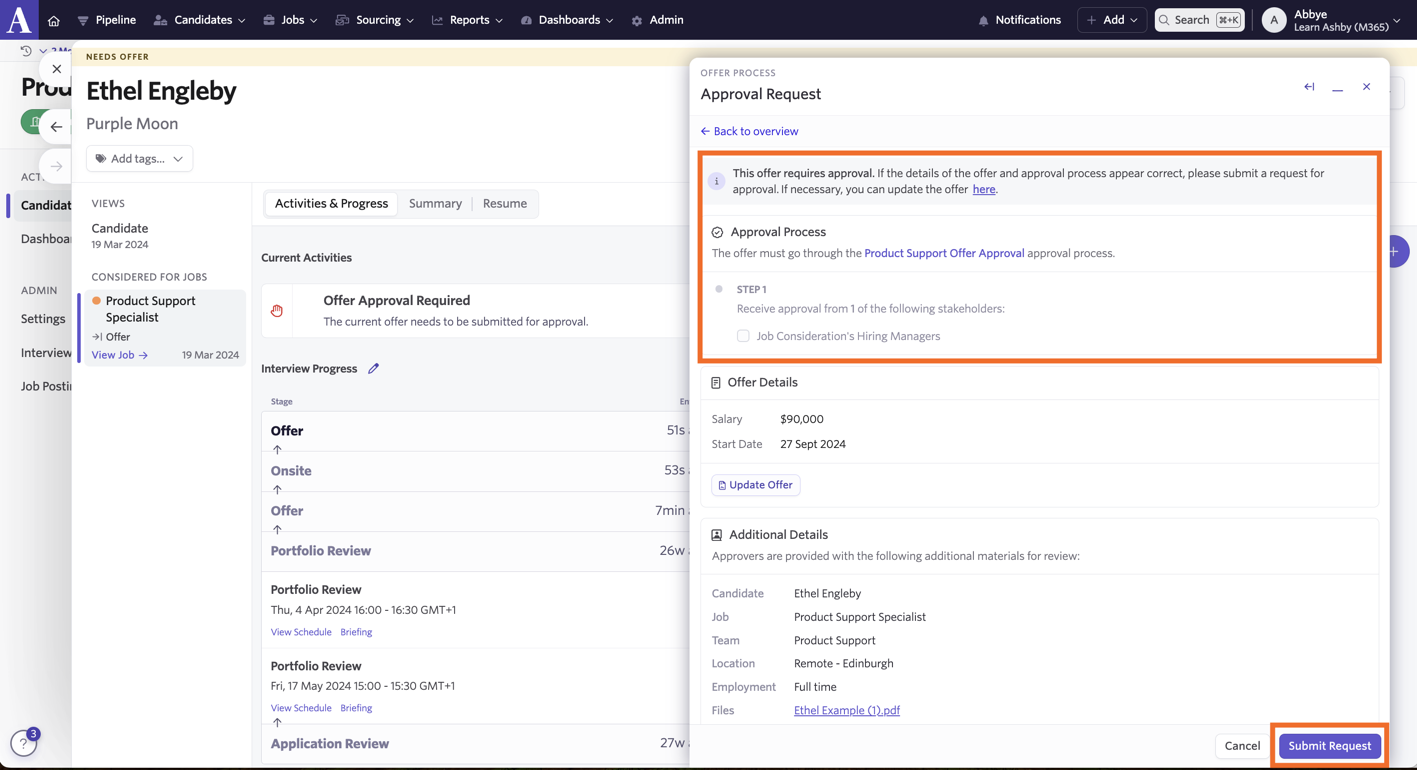
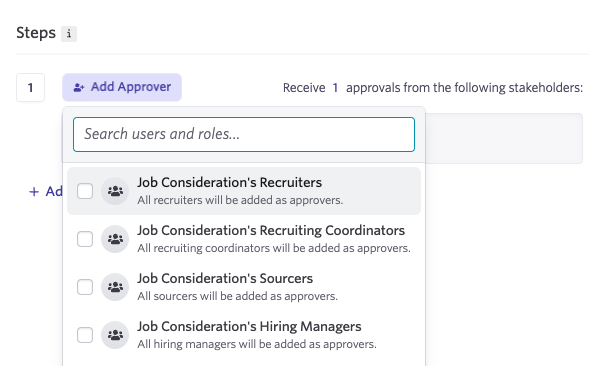
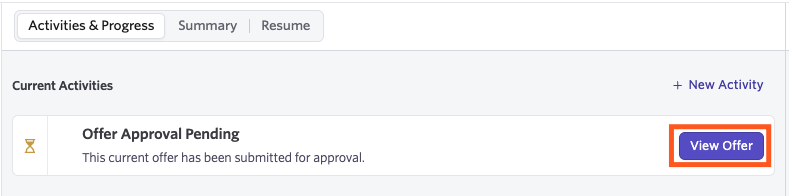
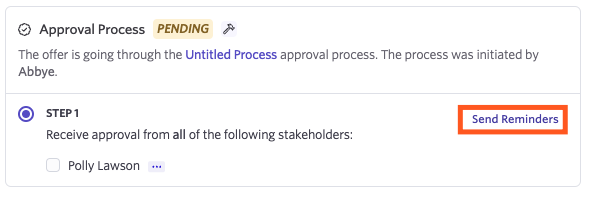
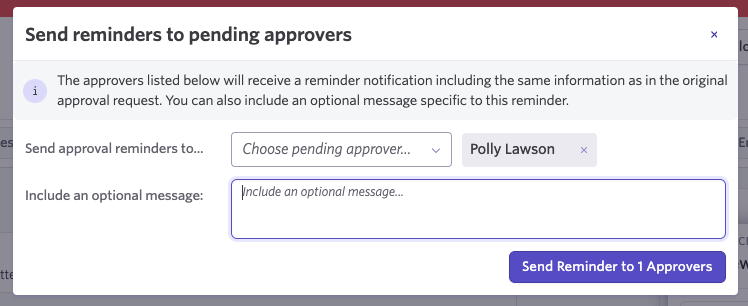
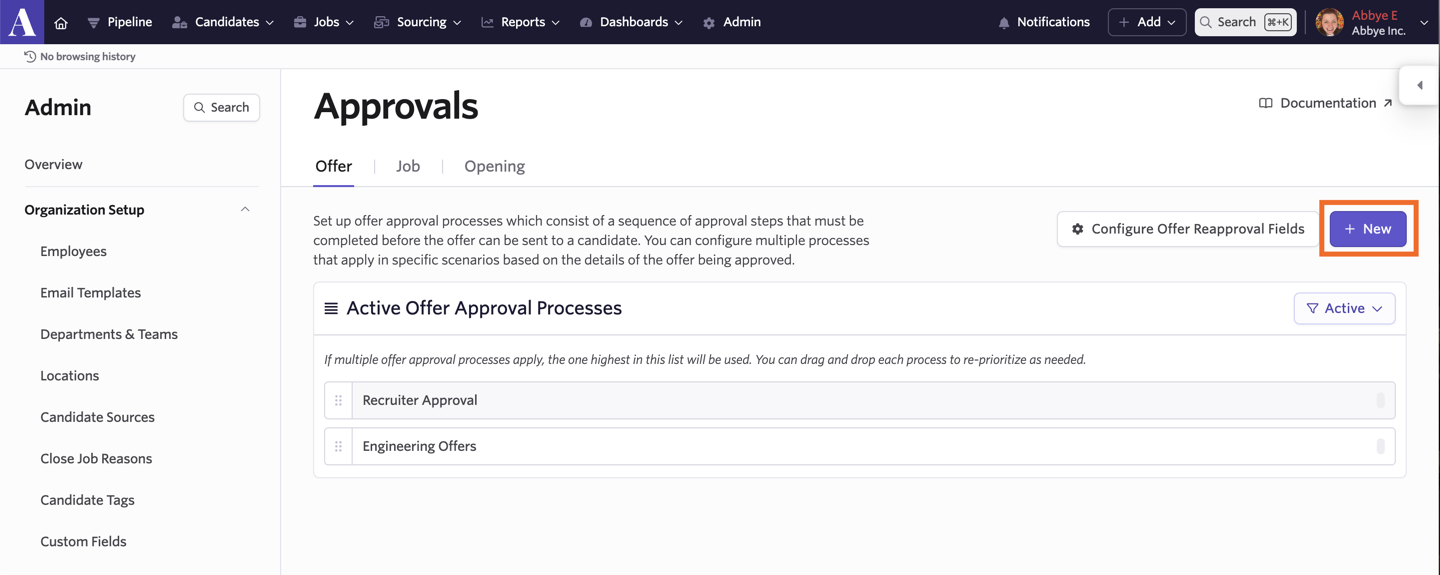
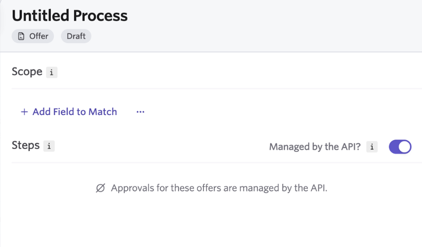
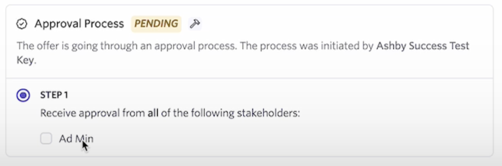
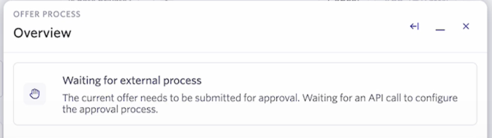
in this guide, you'll learn about managing offer approvals through ashby for more details on all approval options, check out docid\ e yblrbjigpkxpxjelyjo approvals can be set up on the plus, enterprise and legacy plus plans foundations legacy plus plus enterprise ❌ ✅ ✅ ✅ offer approvals overview an approval process consists of a sequence of one or more approval steps, each of which must be completed before an offer can be created and sent to a candidate each approval step consists of one or more stakeholders who must approve the terms of the offer before moving on to the next step in the process permissions approval creation and approving see the table below for information on the permissions required to configure approvals and to be an approver access role can configure an approval? can make one off edits to an approval process (if enabled)? can be set as an approver? limited access ❌ ❌ ✅ agency users ❌ ❌ ✅ elevated access external recruiter (not linked to an agency) ❌ ❌ ✅ elevated access analyst ❌ ❌ ✅ elevated access hiring team member ❌ ❌ ✅ elevated access hiring manager ❌ ❌ ✅ elevated access admin ❌ ❌ ✅ elevated access admin private ❌ ✅ ✅ organization admin ✅ ✅ ✅ 💡 when an approval request is sent, the user can approve or reject the request from their email they do not need to have a specific access role or level of permissions to approve or reject the approval request via email or via slack they will need to have at least elevated access to the role in question to be able to view the candidate’s profile prior to approving create an approval process to create an approval process, navigate to admin > organization settings > https //app ashbyhq com/admin/organizational settings/approvals/offer click + new in the top right corner of the page to begin configuring approval process options this screenshot highlights the 5 configuration options for setting up an approval process active offer approval processes list of activated processes if multiple processes have a scope that would apply to an offer, the one highest on this list will be used you can drag and drop each process to re prioritize as needed process title here you can give the process a descriptive title scope you can filter which offers this process applies to by matching against fields on the associated "job consideration" if an offer has multiple applicable processes, the process higher in the process list will be used click + add field to match to add an additional filter to your scope steps here you can configure how many steps this process should have and which individuals should be included as approvers in each step stakeholder options here you can configure how many of the approvers in a step are required to approve to advance to the next step create enable your process once configured using approvals once approvals are activated, they will be applied to new offers to use approvals, first, create the offer on the candidate’s profile fill out the offer details, then click submit to confirm next, review the approval process to confirm the correct approvers are list, then click submit request the approvers will receive a notification prompting them to approve the offer once they submit their response, the process will move on to the next approver once all steps have been completed, an e signature request and offer letter can be sent out to the candidate faq what types of notifications can the reviewer receive? email and slack they will also see an approval task on their home page when logging in how many processes can i have? you can create unique approval processes which take effect under certain conditions as only one approval process will apply to each offer, the order of processes in the list determines the priority with which these processes will take effect you can optionally configure a default fallback process that runs when no other process applies is it possible to set the ‘hiring manager’ on the hiring team of a job as an approver instead of selecting a specific person? it is! you can now select a pool of users as approvers based on their role on the job you can pick from pulling an approver from the job consideration’s recruiters, recruiting coordinators, sourcers and/or hiring managers does a user need specific permissions to provide approval? when an approval request is sent, the user can approve or reject the request from their email they do not need to have a specific access role or level of permissions to approve or reject the approval request via email or via slack they will need to have at least elevated access to the role in question to be able to view the candidate’s profile prior to approving can i send a reminder to a stakeholder about approving an offer? you can manually send out a reminder, yes! to do this, click view offer on the candidate’s profile to view the offer details and approval process steps a send reminders option will show next to the step where approval is still needed, along with the stakeholder or stakeholders who have yet to approve click send reminders from here, you can determine the stakeholder/s that should receive the reminder and add in an additional message to go alongside the original approval request information if needed click send reminder to x approvers to send out the reminder can a user be cc’d in to receive approval notifications? currently, only those involved in the approval process will be send notifications about the approval flow if an admin forces through an approval, does the approver receive a notification? the approver will not receive a notification but if they try to then click approve they'll see that the approval already occurred and action is no longer needed can i set an approval chain via the api? the enterprise offer approval api tool is only available on the enterprise plan when creating an approval, you have the option to set it to be managed via the api to create an approval within ashby, head to https //app ashbyhq com/admin/organizational settings/approvals/offer and click + new from now on, when an offer is created and submitted, a waiting for external process message will show in the offer overview this means that ashby is waiting for an approval chain to be submitted via an api call toggle on the managed by the api? option in the steps section you can opt to set up criteria within the scope section if only offers who meet a certain criteria should be managed via the api this option is currently only available for offers once the approval chain has been received, the approval steps will be added to the offer to pull data via the api to update the approval chain, you can use the approvaldefinition update request more on this https //developers ashbyhq com/reference/approvaldefinitionupdate will incomplete or blank offer fields be included in the email sent to an approver? the offer approval email will only include fields that have been filled in, including offer custom fields why isn’t the ‘hired’ stage appearing in the dropdown when i click on ‘change stage’? the hired stage will not appear in the change stage dropdown if there are active offer approvals set up in the https //app ashbyhq com/admin/organizational settings/approvals/offer you will need to complete the offer process by clicking the offer accepted option within the offer’s settings; once that has been done, the candidate’s stage will automatically change to hired w hy am i seeing the message “approval gap detected! not all offers are protected by approval processes”? you’re seeing this message because all of your existing offer approvals have scopes applied scopes are rules that determine which offers need approval based on specific conditions (for example, salary amount, department, or location) if an offer doesn’t meet any of these conditions, it won’t be sent through an approval process, creating a gap ashby recommends creating a general (catch all) approval process without scopes this ensures that all offers are protected by at least one approval process scoped approval processes will still apply when their conditions are met offers that don’t meet any scope conditions will fall back to the general approval process