Notifications & Notification Settings
In this guide, we cover how to configure the notifications you receive and how to set notification settings.
How do I choose when I receive notifications and the type of notifications I receive?
You can amend your notification settings in Personal Settings > Notifications. The events you can receive notifications for are listed here. Use the checkboxes to determine if you want to receive notifications for an event or not.
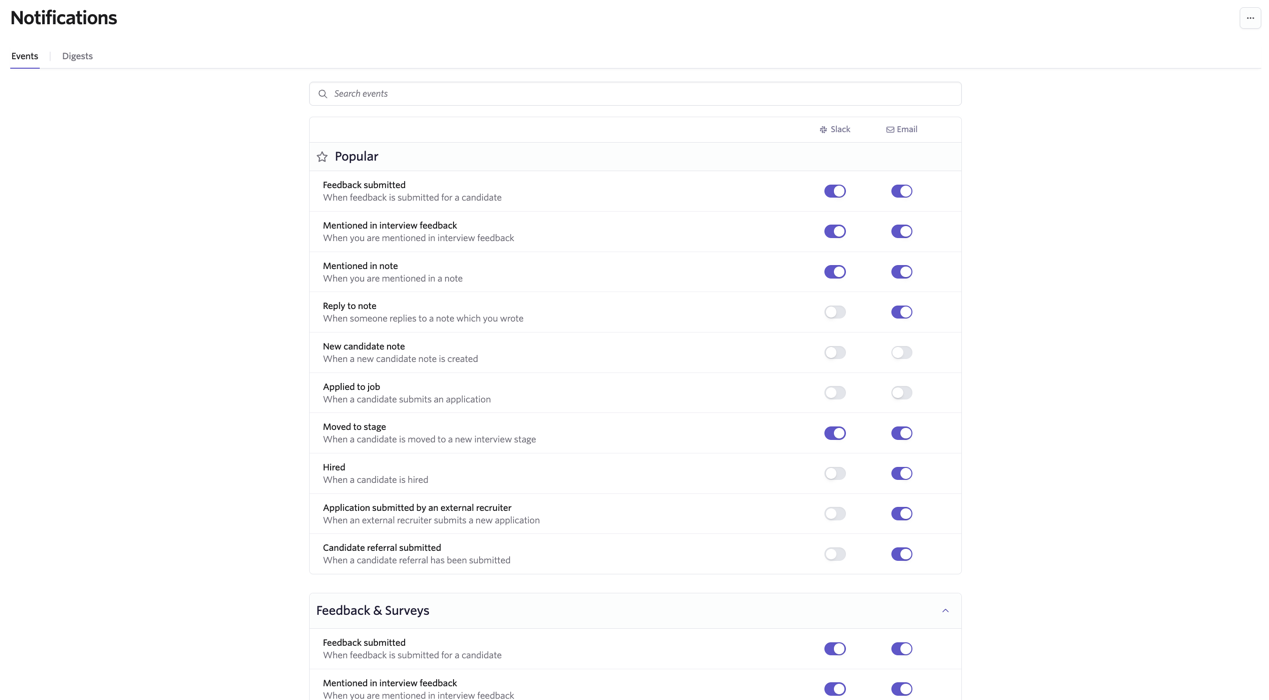
You can receive notifications via email and via Slack, if you have the integration for Slack in place. More about this integration at SlackSlack.


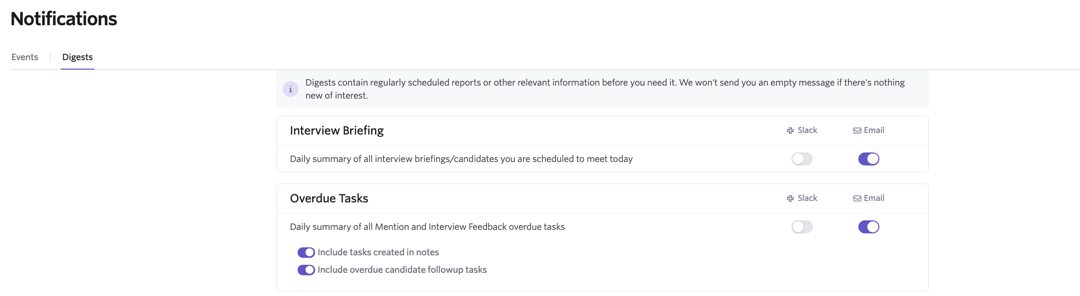
You can also determine the digests you receive in the Digests tab. You can choose from the following:
- A daily summary of all interview briefings for candidates you are scheduled to meet today.
- A daily summary of all overdue tasks. You can opt to include or exclude tasks created in notes and/or overdue follow-up tasks in these digests.
Which jobs or job considerations do I receive notifications for?
You receive notifications for the jobs and job considerations you are following or you are on the hiring team for.
What is a hiring team in Ashby?
Hiring team roles are separate from permissions and access roles in Ashby. They serve to describe the person's relationship to the job or job consideration for reporting and notification purposes. Roles include Hiring Manager, Recruiter, Recruiting Coordinator, and Sourcer.
To view the hiring team for your job, navigate to Jobs > Jobs, then go to the Settings section of your job.
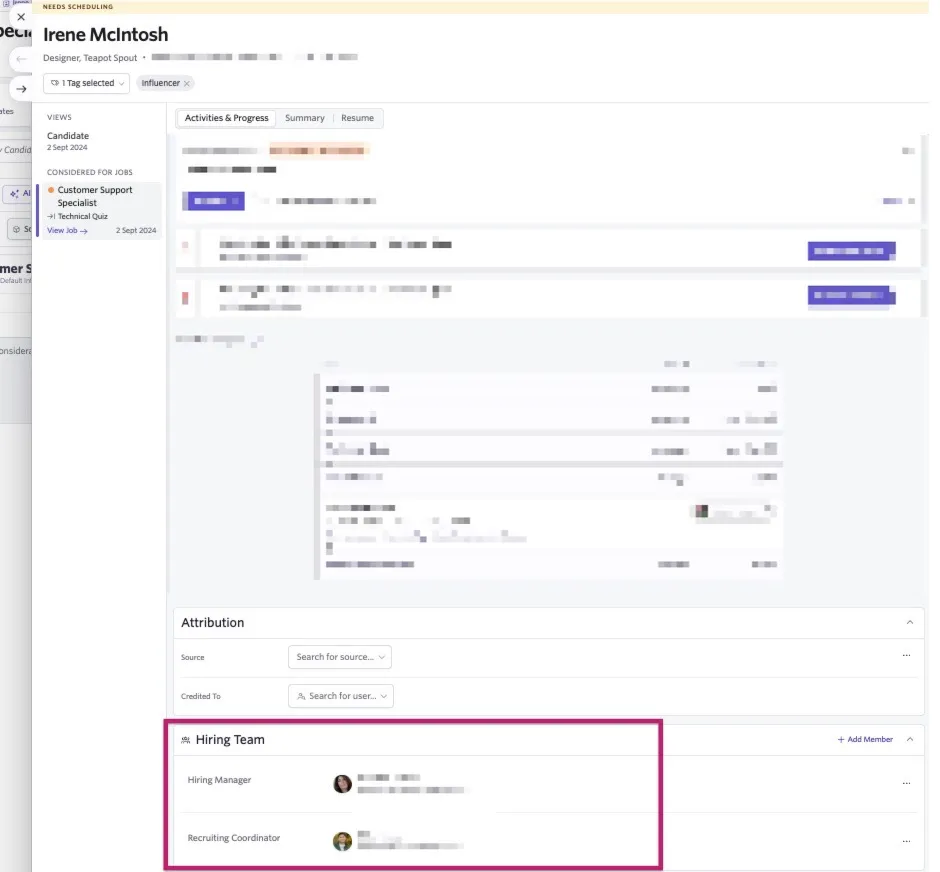
For individual job considerations, you can view the hiring team in the Activities & Progress tab of the job consideration on the candidate's profile.
How do I follow a job in Ashby?
If you'd like to follow a job, navigate to Jobs > Jobs, then click on your chosen job. Click More once in the job's pipeline, then Follow this job. You now receive notifications for this job.
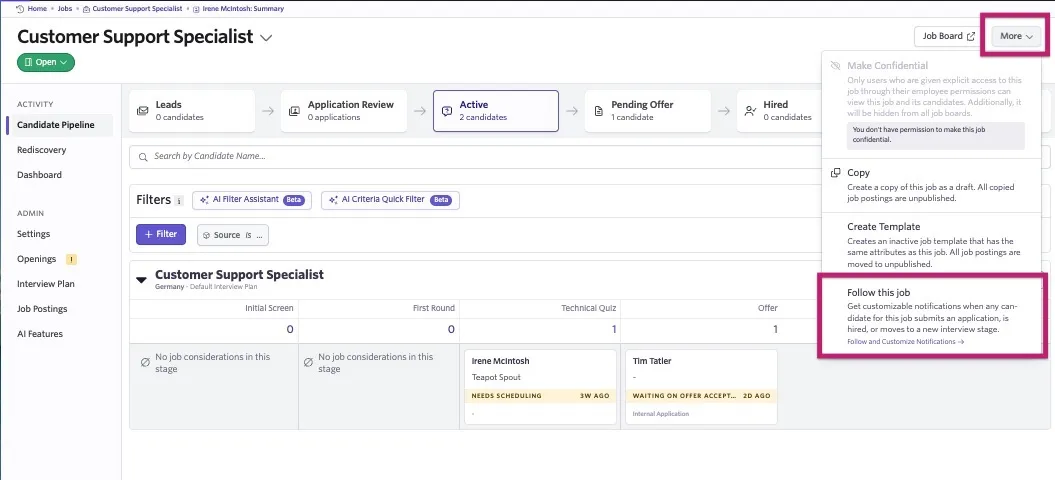
You can unfollow a job by heading back into the job and clicking More again. You see an Unfollow this job option. If you are on the hiring team for a job, then unfollowing the job does not stop notifications for this role.
How do I follow a candidate in Ashby?
When on the candidate's profile, click More, then Follow.
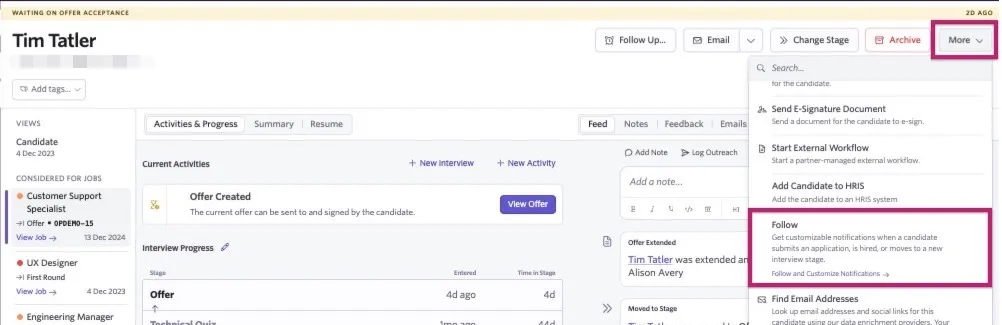
If you'd like to unfollow the candidate, click More again while viewing the candidate's profile, then click Unfollow.
Interviewer notifications
Throughout the interview process, users listed as interviewers on an interview panel receive feedback reminders. These can be sent either via email, via Slack or both. You can control whether you receive feedback reminders and how they are received in Personal Settings > Notifications.
If you are unable to adjust the settings for the Overdue Feedback event, this is due to an Organization Admin setting these as required in Admin > Organization Setup > Feedback Reminders.
For more on configuring feedback reminders as an admin, check out Feedback Forms and Interviews.
Additional notifications via Alerts
Custom Alerts can be configured on the Legacy Plus, Plus, and Enterprise plans:
Foundations | Legacy Plus | Plus | Enterprise |
|---|---|---|---|
❌ | ✅ | ✅ | ✅ |
If you don't see a notification option for an event you'd like to be notified for, you can set up a custom list report and then create an alert for this report, so you can receive notifications on updates on this report via email or Slack.
For a full guide on creating alerts, check out AlertsAlerts. A library of existing alert template options can be found within Reports > Report Builder under the Alerts Templates tab.
Alerts can only be configured for custom list reports.
FAQs
Can I amend another user's notification settings?
No, users can only amend their own notifications on the Notifications page within Personal Settings.
A candidate submitted their availability and I didn't get a notification - why?
This may be because another user is set as the meeting organizer and only meeting organizers are notified when a candidate adds their availability. More on this at What is a Meeting Organizer?What is a Meeting Organizer?
Can I amend the content or customize notifications or daily briefings?
No, currently the content of email and Slack notifications is set and can't be customized.
Do interviewers get notified if an interview is cancelled?
Interviewers receive a notification if the interview is canceled, but are not notified if the interview is updated (if calendar invites are sent when rescheduling, they receive an updated calendar invite). If the candidate reschedules via a direct booking link, the interviewer receives an updated invite for the interview.
Those following a candidate or a job can receive these notifications by checking the When a candidate declines an invite for an interview notification option in Notifications within their Personal Settings.
What types of notifications can an approval reviewer receive?
Email and Slack. They also see an approval task on their Home page when logging in. To amend approval notification settings, users navigate to Notifications within their Personal Settings and use the checkboxes to determine their notification preferences.
Do confidential jobs trigger notifications?
If a user has access to the confidential job and follows it or is on the hiring team for the role, they receive notifications. The notifications they receive are based on their notification settings in Personal Settings.
Do referrers get notifications on candidates they have referred?
If the user is a member of the hiring team or following the job, they receive notifications on their referred candidate, along with notifications on other candidates considered for the same role. If they aren't on the hiring team or following the job, they do not receive notifications.
If you'd like to send users notifications for candidates they've referred, consider building an alert for this. More on this at AlertsAlerts.
Can I switch off interviewer feedback reminders completely for a specific user?
No, interview feedback reminders are sent if interview feedback is set as required on the interview (more on this in Feedback Forms and InterviewsInterview Feedback Settings). This setting is interview-specific and can't be amended per user.
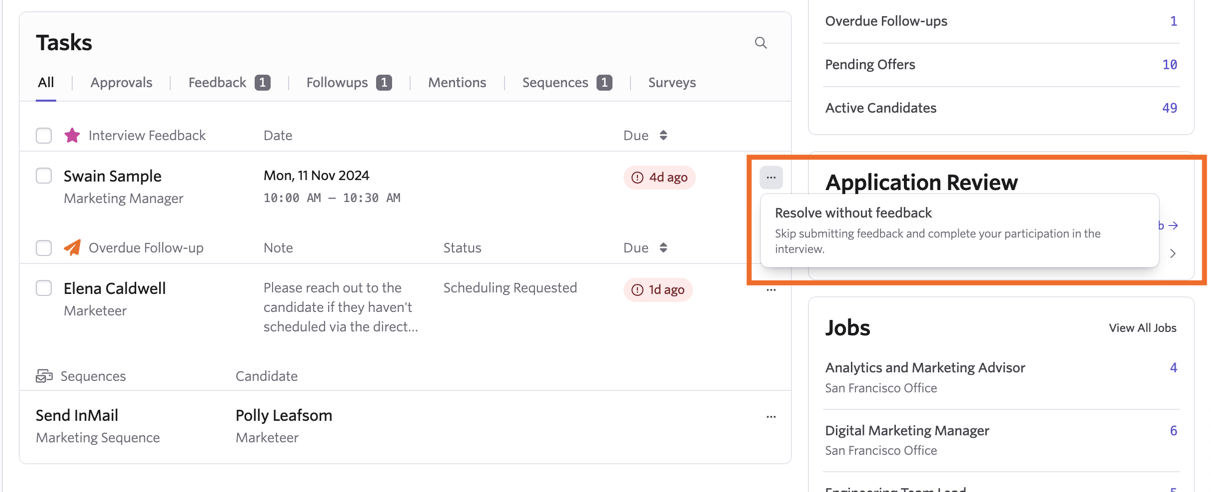
If your feedback is no longer required for an interview, you can click the three dots to the right of the task within Tasks on your Home page, then click Resolve without Feedback to stop overdue feedback email notifications.
You can still access the interview details and the feedback form via the Past Interviews link within the Interviews section of your Home page.
Can I set Slack or email notifications to go out when an offer is signed?
This currently isn't possible. Ashby sends email notifications to the user who initiated the e-Signature offer request, and to those signing the offer.
The user who initiated the e-signature offer request receives notifications when signatories view and sign their offer letter, and when all parties have signed the offer letter. Each signatory receives a notification after signing the offer letter, including their signed copy.
If you set a signing order for the e-Signature request, signers waiting for the other party to sign first receive advance notice that an e-signature request is on its way but is not yet ready for their signature.