Metaview
This guide will walk you through integrating your Metaview account with Ashby, allowing you to send assessments in your interview plans.
Integration Overview
Metaview’s integration with Ashby allows us to capture interviews using the tools you already use to automatically provide AI-generated interview summaries.
Connect Metaview with Ashby
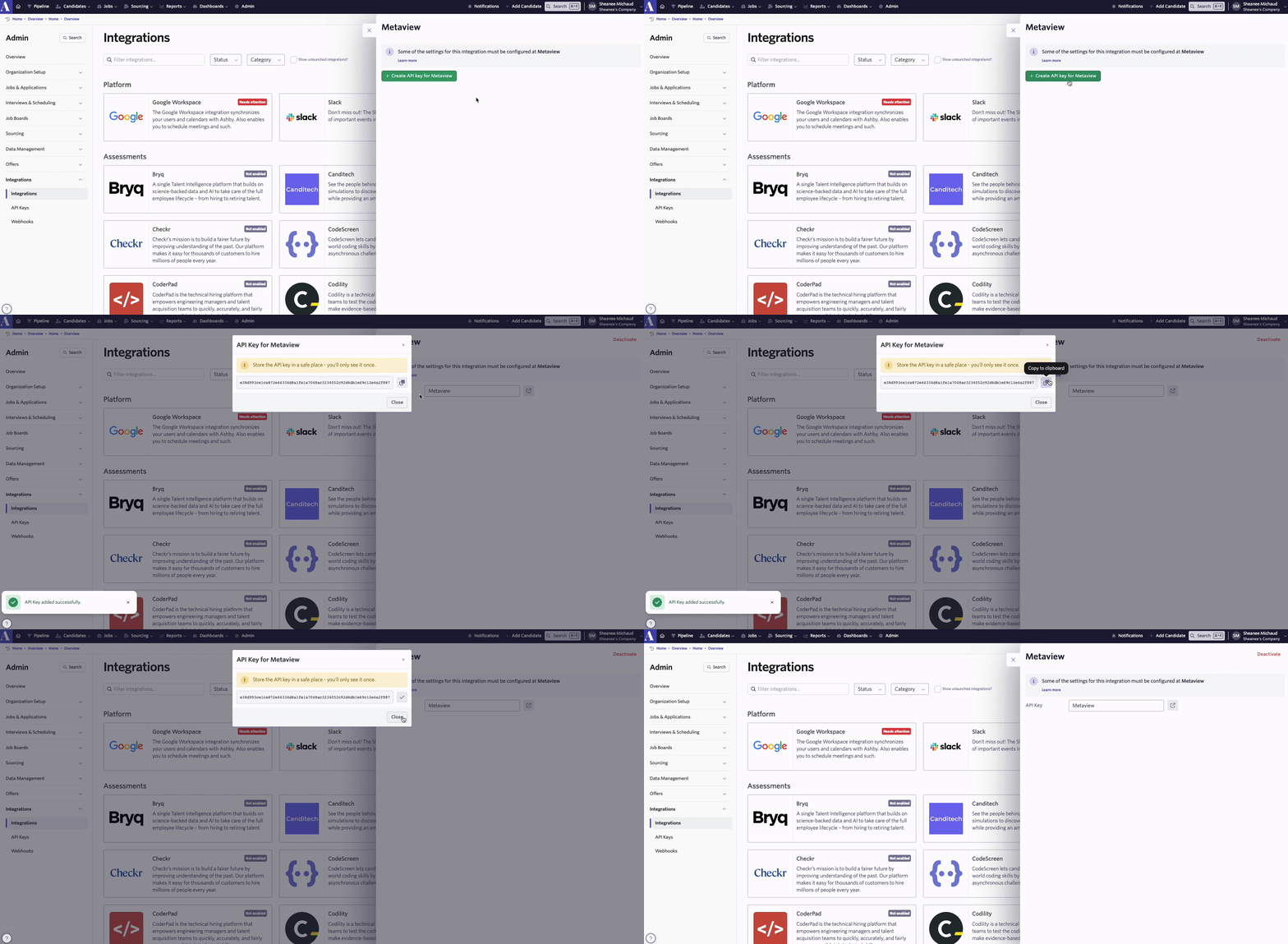
1. Log into your Ashby account and head over to Admin > Integrations > Metaview. Click on the + Create API Key for Metaview to create an Ashby API key, then copy the key generated.
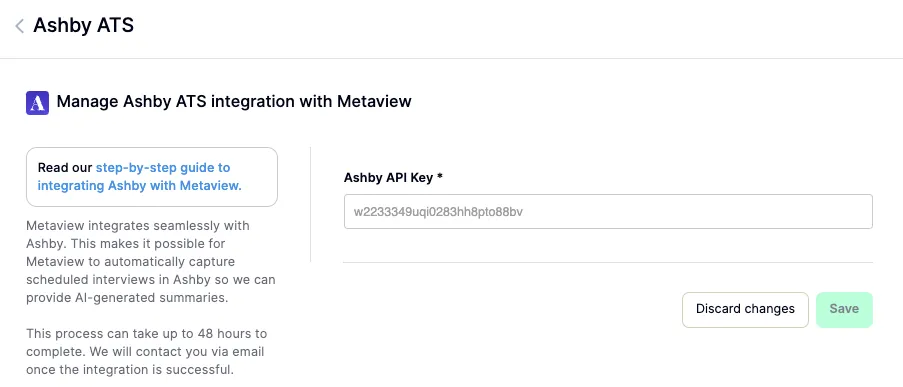
2: Go to https://my.metaview.app/settings/ashby and paste your generated API key. Once this is saved in Metaview, the integration will be enabled.
Using the integration
Once the integration is enabled, there are no additional settings to configure. Interviews will automatically be pulled into Metaview and some metadata is synced (for example, Job Title and scorecards).
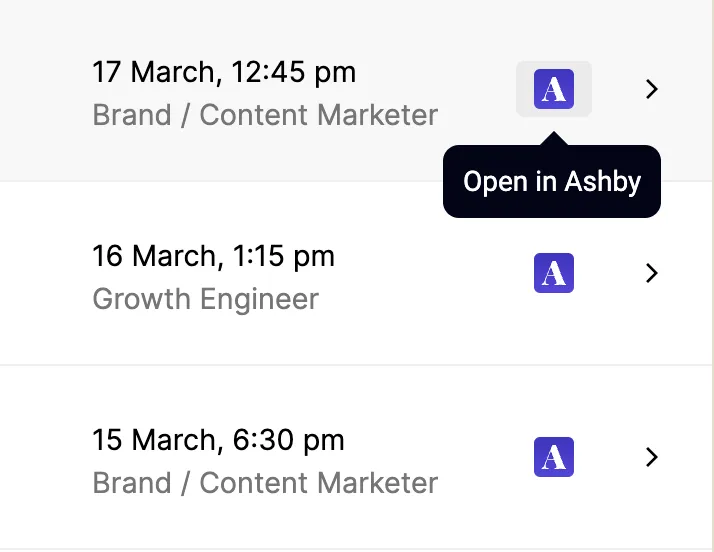
You’ll also see an option in Metaview to open the Interview in Ashby.
The following resources are synced from Ashby to Metaview:
- Applications
- Application feedback (i.e. scorecards)
- Archive reasons
- Candidates
- Departments
- Feedback form definitions (i.e. scorecard templates)
- Interview types
- Interview events
- Interview plans
- Interview schedules
- Interview stages
- Job postings
- Locations
- Offers
- Sources
- Users
The following metadata is then surfaced in the Metaview app for each interview:
- Interview stage
- Job title
- Job location
- Job department
- Overall application status
- Rejection type
- Rejection reason
- Scorecards
The extracted data is then used to:
- Schedule events
- Identify candidate names
- Automatically add Ashby users to Metaview
Additional Information
More information on this integration can be found here. If there are any questions setting up or using this integration, please reach out to [email protected].