Meeting Rooms & Meeting Room Pools
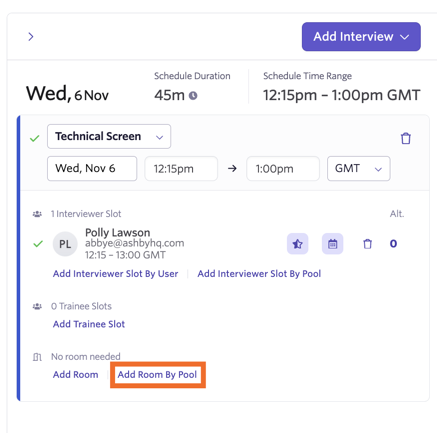
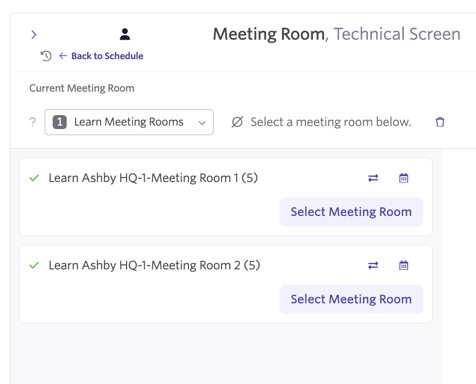
Just like with interviewers, you can sync over and create a pool of meeting rooms. You can assign a pool of meeting rooms to an interview activity so one room is assigned from a selection when an interview is scheduled.
This is a helpful tool if you have multiple rooms that are suitable for interviewing in and you don’t want to assign just one room to interviews.
Setting up and syncing meeting rooms from Google Workspace
Meeting Rooms that have been set up as resources within the Google Admin console will sync over to Ashby and can be assigned to interviews, schedule interview activities and meeting room pools.
To add a meeting room as a resource in Google Workspace:
- Sign into the Google Admin console (you must have an administrator account)
- Navigate to Menu > Directory > Buildings & Resources > Overview
- In Resource Management, click Open. Click the yellow + button to add a new resource
- Enter the resource information, then click Add Resources
For other options, including uploading resources in bulk, check out Google’s documentation here.
Setting up and syncing meeting rooms from Microsoft 365
You can set up room and equipment mailboxes in Microsoft 365 - these will then sync over to Ashby to be used as part of scheduling. More on setting up these mailboxes can be found in Microsoft’s documentation here.
Creating a meeting room pool
To create a meeting room pool, navigate to Admin > Interviews & Scheduling > Meeting Room Pools. Click + New to create a new pool. You’ll be prompted to add in a name for your pool.
Once your pool has been created, click on it within the list and then click + Add Meeting Room to add the a meeting room to your pool.
Select a meeting room, then click Submit to add it to the pool. Repeat this until you have all of the appropriate rooms added to your pool.
To remove a room from your pool, click Actions beside the room on your list, then Remove from Pool.


Assigning a meeting room pool to a schedule interview activity.
For more on setting up schedule interview activities, please check out Setting up Schedule Interview Activities
To add your meeting room pool to your schedule interview activity, head into the Interview Plan on your job and click on the schedule interview activity in question to amend it.
On the Schedule tab, scroll to the Room section and click Set default room. This will set the default room/rooms used for this particular activity.
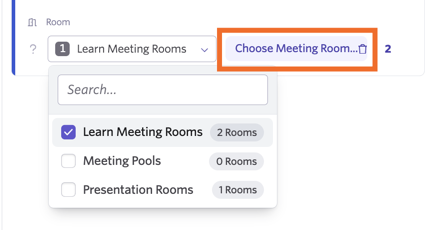
From here, use the first drop-down menu to select Meeting Rooms from Pool, then select your chosen pool using the second drop-down menu.
Now when scheduling this particular interview, a room will be selected from our pool, rather than a specific room being used every time.