Karat
3 min
The following steps will walk you through integrating your Ashby ATS with Karat. This integration will enable you to:
- Invite candidates to their Karat interview from within Ashby
- Get Karat status updates in Ashby
- Enable Karat to align the scoring bar based on onsite outcomes
- Automatically align Candidate States on the Karat Platform with Candidate States in Ashby.
Adding the Karat Assessment Integration to your Ashby environment
To add the Karat Assessment integration to your Ashby environment, follow the steps below:
- Please reach out to Karat Support for your Ashby Integration Secret it will be required for the Karat API Key field.
- Navigate to the Marketplace and search for Karat or use this link
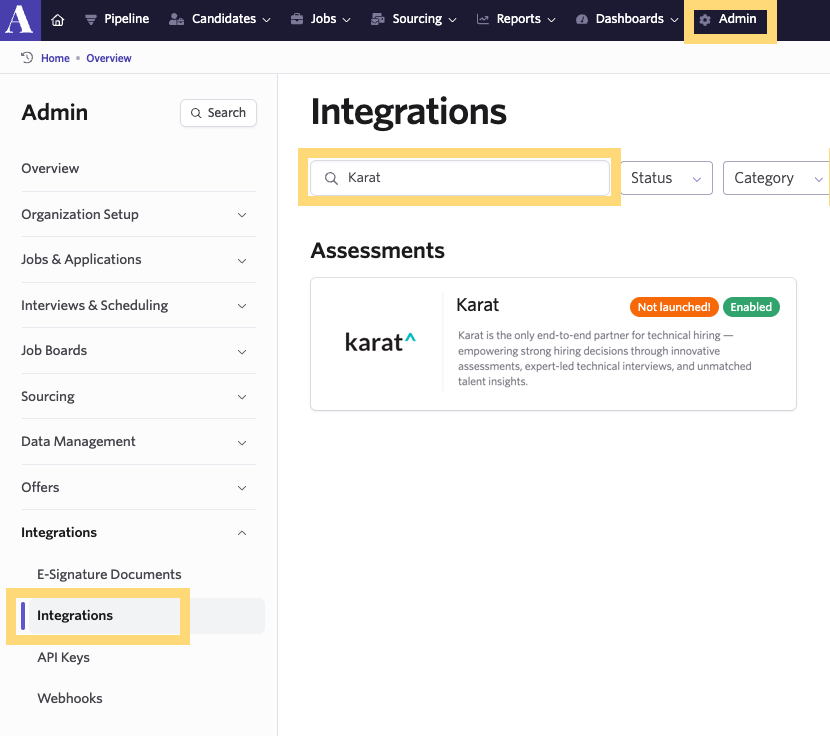
- Click on Admin in the top menu bar
- Click on Integrations and then "Integrations" again on the drop-down
- Type Karat in the search bar
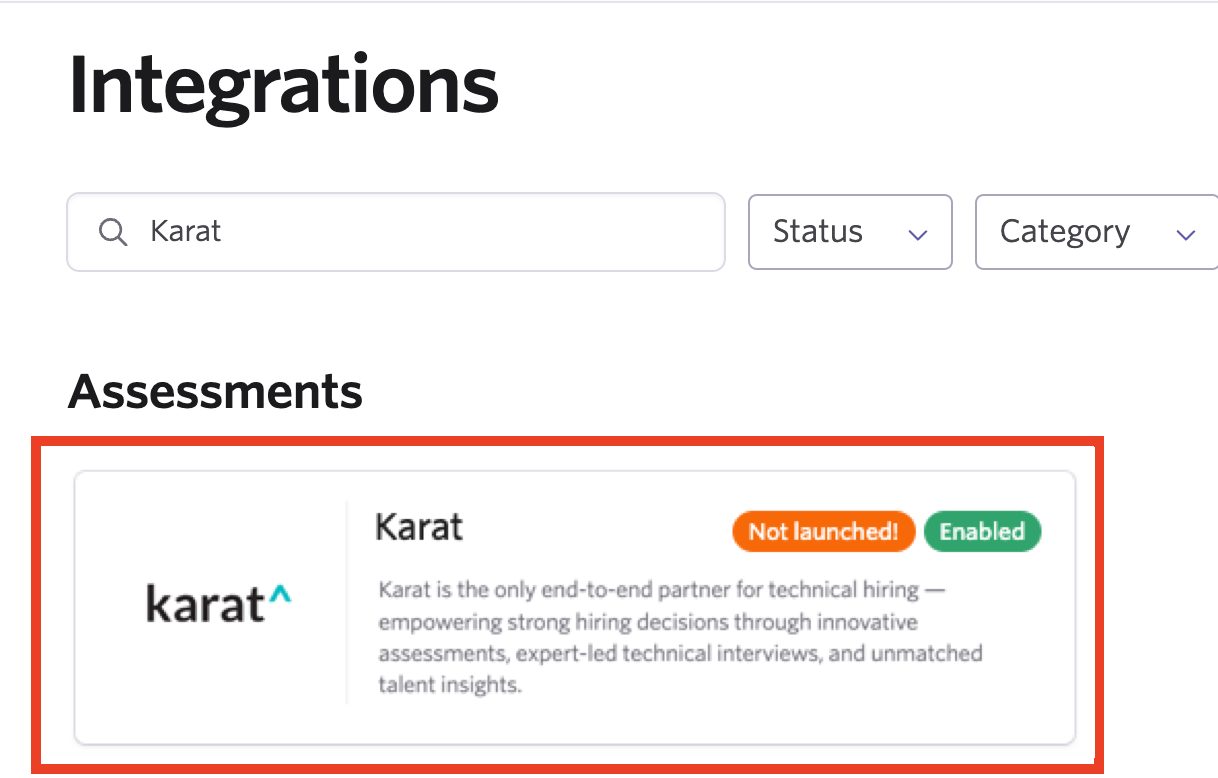
- Click on the Karat tile and then click the green Enable Karat button
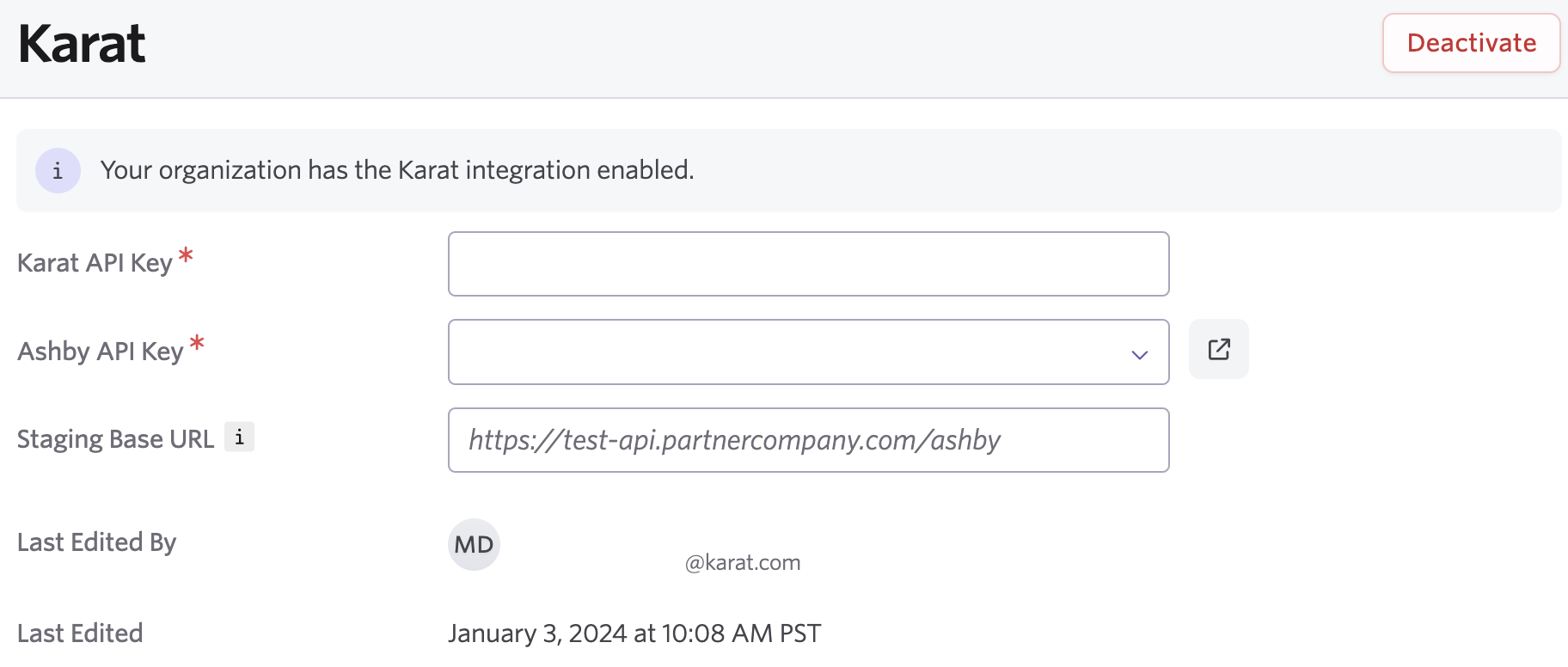
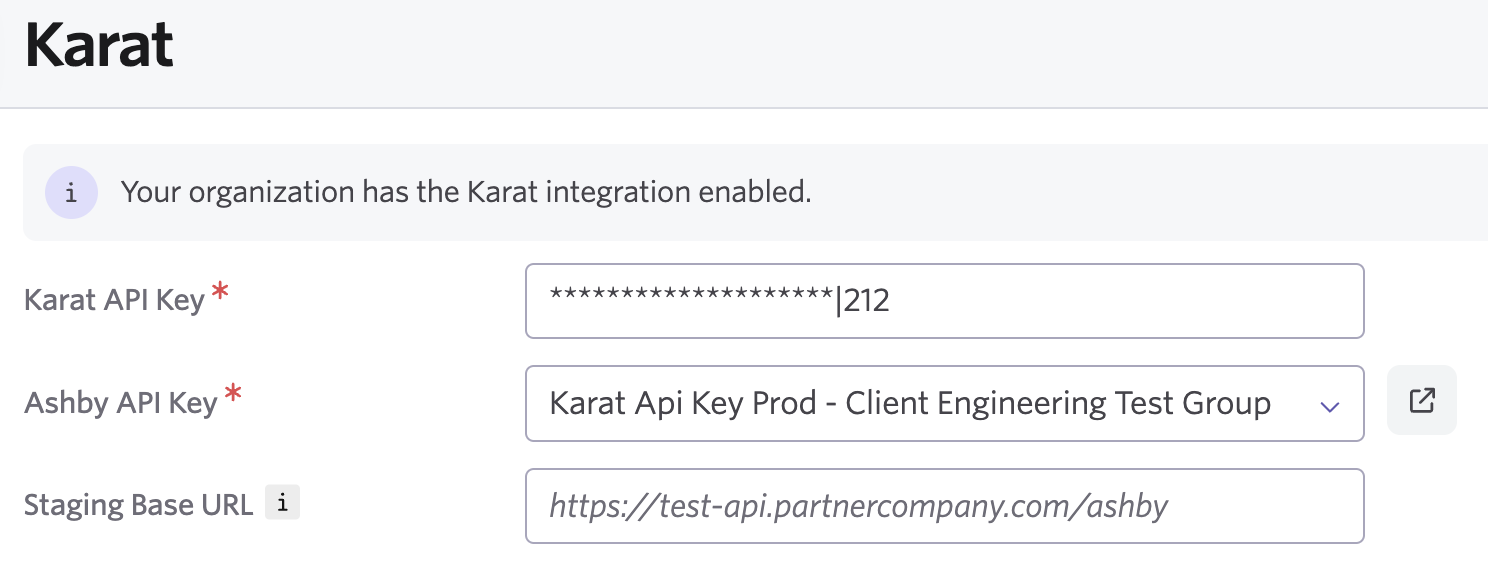
- Once you've enabled the integration, you will see the field locations where you'll add the Karat API key and the Ashby API key. The Staging Base Url field can be ignored, it exists on all integrations for engineering debugging.
- For the Karat API Key field, paste the key that you received from Karat Support in Step 1 of this document. Be careful to copy the key exactly with no leading or trailing spaces.
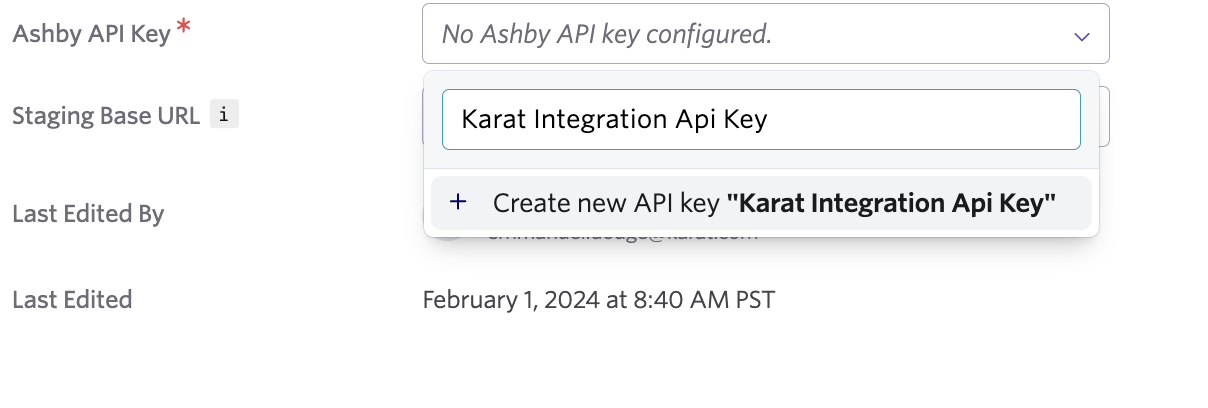
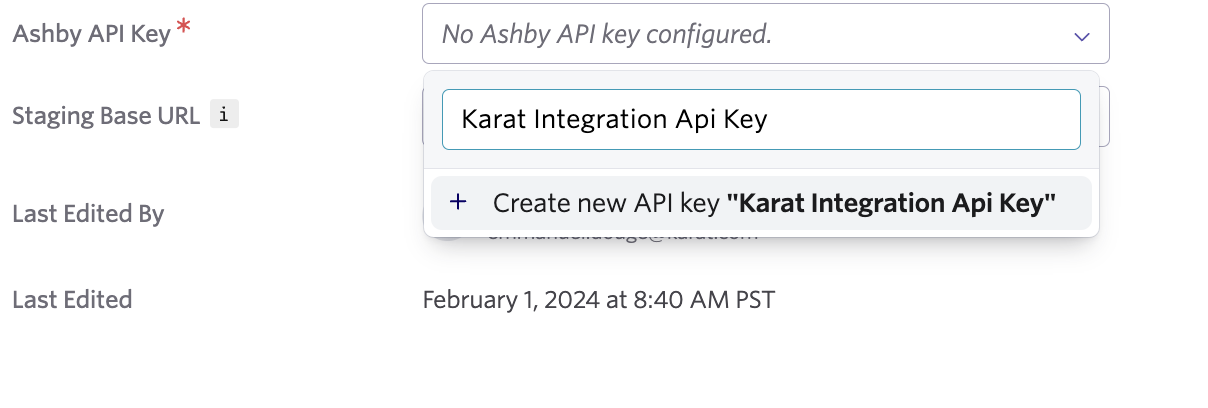
- For the Ashby API Key, select the Ashby API Key field and type in Karat Integration Api Key, then click the Create new Api Key button
- Copy the created API Key, it will be required to complete the integration in the Karat Platform.

Add API Settings to the Karat Platform
- Log in to the Karat Platform
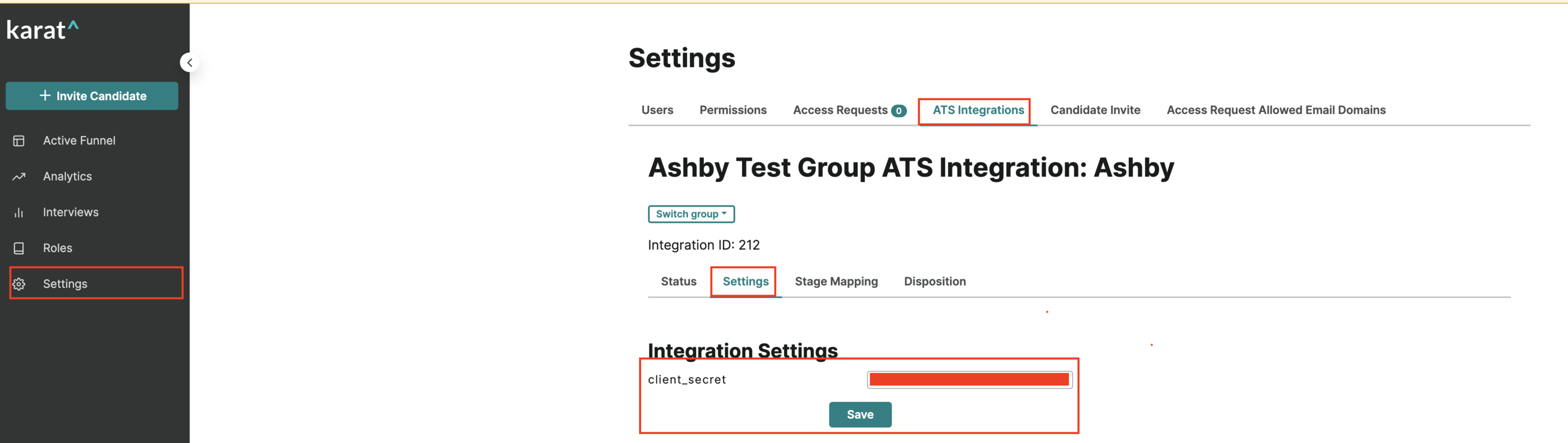
- Click on Settings on the left menu bar
- Click on the ATS Integrations tab at the top
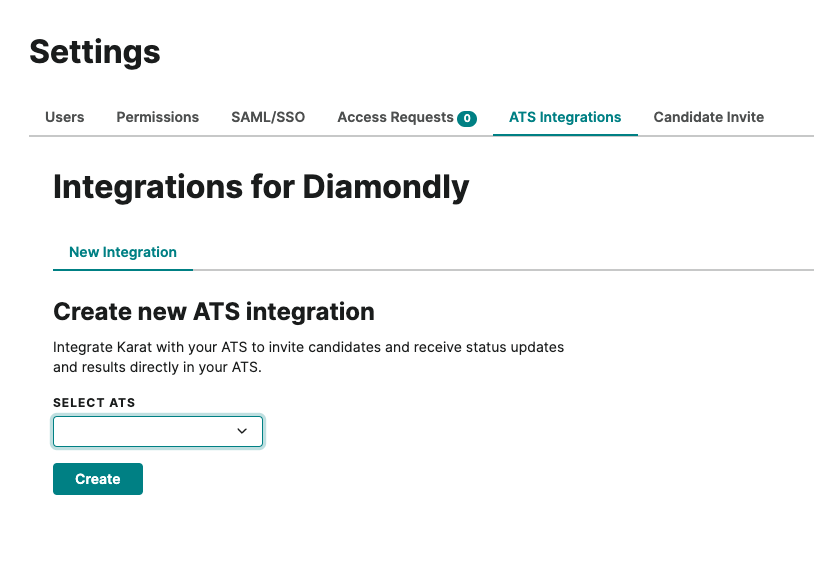
- On the next screen, choose Ashby under the Select ATS dropdown
- Click Create
- Paste the earlier created API key from Ashby into the client_secret field and click Save
Contact Karat Team
Once you have completed the above steps, reach back out to your Karat Support Team and let them know. You may also reach out to [email protected]. Once the integration setup is final, the Karat Support Team will reach back out to you to assist with mapping your Ashby Stages to the Karat Stages.