Jobma
Customers using Ashby can now invite candidates for video interviews right from Ashby’s dashboard. This not only saves time but also gets the most relevant candidates in faster. You can leverage Jobma’s integration with Ashby by adding video interviews early in the application process and conducting comprehensive candidate assessments powered by Jobma.
Prerequisites
A paid Jobma subscription and Org Admin access to Ashby are required to enable this integration.
Enabling the Integration
- First, create an Interview Kit in Jobma.
- Next, head over to your Ashby Marketplace and go to the Jobma integration at https://app.ashbyhq.com/admin/integrations/marketplace/jobma.
- Click on the +Enable Jobma button.
- Create an Ashby API key for the Jobma integration and copy the key generated.
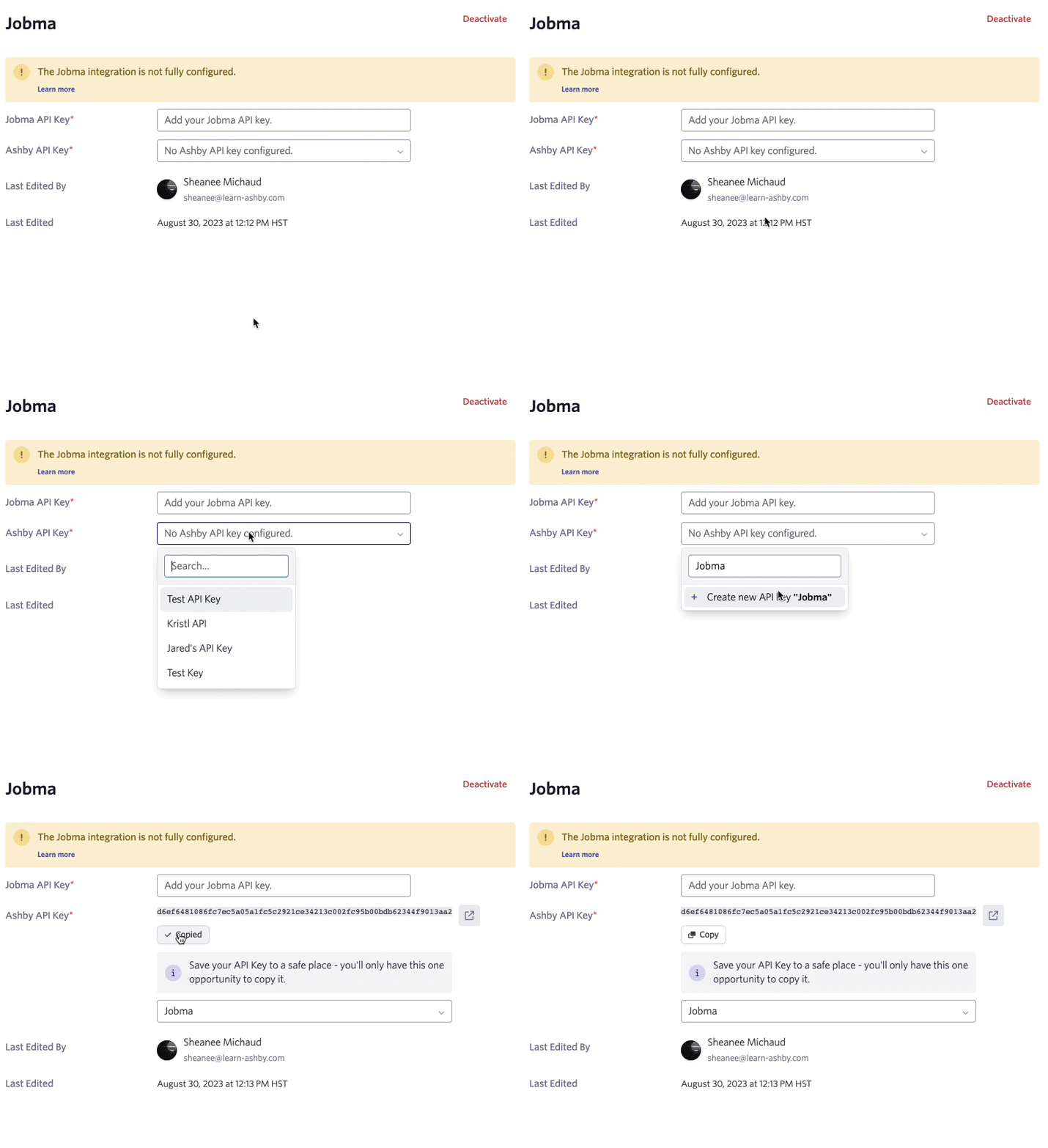
- In Jobma, paste the Ashby-generated key and save.
- Then, copy the API key generated in Jobma and paste this into the Ashby Jobma API Key field.
That’s it! You’ve now integrated Jobma with Ashby
Video Walkthrough
Using the Integration
When integrating with Jobma, you can invite candidates to Jobma interviews. This is done by clicking on the +New Activity button and choosing Assessment on the candidate’s profile.
Then, choose the Jobma Interview Kit to send to the candidate. Once this activity is added, you’ll need to click on the Start Assessment button to send the invite to the candidate.
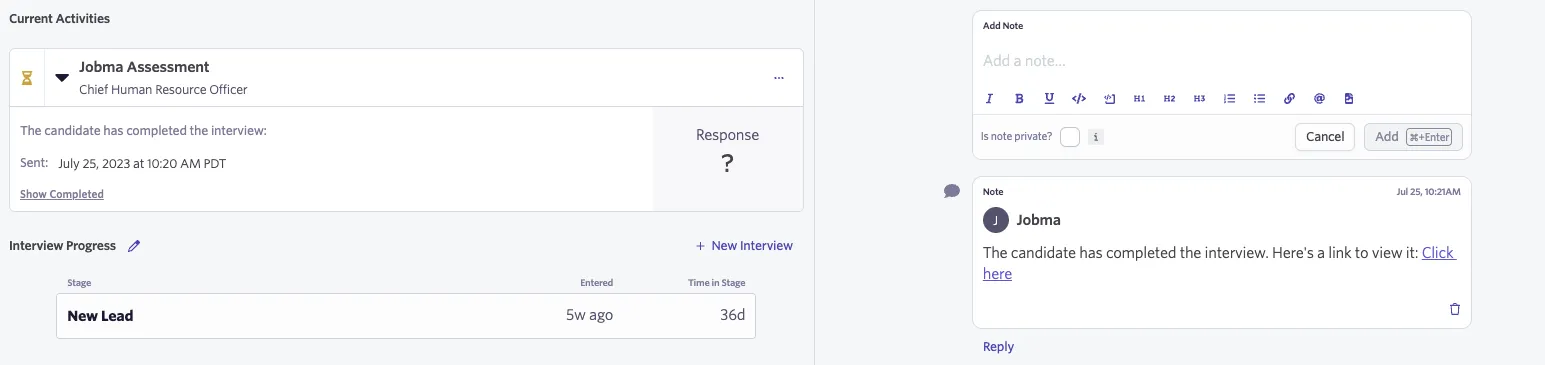
After the candidate completes their interview, the assessment activity on the candidate profile will show completed and a link to their interview in Jobma will be added as a Note.
Additional Information
For more information, head over to https://www.jobma.com/blog/jobma-now-integrates-with-ashby/. If you have any questions or feedback about the integration, please reach out to our team at [email protected].