Intrro
Intrro is 1-place to manage your employee referral program. That’s announcing the jobs you need referrals for, unifying your company network to find matching candidates, organizing referral campaigns, and managing bonus payouts, all in one centralized tool.
Creating an API key in Ashby
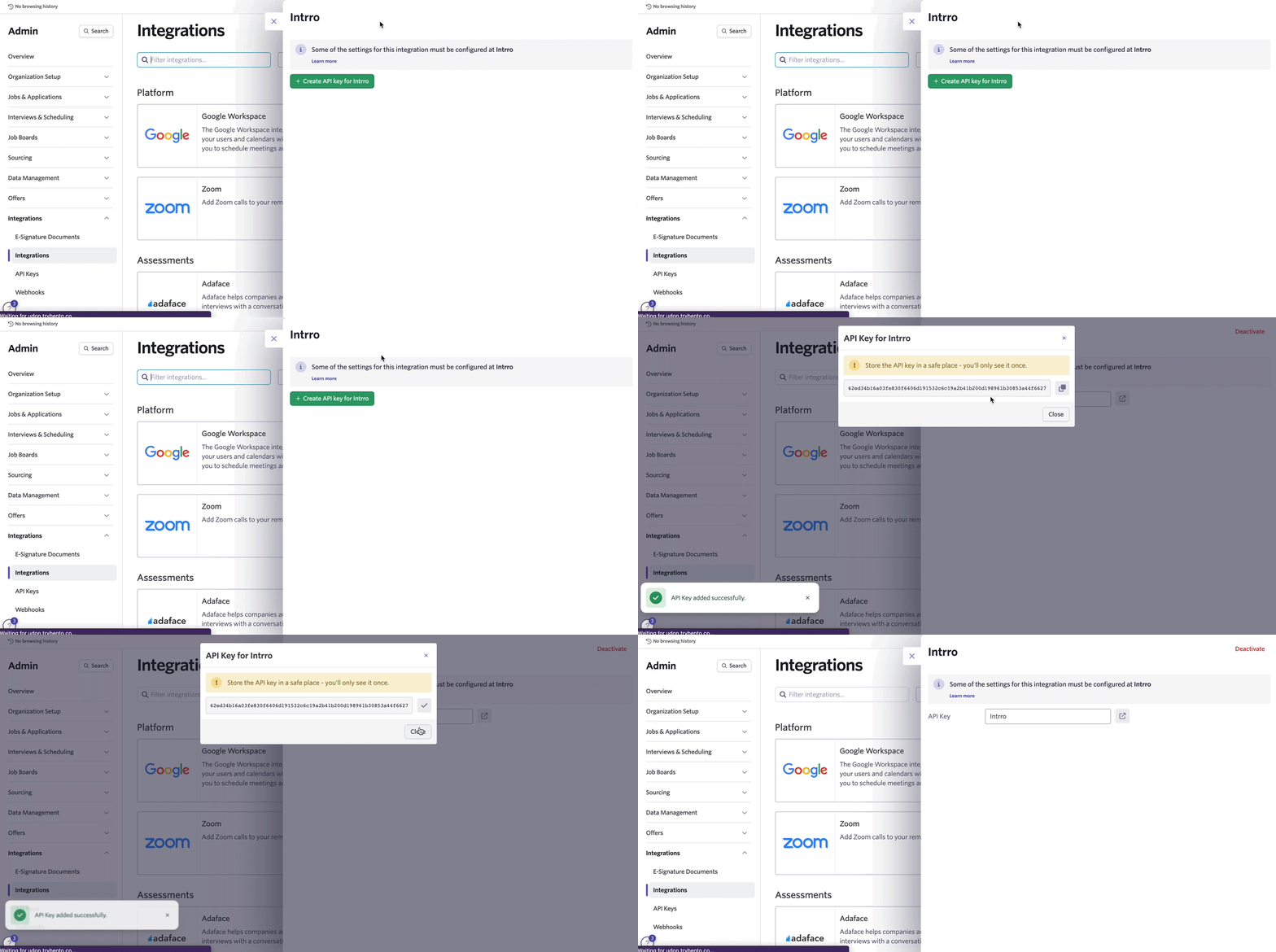
- Head over to the Intrro integration settings page and tap on the +Create API key for Intrro button.
- Copy the API key generated because this will need to be entered in Intrro.
Enabling the Ashby integration in Intrro
- Head over to your Intrro Dashboard, navigating to Settings > Company Settings > Integrations. Under ATS integration, click on Connect.
- Select Ashby from the integrations catalog.
- Paste the API key generated from Ashby.
- Click on Continue after reviewing permissions Ashby will access.
- You’re all set! You can now export referrals in Intrro to Ashby.
Video Walkthrough
Here’s a screencast of how to set up the Intrro integration and walkthrough of where to access the features of this integration.
How the integration works
Projects will need to be created in Intrro for the role(s) you’re hiring for, matching the Ashby Job. It’s recommended to name the Project with the job title for Employees to distinguish easily when referring candidates.
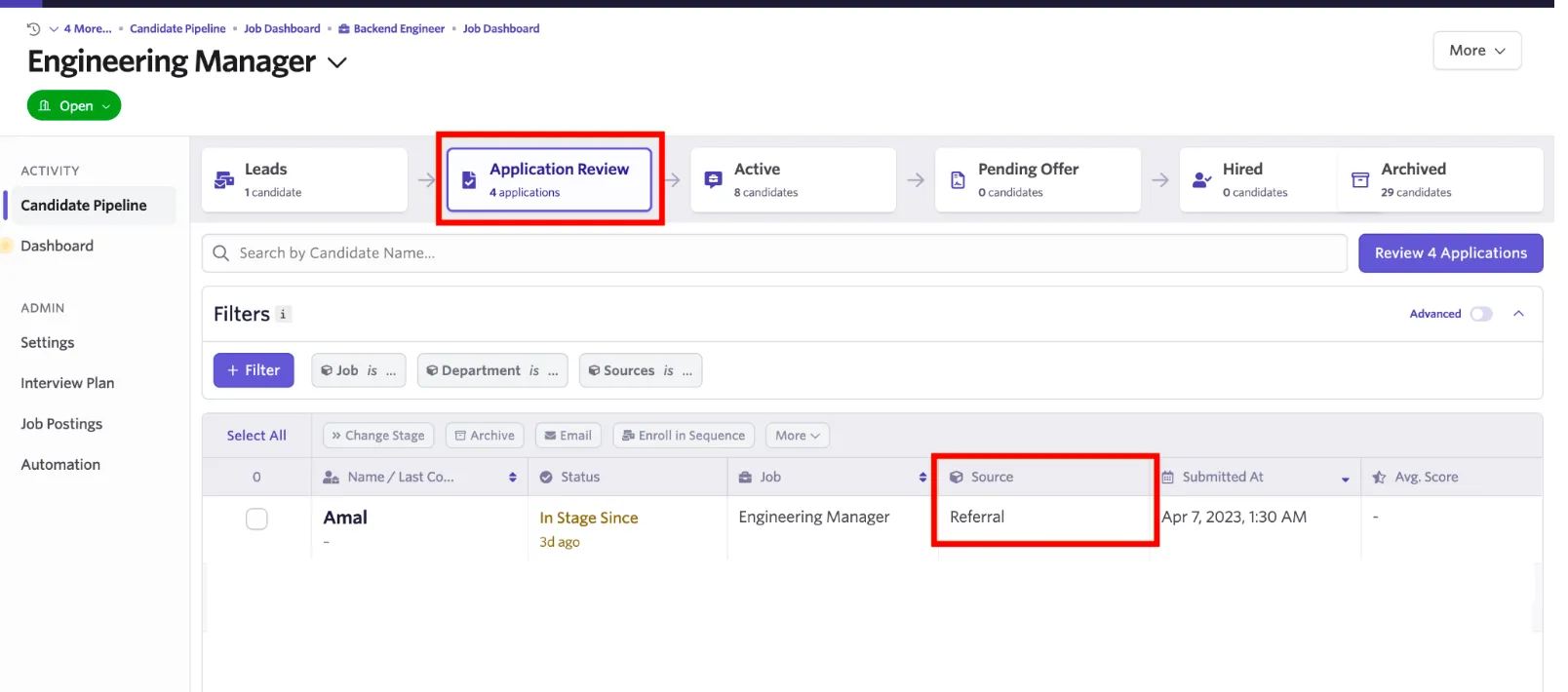
Employees can then see referrals that are matched for those jobs when logging into Intrro. When they refer the candidate, they’ll send a notification for the candidate to accept the referral. Upon acceptance, a candidate profile will be created in Ashby to include all of their contact and work/education information, and they’ll be added to the Application Review stage of that job.
You can view Intrro candidates in the stage by including a Referral candidate source on the job’s Application Review stage.