Interviewer Training
Interviewer Training is designed to streamline the process of training and qualifying interviewers within your organization.
- Unlimited Interviewer Training is a part of the Advanced Scheduling Automation Add-On .
- This add-on is included in the Enterprise plan and can be purchased as an add-on for those on the Plus plan.
- The Plus plan allows one interview pool with a training path without purchasing the add-on.
- Interviewer Training and the Advanced Scheduling Automation add-on are not available to customers on the Foundations or Legacy Plus plans.
Overview
Interviewer Training offers a comprehensive solution for training and managing interviewers directly in Ashby. It ensures that interviewers are well-prepared and integrates seamlessly into the interview scheduling process.
Why should you use interviewer training?
As your organization grows, managing your interviewer pool will become increasingly complex. Having an efficient system for keeping track of who is qualified to conduct a given interview will help your Talent team remain efficient over time. Interviewer Training supports:
- Centralized Management: Easily manage and view all your interviewer pools, qualified members, and trainees from a single dashboard.
- Structured Training: Set up structured training plans with stages to ensure interviewers are adequately prepared.
- Flexible Scheduling: Specify the inclusion of trainees in interview schedules, allowing them to learn from fully qualified members.
- Automated Progress Tracking: Automatically move trainees to the next step in their training after completing an interview, with optional approval stages.
Key terminology
Before diving in, here is some terminology and the related definitions
Term | Definition |
|---|---|
Interviewer Pools | Formerly known as Interviewer Tags, a pool is a group of Ashby users that can filtered for in an interviewer slot. |
Interviewer Training | An add-on feature within Interviewer Pools, a series of one or more qualifying stages that trainees progress through by participating in interviews. |
Interviewer Role | The designation assigned to a trainee when they are scheduled for an interview based on their training stage. Current options are Shadow and Reverse Shadow. These appear as small icons next to the interviewer’s name on the candidate profile. |
Qualified Member | A user within a pool that is already trained. |
Trainee | A user within a pool that isn’t fully trained yet. |
Setting up for interviewer training
In order to use the interview training feature, interviewer pools that contain your trainees must be set up first, along with the stages of your training program.
See Interviewer Pools for more information on initial setup. The instructions below detail adding trainees and interview stages.
- Navigate to Admin > Interviews & Scheduling > Interviewer Pools to view all existing pools, qualified members, and trainees.
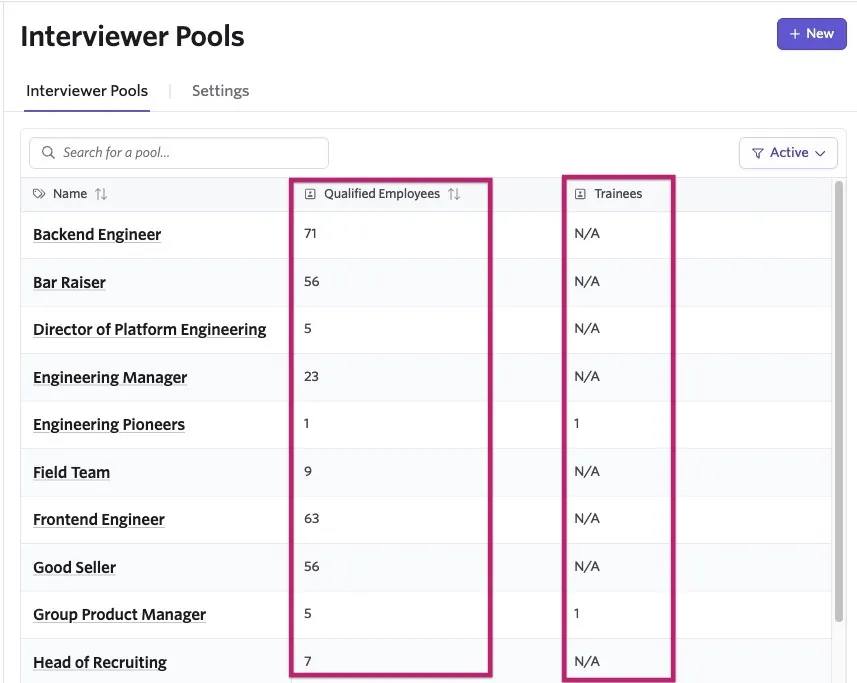
- Select an existing interview pool, or create a new one, that you'd like to add trainees to.
A trainee is a person that needs to be trained before being considered qualified to lead interviews.
- Navigate to the pool's Settings tab and toggle Requires Training? on (if not on already).
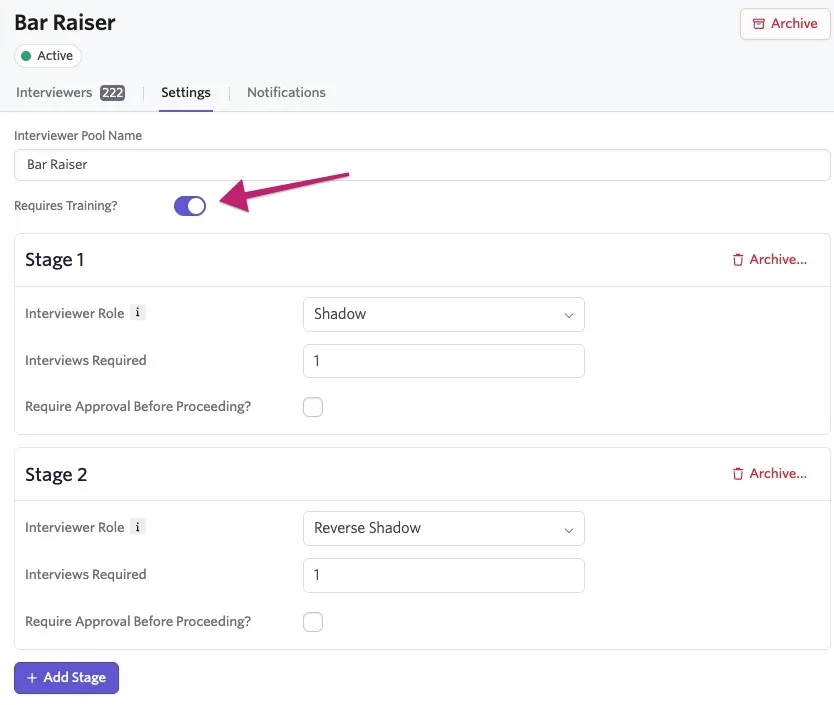
- When you turn on training for the first time, you'll see new fields for training stages populate on the page.
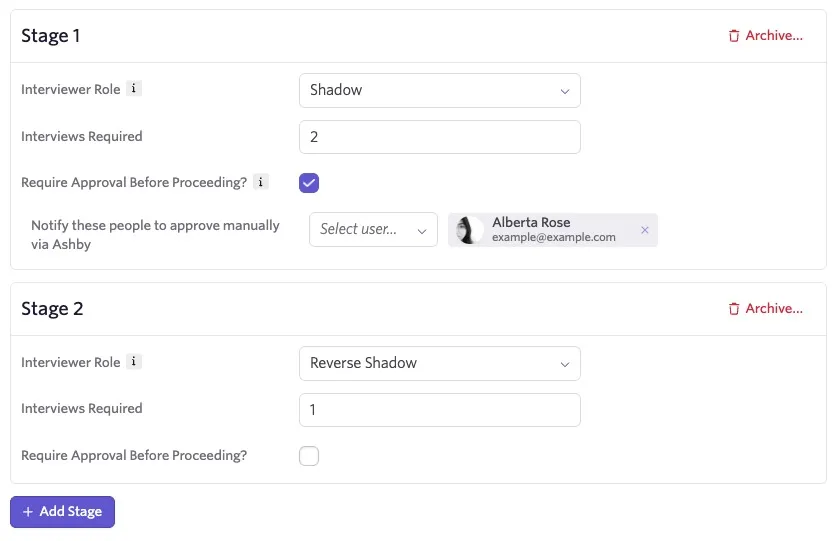
- Update the fields within the stages to define your program:
- Interviewer Role: Determine whether at this stage, the interview will Shadow or Reverse Shadow.
- Shadow: The trainee watches and learns in the interview.
- Reverse Shadow: The trainee leads the interview with supervision.
- Interviews Required: Indicate how many interviews the trainee must participate in during this stage before moving forward.
- Require Approval Before Proceeding?: Check this box if you would like someone to manually approve their progression to the next stage. If unchecked, trainees will automatically move forward.
- + Add Stage: If you need additional stages, click this button to add them. You can add as many as you need.
- Archive: If you need to remove a stage, you can click Archive in the top right corner of the stage.
- Once the training stages are configured, navigate back to the Interviews tab to add your trainees. Under the Trainees section, select +Add Trainee.
- Add the trainee by name, identify where in the training stages they should begin (e.g. if someone has already done some shadowing, you can move them to a further stage), and update how many interviews they have completed in that stage.
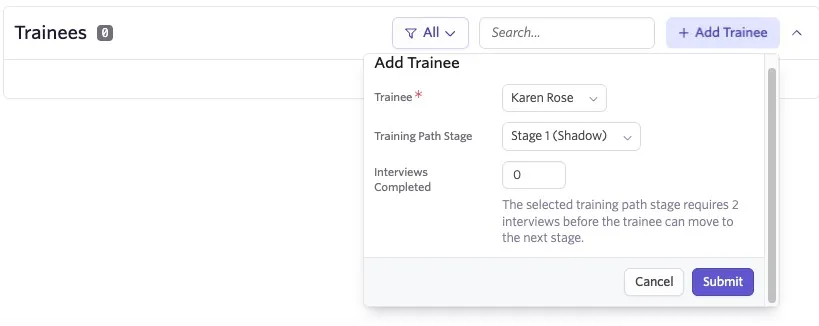
- Hit Submit to add them. Repeat for additional trainees.
Adding trainees to interview slots
When you want to add trainees to an interview:
- Navigate to the Job > Interview Plan > Schedule Interview activity and Modify or create a new one.
- Determine the interview event that you'd like to add the trainee to.
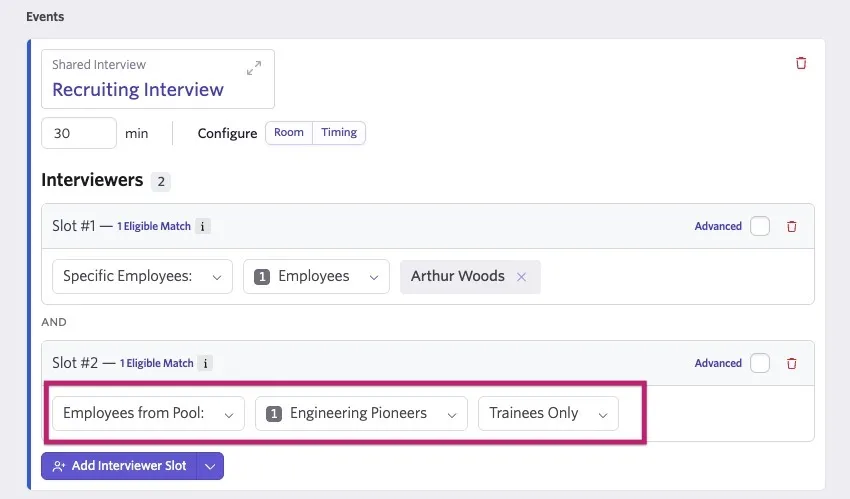
- On the schedule interview event, click + Add Interviewer Slot to add a qualified interviewer first. Use the dropdown to select qualified employees from a pool or a specific employee.
- Click + Add Interviewer Slot again to add a trainee slot. For a trainee slot, you must select a pool, and if you would like only trainees to fill that spot, set the third dropdown to Trainees Only.
Scheduling interviews with trainees
When moving a candidate to a stage with an interview, the Schedule Interview activity will show both interviewer slots and trainee slots, as defined on the interview event.
If manually scheduling the interview and there is more than one trainee in the pool, you will be able to select the trainee who will participate. If using auto-scheduling or there is only one trainee, they will be assigned automatically based on availability. Trainees will be labeled with the interview pool they're in ("Bar Raiser"), and role ("(S)"), and you can hover over it to see how far they've gone in the current stage.
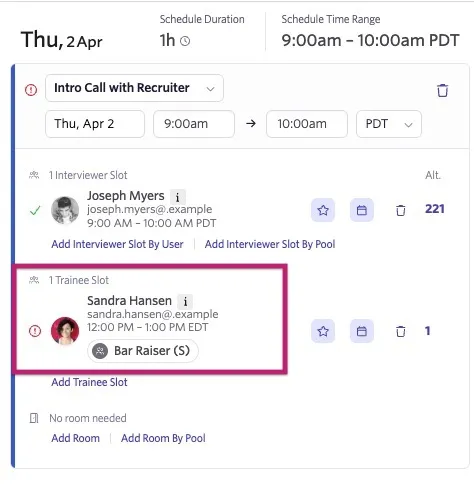
While it's typical, you are not required to include a qualified member on an interview with a trainee. For an interview to count towards a trainee's progress, they must be assigned to a trainee slot for the interview.
Viewing scheduled interviews
Once scheduled, trainees will have a tag indicating their training stage on the candidate profile.
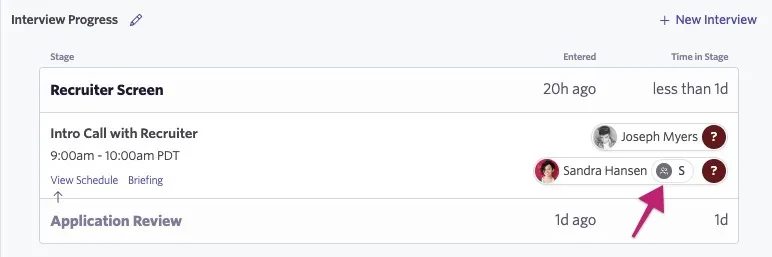
Interview participants can view their roles (e.g., reverse shadow) on the home page and within the interview briefing. This role is visible wherever relevant.
Training stage progression & management
After an interview is completed, it counts toward the trainee's quota to move forward in the training stages. The interview will be credited as complete at the time the interview ends, rather than once feedback has been added or skipped by the trainee.
If a trainee declines an interview request, it will not be counted toward their progression.
You can see current progress by navigating back to the interview pool they're in and looking them up. If the training stage requires approval, it will pause for approval once all requirements are met.
Once a trainee completes all stages they’ll move into your qualified members pool.
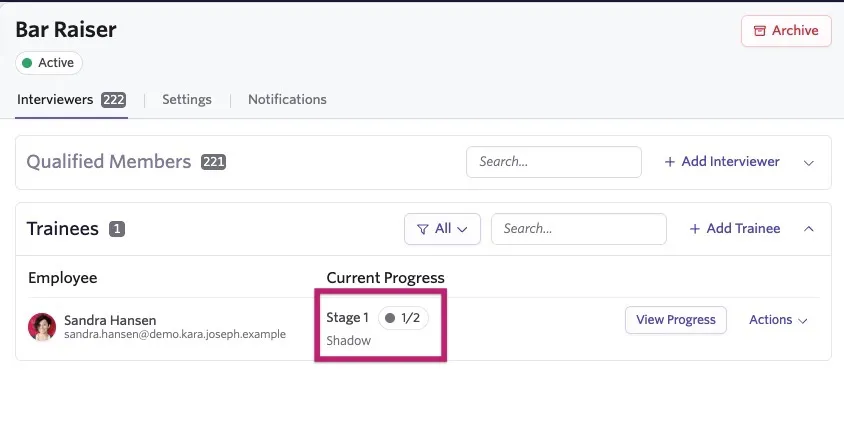
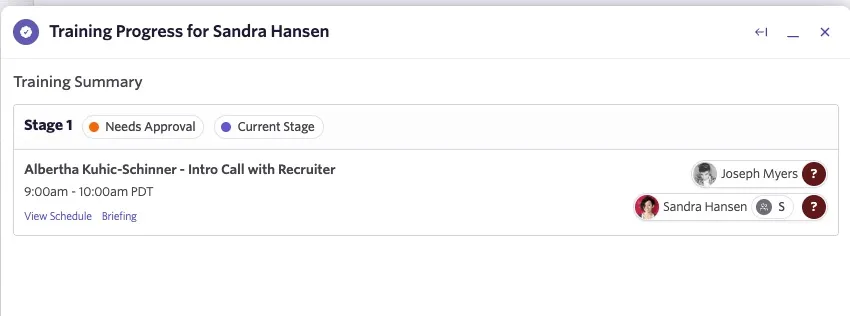
Clicking View Progress will show you a summary of the interviews they have participated in during their training program.
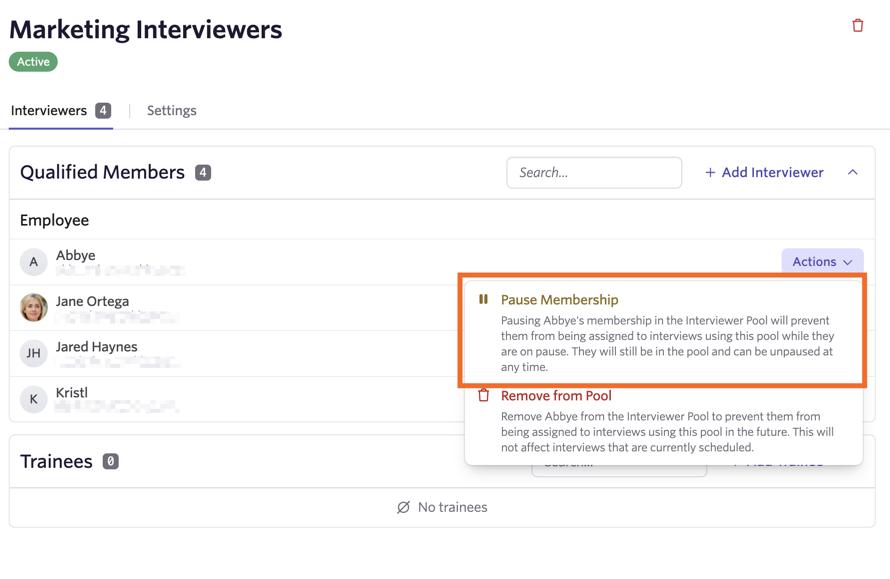
Clicking the Actions button allows you to manually manage their progress as well as their membership within the pool.
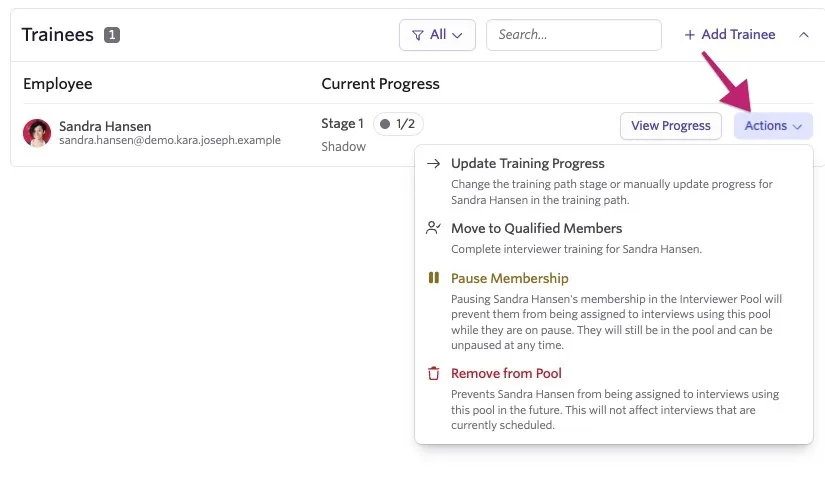
- Update Training Progress: Allows you to manually update the number of interviews they have completed, or move them forward or backward in stages.
- Move to Qualified Members: This will bypass the rest of the training and mark them as qualified.
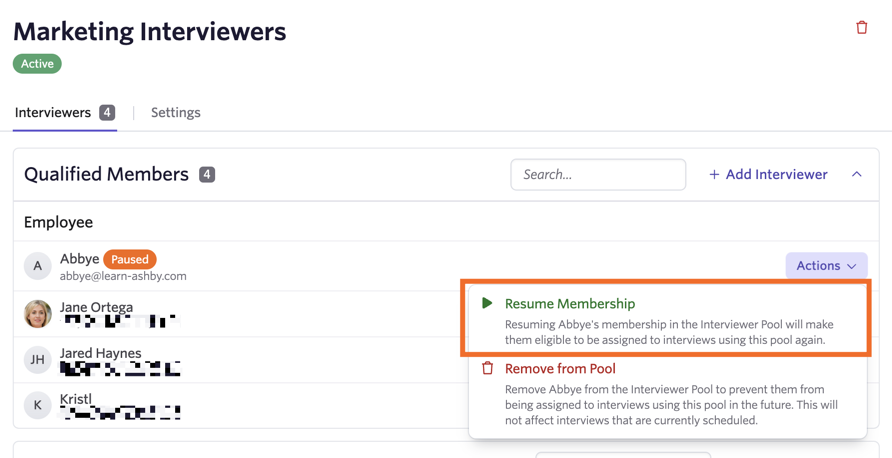
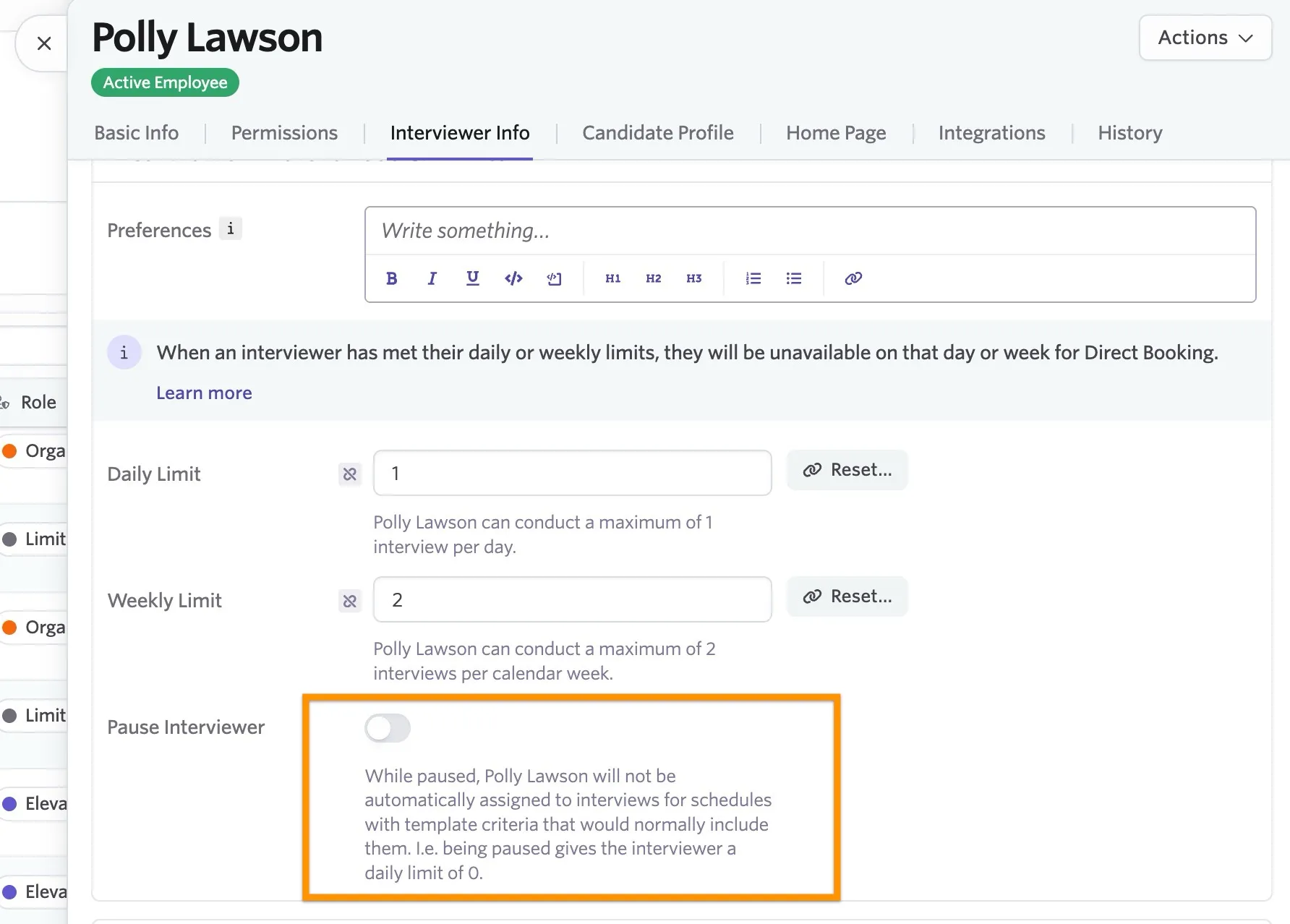
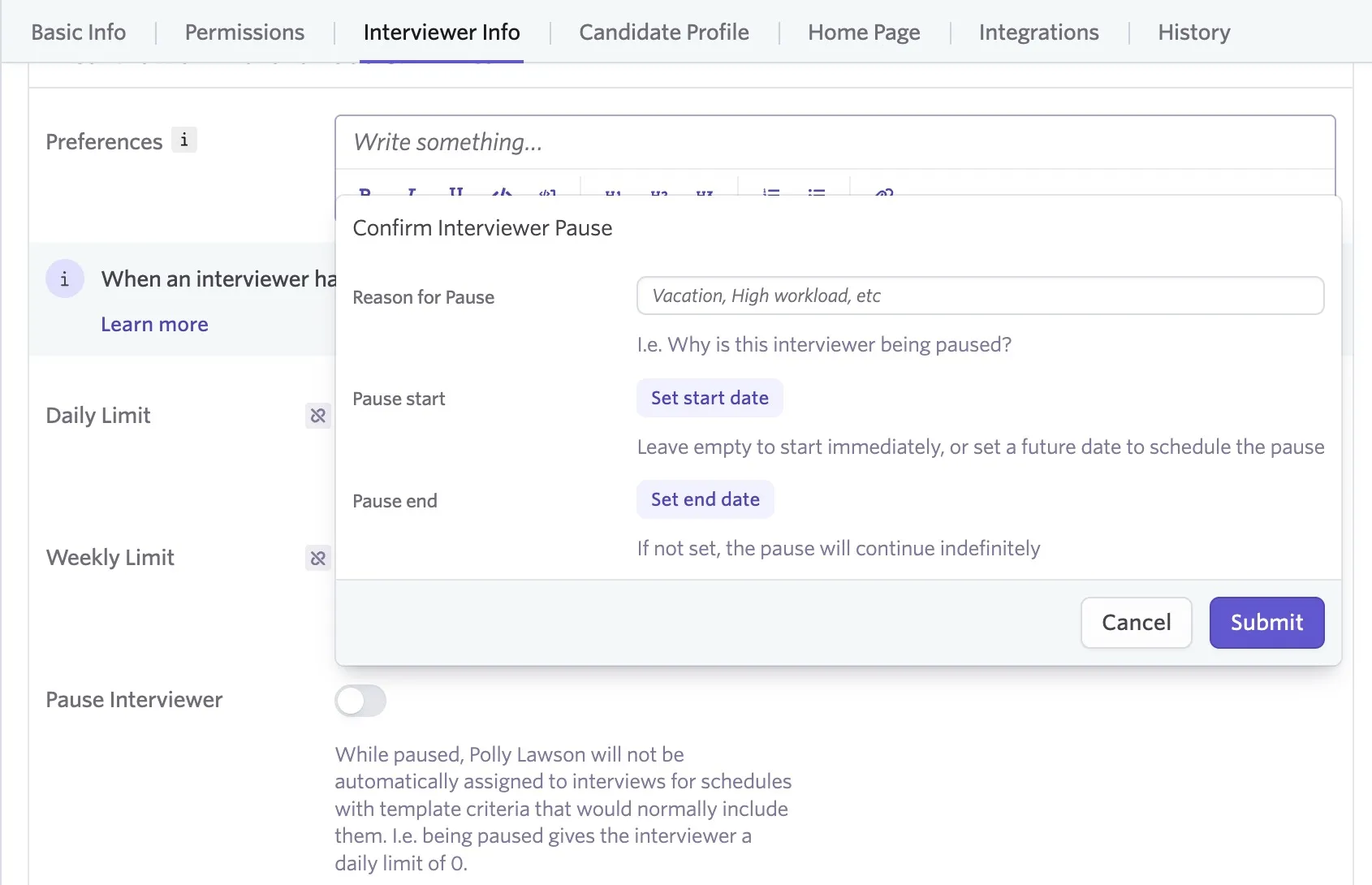
- Pause Membership: While paused, employees cannot be assigned to interviews until they are unpaused.
- Remove from Pool: If the employee no longer belongs in this group, you can remove them by selecting this option.