Hume
2 min
Connecting Hume and Ashby
- Open Ashby and navigate to the Admin panel.
- Select Integrations from the left menu and find the Hume tile under the Video Interviewing section.
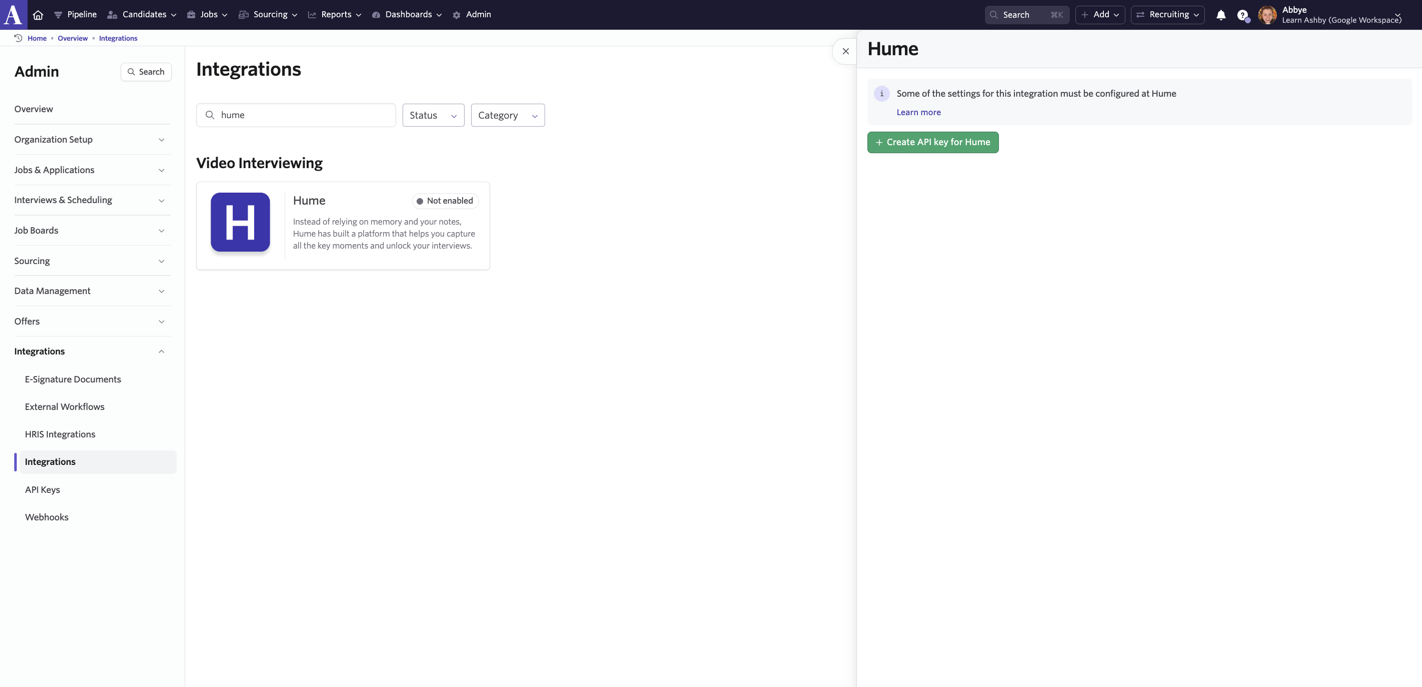
- Select Create API key for Hume and copy the newly generated API key.
- Now that we've successfully created Ashby API Key go to your Hume organization settings. There are 2 inputs:
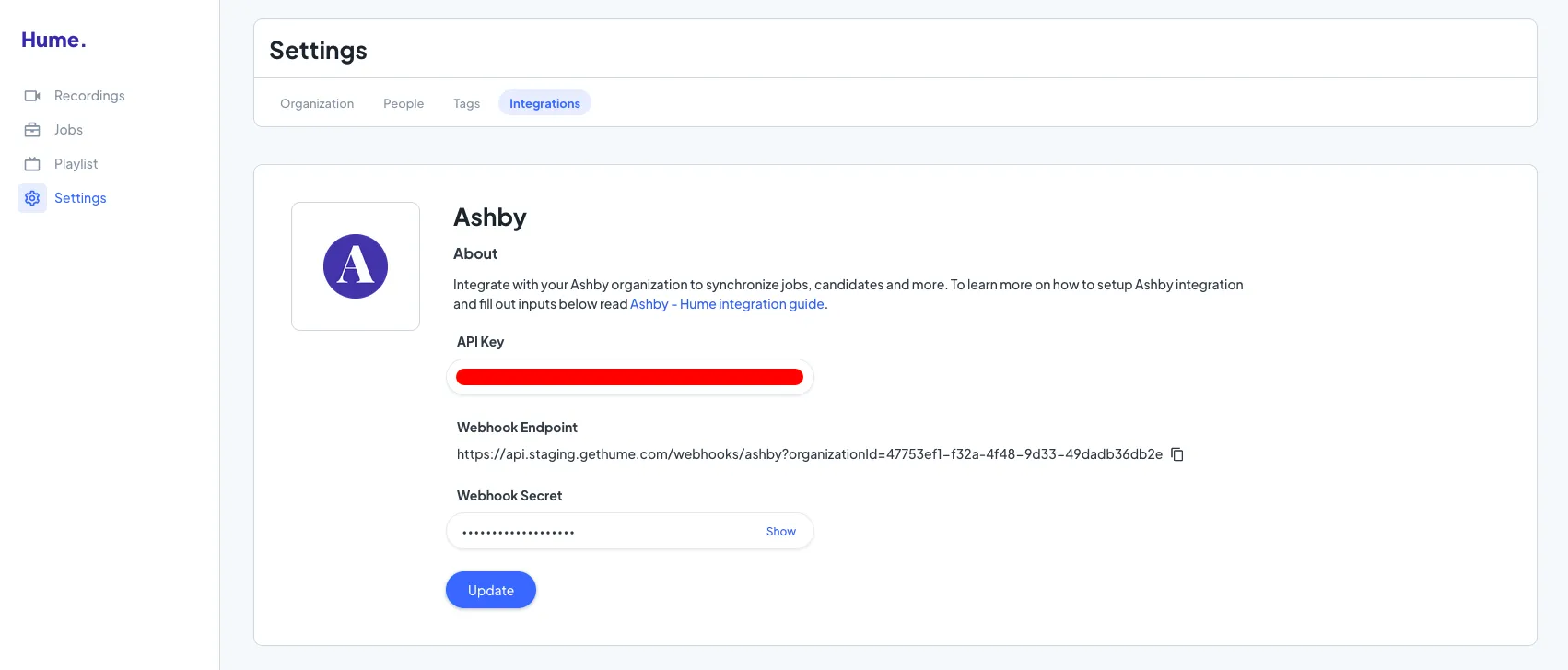
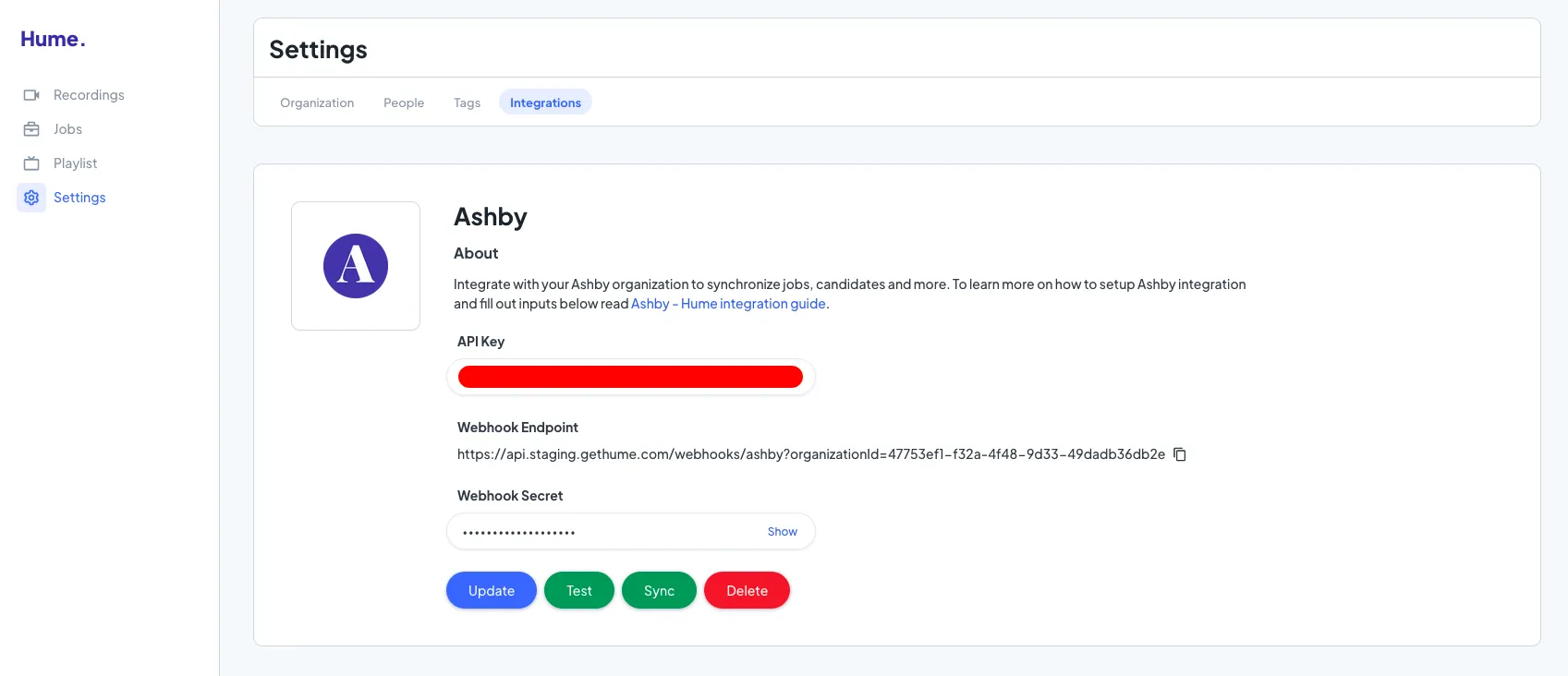
- Click Update, if you entered the wrong API Key you will be warned. If correct, you'll see a notification and 3 new buttons:
- Test - you can click on it to confirm your Ashby API Key works
- Sync - to immediately sync Ashby Jobs and Candidates to your Hume organization
- Delete - to delete your Ashby integration
You’re all set and ready to use the integration!