How do I update the status on a job consideration?
This guide covers statuses that can be applied to job considerations how to manually update the status of a job consideration.
Please note that manually updating the status on a job consideration should be rarely used. If you are looking for more information on handling a rejected or rescinded offer, check out Offers and Offer Letters.
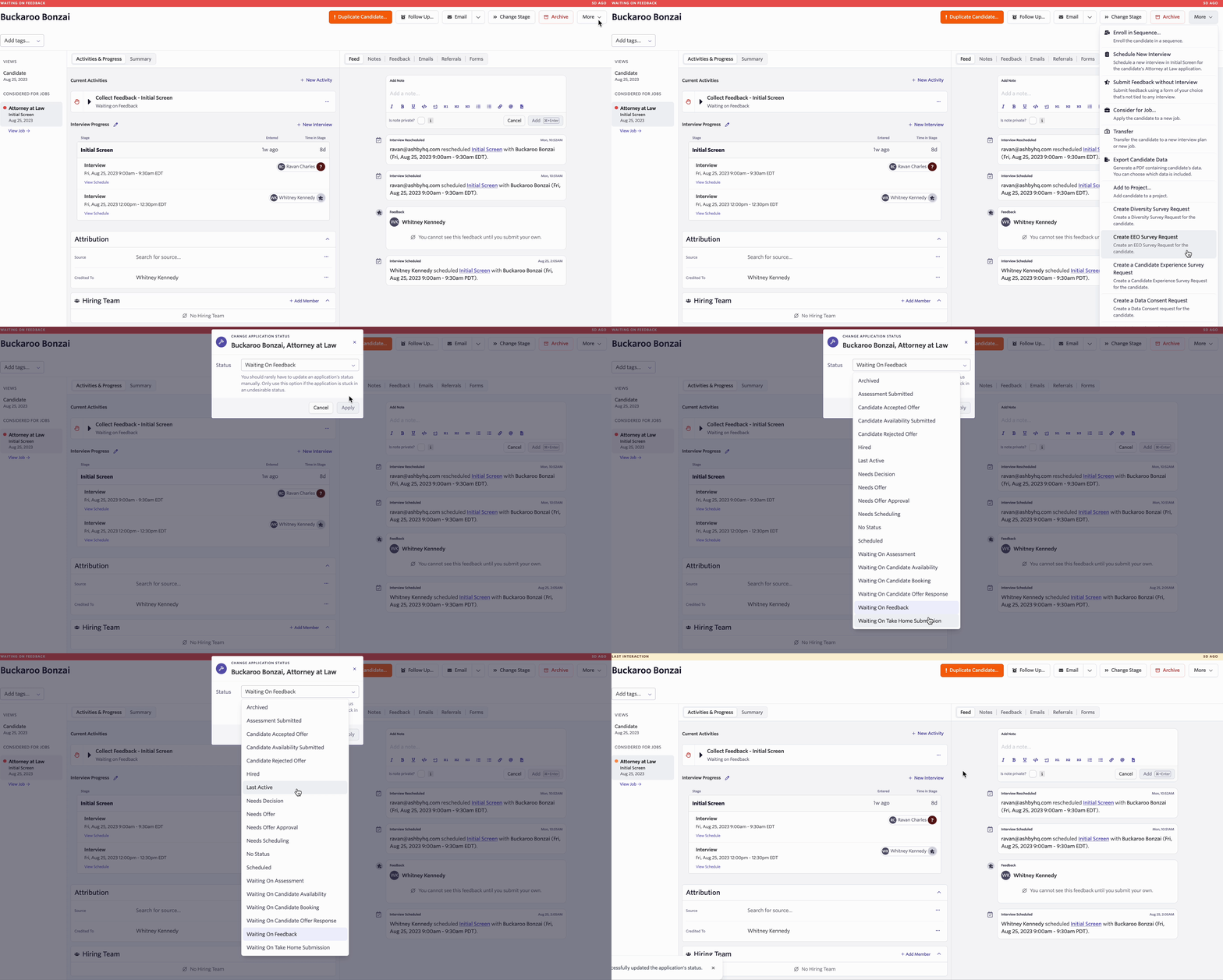
Click More on the candidate profile, and scroll to the bottom of the list and select the Change Application Status option. You have the option to change the status to:
- Archived
- Assessment Submitted
- Candidate Accepted Offer
- Candidate Availability Submitted
- Candidate Rejected Offer
- Hired*
- Last Active
- Needs Decision
- Needs Offer
- Needs Offer Approval
- Needs Scheduling
- No Status
- Scheduled
- Waiting On Assessment
- Waiting On Candidate Availability
- Waiting On Candidate Booking
- Waiting On Candidate Offer Response
- Waiting On Feedback
- Waiting On Take Home Submission
The Hired stage will not appear in the Change Stage dropdown if there are active Offer Approvals set up in the Admin > Approvals > Offers section. You will need to complete the offer process by creating the offer, then clicking the Offer Accepted option within the offer’s settings. Once that has been done, the candidate’s stage will automatically change to Hired.