How do I create offers retrospectively for reporting purposes?
This guide covers creating offers retrospectively for reporting purposes. If you have moved candidates to the Hired stage but want to report on the offers generated in Ashby, this guide covers the best route to generate those offers.
For more information on updating existing offers, see How do I backdate offers in order to preserve reporting data?
Moving the candidate back to the Offer stage updates the Consideration Ended At date and may impact the Hired At date on the job consideration, if the Hired At date was not already manually set. Moving the candidate back to the Offer stage does not impact passthrough rate reporting.
Can I report on offers if a candidate has been moved to the Hired stage and the offer was generated and sent outside of Ashby?
We always recommend creating an offer within Ashby for your records, even if you send offer letters and e-signature requests outside of Ashby. If you move a candidate to Hired without generating an offer on the candidate's profile, Ashby does not have offer details to pull from for your reports.
How do I create an offer on a candidate that is already in the Hired stage?
To generate an offer, you first need to move the candidate back to the Offer stage within the pipeline.
To move the candidate back to the Offer stage, click Change Stage while on their candidate profile and select Offer.
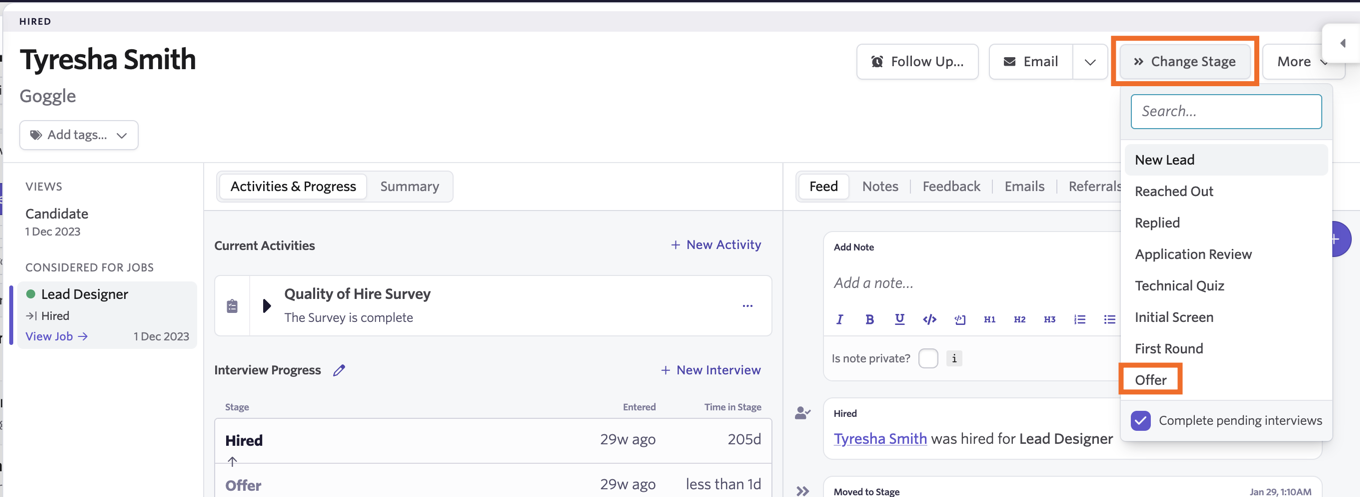
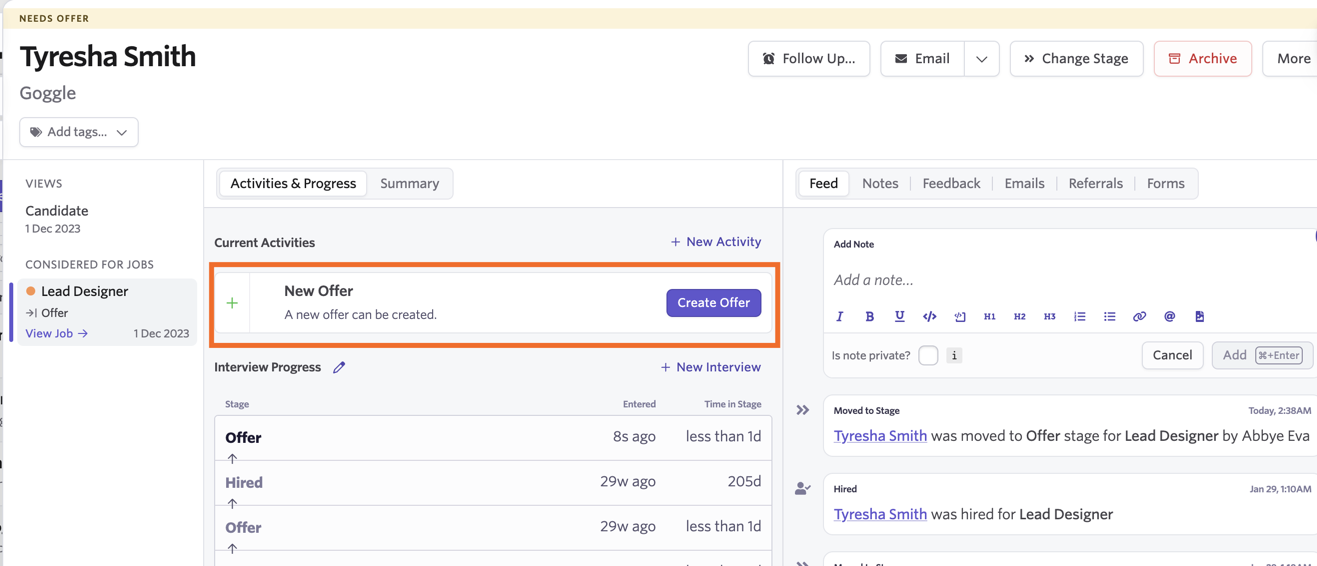
Once the candidate is moved back to the Offer stage, you are prompted to generate an offer for them:
- Click Create Offer to get started.
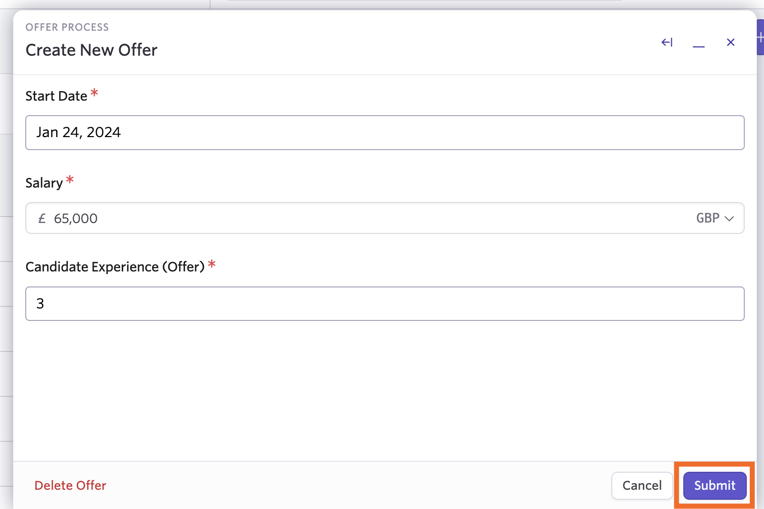
- Complete the offer details, then click Submit.
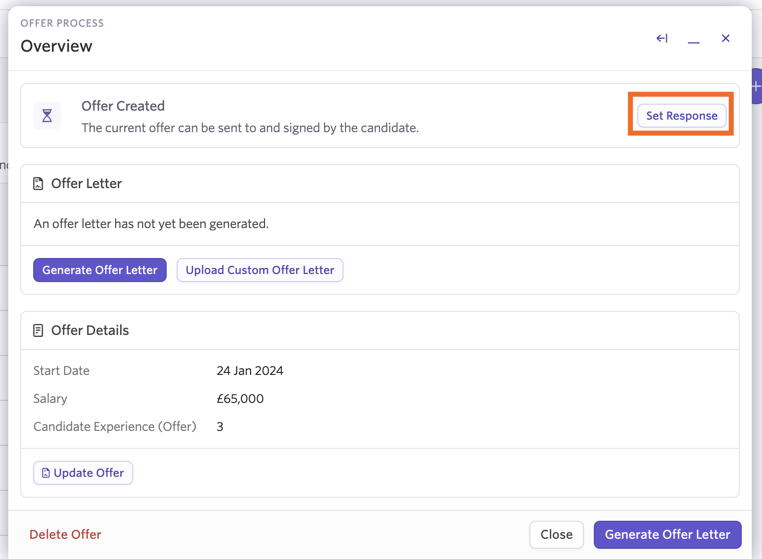
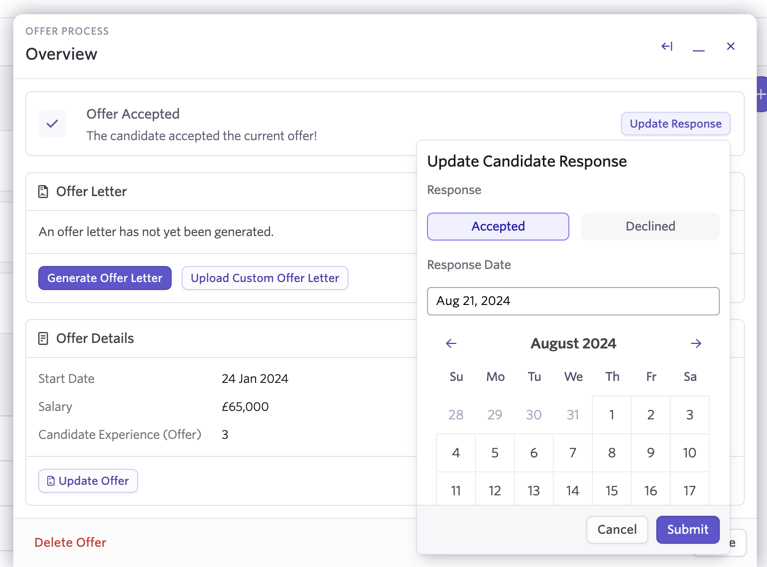
- Once the offer is created, click Set Response, then select Accepted to mark the offer as accepted by the candidate. Ashby moves the candidate back to the Hired stage.
- Click Update Response to adjust the response date if needed. This will update the Hired at date as well, unless the Hired at date was already manually changed.
To learn how to adjust the Hired At date manually, see Candidate Profile .
I see a duplicate Offer stage on the candidate's interview progress — can I remove the duplicate stage?
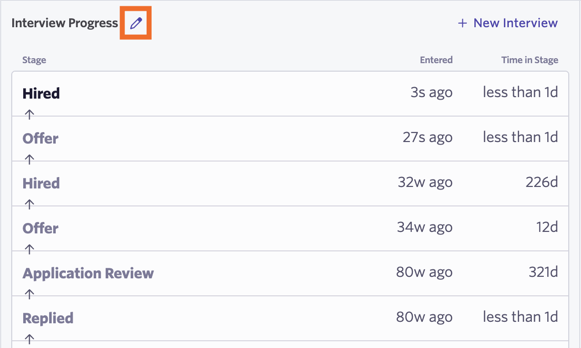
When moving the candidate back and forth between the Offer and Hired stages, you see duplicates in the Interview Progress section on their profile.
To remove the duplicate stages:
- Click the pencil icon beside Interview Progress.
- Click the trash can icon beside any duplicate stages to remove them.
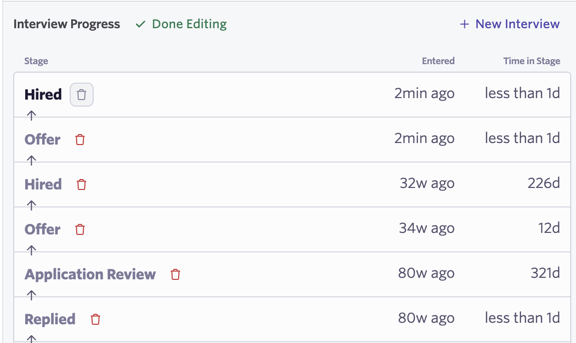
- Click Done Editing once you have removed the duplicate stages.