How do I change my company name in Ashby?
If you’re rebranding or are making changes that would require you to amend your company name in Ashby, this guide will cover the key areas to make adjustments, along with any caveats to be aware of when making the switch.
If you have further questions on changing your company name, don’t hesitate to reach out to your CSM or the Startup Success team.
Domain Changes
If you are changing domains, please reach out to your CSM or [email protected] for assistance. Once your team are actively using email addresses with the new domain, we can update the domain linked to your account to ensure your users can still send emails and schedule via Ashby.
If your previous domain has become a secondary domain, do mention this when you reach out and we can ensure this secondary domain is added.
Organization Name
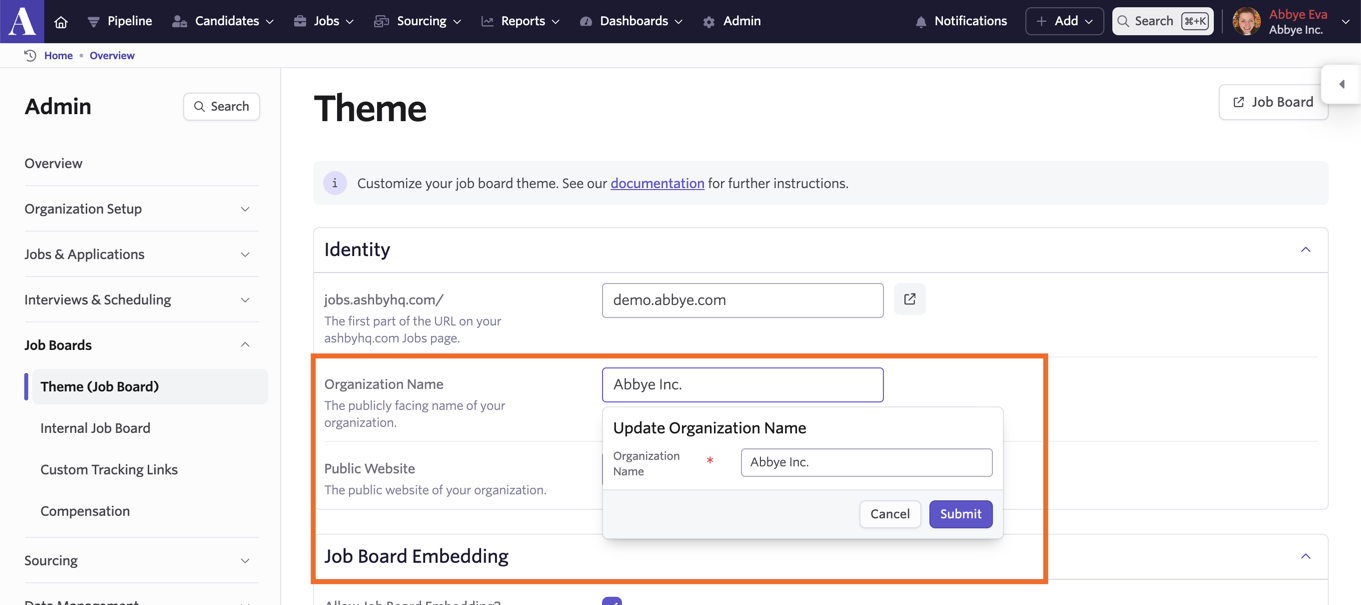
You can adjust your company name on the Theme (Job Board) page within Admin. Amend the value in the Organization Name field to change the company name on the account.
Job Board Slug
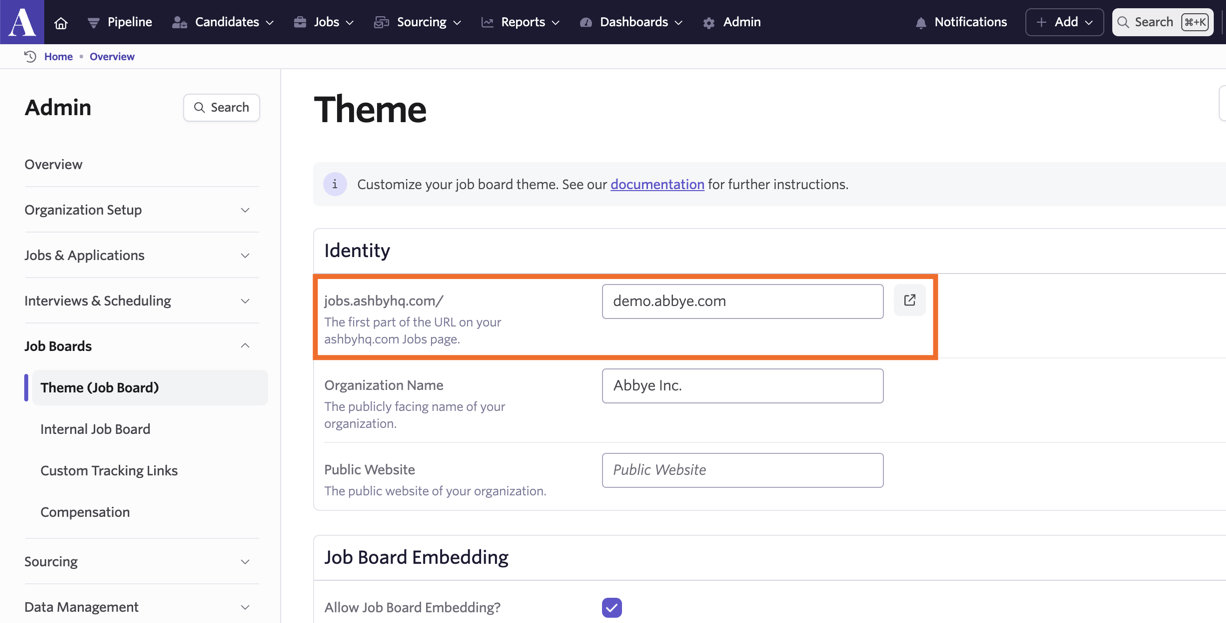
You can also change the slug for your job board on the Theme (Job Board) page in Admin.
This will change the part of your Ashby job board URL that points to your company’s job board, so please note that updating this will have an impact on some job board integrations like LinkedIn. The links in LinkedIn postings will update in 24 hours.
If you’ve generated links to add to third-party job boards that we don’t integrate with, these will need to be updated with your new URL.
Job Board Logos
To ensure your new branding is reflected on your job board, you can upload any new logos in the Logos section of the Theme (Job Board) page.
Square
The square logo is used on mobile Ashby pages. We recommend using a square PNG, JPG, or SVG file of at least 48 x 48 pixels.

Wordmark
The wordmark logo is used on desktop screens. If your wordmark appears small on Ashby, please reduce the border/margin. We recommend using a horizontal rectangular PNG, JPG, or SVG file at least 160 pixels high.
Social Media
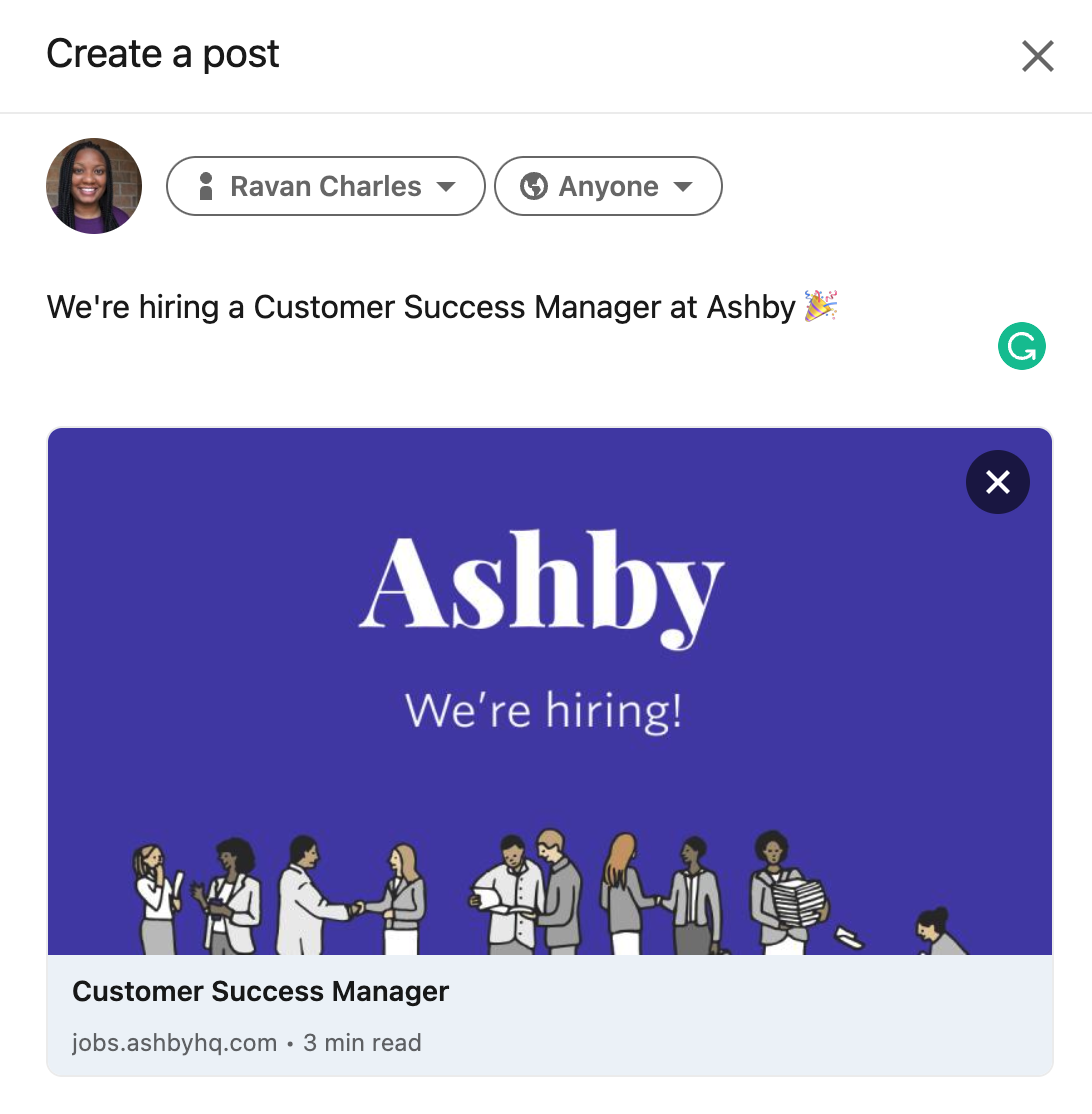
The social media logo is used when you post jobs on social media sites like Twitter and LinkedIn. If you don't include a social media image, your square logo will be used instead.
We recommend using a PNG, JPG, or SVG file at least 1000 pixels wide and a ratio of width to height of about 1.7 to 1 (1000 pixels wide by 588 pixels high).
Job Postings
Messaging
When changing your company name, be sure to check the fields in the Messaging section of the Theme (Job Board) page to update any descriptions or messages as needed.
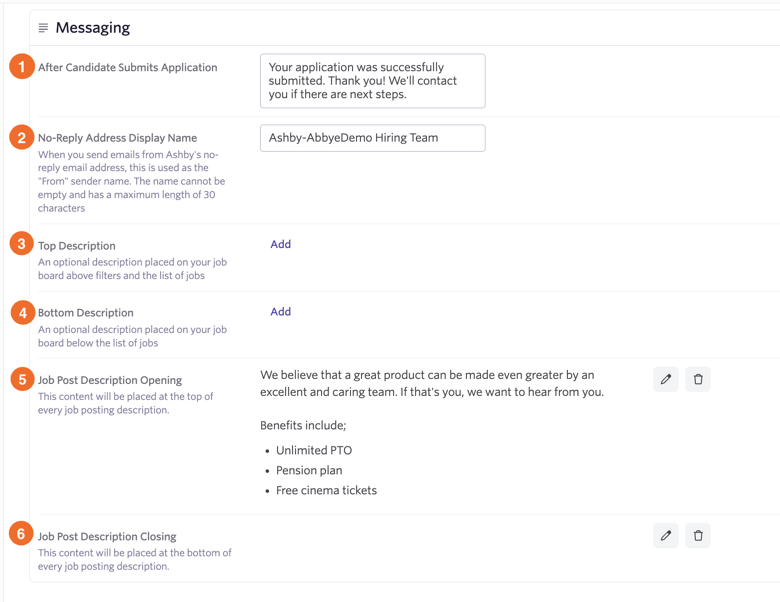
1) After Candidate Submits Application: The message that candidates see after applying for a job on your job board.
2) No-Reply Address Display Name: The sender name that will show when sending emails via Ashby’s no-reply email address.
3) Top Description: This is an optional description that will show above your job filters and listed jobs on your job board.
4) Bottom Description: This is an optional description that will show below your jobs on your job board.
5) Job post Description Opening: Any information added here will be shown above each job posting’s description.
6) Job Post Description Closing: Any information added here will be shown underneath the job posting description.
Individual Postings
If the core descriptions in each of your job postings mention your previous company name, be sure to amend each posting to reflect your new one.
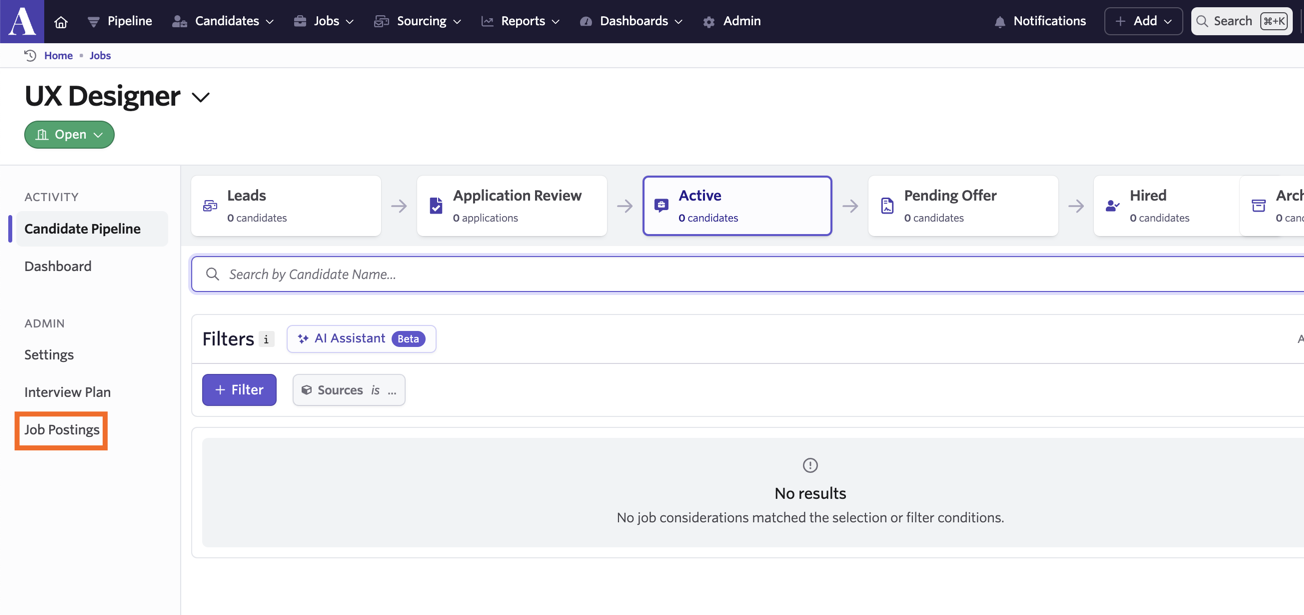
You can amend individual job postings within each job. Head to Jobs>Admin, then click on the job you’d like to update. From here, head to Job Postings and **select the job posting you’d like to update.
Email Templates and Interview Invites
We’d recommend using the Company Name substitution token in your email templates and calendar invites - this token will pull your company name from the Organization Name field on the Theme (Job Board) page.
When making a company name change, be sure to check your email templates and calendar invite templates to ensure the company name wasn’t added directly into any of them and update it if needed.
Email Templates
To check and update your email templates, head to *Admin>Organization Setup>Email Templates.* You can then click on each email template to view and edit the content.
Interview Calendar Invites
Scheduling Defaults
You can adjust the default calendar invites sent out in your scheduling defaultsat Admin > Interviews & Scheduling > Scheduling Defaults. Both the content of the interview calendar invite for candidates and invite for interviewers can be adjusted here.
Individual Interview Activities
If you have some custom content in your candidate and interview calendar invites for certain schedule interview activities, you can adjust this content within the schedule interview activity (on the Communications tab).
Offer Letter and E-Signature Document Templates
Offer Letter Templates
If you have updated offer letter templates, you can add these on the Offer Letter Templates tab within Admin>Offers. You can either opt to upload new templates via the + New button, or update existing templates by selecting the existing offer letter template and clicking Browse files to upload. Select the new template, then click Open to add the new template.
E-Signature Document Templates
Please note that non-offer e-signature documents can be configured on the Legacy Plus, Plus and Enterprise plans.
Foundations | Legacy Plus | Plus | Enterprise |
|---|---|---|---|
❌ | ✅ | ✅ | ✅ |
You can add new e-signature document templates or update existing ones in Admin>Integrations>E-Signature Documents. Navigate to the E-Signature Document Templates tab and either click + New to upload a new document, or select an existing document and click Browse files to upload to replace the current template with a new one.
Sequences
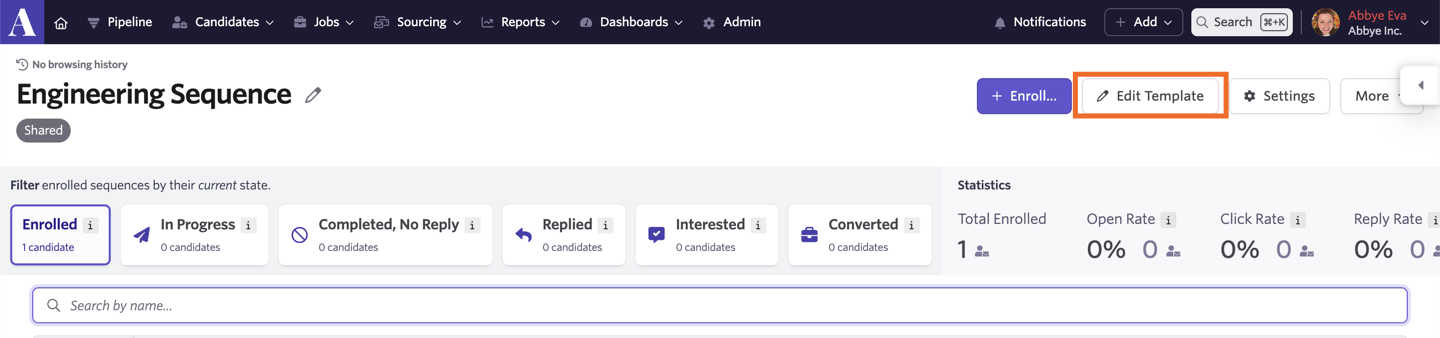
You can check your sequence templates for any hard-coded mentions of your company by heading to Sourcing>Sequences.
Click on the sequence you’d like to review and then Edit Template to view each stage of your sequence.
Surveys
If your company name is mentioned in any of your survey questions, head to Admin>Jobs & Applications>Candidate Surveys. Use the tabs to navigate between custom diversity surveys, candidate experience surveys and questionnaires to select and adjust each survey as needed.
Please note that the company name listed on the EEOC form will change automatically when the Organization Name is updated on the Theme (Job Board) page.
Application Form Questions
If your company name is included in any of your application form questions, you can adjust these in Admin>Jobs & Applications>Application Forms if they are shared application forms. More on shared forms at What are ‘Shared’ Interviews, Application Forms, and Feedback Forms?
If you do not see the application form you’d like to amend there, the application form may have been set up directly when configuring the job posting. As such, the application form questions would need to be changed directly on the form in the job posting.