Horta
3 min
Not a Horta customer? Email [email protected] for assistance
In Horta
- Find your Ashby ID using your job board URL: https://jobs.ashbyhq.com/[YOUR-ASHBY-ID]
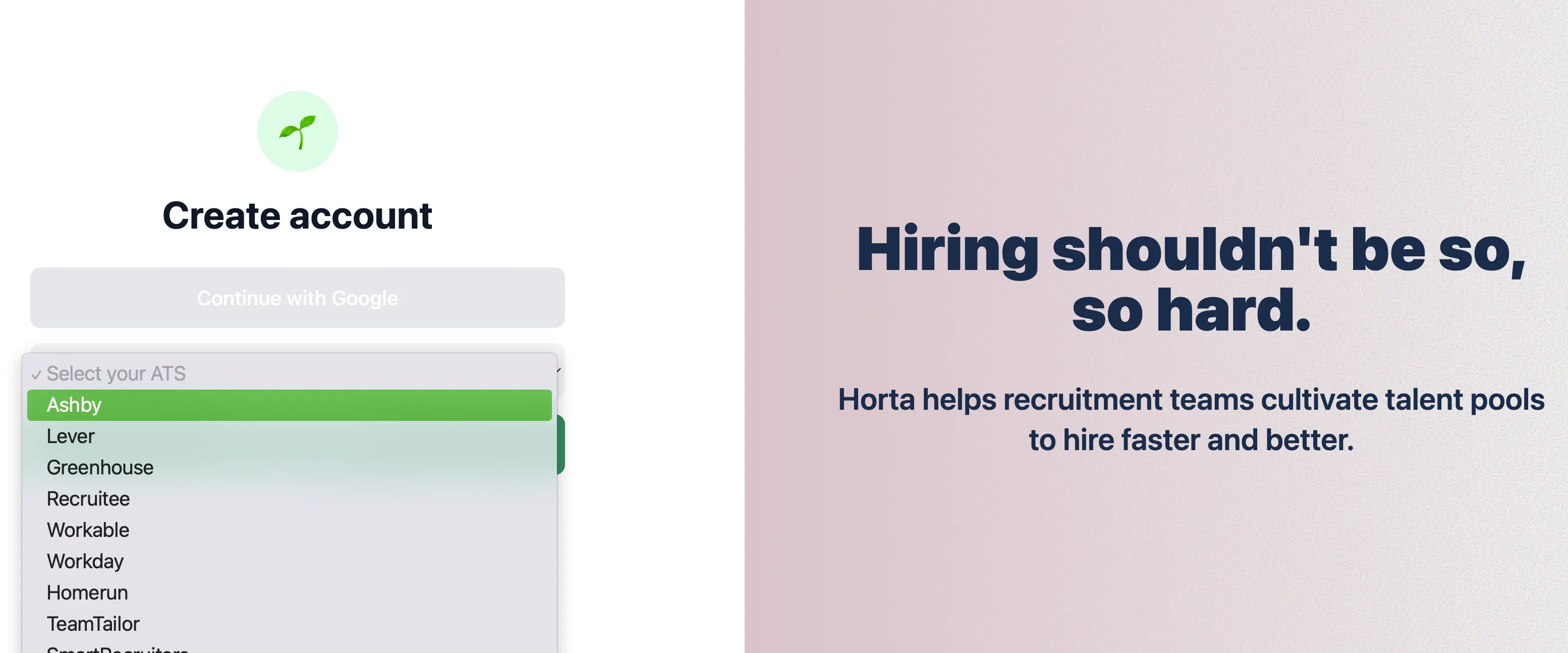
- Login or create a Horta account here:
- Select Ashby as your ATS:
- Head over to your Ashby account.
In Ashby:
- Open Admin area.
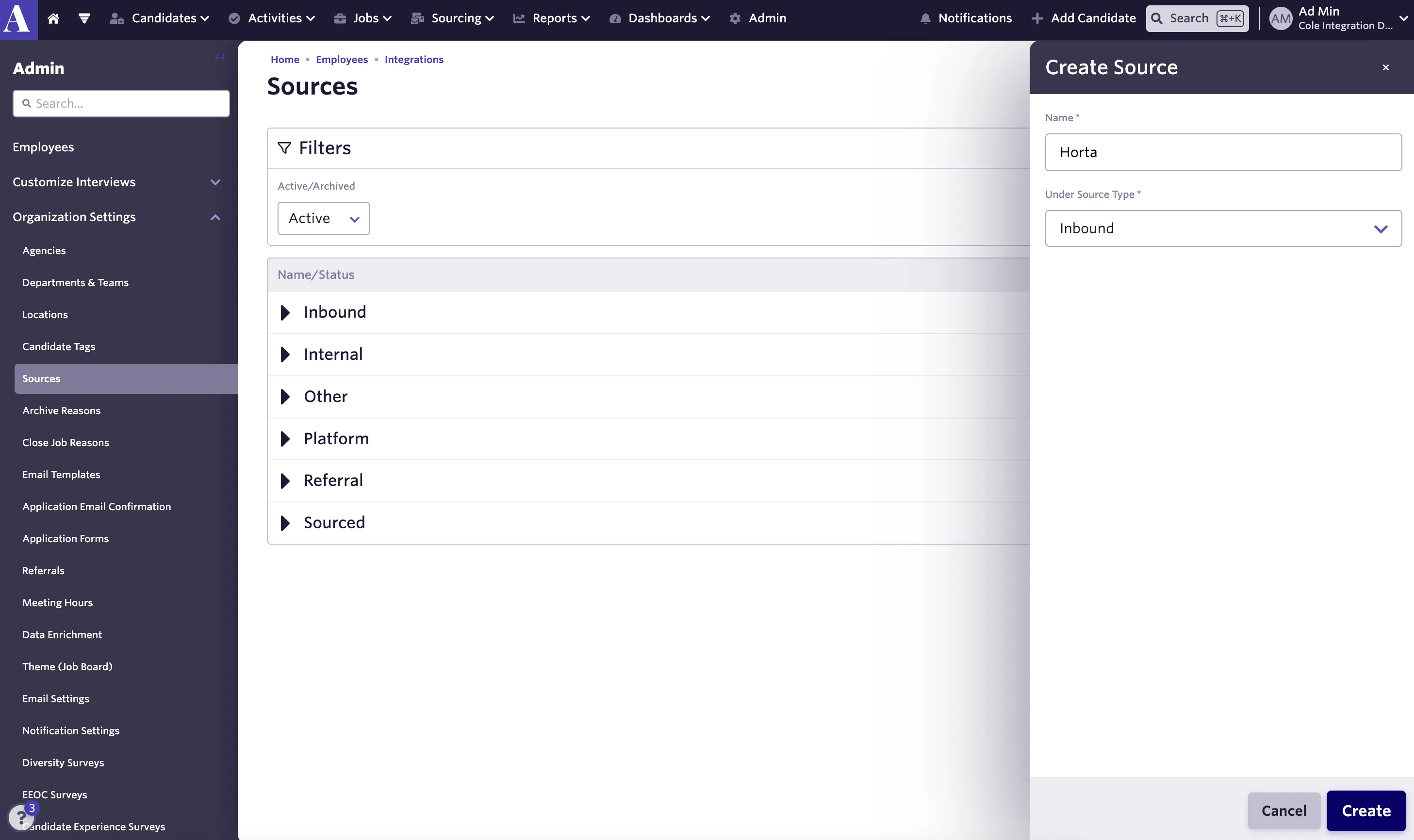
- Click Organization Settings in the navigation menu on the left and select Sources
- Click the Add Source… button and enter these values in the fields:
- Go to Admin > Organization Settings > Custom Tracking Links > New to create a new tracking link.
- Enter the below values:
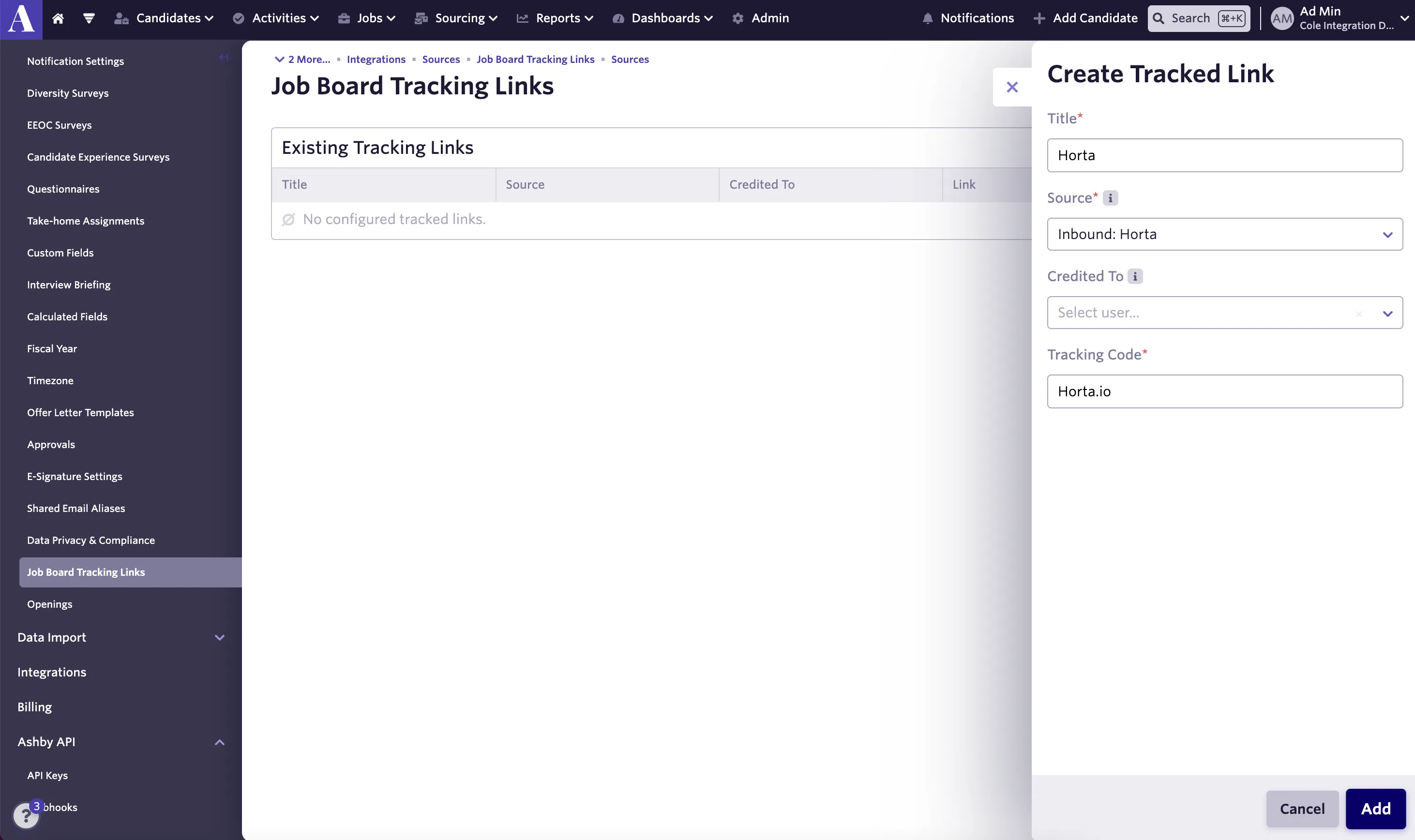
- Use the new tracking link to track inbound candidates from Horta: https://jobs.ashbyhq.com/[YOUR-ASHBY-ID]?utm_source=Horta.io
- You’re all set!