HireSweet
1 min
Integrating Ashby with HireSweet:
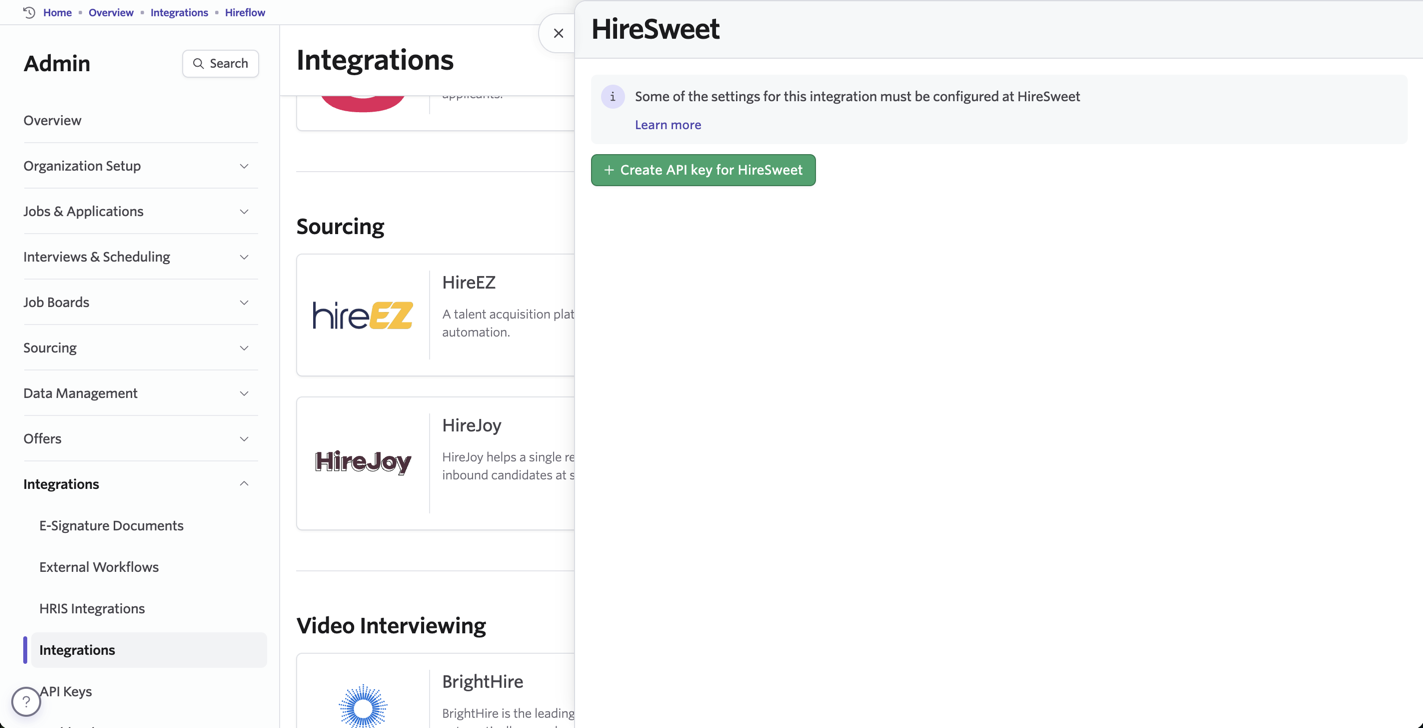
- Open Ashby and navigate to the Admin panel.
- Select Integrations from the left menu and find the HireSweet tile.
- Select Create API key for HireSweet and copy the newly generated API key.
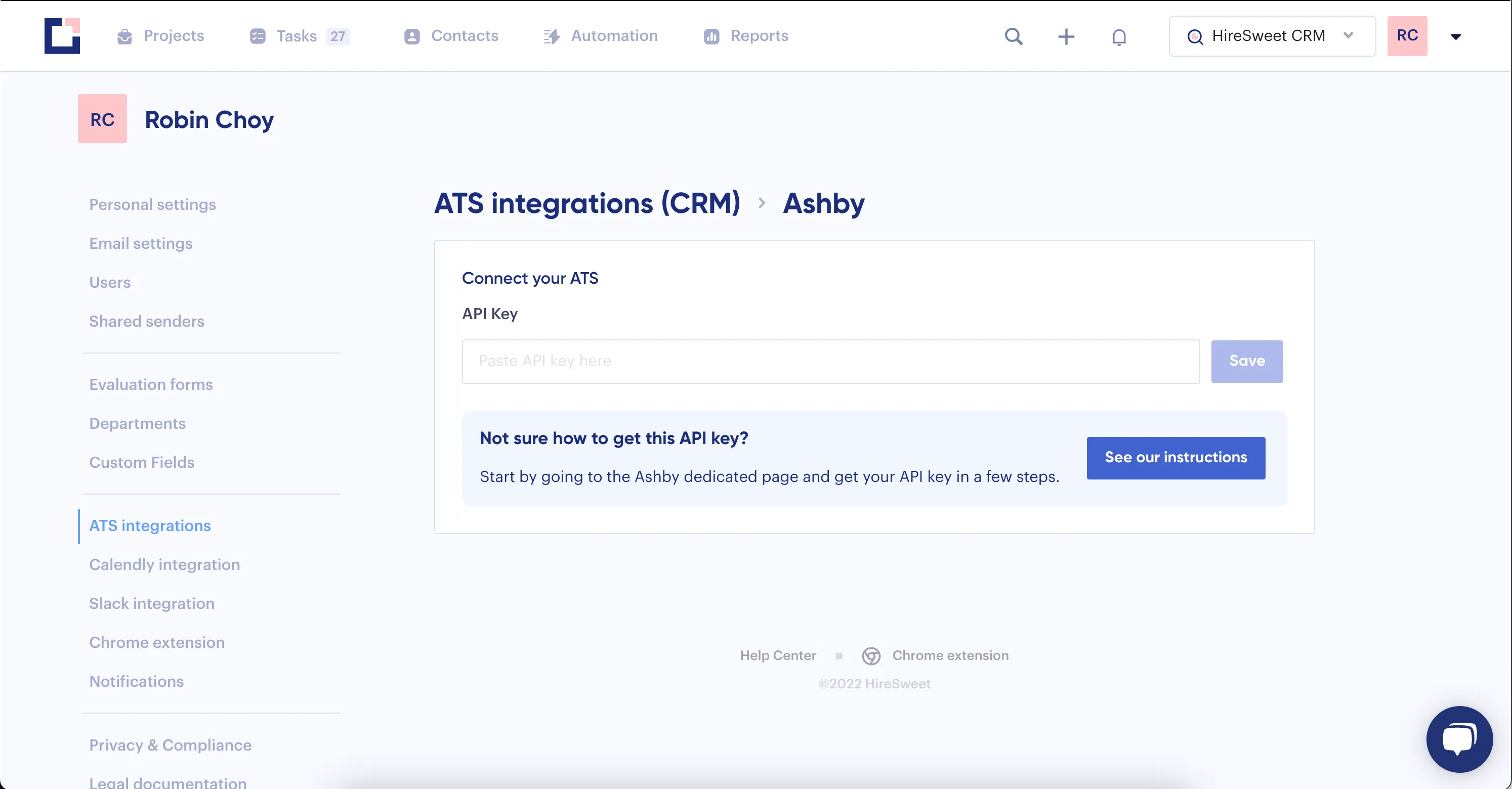
- Head over to HireSweet ➡️ go to Settings ➡️ ATS integrations (CRM) ➡️ Ashby
- Paste the key and click Save.
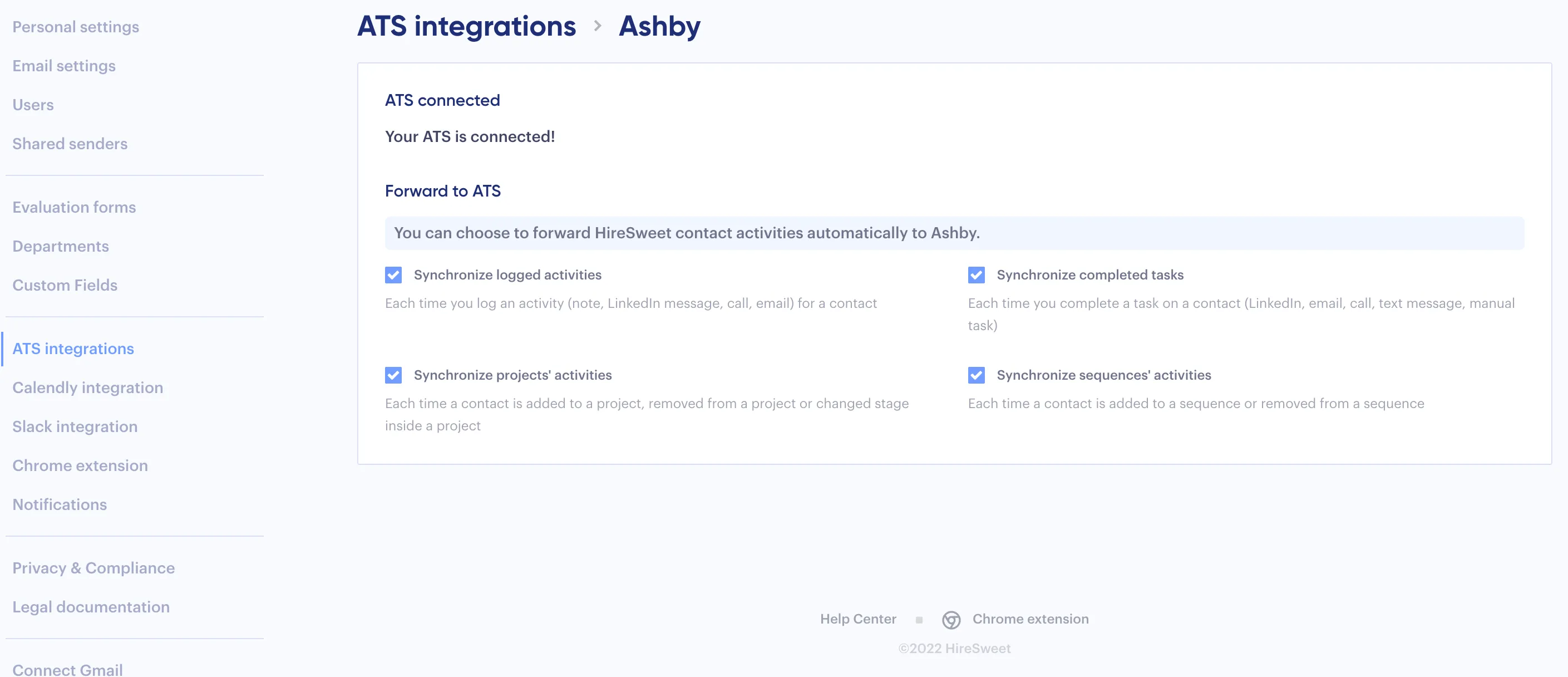
- You're all set! You can now sync all candidate and activity data into Ashby automatically.