Hireflow
3 min
With the Hireflow integration enabled, customers can surface existing candidate details in the Hireflow Chrome extension and add Hireflow candidates (manual and AI sourcing) directly into Ashby.
Integrating Ashby with Hireflow:
- Open Ashby and navigate to the Admin panel.
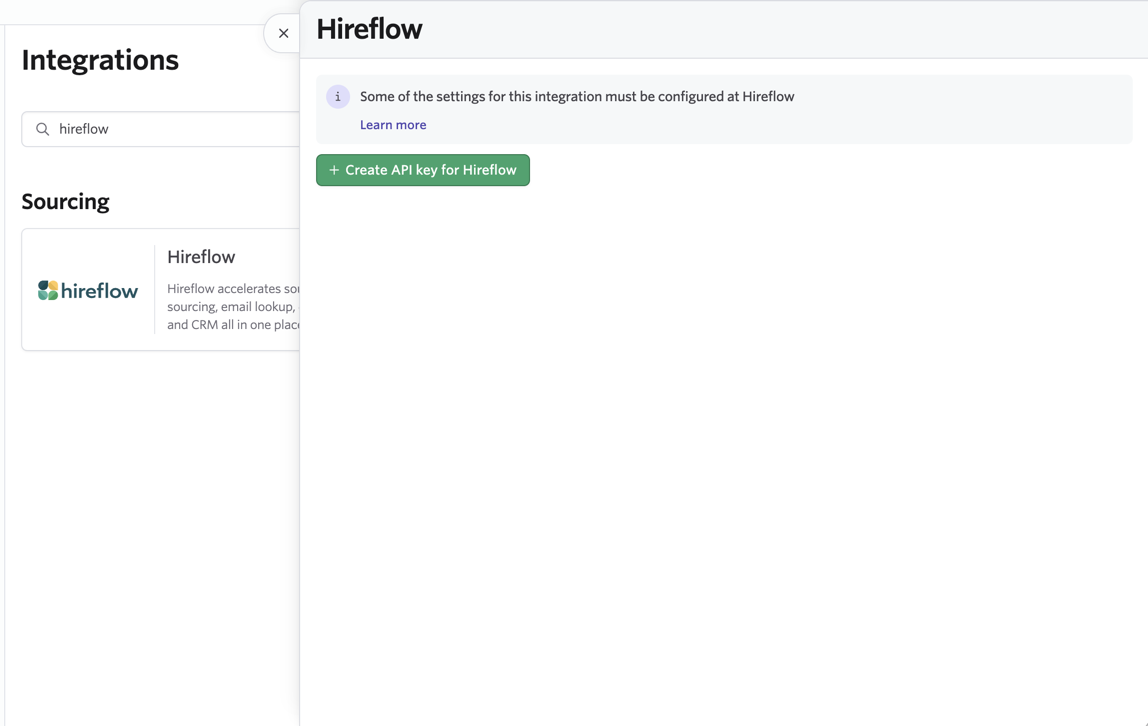
- Select Integrations from the left menu and find the Hireflow tile
- Select Create API key for Hireflow and copy the newly generated API key.
- Head over to your Hireflow account.
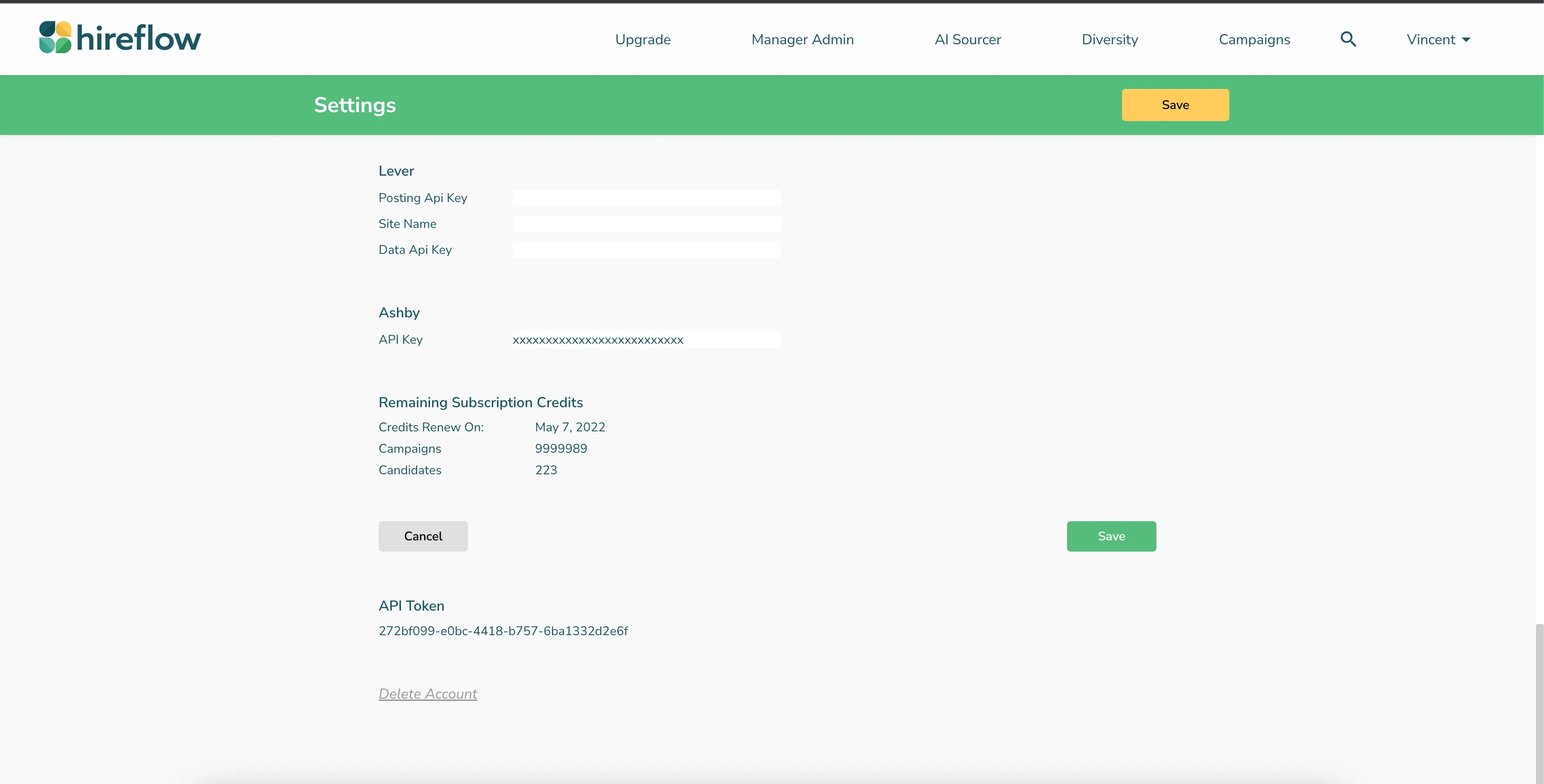
- Go to Settings, find Ashby and paste your Ashby API key:
- You're all set! Every user in Hireflow now has access to the Ashby integration.
Using the Hireflow integration:
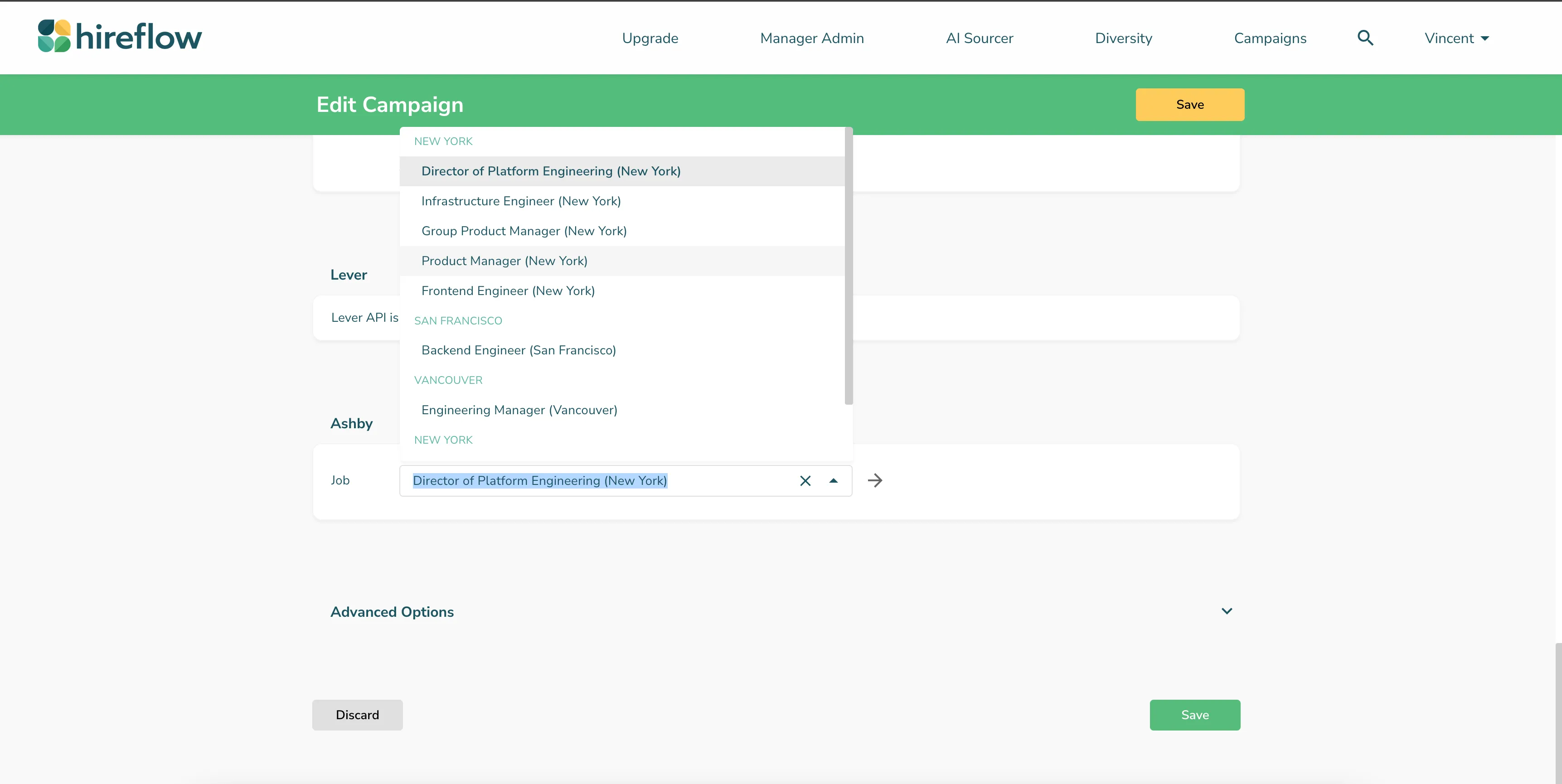
- Find the Hireflow campaign you’re ready to source candidates for and select Edit Campaign.
- Scroll and find Ashby, then select the role you’re sourcing with the campaign:
- Save and go to LinkedIn to find a candidate.
- Open the Hireflow Chrome extension, select the appropriate Ashby campaign:
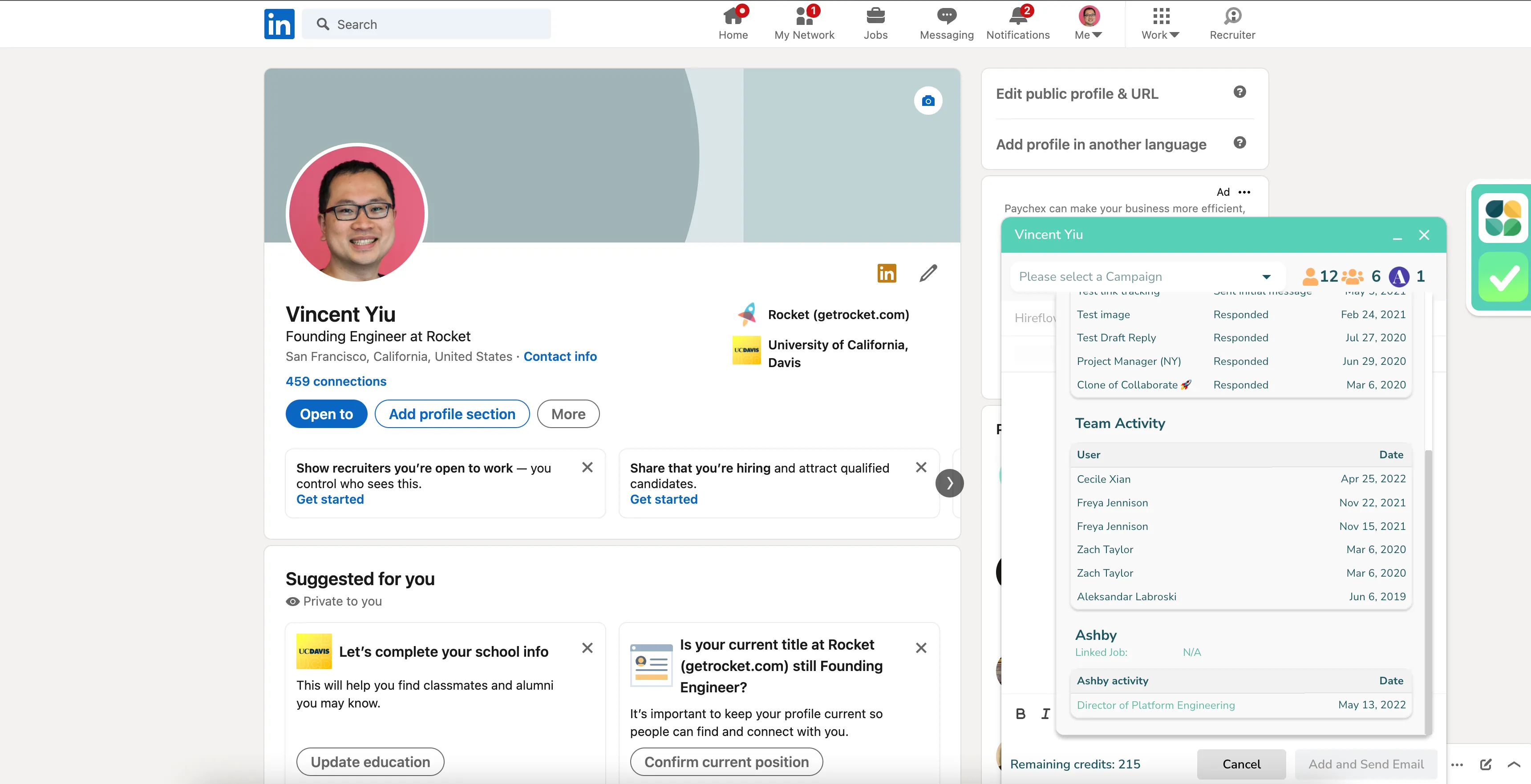
Note: If the candidate is already in Ashby, their details will be surfaced in the Hireflow Chrome extension and show the candidate’s details