Hireflix
5 min
This guide will walk you through integrating your Hireflix account with Ashby, allowing you to send Hireflix one-way video interviews as assessments in your interview plans.
Getting Started Checklist
- Open a browser tab with Ashby on the integrations admin page
- Open another browser tab with Hireflix on the api keys page
Video Walkthrough
You can find a video walkthrough of this integration here.
Add the Integration in Ashby
- Starting from the integrations admin page, click on the Hireflix integration tile, and then click on the green Enable Hireflix button.
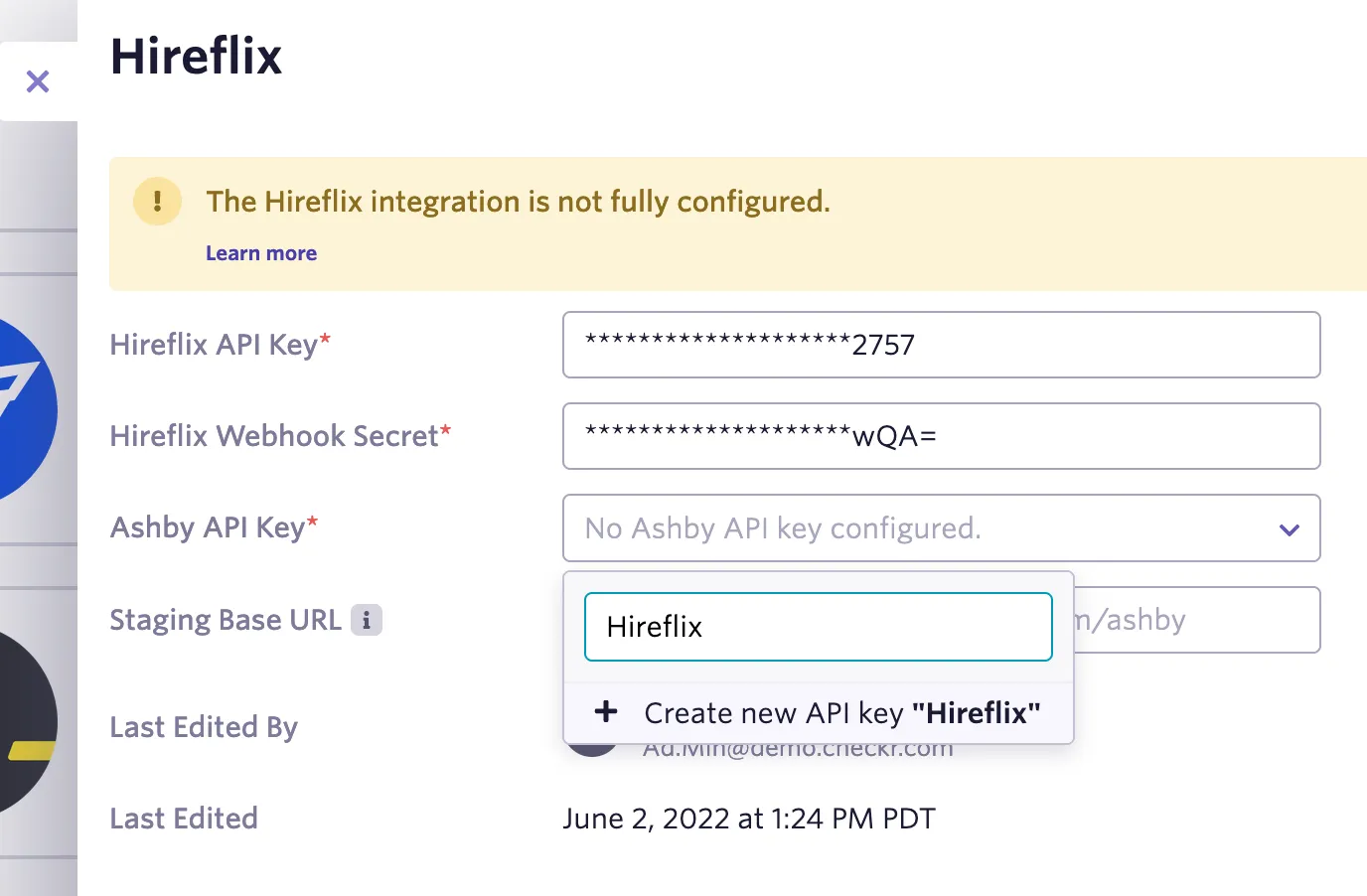
- Once that’s done, you should see a panel to configure keys for the integration
- Note: you’ll come back here to input your Hireflix API key and webhook secret, once you have them
- Click the Ashby API Key drop down to create or select an existing one for this integration.
Get the Hireflix API Key
Next, we need to get an API key from Hireflix, so that Ashby can interact with Hireflix.
- Set up your Hireflix API key by going here
- Click Create Key, and describe your key with some text like “Ashby Integration” in the box that appears, and then
- Click Create at the bottom, and then your new API key should appear in the list.
- Reveal your new key in the API keys to copy it somewhere temporarily, as we’ll need it in a moment
- Go back to Ashby integrations admin, and enter your new Hireflix API key in the topmost box in the Ashby Hireflix settings (same place where you started with the Ashby API key setup initially)
Connect the Hireflix Webhook to Ashby
Next we’re going to setup the webhook, so Hireflix can notify Ashby when video interviews are complete.
- Set up a new webhook by going here
- Click Create new webhook at the bottom
- In the screen that appears, configure the following information:
- Events: Enable interview.status-change
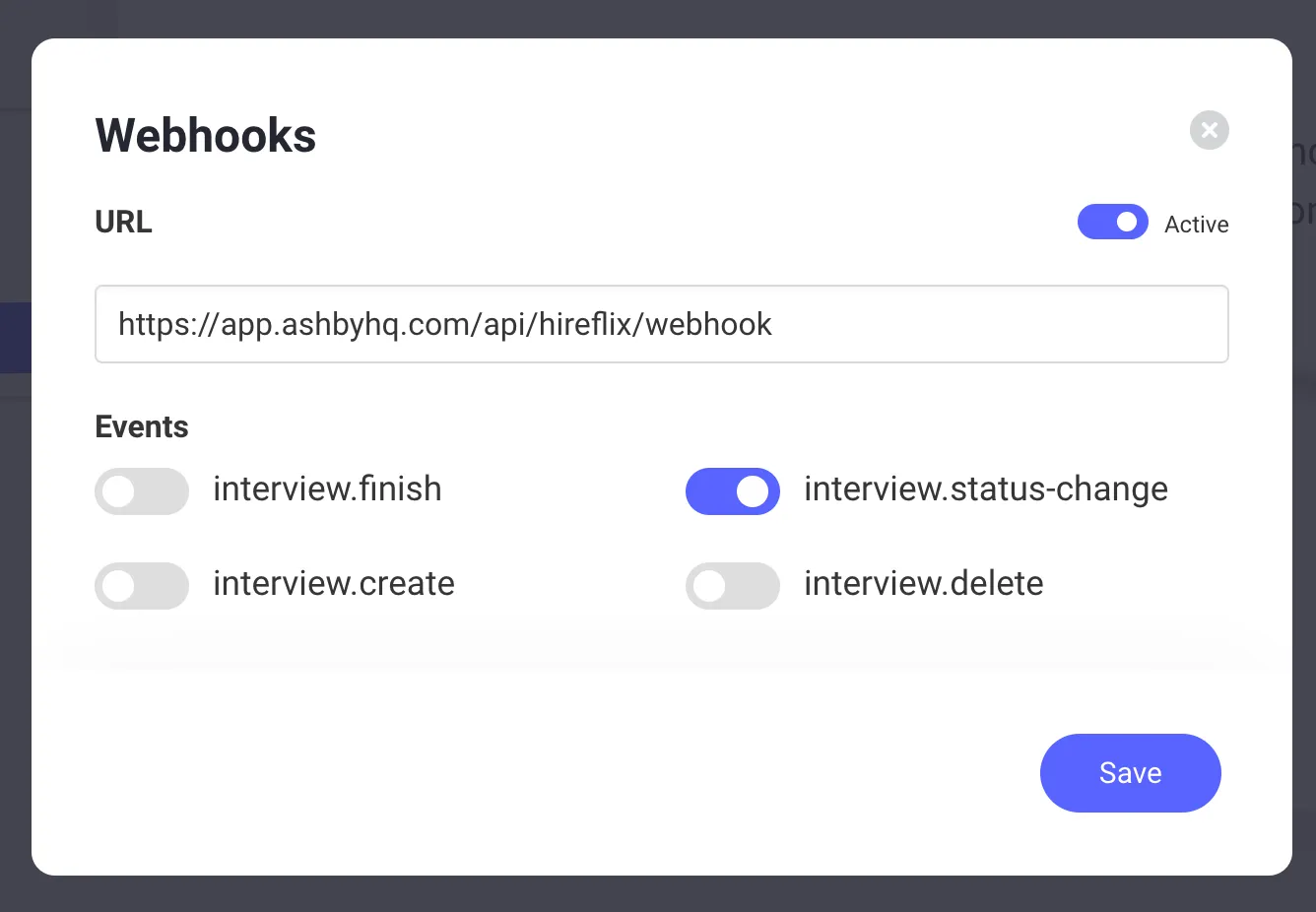
- Once you’re done, click the Save button.
- Next, it should leave you back on the webhooks page. Click Reveal under the Secret Key section, and then copy the secret somewhere temporarily, as we’ll need it in a moment.
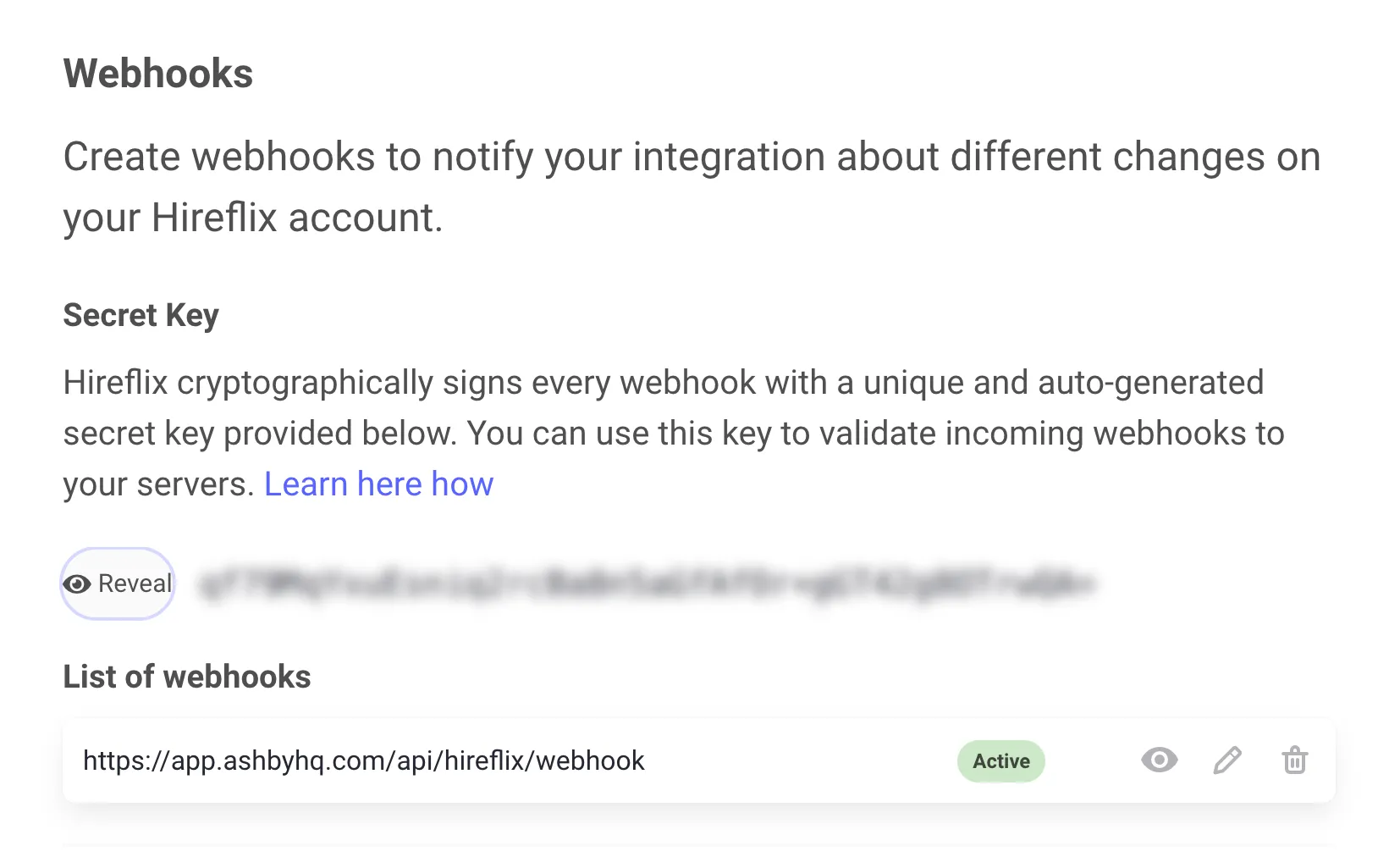
- Go back to Ashby integrations admin, and enter your new Hireflix webhook secret in the box labeled Hireflix Webhook Secret in the Ashby Hireflix settings (same place where you started with the Ashby API key setup initially)
Now you're all set to use Hireflix one-way video interviews!