HackerRank
This guide will walk you through integrating your HackerRank account with Ashby, allowing you to use HackerRank Tests as assessments in your interview plans and send out live HackerRank interview links.
Please note that this integration is only available on HackerRank’s custom pricing plans.
Getting Started Checklist
- Open a browser tab with Ashby on the integrations admin page
- Open another browser tab with HackerRank on the integrations page
Add the Integration in Ashby
- Starting from the integrations admin page, click on the HackerRank integration tile, and then click the green Enable HackerRank button.
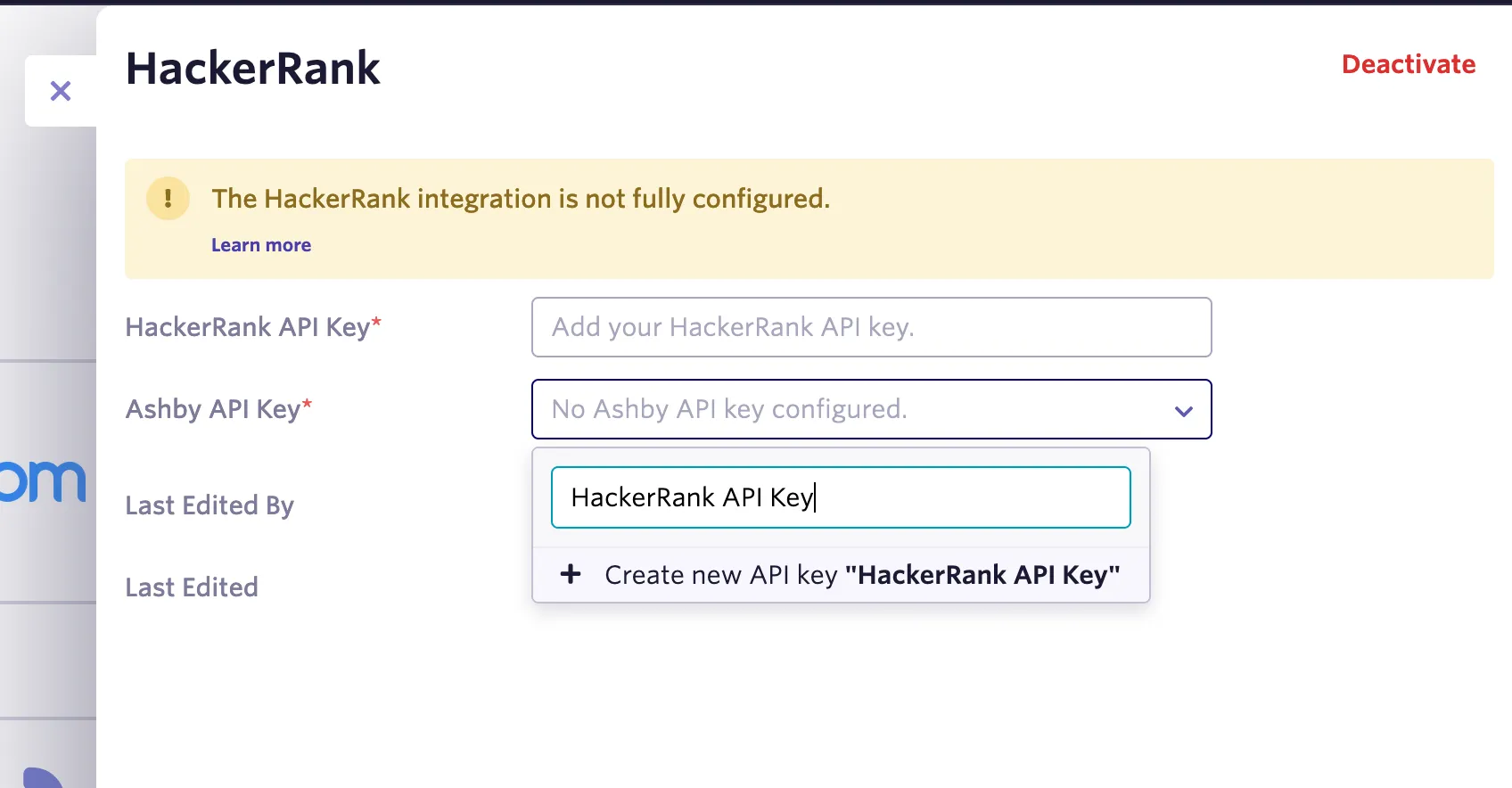
- Once that’s done, you should see a panel to configure keys for the integration
- Note: you’ll come back here to input your HackerRank API key, once you have it
- Click the Ashby API Key drop down to create or select an existing one for this integration. If you are selecting an existing Ashby API key for this integration, please ensure your Ashby API key has Write access to the Candidates set of endpoints, as this contains the assessment.update endpoint, which will be used to send data back to Ashby about the assessment.
- Note: While it says to copy this API key, you do not need to copy this one. This API key is just used to control access for the HackerRank integration.
Get the HackerRank API Key
Next, we need to get an API key from HackerRank, so that Ashby can interact with HackerRank.
- Set up your HackerRank API key by going to their integrations page here
- Click Configure on the Ashby tile in the list
- Click the Generate API Token button
- In the box that appears, click Copy and Close to copy the API token, and copy it somewhere temporarily for the next step
- Go back to Ashby integrations admin, and enter your new HackerRank API key in the topmost box in the Ashby HackerRank settings (same place where you started with the Ashby API key setup initially)
Now you're all set to use HackerRank tests in your interview plans!
Using the integration
HackerRank requires that the Ashby user’s email address match that of an active HackerRank for Work account. Only Ashby users with HackerRank for Work accounts will be able to send assessments from Ashby.
Now that the integration is configured, you can start sending HackerRank take-home assessments and HackerRank live interview links to candidates.
Configuring a HackerRank Assessment
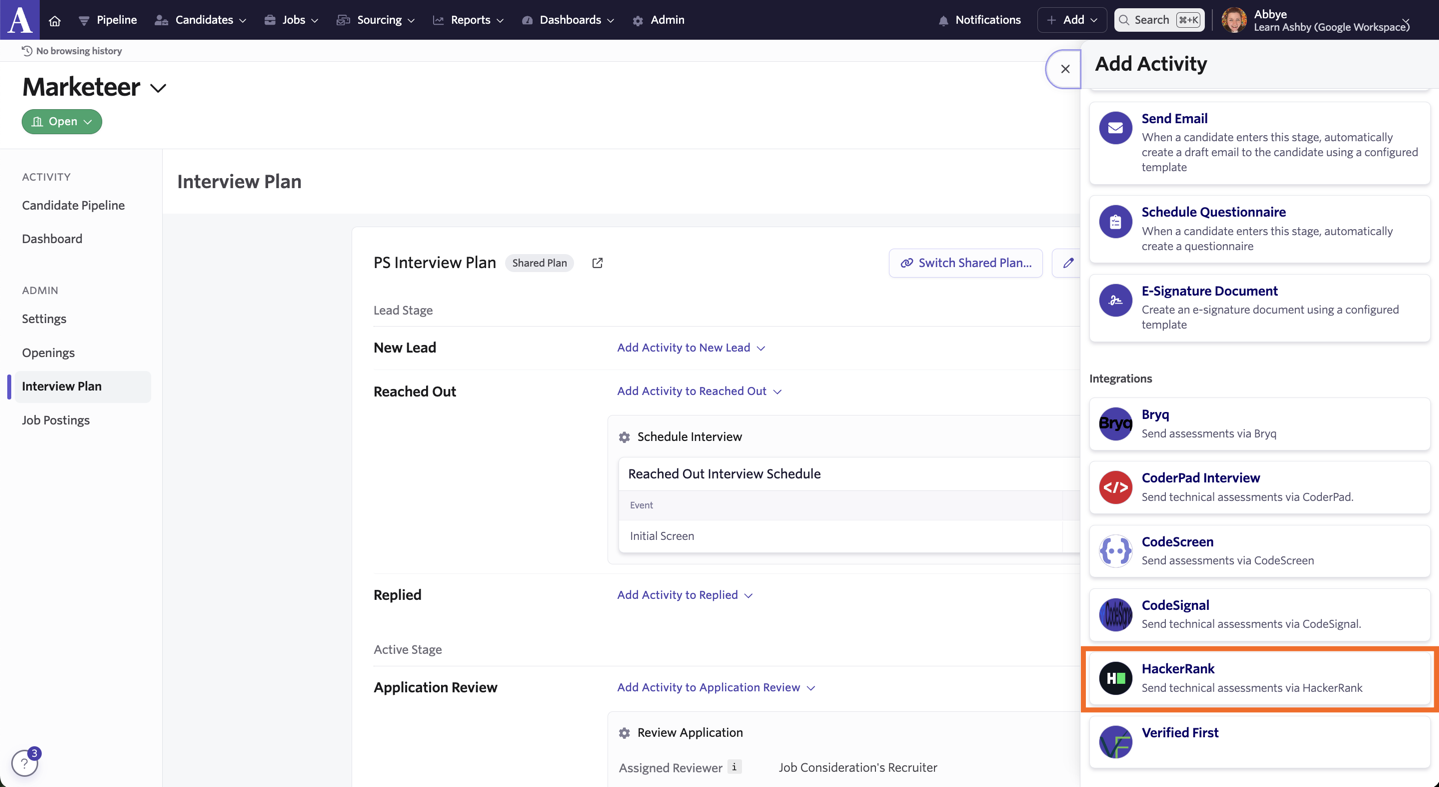
To add an Interview assessment at the interview plan level, go to the interview plan you want to update and click on + Activity on the stage you want to add a HackerRank take-home assessment to.
Click on HackerRank from the list of Activities that opens on the right side of the page and select the assessment or interview you’d like candidates to complete at this interview stage. When a candidate reaches the stage the interview is assigned to, an activity will show up on their profile indicating that they should be sent an assessment.
To send an assessment to a candidate, click on Start Assessment on the activity on the candidate’s profile.
Configuring HackerRank Live Interviews
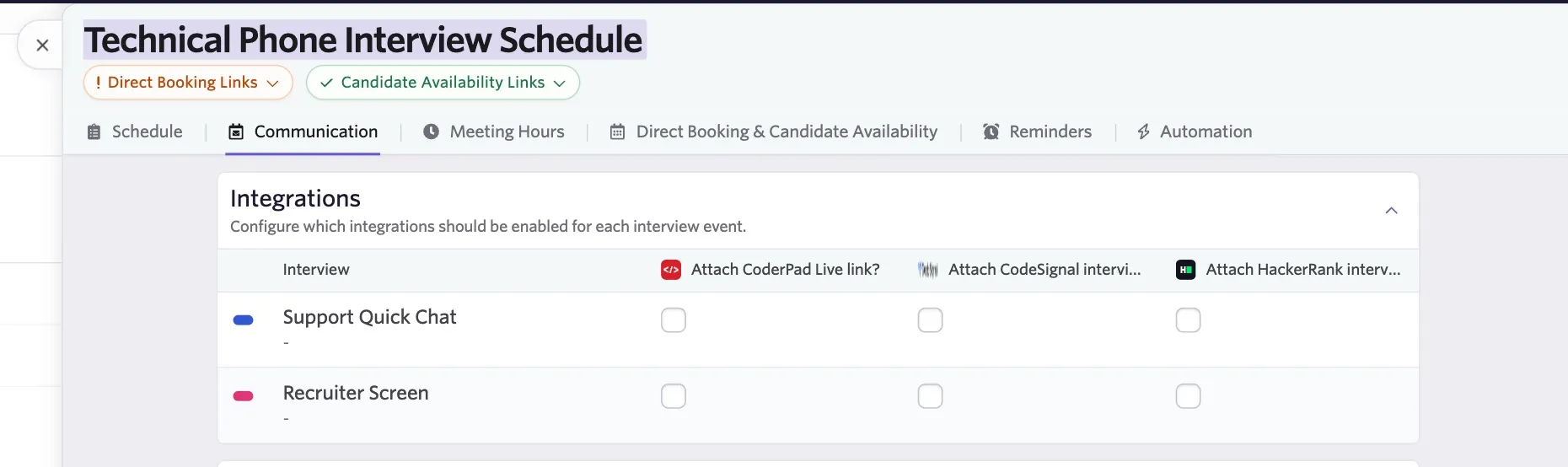
You can automatically attach live interview links to interview invitations when scheduling an interview in Ashby or when creating a schedule interview activity. When scheduling an interview or configuring a schedule interview activity, check the Attach HackerRank interview? checkbox. This option is under Communications for a schedule interview activity, or under Invite Settings when scheduling an interview manually. If you have an interview with multiple events you will be able to use checkboxes to specify the events that should have the integration enabled.
The Interview link will be included in both interviewer and candidate invitations.
Once the interview has been scheduled and calendar invites have been sent out, the live interview link can also be accessed via the record of the interview in the Interview Progress section of the candidate's job consideration.