Google Workspace: Setting a Service Account as Primary Admin in Ashby
2 min
This route can be used to limit Ashby’s access. For example, by default super admins in Google have full access to all calendars. If a service account is created that does not have super admin rights, Ashby would be limited to only see free/busy information on calendars (if this is set as the default visibility for non-Super Admins).
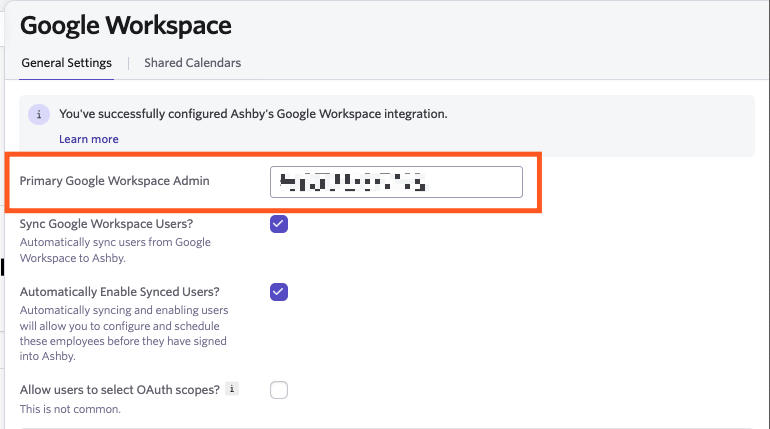
As part of the Google Workspace integration setup, you will need to add your primary Google Workspace admin's email address into the Primary Google Workspace Admin field within your Google Workspace settings in Ashby. This guide will walk through how to create and add a service account in this field.
Setup Steps
- Create a custom admin role To create a custom admin role, in Google Admin, head to Account, Admin Roles and then click Create New Role. Ensure that the OU Read and Users Read privileges have been granted to this role when creating it.
- Create a new user for the integration From here, create a new user for the integration within Google Admin by heading to Directory, then Users and clicking Add new user. Ensure that the user is assigned the newly created admin role. Then log in as the new user and accept the terms.
- Configure the integration in Ashby, below are the available setup routes Google Workspace: Domain-wide Delegation Google Workspace: Individual OAuth Google Workspace: Hybrid Access
- When setting up the Google Integration in Ashby, add the new user’s email address to the Primary Google Workspace Admin field within the Google Workspace integration settings.