Google Workspace: Hybrid Access
Please note that both hybrid routes are more commonly used by larger teams. When using this route, both domain-wide delegation and OAuth would need to be set up, so this process may take a little longer to put in place.
This route allows you to use domain-wide delegation for calendar syncing and use the individual OAuth route for email syncing and sending.
Hybrid Access
You can opt to set up domain-wide delegation for all scopes apart from sync emails and send emails if you’d like employees to grant access to sync and send emails in Ashby individually. Visit Domain-wide Delegation then open the Configure New App dropdown and select OAuth App Name Or Client ID. Click Add New in the top left.

Then enter the following information in the popover:
Client ID
113156554739300448523API Scopes
https://www.googleapis.com/auth/admin.directory.resource.calendar.readonly,
https://www.googleapis.com/auth/admin.directory.user.readonly,
https://www.googleapis.com/auth/calendar,
https://www.googleapis.com/auth/meetings.space.created,
https://www.googleapis.com/auth/meetings.space.readonly
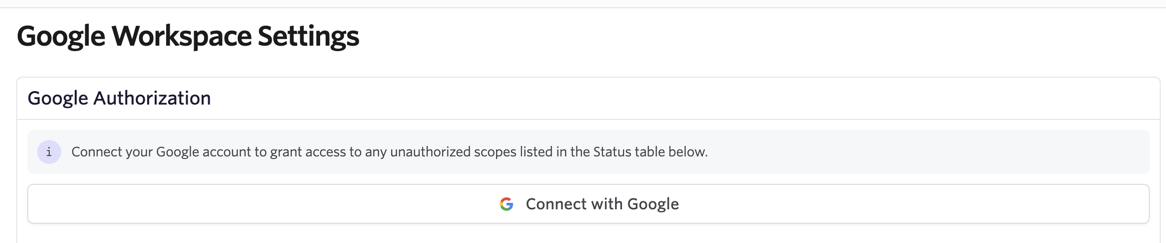
Once domain-wide delegation has been set up for the above scopes, you can then go through the OAuth setup process. Invite users who need to sync their emails and send emails via Ashby to go through the individual OAuth process in the Google Workspace Settings of their Personal Settings. The user can click Connect with Google to go through the process to authenticate Ashby.
If users do not go through the OAuth process as part of this Hybrid setup suggestion, then their emails to and from the candidate will not be synced to the candidate profile in Ashby and they will not be able to send emails in Ashby.
Hybrid Access with User-defined Scopes
This route isn’t commonly used.
You can use the above hybrid route but also allow individual users to choose their scopes prior to authenticating Ashby.
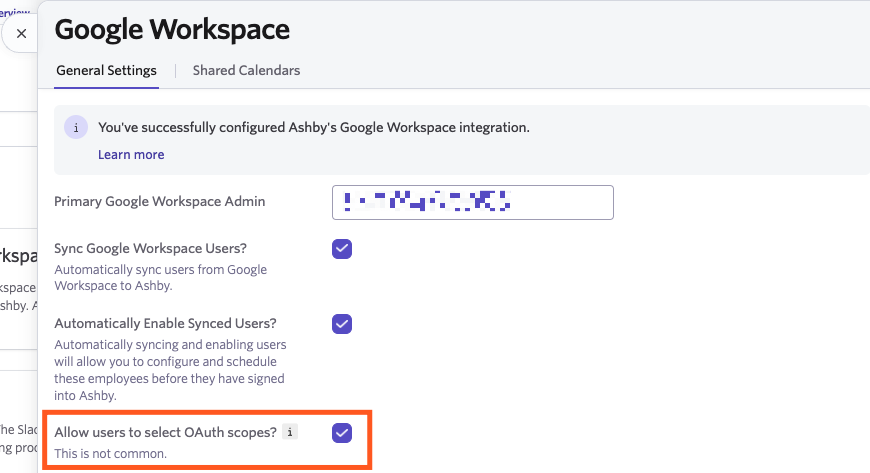
To enable this option, navigate to Admin > Integrations > Google Workspace. From here, check the Allow user to select OAuth Scopes? option
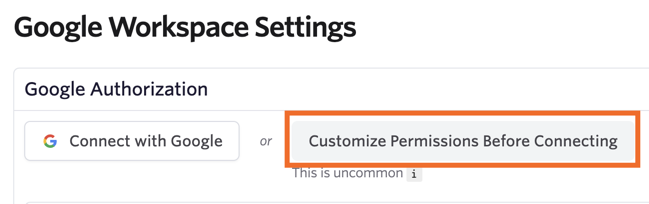
When a user navigates to the Google Workspace Settings of their Personal Settings, they can click Customize Permissions Before Connecting to determine the permissions prior to authenticating Ashby.
Once this setup is completed, we recommend setting up a shared calendar for scheduling as a next step. More on this here.