Google Workspace: Domain-wide Delegation
Domain-wide delegation is the recommended route to set up our Google Workspace integration.
Ashby uses a Google Workspace feature called Domain-wide delegation that allows you to install our app on your domain. Using this feature you can grant OAuth access on behalf of all your employees, such that they do not need to grant permissions individually for their emails and/or calendars to be accessible for scheduling and emailing via Ashby.
To get started, visit Domain-wide Delegation then open the Configure New App dropdown and select OAuth App Name Or Client ID. Click Add New in the top left.

In the popover, enter the following information:
Client ID
113156554739300448523API Scopes (note: you need to copy the list of scopes you’d like to enable as a single string):
https://www.googleapis.com/auth/admin.directory.resource.calendar.readonly,
https://www.googleapis.com/auth/admin.directory.user.readonly,
https://www.googleapis.com/auth/calendar,
https://www.googleapis.com/auth/gmail.readonly,
https://www.googleapis.com/auth/gmail.send,
https://www.googleapis.com/auth/meetings.space.created,
https://www.googleapis.com/auth/meetings.space.readonly
Now click the Authorize button. The result should look like this:
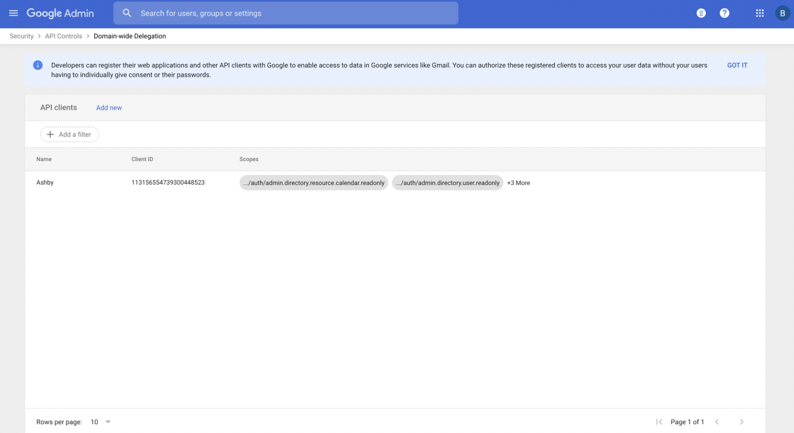
Refresh the page, Ashby should show all connections as functional.
Once this setup is completed, we recommend setting up a shared calendar for scheduling as a next step. More on this here.