Debriefs
Debrief activities can now be scheduled for your hiring team and interviewers. You can add a debrief to a schedule interview activity as part of the template, or add it via the candidate’s profile as a one-off activity.
Debriefs are available on the Foundations, Plus, Legacy Plus and Enterprise Plans.
Foundations | Legacy Plus | Plus | Enterprise |
|---|---|---|---|
✅ | ✅ | ✅ | ✅ |
Overview
Creating a debrief activity
Setting your debrief defaults
You can configure your default debrief settings in Admin > Interviews & Scheduling > Debrief Defaults. These settings will be applied to debriefs you create moving forward but can be amended for each individual debrief.
On the Schedule page, you can determine the duration and who should attend the debrief. You can set attendees based on their hiring team role on the job, opt to include past interviewers or not and also add any additional attendees.

On the Communication tab, you can determine the calendar the debrief should be scheduled on, the location and customize the calendar invite templates sent out to interviewers.

On the Reminders tab, you can configure any reminders to be sent out to interviewers attending the debrief.

Adding a debrief activity to a schedule interview activity
When creating or amending a Schedule Interview activity on your job’s interview plan (more on this herehere), you’ll see the option to add a debrief activity at the bottom of the Schedule tab.
Toggle on the Include ‘Schedule Debrief Activity’ option to automatically create a debrief activity once the interview has been scheduled in.

Adding a debrief activity to the candidate’s profile.
You can also schedule one-off debriefs as needed directly from the candidate profile. If you need to manually schedule a debrief click the + Add Activity option. on the candidate profile. From there, select Debrief.

Scheduling the debrief
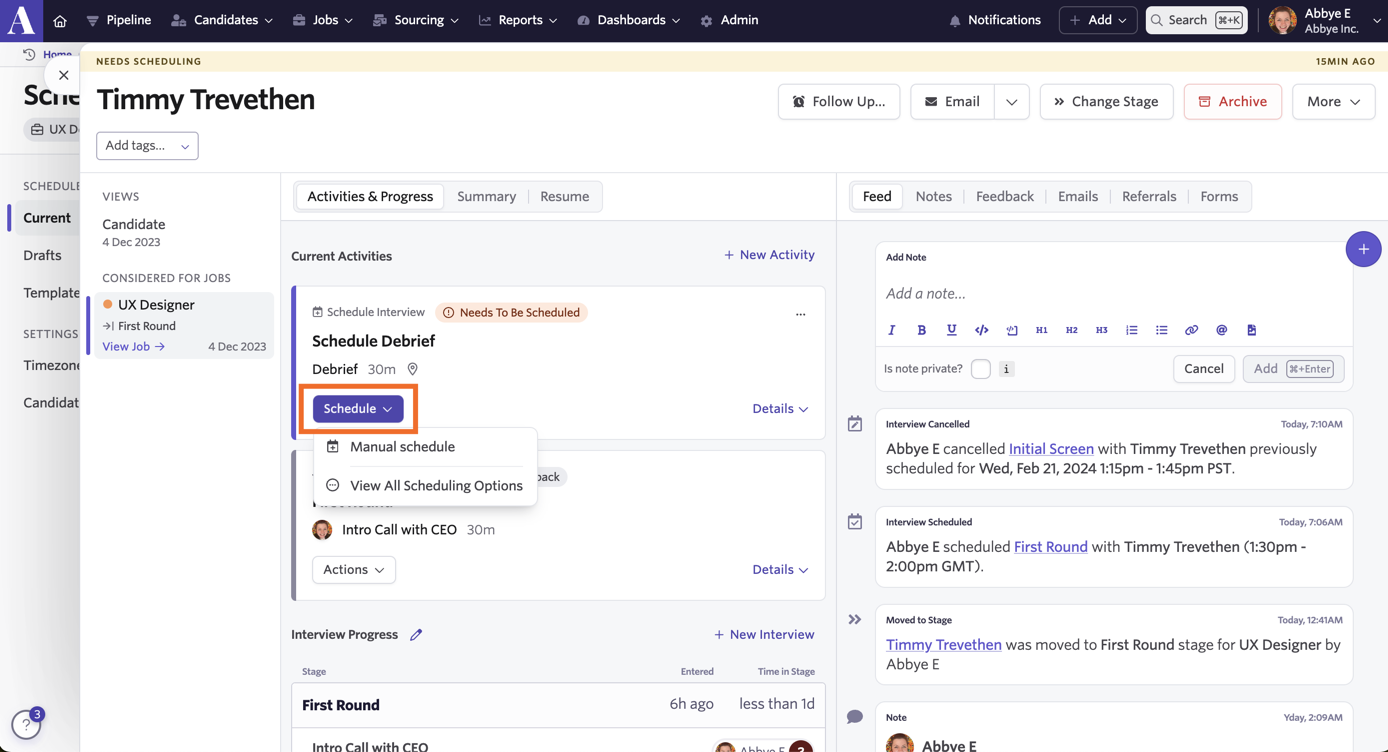
To start scheduling the debrief, click on the Schedule button on the debrief activity. Select Manual Schedule to get started.
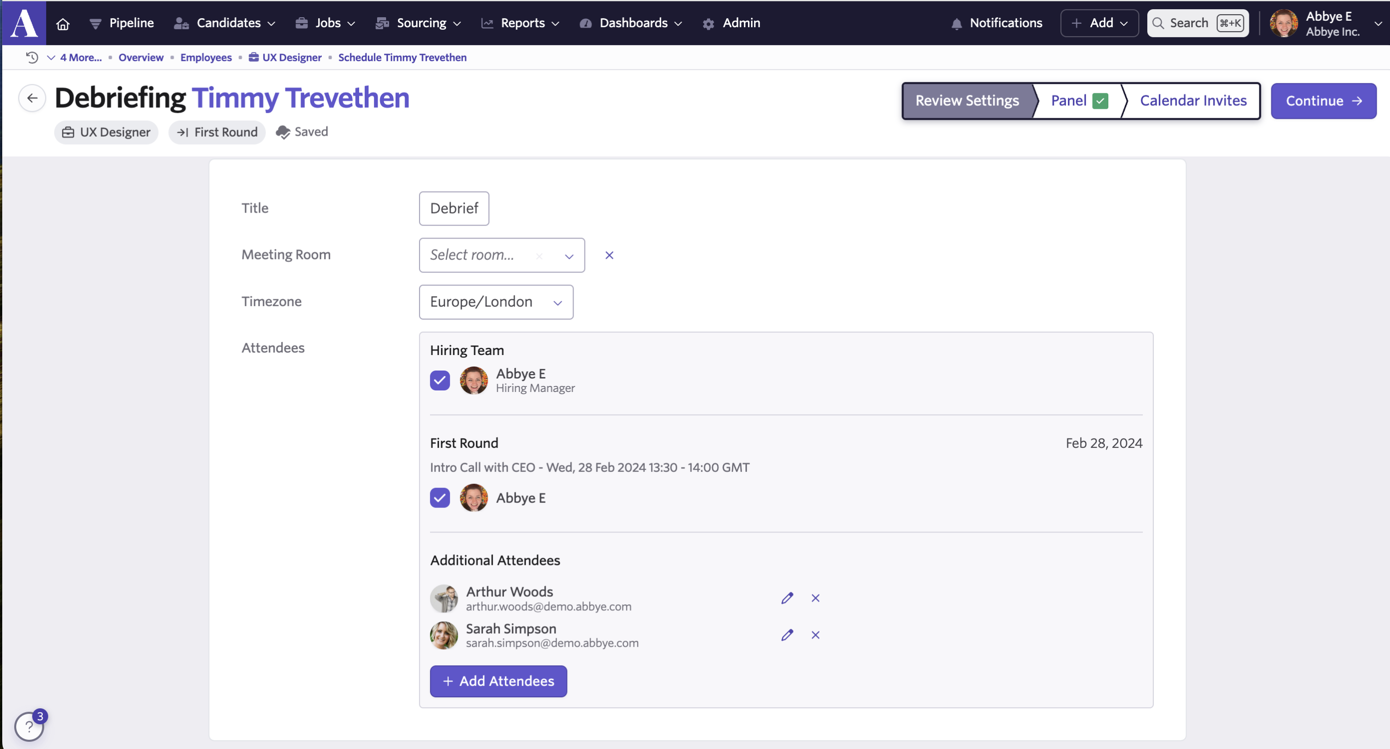
The panel for the debrief will be determined by your debrief default settings but you can opt to remove and add attendees as needed. You will also have the option to title your debrief and select the timezone if needed. Hit Continue to be taken to the Proposals tab.
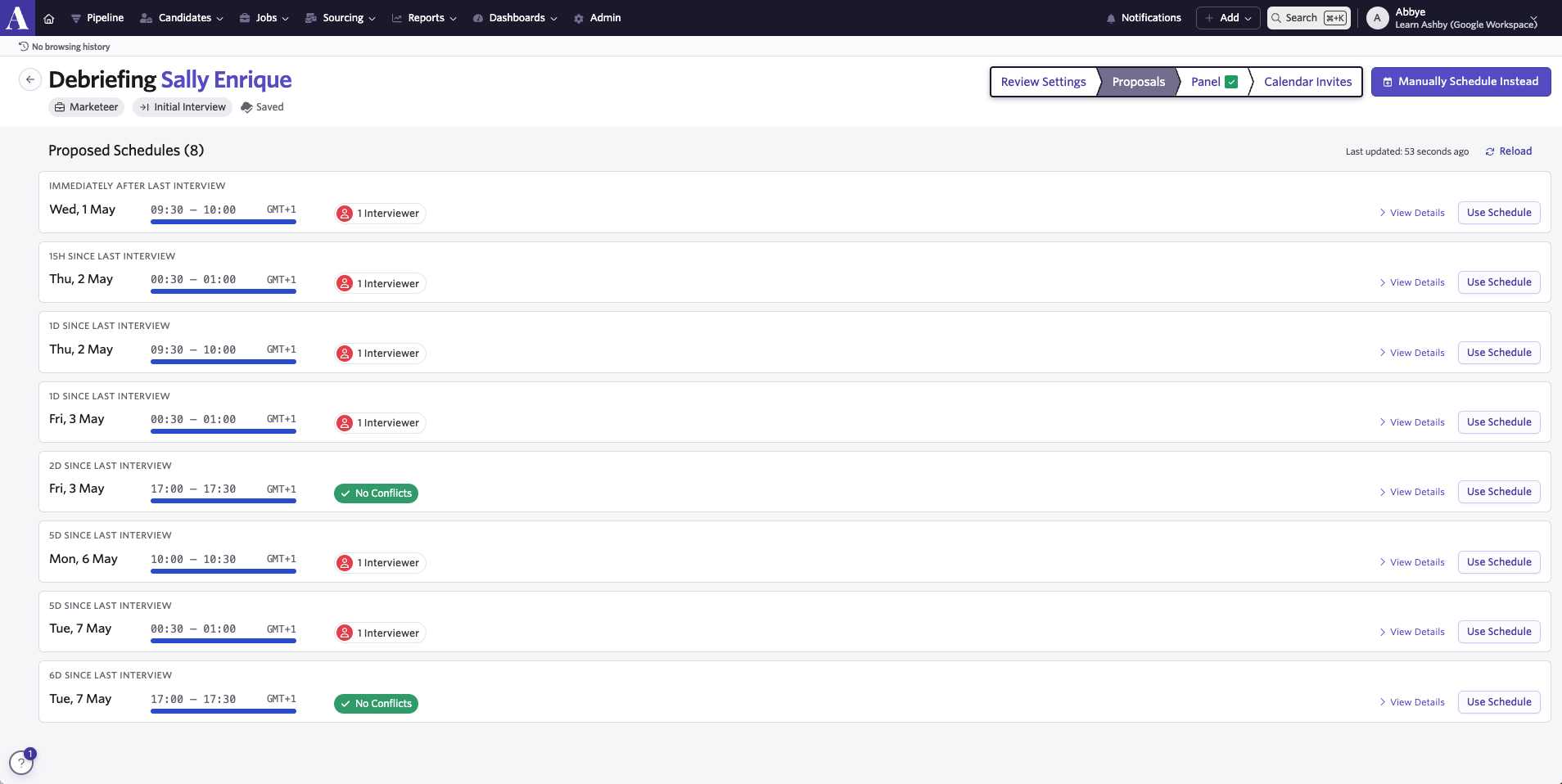
The auto-scheduler will automatically generate some proposed times for your debrief. You can click View Details for more information and then choose the option you’d like to schedule in with the Use Schedule button. If you’d prefer to manually schedule the debrief, click on Manually Schedule Instead. This will take you to the Panel tab.
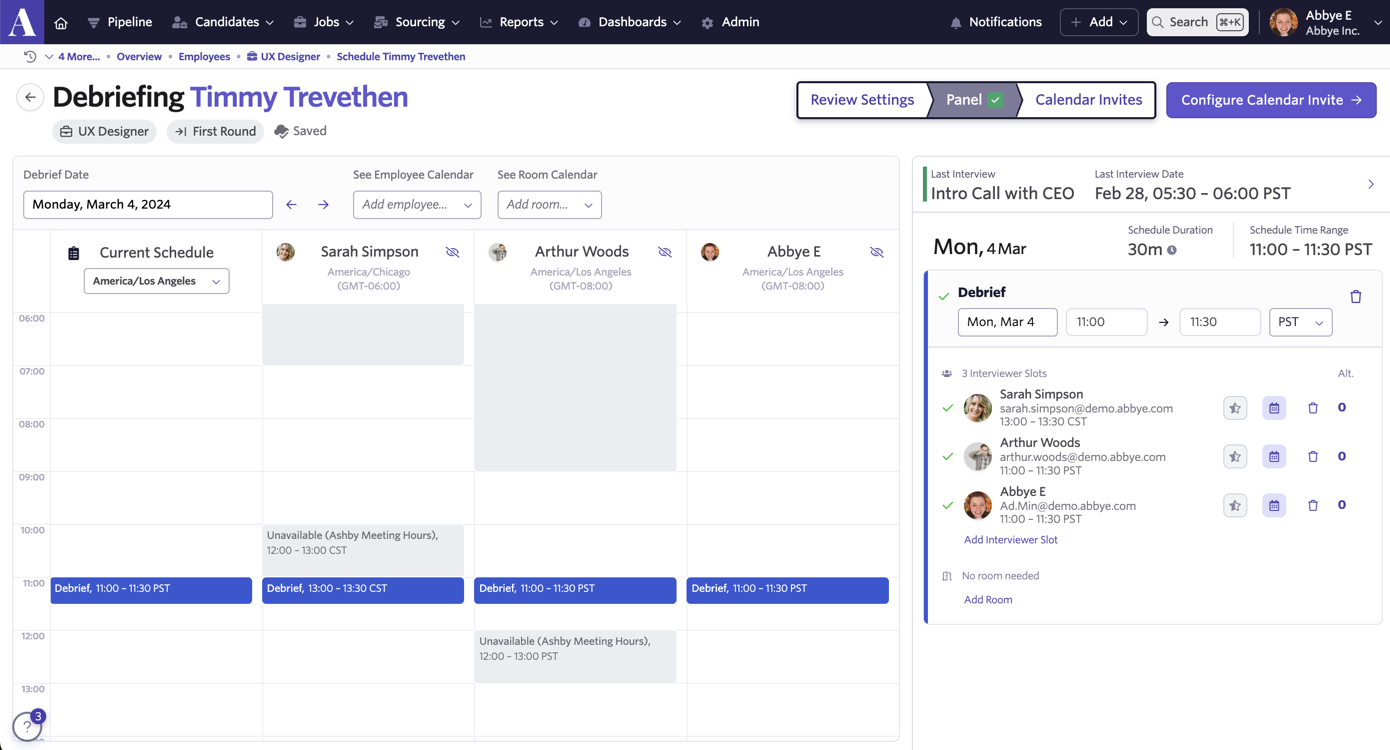
The Panel tab will show you each user’s calendar so you can determine a time that works for everyone. Once you’ve found a time that’s suitable, click Configure Calendar Invite.
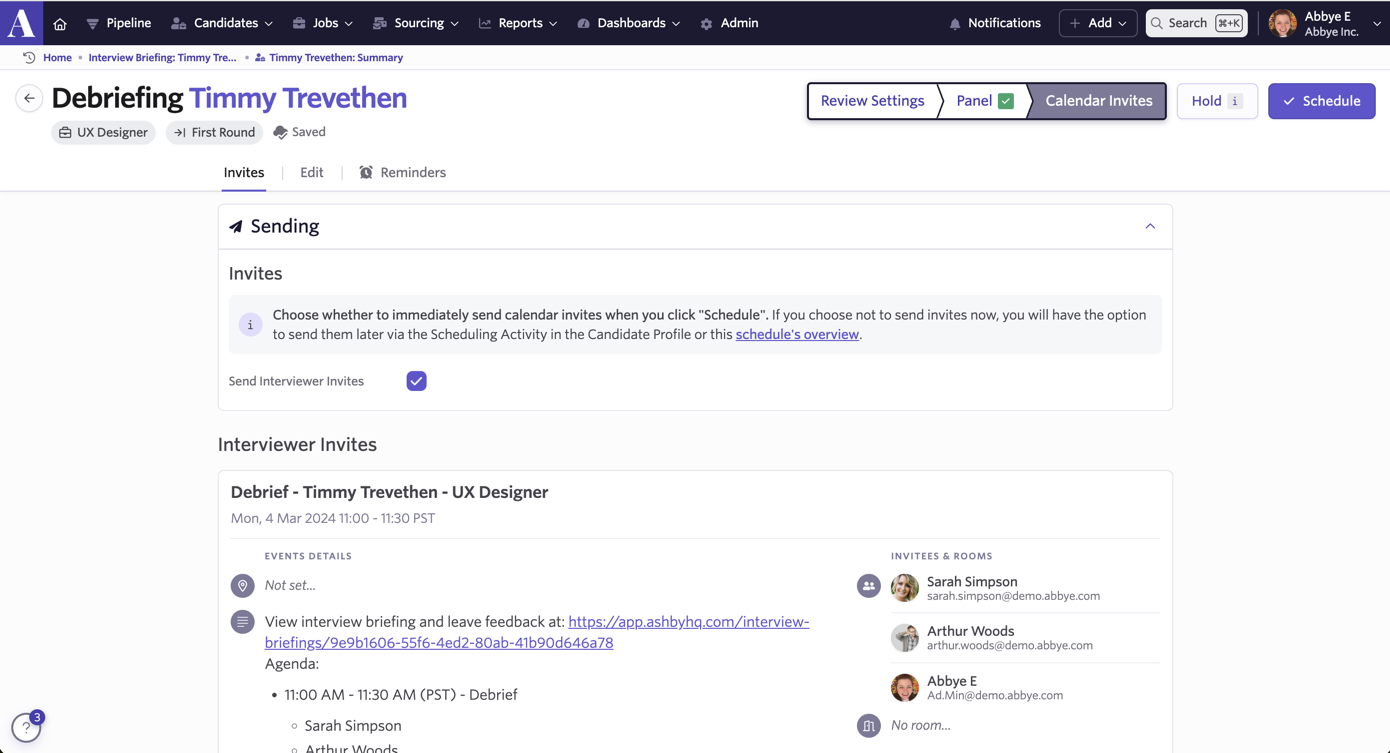
On the Calendar Invite tab you can view the calendar invites that will be sent out to your panel. You can click the Edit tab to adjust the debrief location and make any edits to the calendar invites. The Reminders tab will allow you to create or amend any reminders to be sent out.
The debrief activity
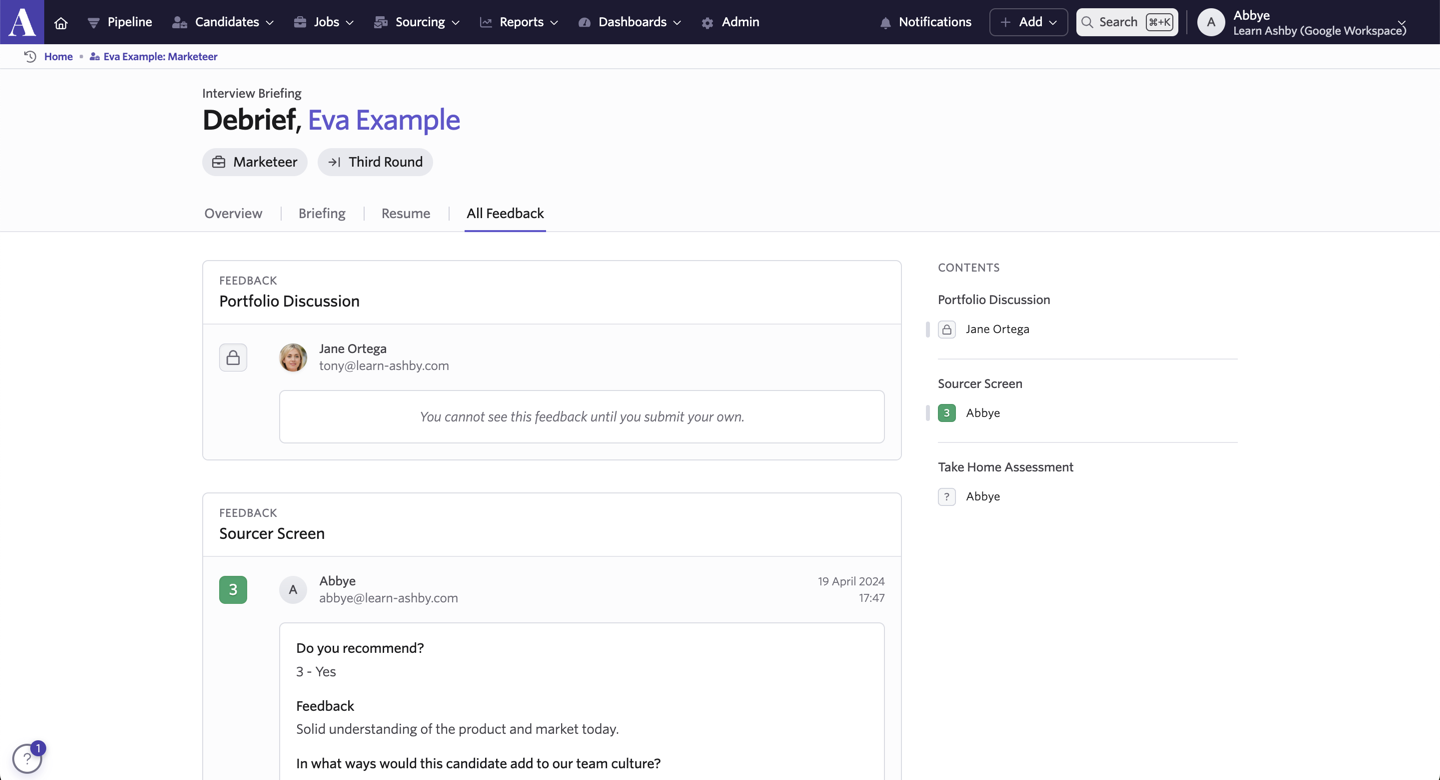
Just like with an interview, once scheduled, a debrief will show as an upcoming interview on each panel member’s home page.
At the time of the debrief, each panel member can click into the debrief on their home page to see the candidate’s resume and all feedback left so far.