cord
For additional information, please refer to cord’s Help Center.
cord Integration Overview
cord is a direct messaging tool for hiring teams to source engineers who are actively looking for work. Ashby’s cord integration allows you to automatically send engineers' CVs to the associated positions in Ashby.
What information is synced via the integration?
Dover provides us with the candidate’s
- Name
- Email address
- LinkedIn URL
- Phone Number
- Github URL
- Candidate Website URL
Integrate cord and Ashby
- Navigate to Ashby’s Admin panel and find the cord tile under Integrations.
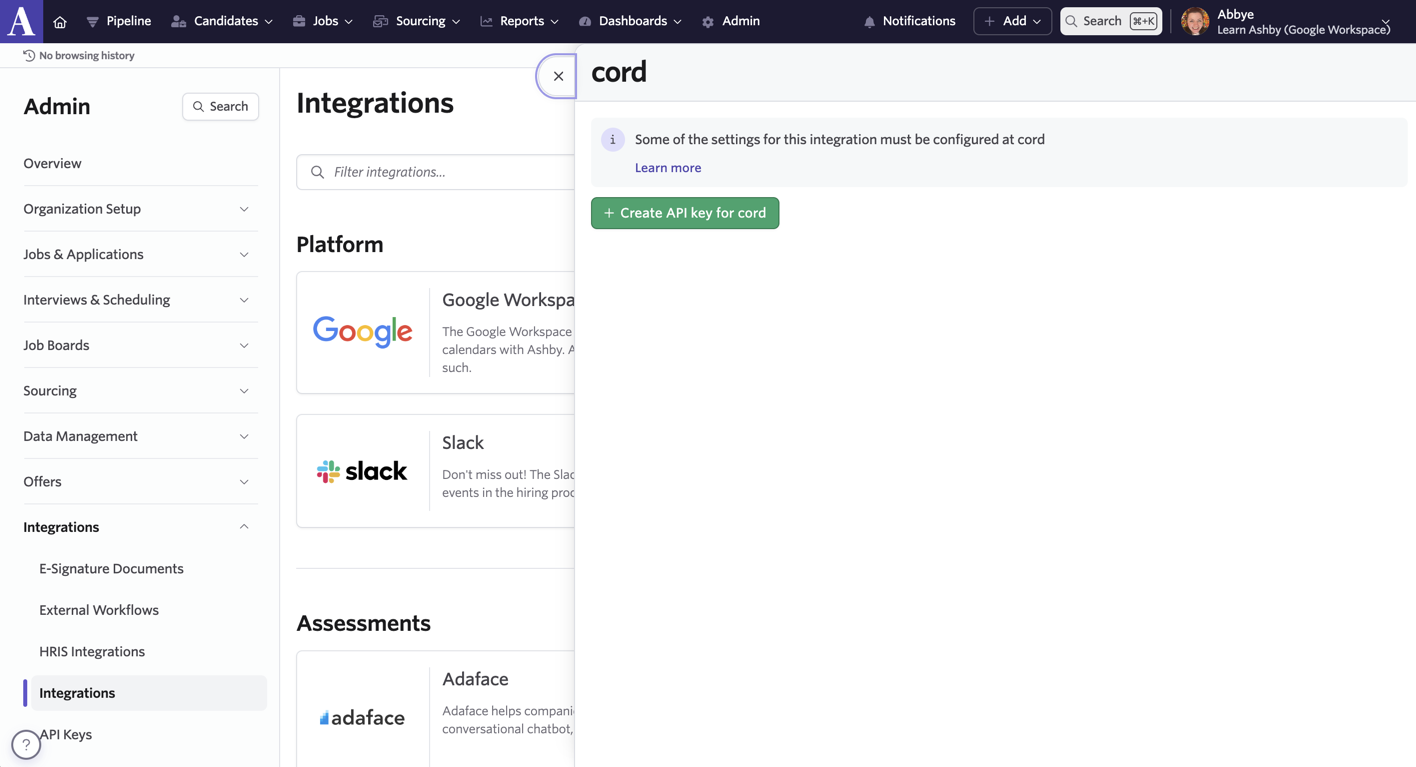
- Select Create API Key for cord and copy the key.
- Head over to the Integrations tab on your cord account.
- Select Connect and paste the Ashby API key.
Import position from Ashby
When creating a new position, you have the option of importing one from Ashby. Selecting the drop-down imports the job title of the position, and automatically links it with the new position on cord.
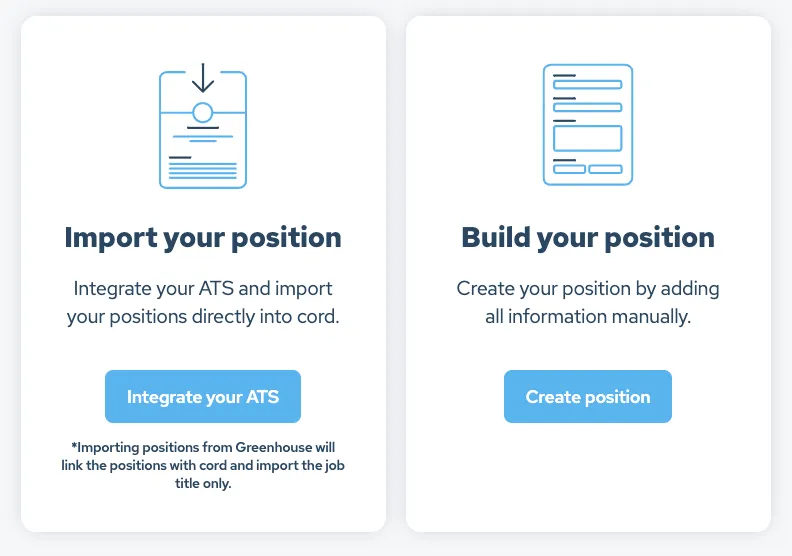
Engineers you start conversations with on cord about this position, will now be auto-forwarded to the associated position on Ashby, and arrive in the Leads section of the linked position.
Link existing cord positions to Ashby
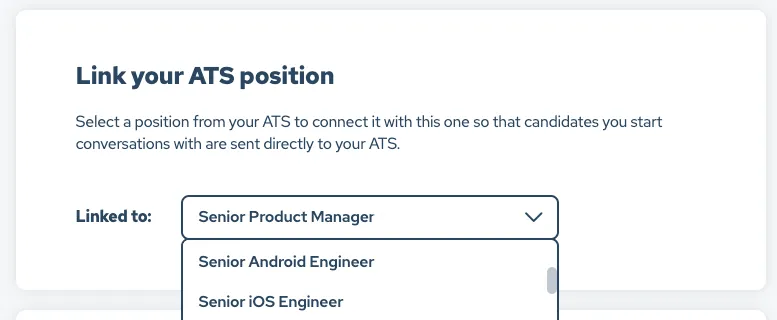
You are also able to associate any position on cord with an existing Ashby one. Clicking on a position and scrolling all the way down to the section called ‘Link your ATS position’, a drop-down will provide the available positions.
Once a position has been selected, scroll down and click on Save Position to complete the association.
Automatically send candidates to Ashby
With the positions linked, candidates will now automatically be sent to the associated positions in Ashby when you start a conversation. A conversation is started when you message a candidate and they accept, or vice versa.

Manually send candidates to Ashby
If you do not wish for your candidates to be automatically forwarded from cord to Ashby, you can turn this off in your Settings.
The position will still be linked with the position on Ashby, and you can manually send the engineer to that position in Ashby by pressing the ATS position in the top right corner of the conversation.
