Conditional Activities
Conditional activities allow you to set criteria for activities on your interview plan. If candidates meet that criteria when moved to the stage the activity is in on your pipeline, the activity will be generated and added to their job consideration.
For more on configuring activities in general, check out the following guides: Setting up Schedule Interview ActivitiesSetting up Schedule Interview Activities, Take-home ActivitiesTake-home Activities and ActivitiesActivities.
Conditional Activities
Conditional Activities can only be configured on the Enterprise plan.
Foundations | Legacy Plus | Plus | Enterprise |
|---|---|---|---|
❌ | ❌ | ❌ | ✅ |
Now you have the option to create conditional activities, or add criteria to your existing activities. Only candidates who meet the criteria you set will have the activity generated on their job consideration when moved to a new stage in your pipeline.
So, one example could be that for a Backend Engineer role, a candidate could only be prompted to be scheduled for a technical quiz interview if their experience level has been determined as junior. This could have been determined in a previous interview and added as a custom field to the candidate’s profile, or perhaps determined by the candidate themselves when filling out their application form.
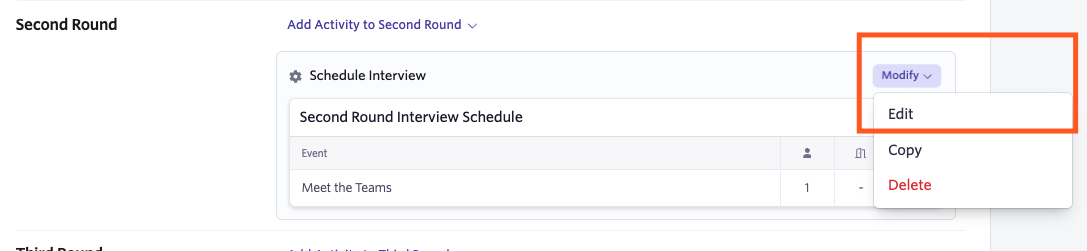
To add a condition to your activity, navigate to the Interview Plan tab within your job, then either create a new activity using the Add activity to... option, or amend an existing one by clicking Modify, then Edit.
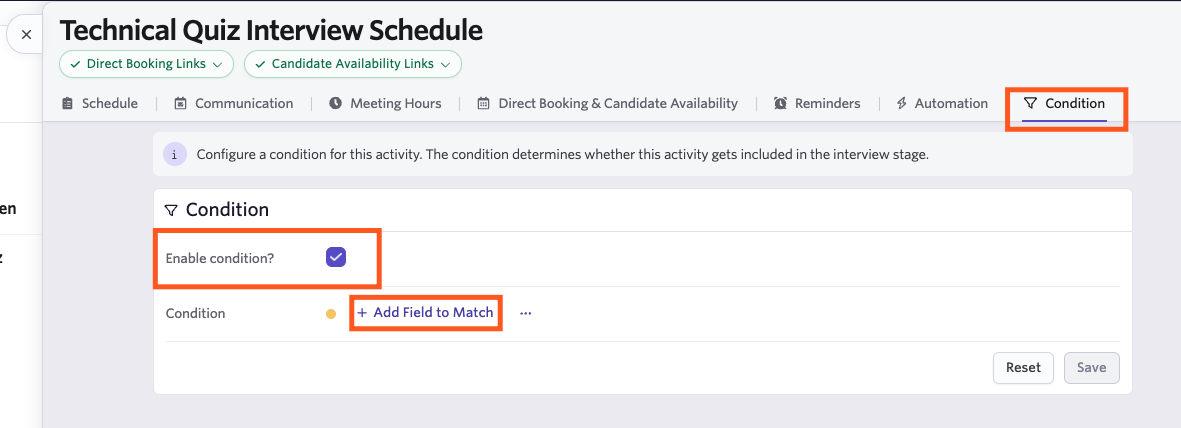
To add your conditions, click on the Conditions tab. Click Enable condition ?, then Add Field to Match to select your filters and determine the criteria the candidate would need to meet for this activity to be generated for them when moved to this stage.
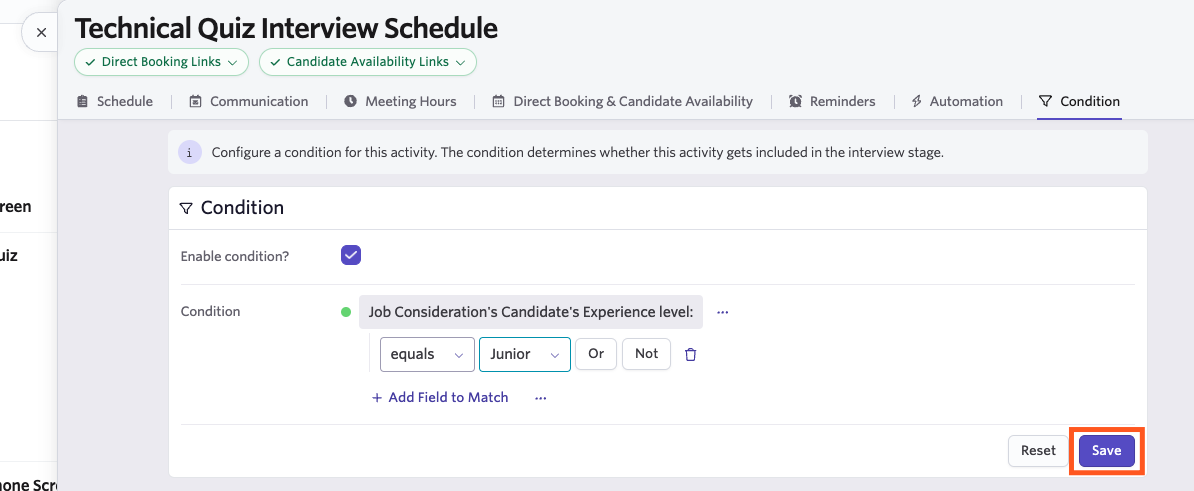
Once you’ve determined your criteria, click Save to confirm your criteria and activate your conditions. You can click Reset to remove any unsaved changes.
Moving forward, if a candidate is moved to the stage your conditional activity is in, then the activity will only be automatically generated and added to their job consideration if they meet your criteria.
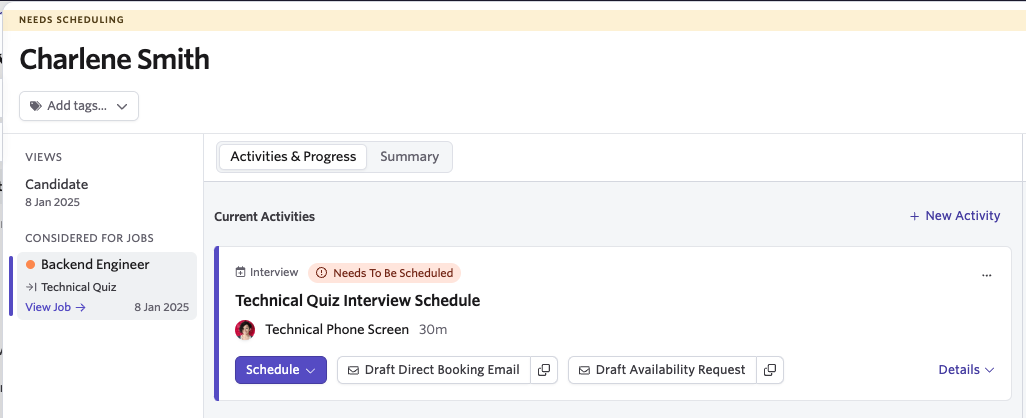
If the candidate meets your criteria, the activity will be added to the Current Activities section of their job consideration.
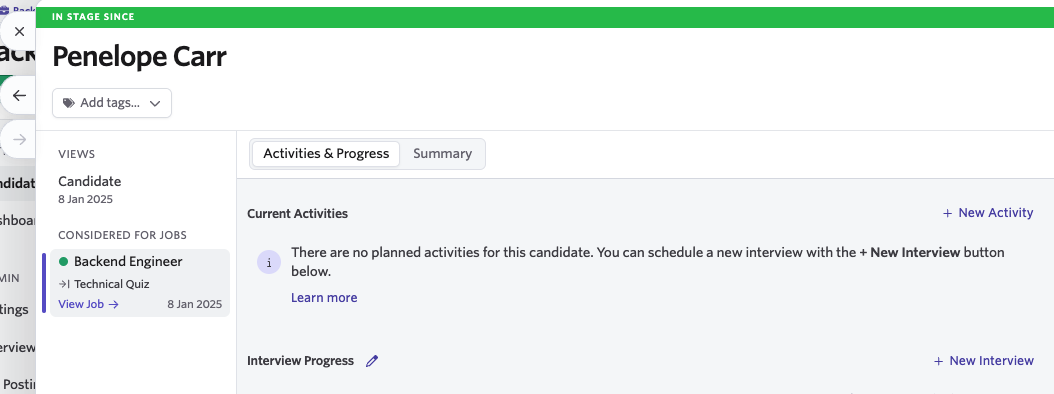
If the candidate doesn’t meet the conditions set, then the activity will not be generated when they move to the specified stage.
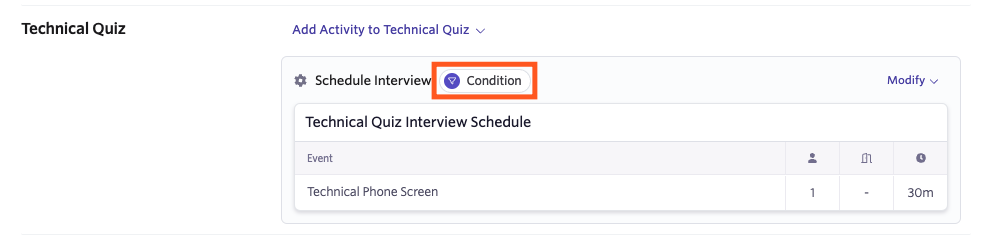
Any schedule interview activities that are set as conditional will be marked with a Condition indicator on your Interview Plan page within your job for your reference.