Complete
4 min
Complete and Ashby integrate to provide a seamless way to manage compensation and issue competitive offers to your top candidates.
Permissions & access
The Complete integration is available on all plans:
Foundations | Legacy Plus | Plus | Enterprise |
|---|---|---|---|
✅ | ✅ | ✅ | ✅ |
You must be an Organization Admin to set up this integration.
Connecting the integration
In Ashby:
- Navigate to Admin > Integrations and search for the Complete integration tile.
- Select the + Create API key for Complete button.
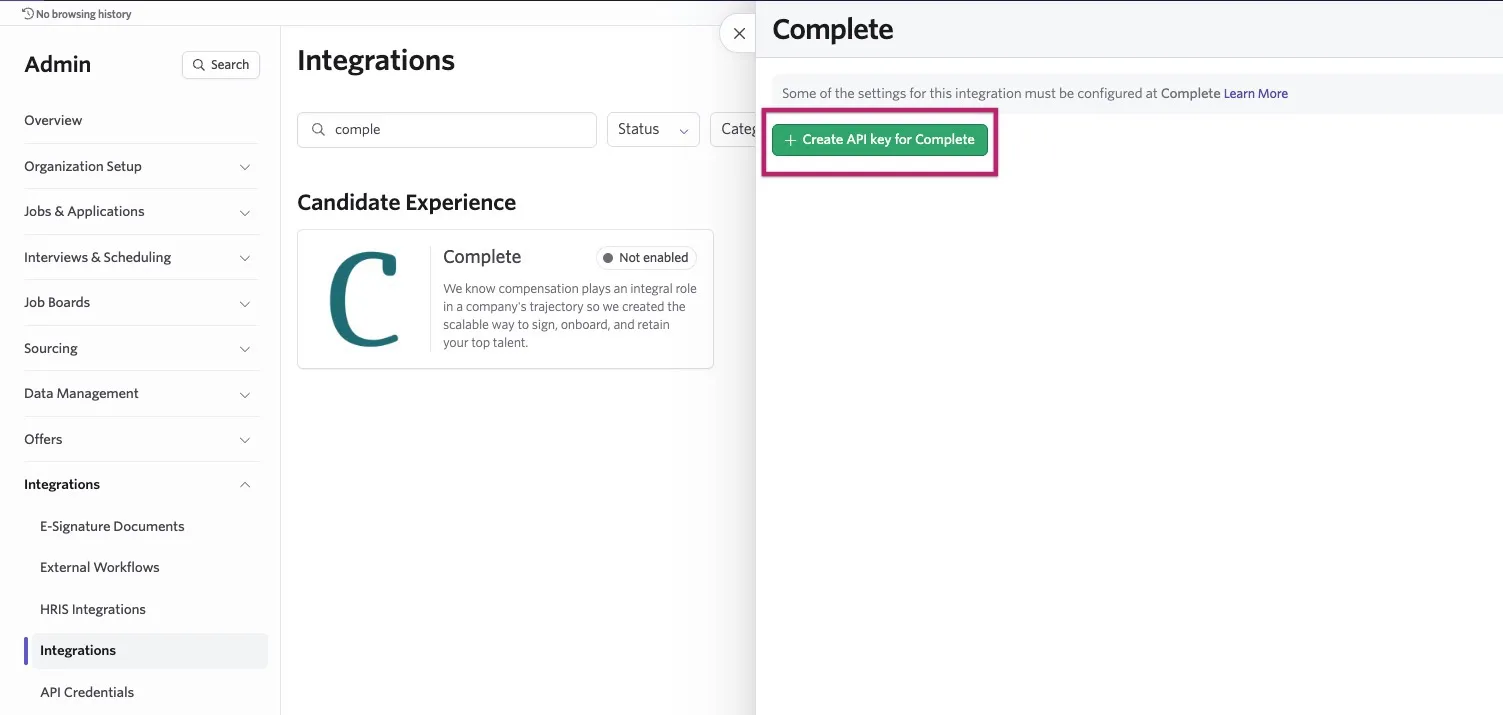
Copy the API key and store it in a secure place. You need this to complete the integration setup in Complete.
- Navigate to your Complete account and follow their Integrations guide.
When the integration is complete, a new "Search Candidates" bar appears at the top of the Complete dashboard. You can now search your candidate pipeline directly from Complete and quickly draft new offers with existing details from your Ashby.