CodeScreen
CodeScreen is a real-world coding test platform. This integration allows Ashby customers to send CodeScreen tests and retrieve the results all from within the Ashby platform.
Setting up the CodeScreen Integration
To start, go to the Integrations section on the CodeScreen platform to view your Ashby API key. Once you have your API key, go to the Integrations Marketplace in Ashby and find CodeScreen in the Assessments section. Click Enable CodeScreen and then enter the API key into the CodeScreen API Key field.
In the Ashby API Key field, create a new Ashby API key, or select an existing Ashby API Key if you’ve already generated one. If you’ve created an Ashby API Key seperately, please ensure your Ashby API key has Write access to the Candidates set of endpoints, as this contains the assessment.update endpoint, which will be used to send data back to Ashby about the assessment.
Here’s a video walkthrough of enabling the integration.
NOTE: Once you’ve enabled the integration, you’ll need to reach out to CodeScreen support at [email protected] to have your Ashby API key stored. They’ll provide you with the next steps to securely share your API key.
Testing the CodeScreen Integration
Once you have enabled the CodeScreen integration, you can then send a CodeScreen test to a candidate by clicking into the candidate in Ashby and then selecting New Activity -> Assessment. You can then choose from the list of tests you have created on CodeScreen to send to the candidate.
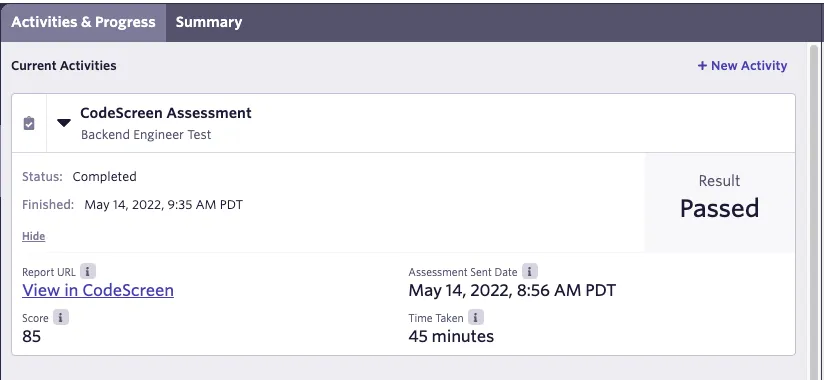
Once the candidate completes the test, their result will be displayed in the Current Activities section in Ashby for that candidate.
Here’s a video walkthrough of how to add CodeScreen as an activity to your interview plan stage and how to manually add a CodeScreen assessment activity to a candidate’s profile.