CodeAlly
3 min
CodeAlly's GitHub-powered Job Board works with your hiring process & word-of-mouth to reach talented technical candidates & their peers. Please note that on initial setup, the sync can take up to 48 hours.
Creating an API key in Ashby
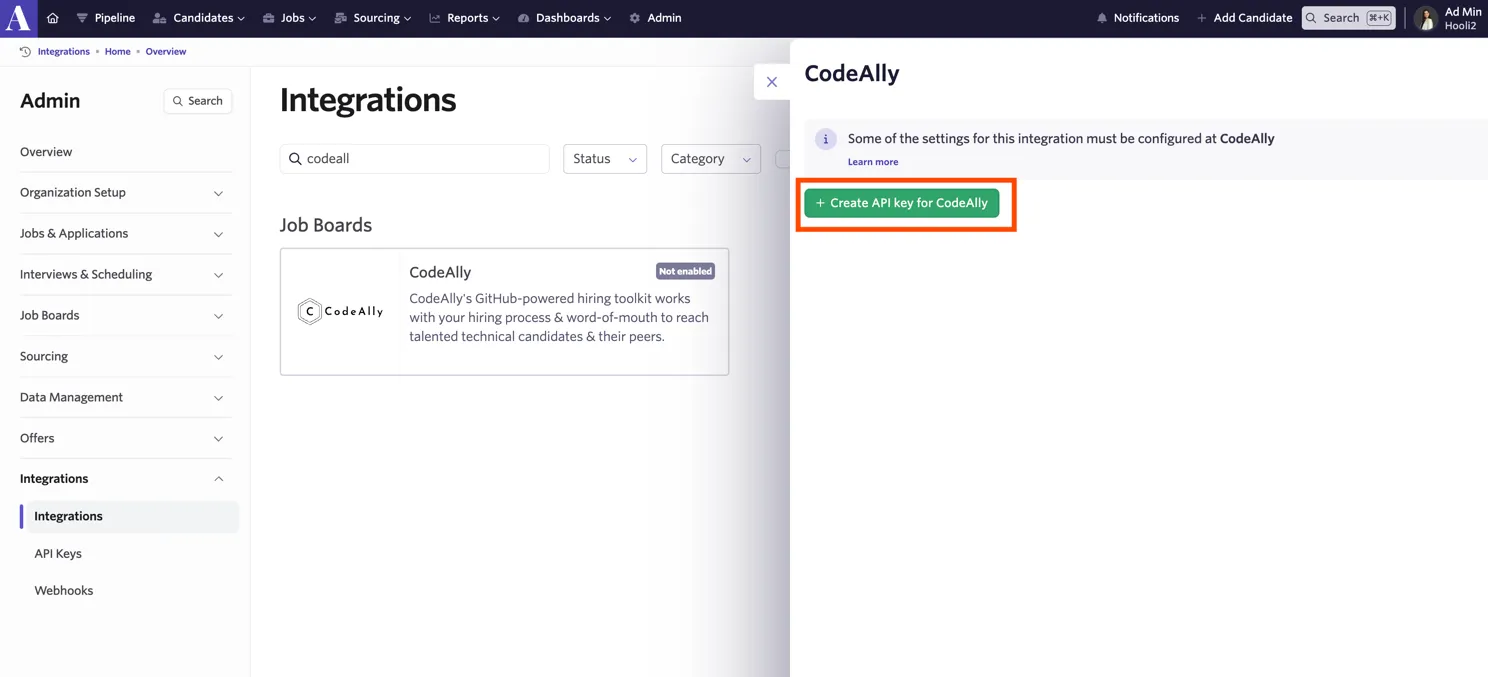
Sign in to Ashby and click “Admin” in the top navigation bar. Next, click “Integrations” on the left panel of the screen. Select CodeAlly and click “Create API key for CodeAlly”. Copy the value provided. You could also save the key somewhere secure for future reference.
Enabling the Ashby integration in CodeAlly
- Log in to your CodeAlly account and click Integrations in the menu bar. If you don’t have a CodeAlly account, you can create a new one here.
- Select Ashby from the list of integrations.
- Copy and paste your API key and click Connect to connect both platforms.
- Congratulations! The connection between CodeAlly and Ashby is active!
Additional Information
If you want, you can make changes to the job postings directly in CodeAlly, for example by adding additional required skills. For more info visit: https://codeally.io/integrations/ashby.
Questions or feedback? Let us know at [email protected] - we love hearing from you!