Code Interview
6 min
This guide will walk you through the steps to integrate Ashby with CodeInterview.io, enabling the automatic generation of interview links and streamlined candidate management.
Step 1: Configure Ashby Integration in CodeInterview.io
- Log in to CodeInterview.io :
- Go to https://codeinterview.io/login and log in to your account.
- Navigate to Integrations: Login to Conduct Coding Interviews Online.
- Click on Settings in the menu.
- Select Integrations from the settings menu.
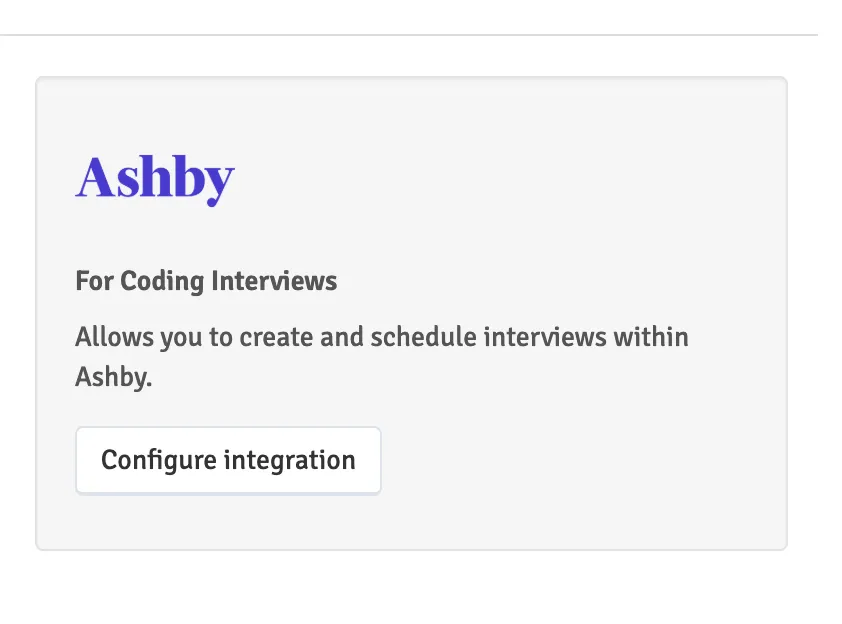
- Configure Ashby :
- Click on Configure integration.
- You will need an API key from Ashby to proceed.
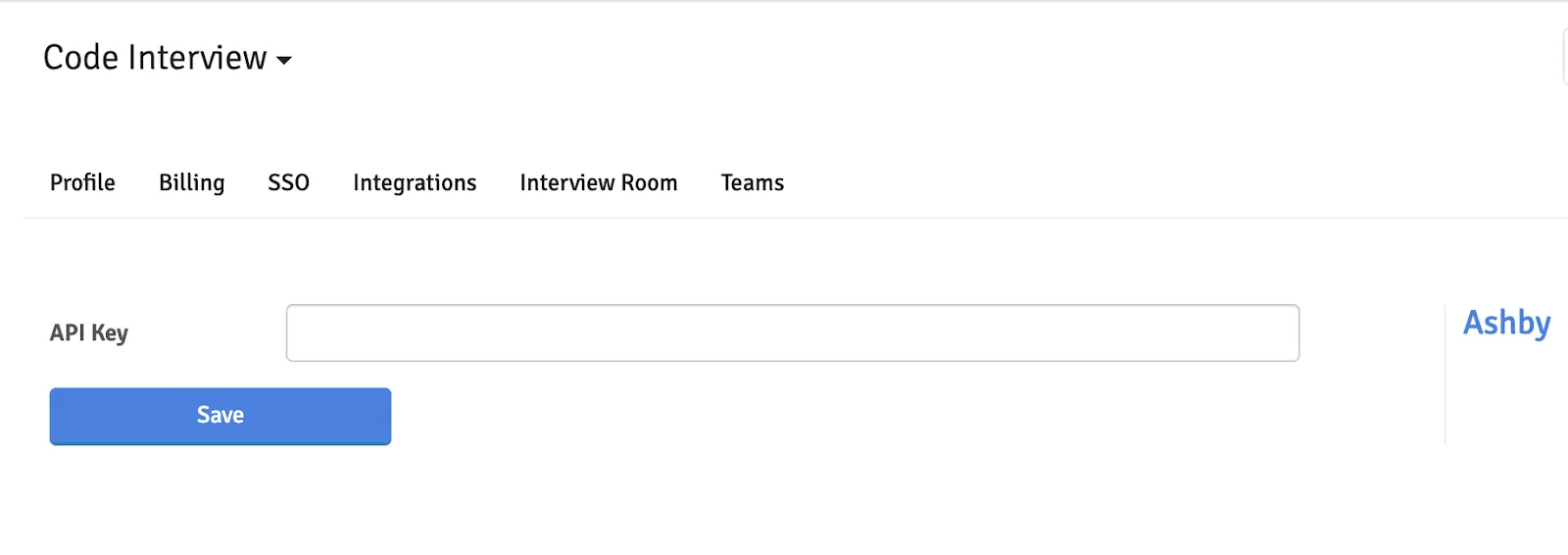
Step 2: Add Codeinterview.io integration from Ashby
- Log in to Ashby.
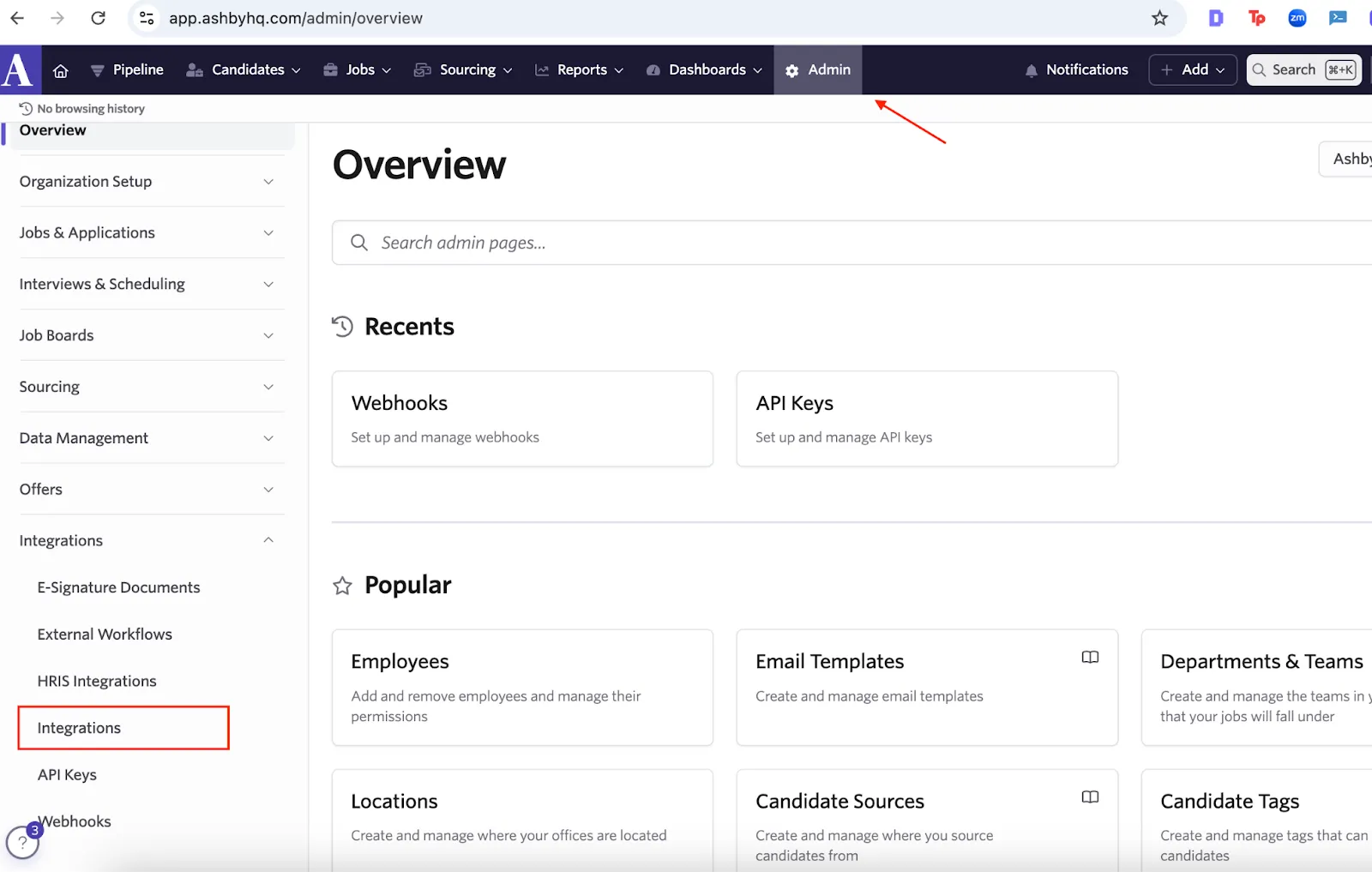
- Access the Admin panel:
- Click on Admin from the menu bar.
- Open the integrations menu from the sidebar.
- Configure Codeinterview.io integration for interview creation:
- Search for “Code Interview” in the search bar and click on the Code Interview tile to open the integration settings panel.
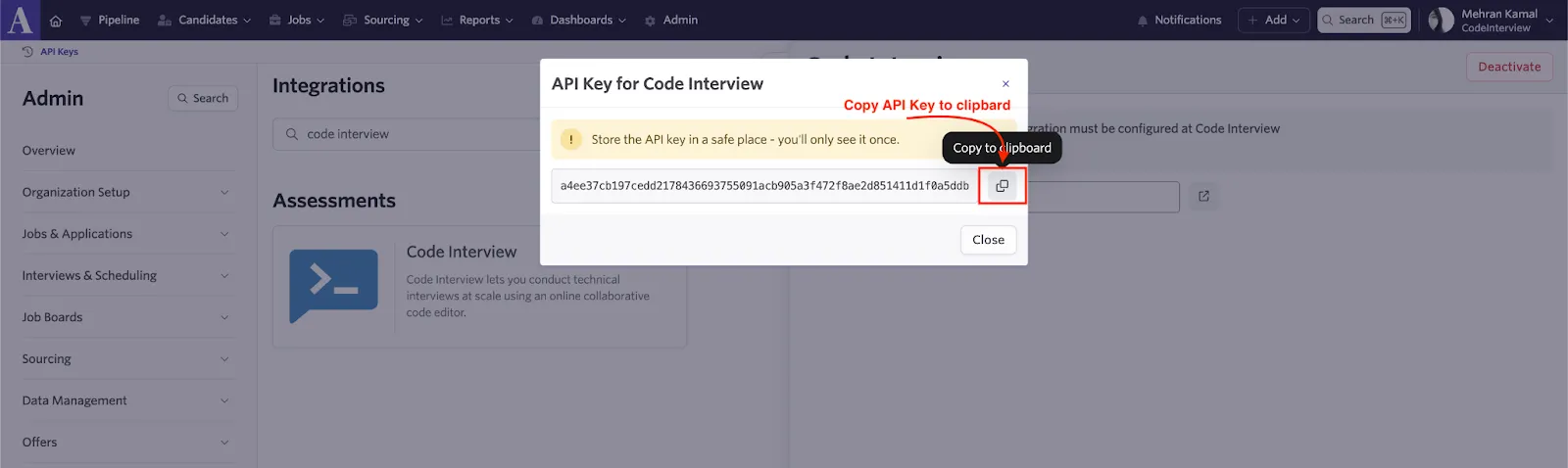
- Generate API Key for Code Interview
- Click on Create API Key for Code Interview to generate an API key for Code Interview
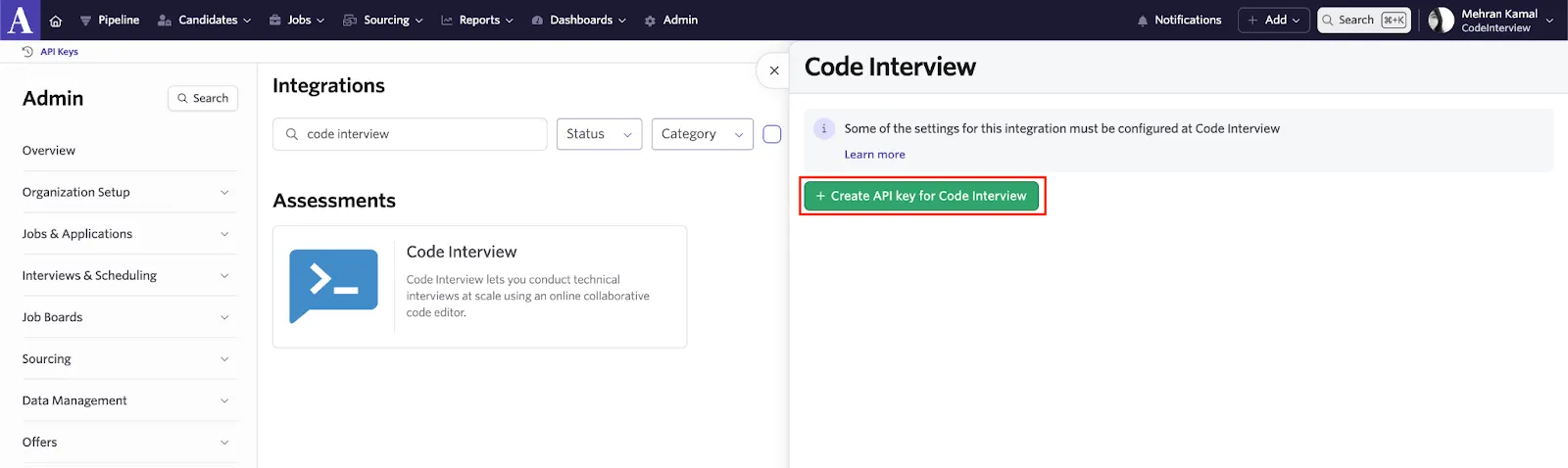
- Copy the generated code into your clipboard
Step 3: Refresh and Sync Data
- Refresh CodeInterview.io:
- Save the setting at Codeinterview.io with the API Key and refresh the page.
- Select Stages for Interview Links:
- Choose the stages where you want interview links to be automatically generated.
- When a candidate progresses to these stages, an interview link will be created in Ashby.
Step 4: Verify Webhook Creation in Ashby
- Go to Webhooks :
- In the Ashby Admin Panel, click on Webhooks.
- Ensure the webhook is created only once with the following options
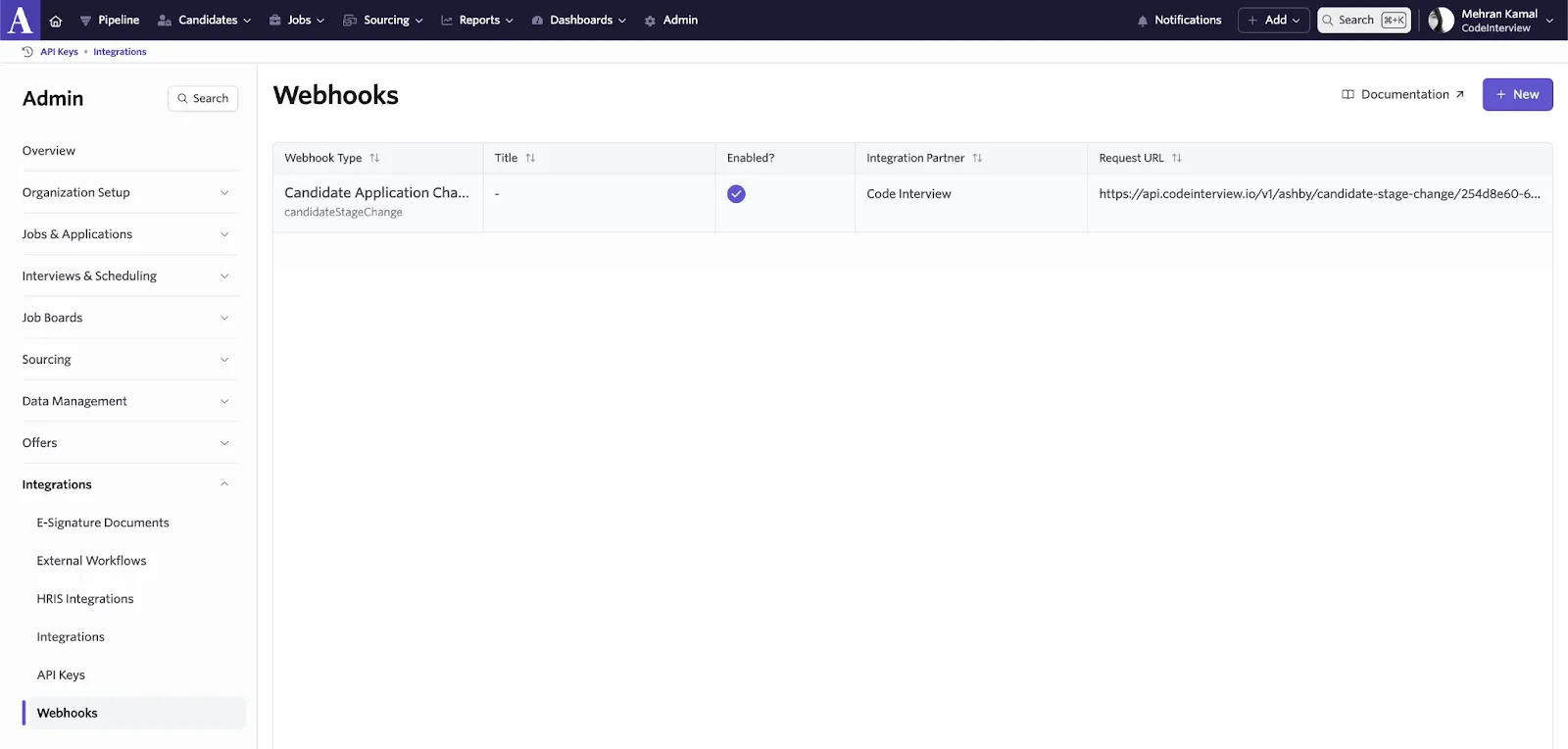
- Webhook Type: candidateStageChange
- Request URL: api.codeinterview.io/v1/ashby/candidate-stage-change/<id>
- Enabled: True
Step 5: Create Interview Links
- Add a Candidate in Ashby:
- Add a candidate to Ashby and assign them to a job.
- Select/Change Candidate Stage
- Select the candidate’s stage where the interview link is enabled and refresh the page.
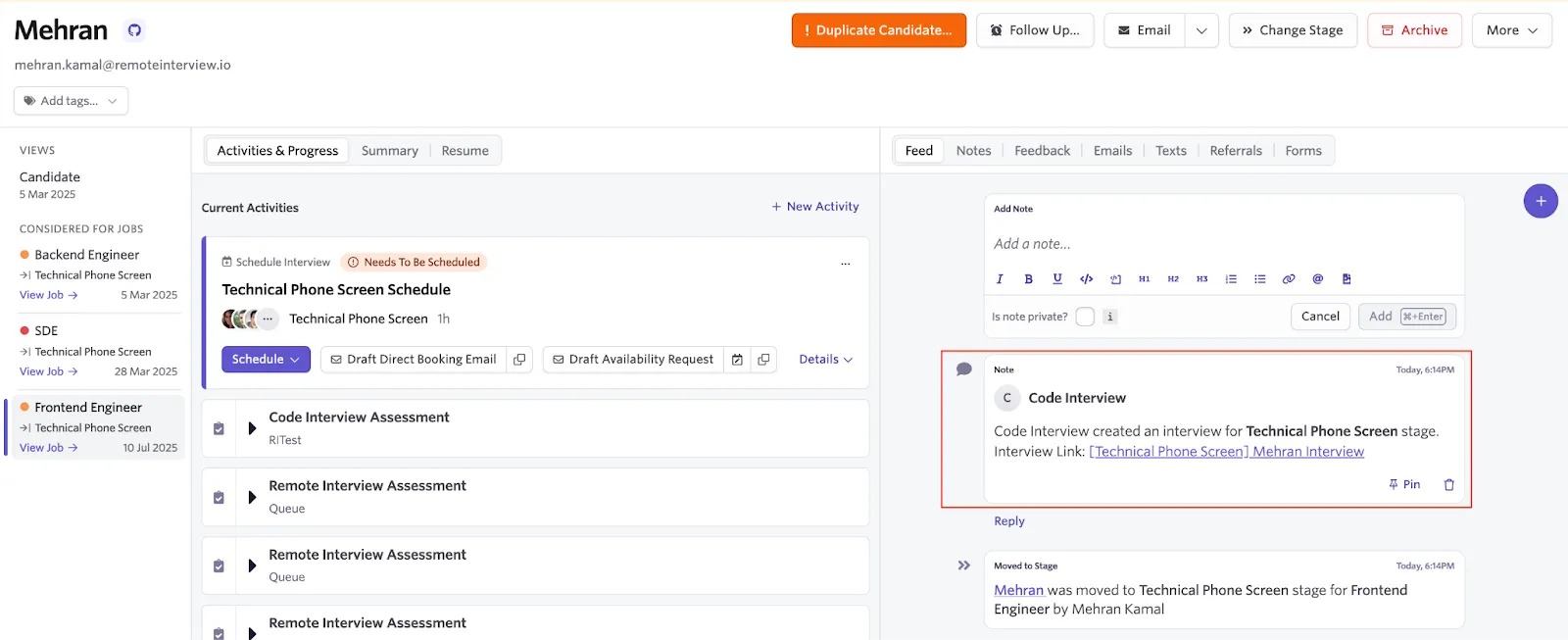
- Generate Interview Link :
- If the interview link is enabled for the selected stage, a link will automatically appear in the Notes section of the candidate's profile in Ashby. Refresh the Ashby panel and verify the generated link.
Troubleshooting Tips
API Key Issues: Ensure the API key is correctly copied and pasted into CodeInterview.io.
Webhook Errors: Verify the Webhook Type and Request URL are accurate.
If you have any questions, please contact Code Interview at https://codeinterview.io/contact