ChartHop
The ChartHop <> Ashby integration supports creating new openings from new open ChartHop jobs. Once a candidate is hired in Ashby, their information will be pushed back to ChartHop in the corresponding position. This guide covers setting up and using the integration to streamline your headcount planning workflow.
This integration requires using Ashby Openings which are currently available to Plus and Enterprise plans (see Openings Management for more information).
ChartHop is available on the Legacy Plus, Plus and Enterprise plans:
Foundations | Legacy Plus | Plus | Enterprise |
|---|---|---|---|
❌ | ✅ | ✅ | ✅ |
Integration Overview
Once configured, this integration creates new Ashby Openings (see Openings Management) from ChartHop jobs and pushes hire information back to corresponding jobs in ChartHop.
Setup the Integration
Make sure to set the access level to at least Org Editor in the Ashby app in ChartHop. Also, make sure your ChartHop integration with your legacy ATS has been disabled before enabling this one.
- Generate an API Token in ChartHop
- Navigate to Apps & Bundles
- Install the Ashby app
- Configure and the API token

- Add the API Token to Ashby
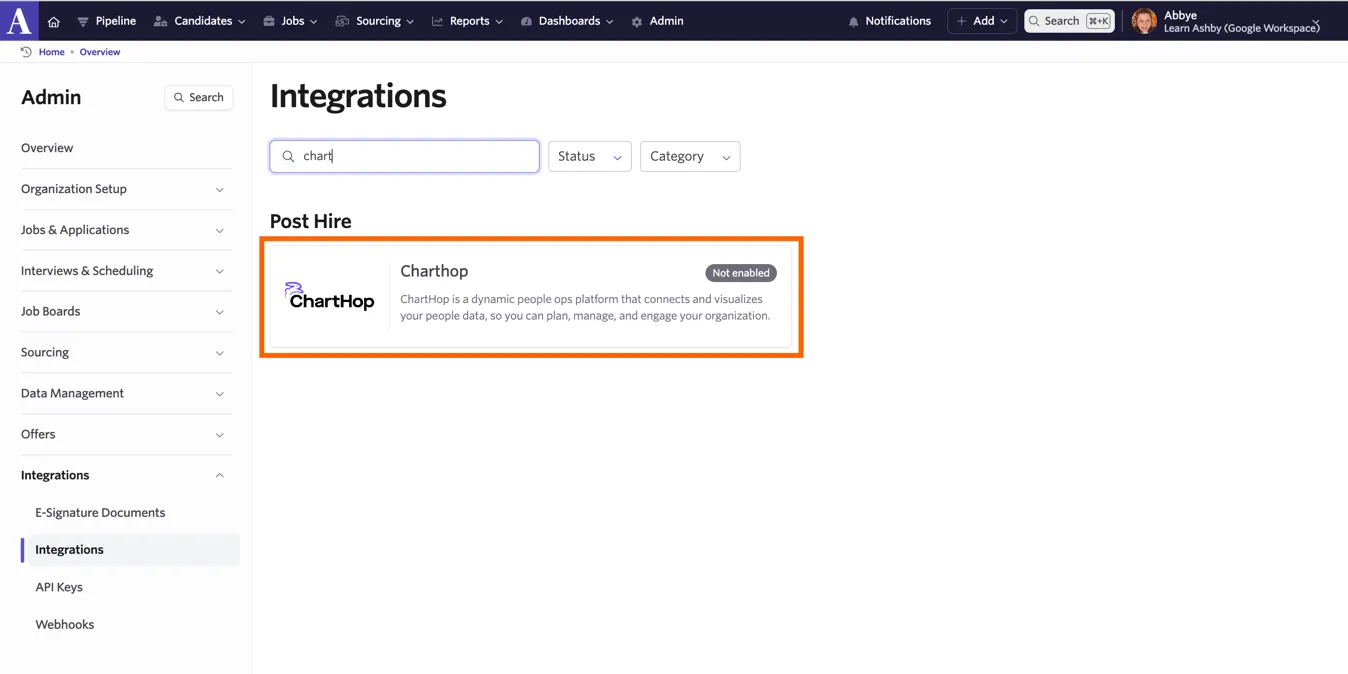
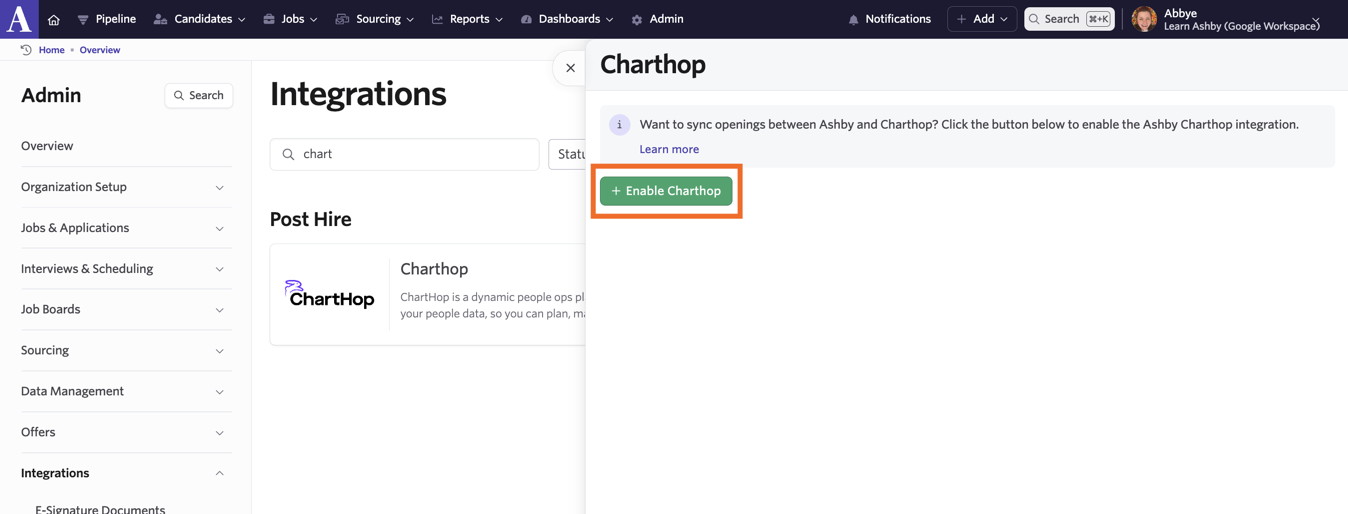
- Navigate to Admin > Integrations > Charthop.
- Enable the integration.
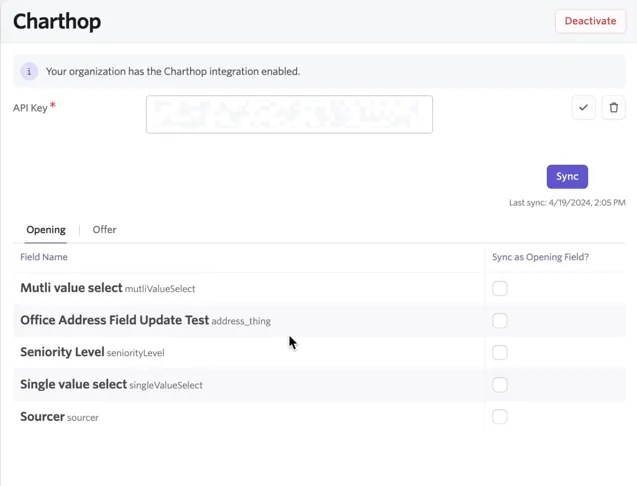
- Paste the key into the API Key field and click the checkbox.

- Sync fields
- There are roughly 12 default fields12 default fields that will sync automatically.
- Click Sync to pull Offer and Opening custom fields from ChartHop.
- Check the fields you’d like synced. If you prefer, complete this for both openings and offers.
Using the integration
Create new Ashby Openings from ChartHop Jobs
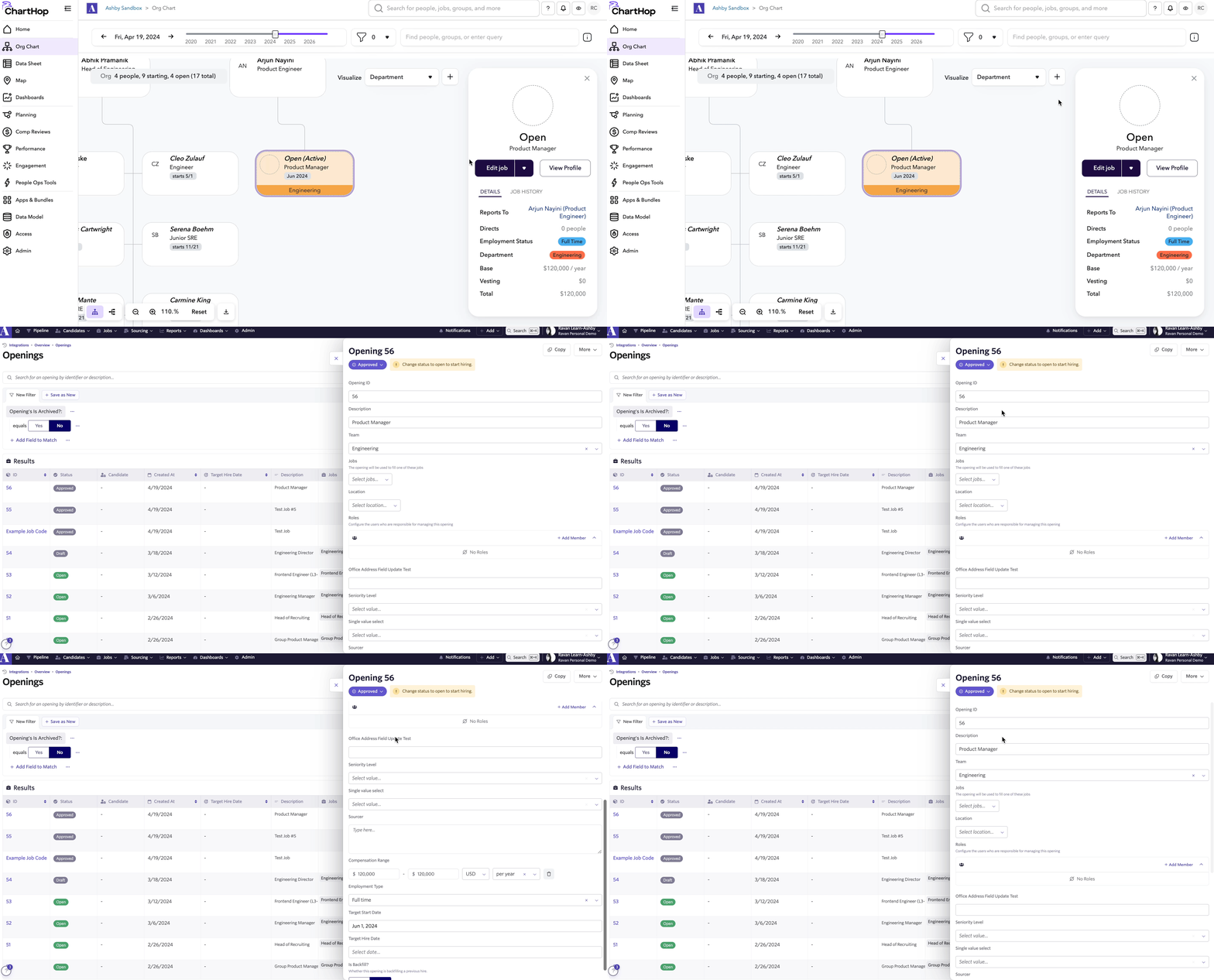
When a job is set to Active in ChartHop, an opening is created in Ashby. Please note, this integration doesn’t create jobs in Ashby. This ensures your team is able to use template jobs and link the automatically created openings to them as necessary.
Push Hire Data to ChartHop Jobs
Once a candidate is hired, Ashby will push their data back to the corresponding job in ChartHop. You have the option to send the data automatically or push it manually.
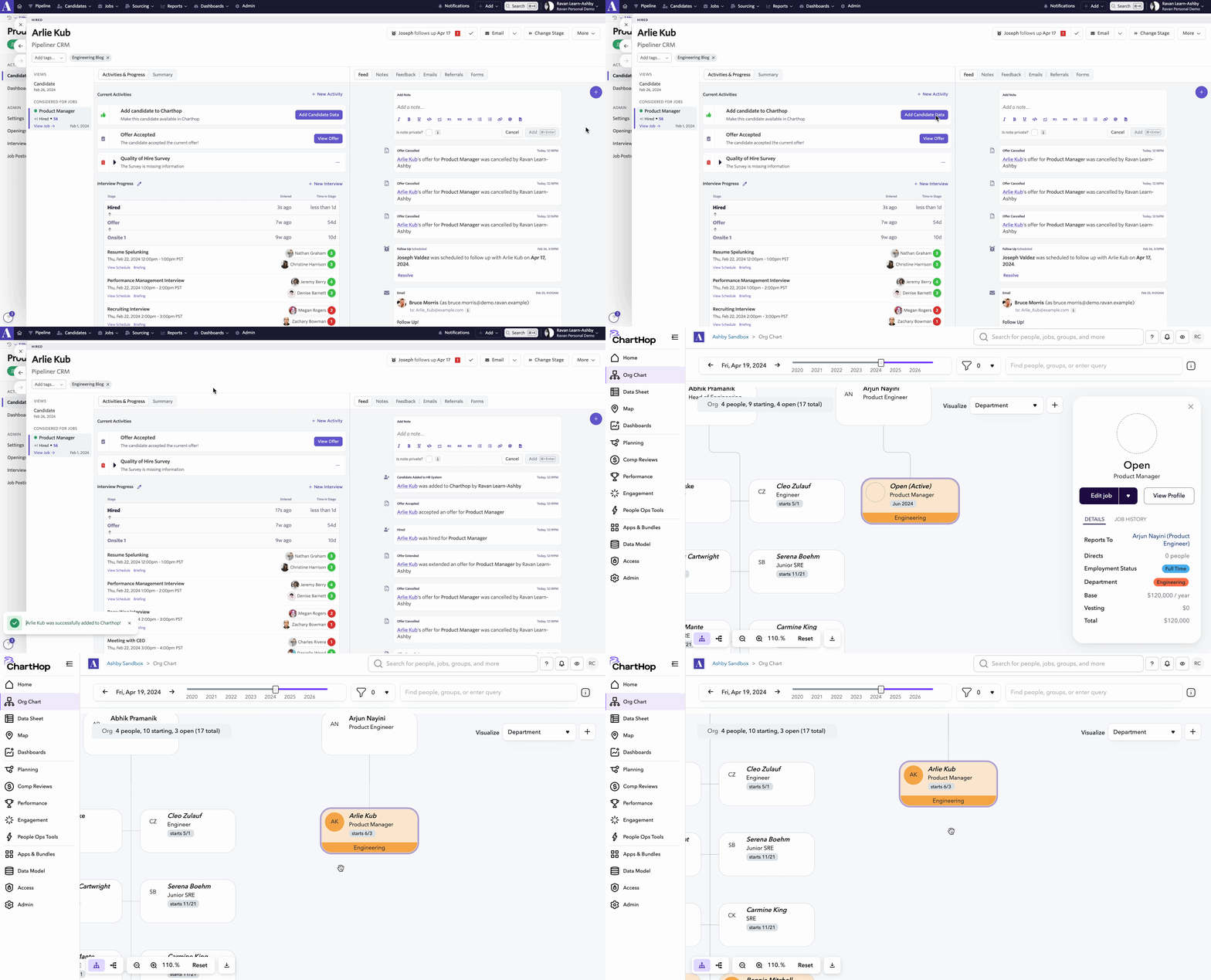
If the opening the candidate is filling was synced from Charthop, this will create the candidate in Charthop and assign them to that job automatically. Otherwise, Ashby will just create the candidate in Charthop, then they must be manually assigned to the correct job.
Determine if you’d like to push hires manually or automatically
- If manually, when a candidate is hired, you’ll see an activity on their profile to push their data over
- This option is ready upon enabling the integration
- If you opt to enable the option to push data automatically, when a candidate is hired, their data will be pushed back to ChartHop automatically.
- You can enable this option on the HRIS Integrations Settings page in Admin (please reach out to Support if you don’t find this page in your Admin Settings).
Adding Internal Transfers and Rehires to ChartHop from Ashby
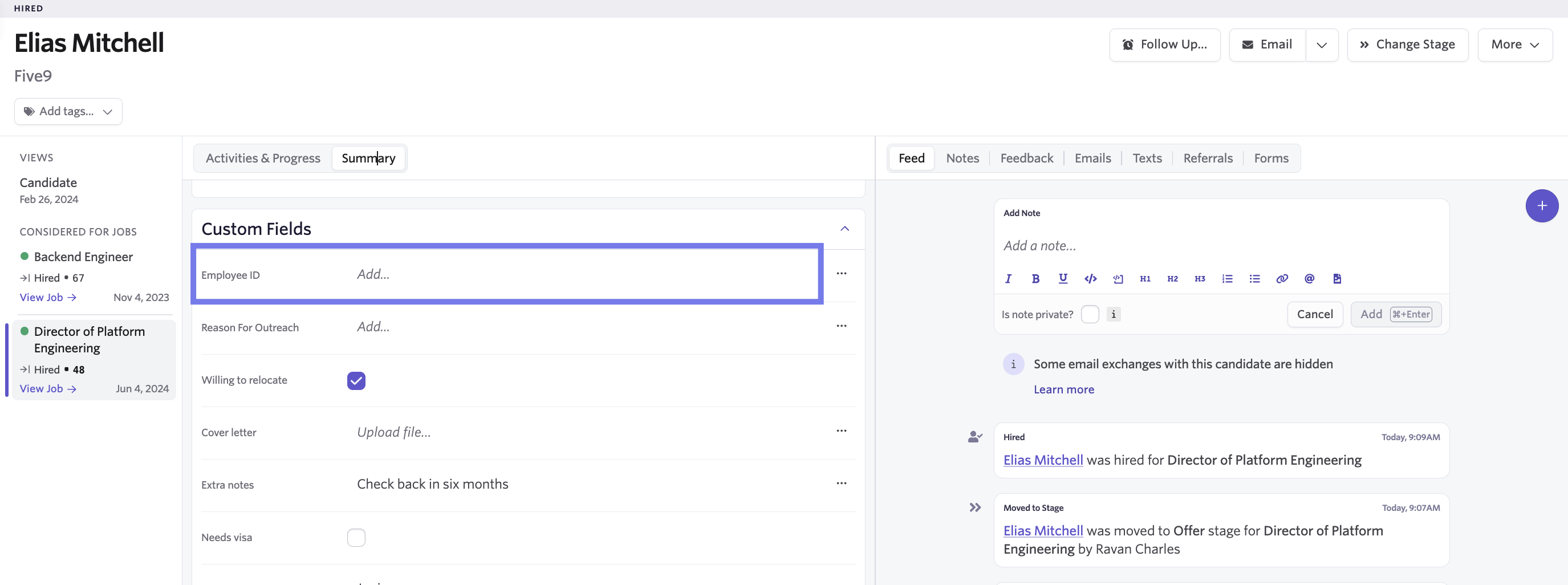
When a person has been hired by your company before, you’ll need to map their existing ChartHop Employee ID on their candidate profile in Ashby. This prevents the creation of a new candidate profile. Please note: this is only required for internal transfers and rehires.
- When a person is in the hired stage in Ashby, there is an Employee ID candidate custom field on the Summary tab of their candidate profile.
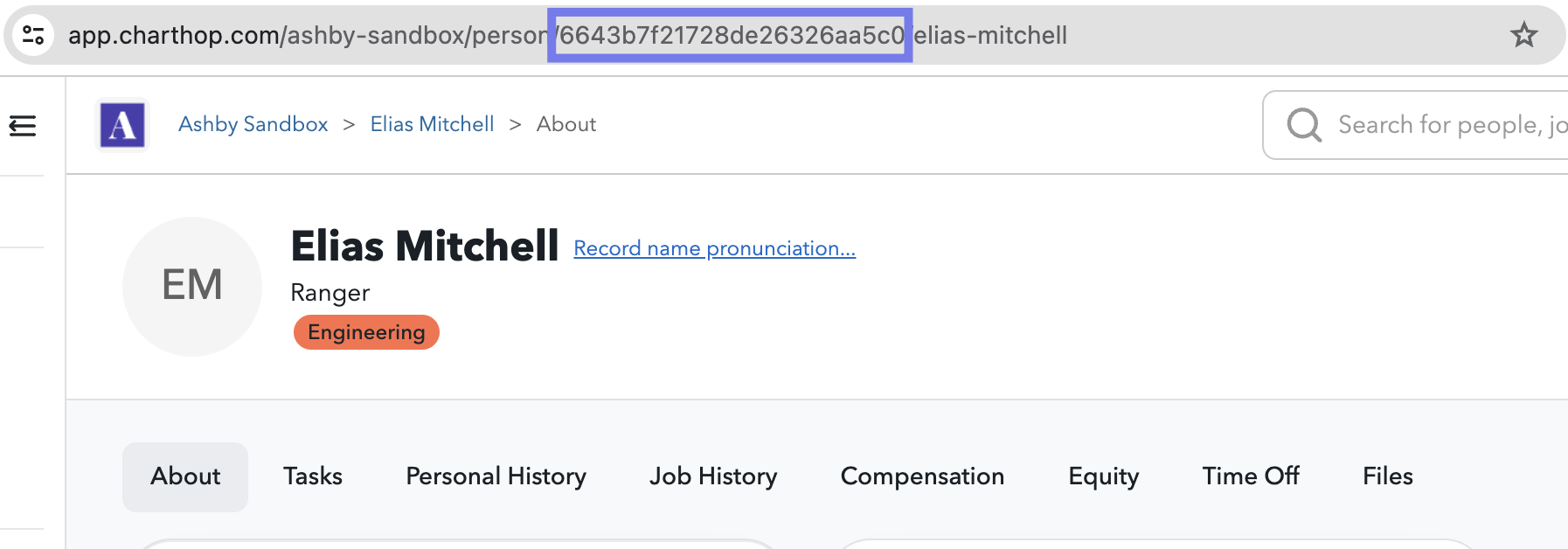
- Before pushing them to Ashby, retrieve their Employee ID. Their Employee ID is the alphanumeric value listed after person/ in the URL when you visit their profile.
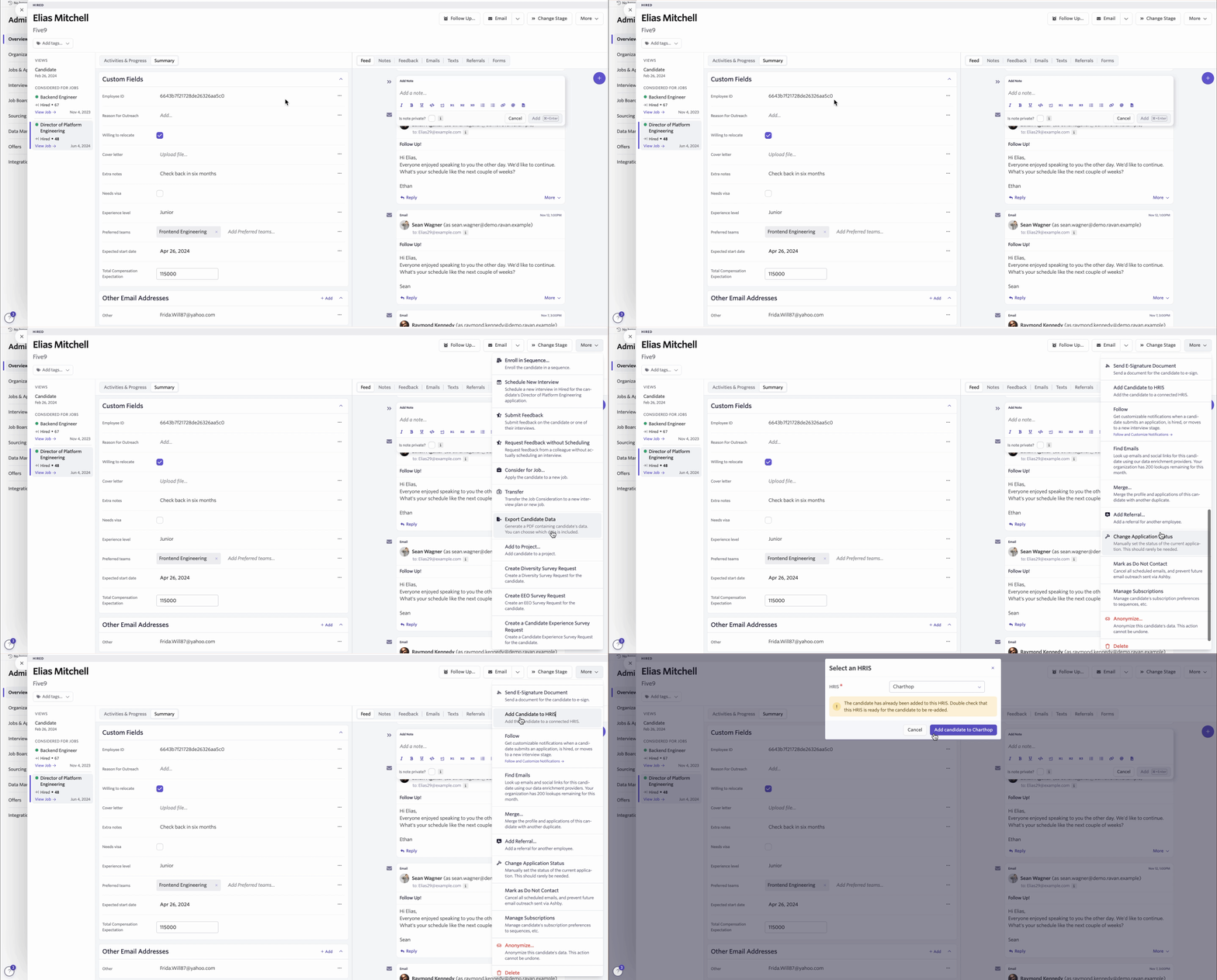
- Once the ID is added to their profile proceed with pushing them to ChartHop
- If they have never been pushed to ChartHop in Ashby in the past, use the Add Candidate to ChartHop option in the center of their home page.
- If they have been pushed to ChartHop in the past, use the More>Add to HRIS option to manually push them to ChartHop. There will be a warning that this person has been pushed before, you can ignore this and proceed.
- In ChartHop, the person will be moved to their new job, and their previous job will be set to inactive