Candidate Experience with AI Interviewer
AI Interviewer gives candidates an asynchronous screening interview they can complete from a browser. This article explains what candidates see before, during, and after the interview, including how to prepare, reconnect after a disruption, decline the interview, and provide feedback.
The organization that invited you controls which response options are available. Depending on the interview settings, you may be asked to use your microphone, camera, or written responses.
Before the interview
The invitation includes a unique, personalized link to your AI Interviewer and may be sent to you via email, SMS, or Whatsapp. Open the link in a supported browser when you are ready to complete the interview. You can complete the interview when works best for you; it is not scheduled at a particular time.
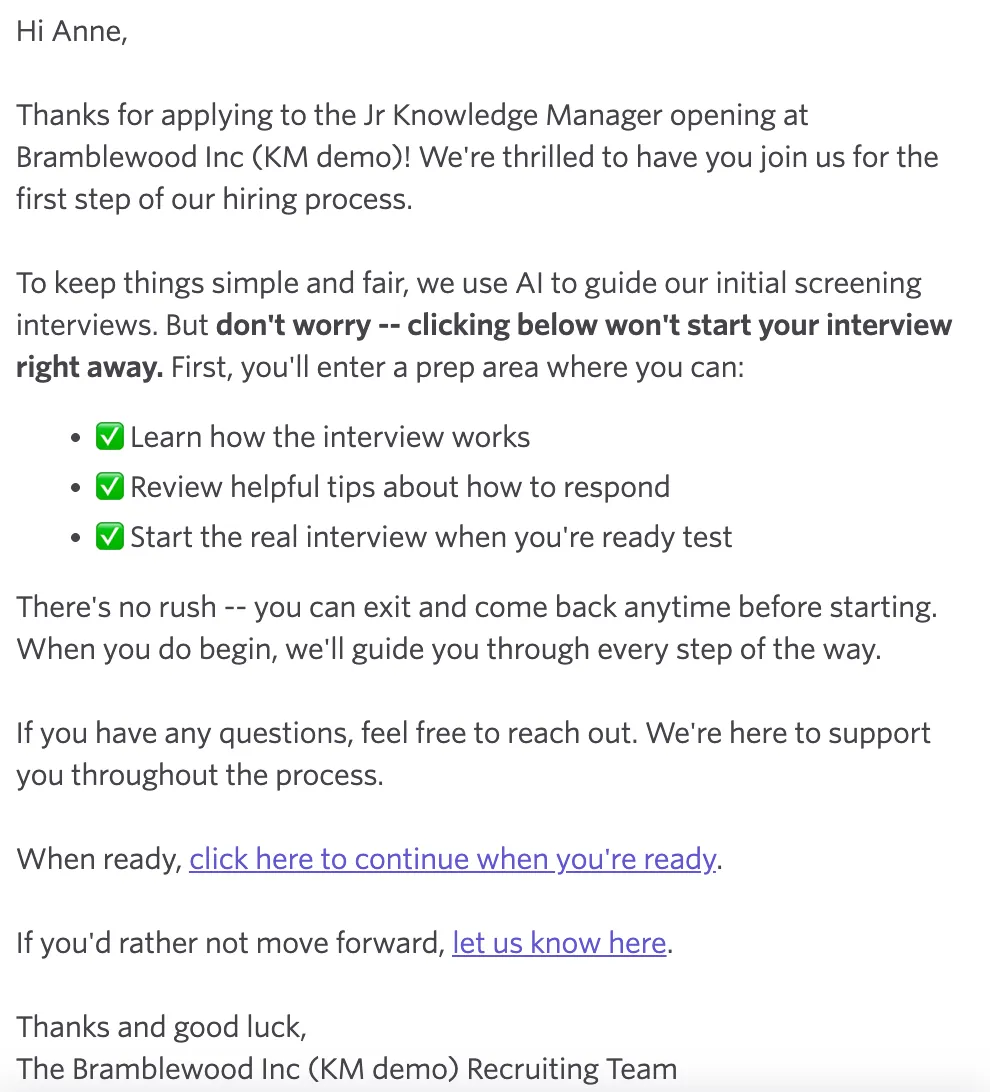
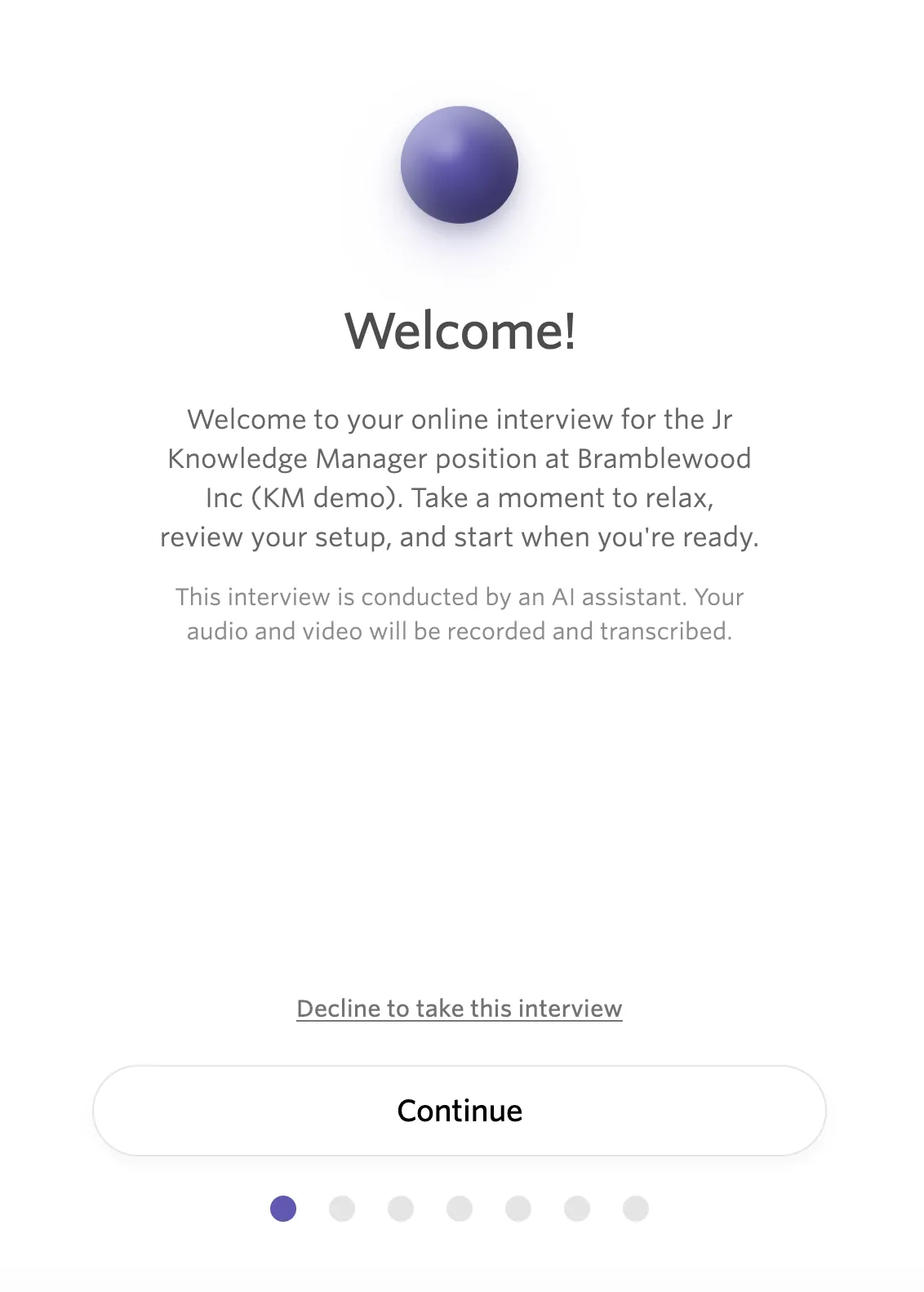
When you click on the link, you'll be taken to a welcome landing page that should show the company, the job, and a link to decline the interview if you no longer wish to participate.
Press Continue to move forward through the orientation screens, which walk you through how to answer, integrity signals the interviewer monitors for to detect fraudulent candidates, and terms and conditions you must accept.
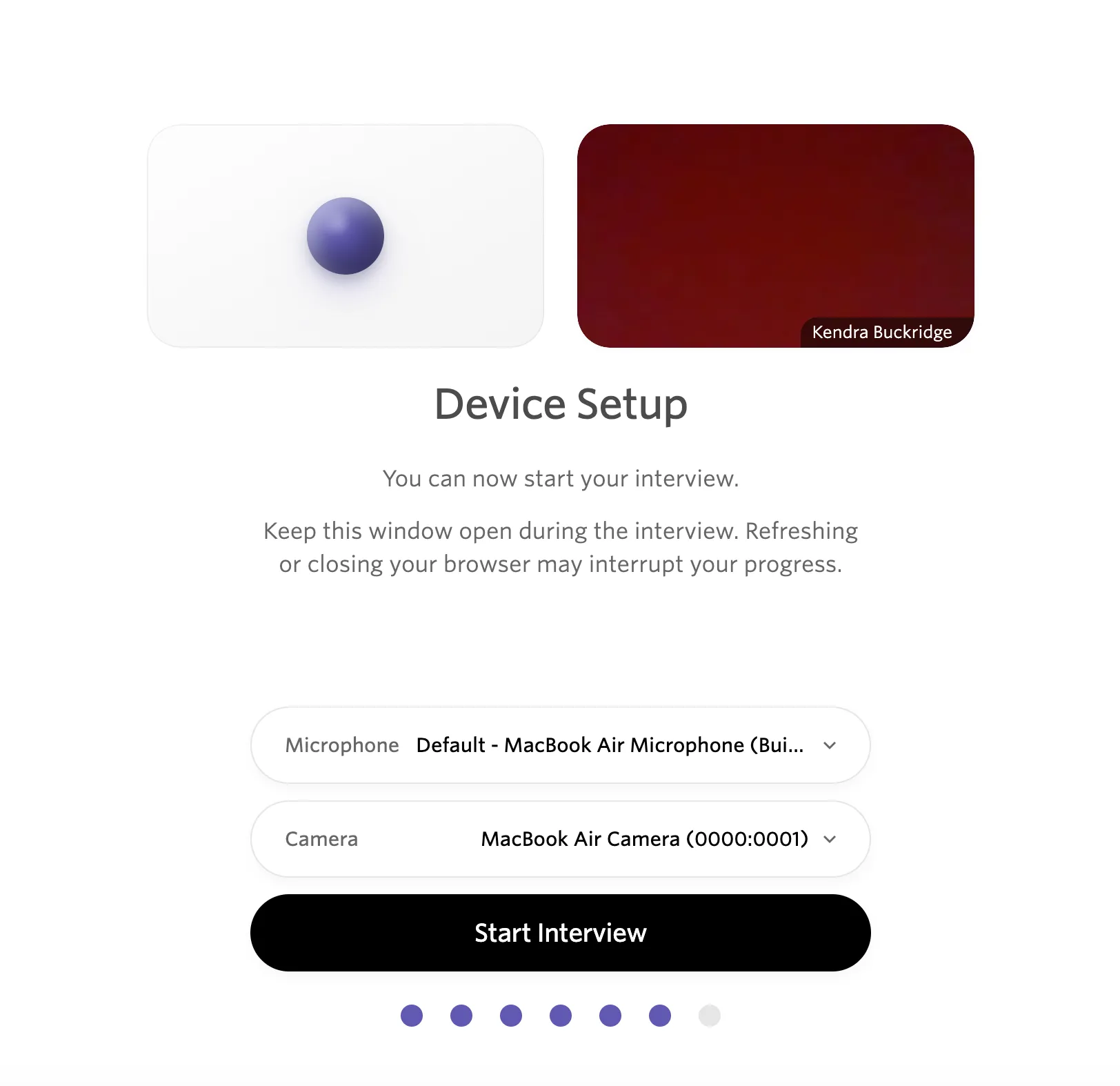
Then, you set up your microphone and camera access, and select Start Interview to begin.
Start the interview
The interview has not started until you click Start Interview. You can click the link and review the welcome screens as many times as you like. Once you click Start Interview, you are expected to complete the interview in one sitting, and have 15 minutes to return to the interview if you are disconnected. See the FAQs below for troubleshooting questions.
After you start the interview, the interviewer begins by clarifying the interview structure and process and your preferred name.
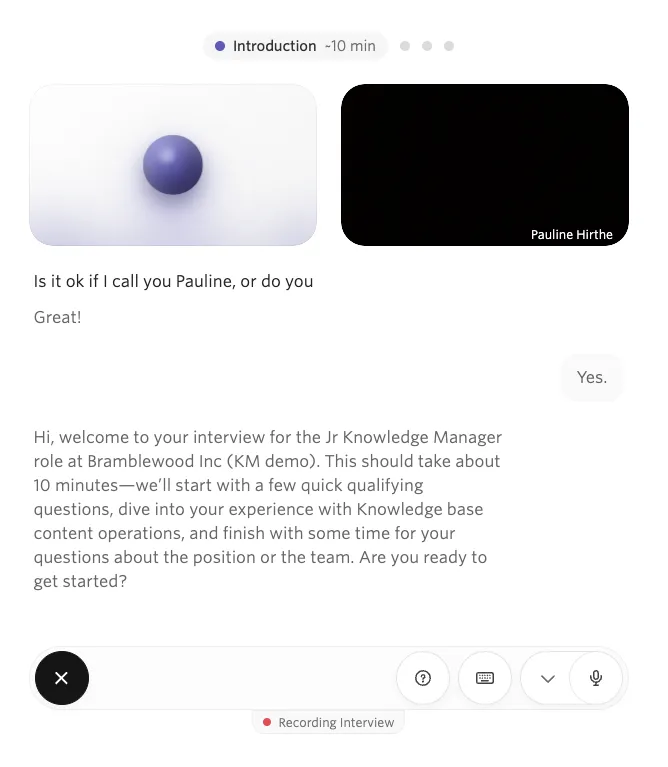
The AI interviewer asks questions based on the role and the interview outline. It can ask follow-up questions when it needs more information, and the number of follow-ups depends on how the organization configured the topic. Every word spoken is transcribed and appears on the screen, allowing you to review questions and answers in realtime.
The interview can include minimum qualification questions, skill-based questions, open-ended questions, and a wrap-up section.
Talking to the AI interviewer
The AI interviewer conducts the interview as a conversation. A few things to keep in mind:
- Speak naturally and completely. The interviewer transcribes everything you say in real time. Answer as you would in a live interview: complete thoughts, in your own words. You can ask for clarification when needed.
- Expect follow-up questions. The interviewer may ask follow-ups to get a fuller picture of your answer. This is normal and not a signal that you answered incorrectly.
- Take your time. There is no timer counting down on individual questions. It is better to pause and collect your thoughts than to rush through an answer.
- Ask questions during wrap-up. The final section of the interview is your opportunity to ask about the role, team, or organization. The interviewer draws on the job posting and any additional context the recruiting team has provided to it. For example, it can answer questions about compensation when the relevant information is configured on the job.
- If you get disconnected, use the same invitation link to rejoin as soon as possible. The interview will resume from where you left off if you reconnect within 15 minutes.
The interviewer is instructed to act as a data collector rather than an evaluator, to ask one question at a time, and never to raise age, race, gender, sexual orientation, or other protected characteristics. It is separately barred from personal topics such as marital and family status, children, caregiving, health, and finances, and it flags and redirects off-topic or inappropriate content rather than engaging with it.
Complete the interview
The interview is designed to be completed in one sitting. You can ask to end the interview, and the AI interviewer takes you to the wrap-up section before completion when the flow supports it.
If you are disconnected unexpectedly, use the same interview link to reconnect within 15 minutes of your last answer. The interview resumes from where you left off. After 15 minutes away, Ashby marks the interview as abandoned.
The interview does not support leaving and returning later as a normal pause workflow.
Decline an AI interview
You can decline the interview from the invitation or from the welcome screen when the organization provides a decline option.
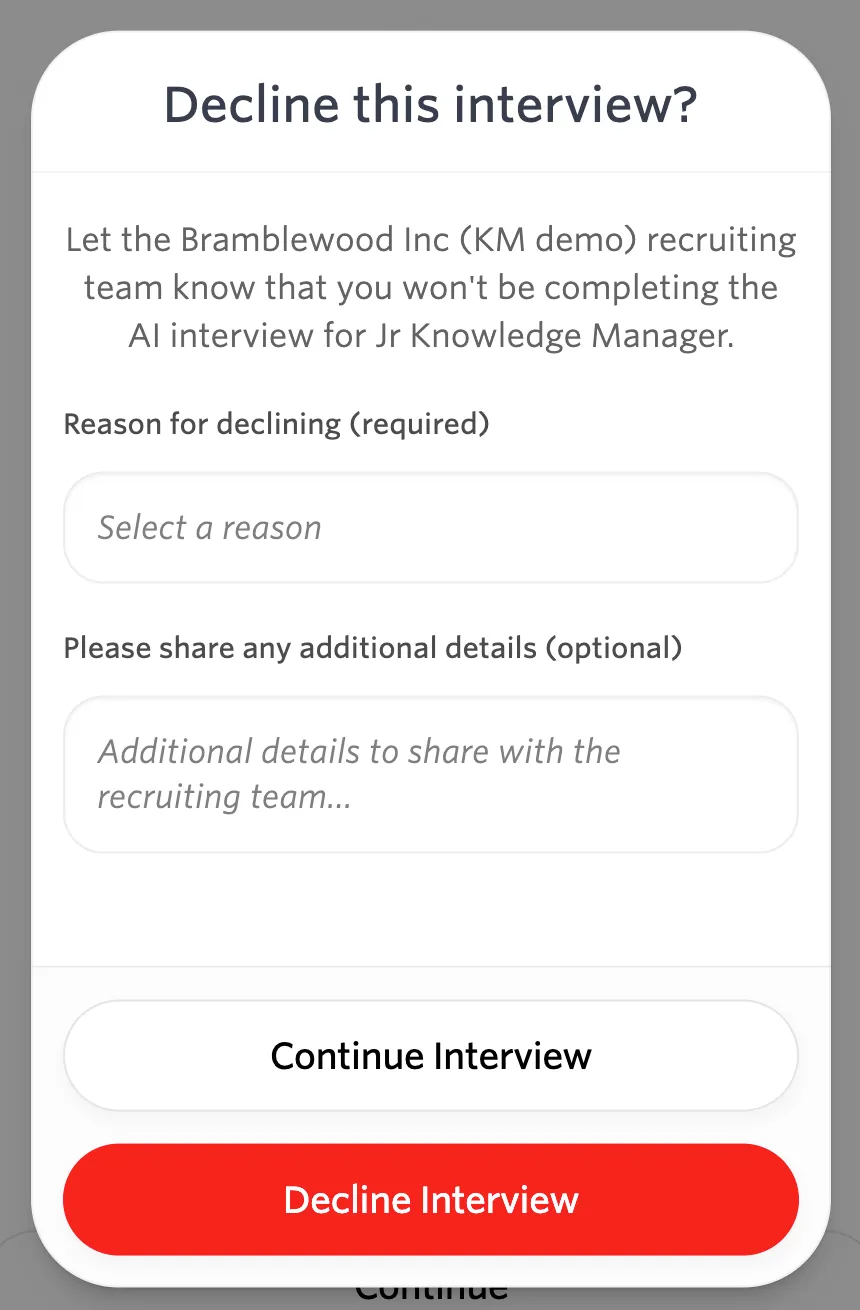
- Select the decline option.
- Choose or enter a reason.
- Add an optional note.
- Submit the decline.
Ashby sends the recruiting team the decline status and reason so they can decide whether to follow up.
If the organization offers a live alternative, the invitation may also include an option to schedule a conversation with a recruiter. This gives you a choice between completing the AI interview and booking a live conversation.
Understand integrity monitoring
AI Interviewer may monitor signals such as switching to another browser tab or window, taking more than 60 seconds to answer, the device used for the session, and the session's IP address. These signals provide context to the recruiting team and support Ashby's candidate fraud checks.
Integrity monitoring is detection, not prevention. It does not prevent you from switching tabs or windows, and the AI does not make the hiring decision. A human reviewer must evaluate the completed interview and review any integrity signals detected to determine their validity.
Finish and provide feedback
After the final question, the interview shows a completion message.
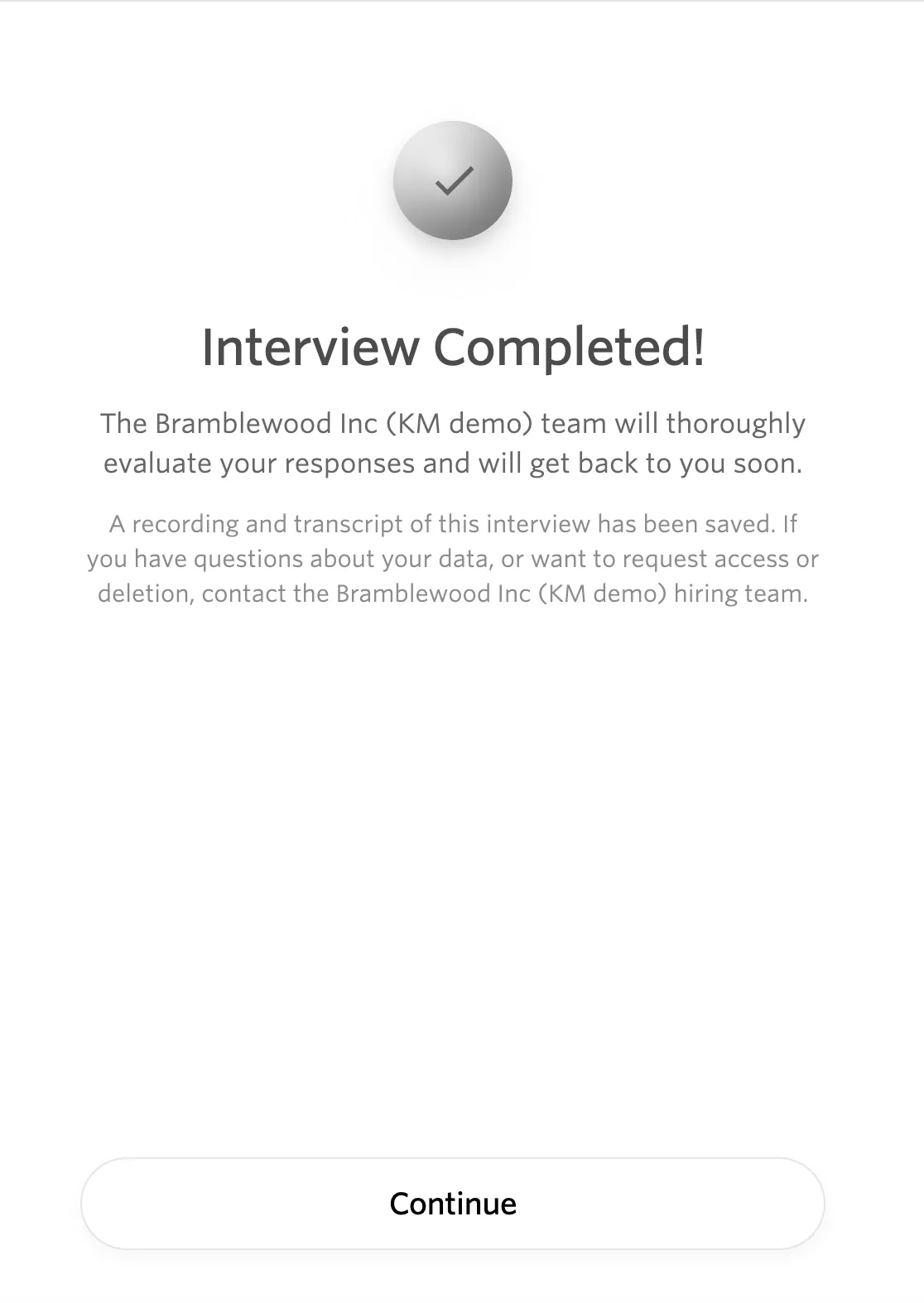
You can also provide optional feedback about the interview experience by clicking Continue to the next screen.
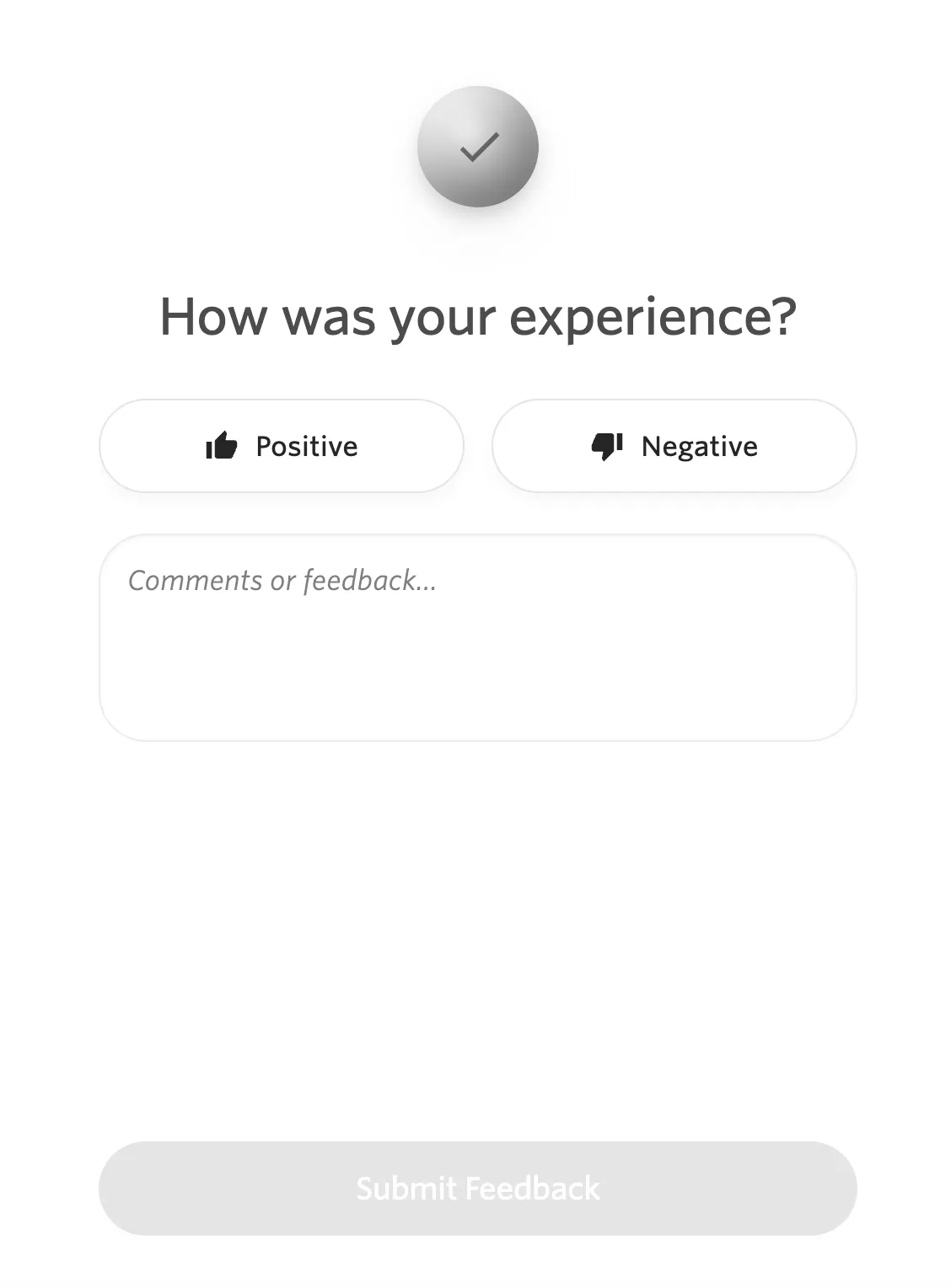
The recruiting team can review the conversation, transcript, evaluation, and your feedback as part of their hiring process. A human being must make the decision to move any candidate forward or reject the candidate--the AI will never make this decision.
If you do not wish to leave feedback, simply close the browser tab or window.
FAQs
Do I need a camera?
Only when the organization enables video recording for the interview. The interview can otherwise use audio, and the organization may also allow written responses.
What happens if my microphone or camera does not work?
Complete the device check again and confirm that your browser has microphone access. If the organization allows written responses, you can answer in writing instead. Contact the recruiting team if you cannot continue.
What if I get disconnect mid-interview?
If you are disconnected for whatever reason, try rejoining as soon as possible. You should see a screen allowing you to resume where you left off if you are able to reconnect within 15 minutes.
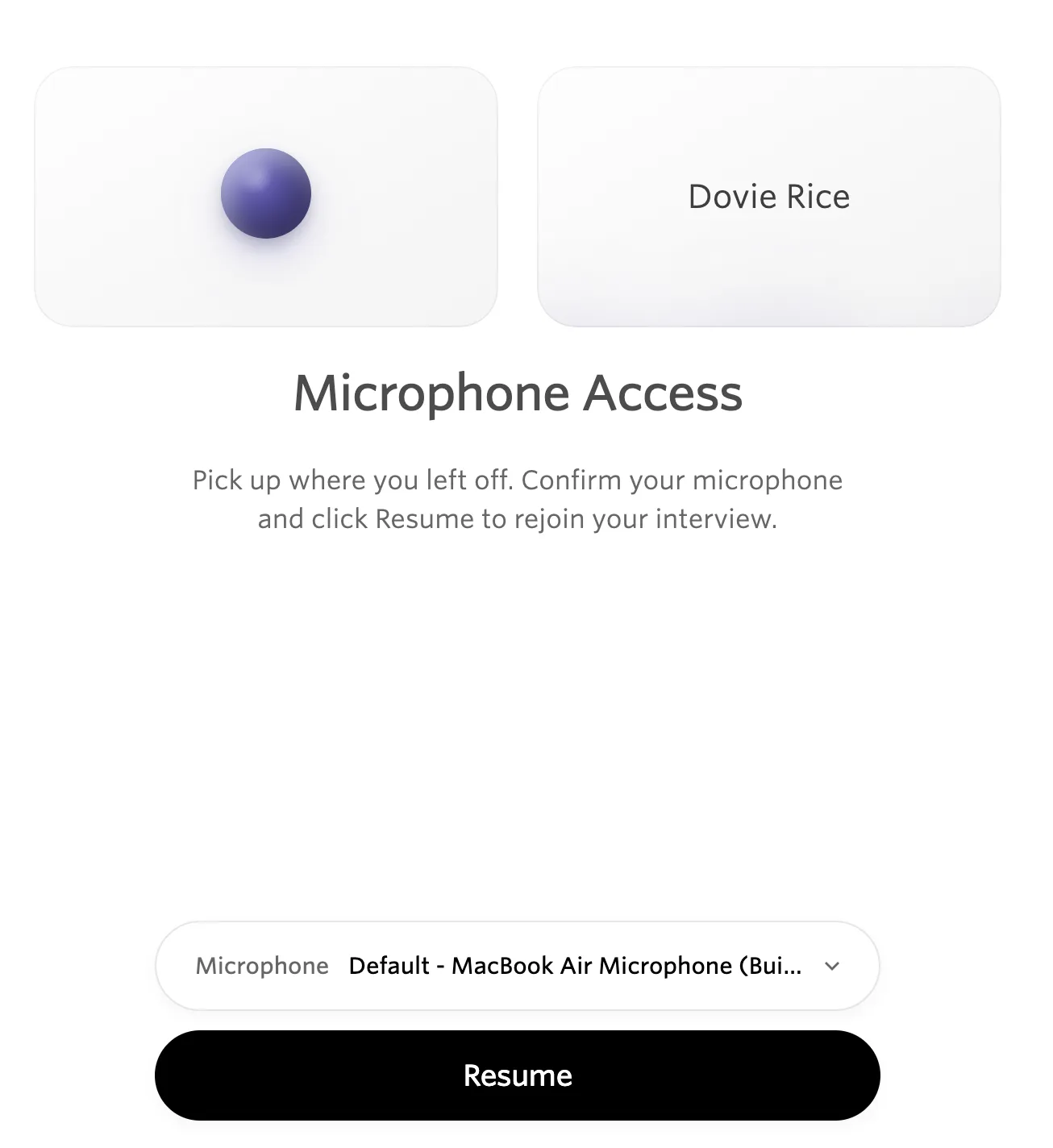
If you cannot resume the interview, reach out to the recruiting team who can reset the interview for you.
Can I pause the interview and finish later?
The interview is designed to be completed in one sitting. If you disconnect unexpectedly, you can reconnect with the same link within 15 minutes of your last answer. After 15 minutes, the interview is marked as abandoned. Reach out to the recruiter if you did not intend to abandon the interview.
Can I decline the AI interview?
Yes, when the organization provides a decline option. Use the decline link in the invitation or the decline option on the welcome screen, then provide a reason.
Is a human reviewing my interview?
Yes. AI Interviewer provides a structured evaluation, but a human reviewer makes the hiring decision.
What topics can I ask about?
Ask questions about the role, team, company, or other information included in the job posting and the organization's additional interview context. If the AI interviewer cannot answer your question, the recruiting team will be notified and can follow up.
What happens to the feedback I leave about my experience?
Your optional feedback is shared with the recruiting team to help them understand your experience with the interview.
Can I have all my AI interview data deleted?
Reach out to the hiring team where you're interviewing to inquire about deleting your data.
Can I retake the interview if I was nervous the first time?
There's no ability to retake the interview on your own. Once you've completed it, you'd need to reach out to the recruiter to ask if you can have another attempt. You can also leave feedback at the end of the interview explaining your performance.