Can I transfer a candidate’s job consideration to another job or interview plan?
This guide covers using the transfer option to move an existing active job consideration on Ashby. This allows users to transfer applications to a different job, interview plan, or both while still keeping one application on their profile. This can be useful when you've decided that a candidate is a better fit for a different role or should be evaluated through an alternate interview plan.
Permissions and prerequisites:
- A candidate can only be transferred to an open job.
- Users with Elevated Access and an access role with the permission stripe to Add/Edit Candidates for the job, department and/or location can transfer or consider a candidate for another job.
Transferring versus considering for another job
Transfer a candidate's job consideration when:
- The role is essentially the same or a similar opportunity (for example, a renamed job or corrected posting) that the candidate should be considered for instead
- You want to preserve all historical context and timing for this specific job consideration and just move it to a different job
- Time-to-hire continuity, taking into account when the candidate was first considered for a role
Consider the candidate for another job when:
- The candidate is being considered for a new or different opportunity
- You want reporting dates to reflect both job considerations
- The opportunity represents a new hiring process
How to transfer an application
There are two ways to initiate a transfer: via the More button on the candidate's profile or on the candidate pipeline.
Transferring via the candidate profile
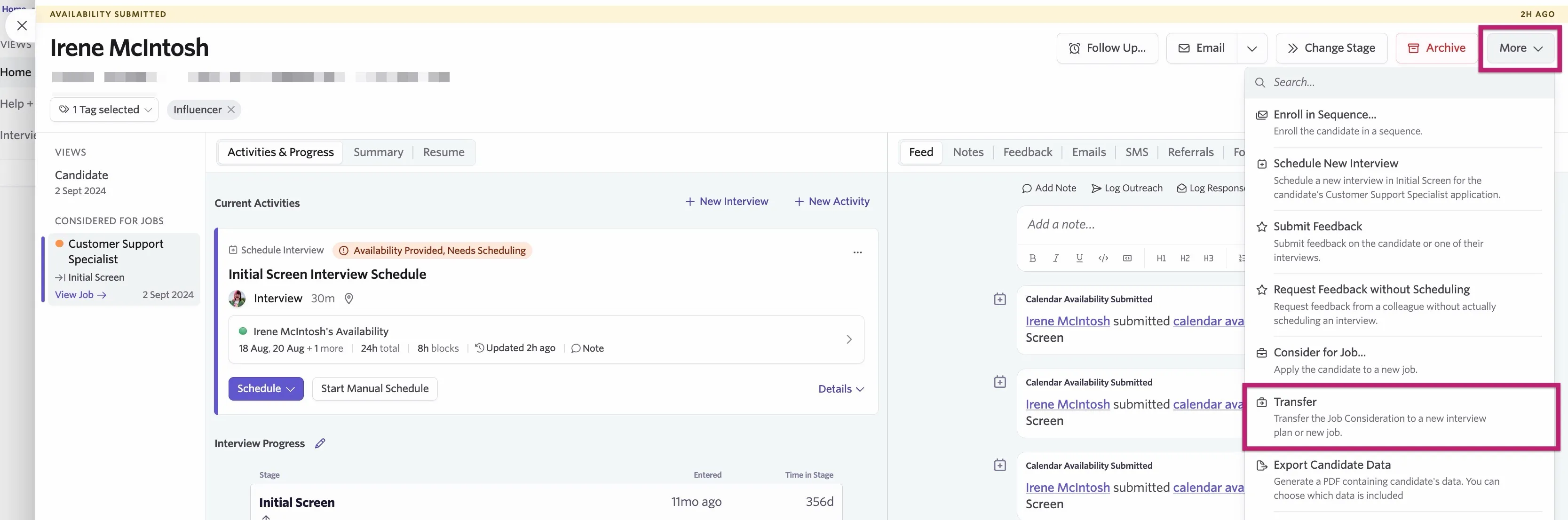
To transfer a candidate via their candidate profile, click More, then Transfer.
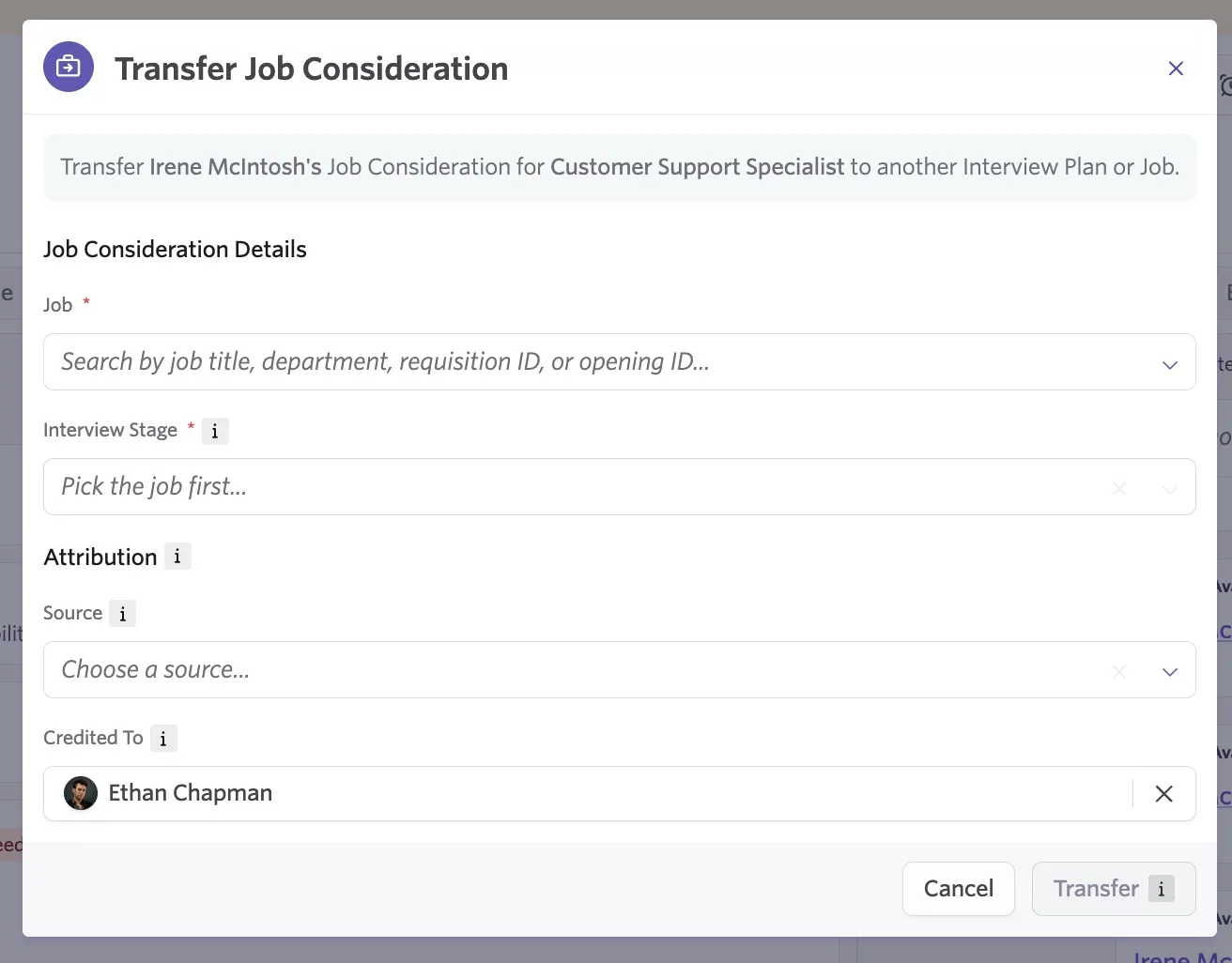
Using the following pop-up, confirm the job, the interview plan and the attribution for the application, then click Transfer to confirm.
Transferring applications via the job pipeline
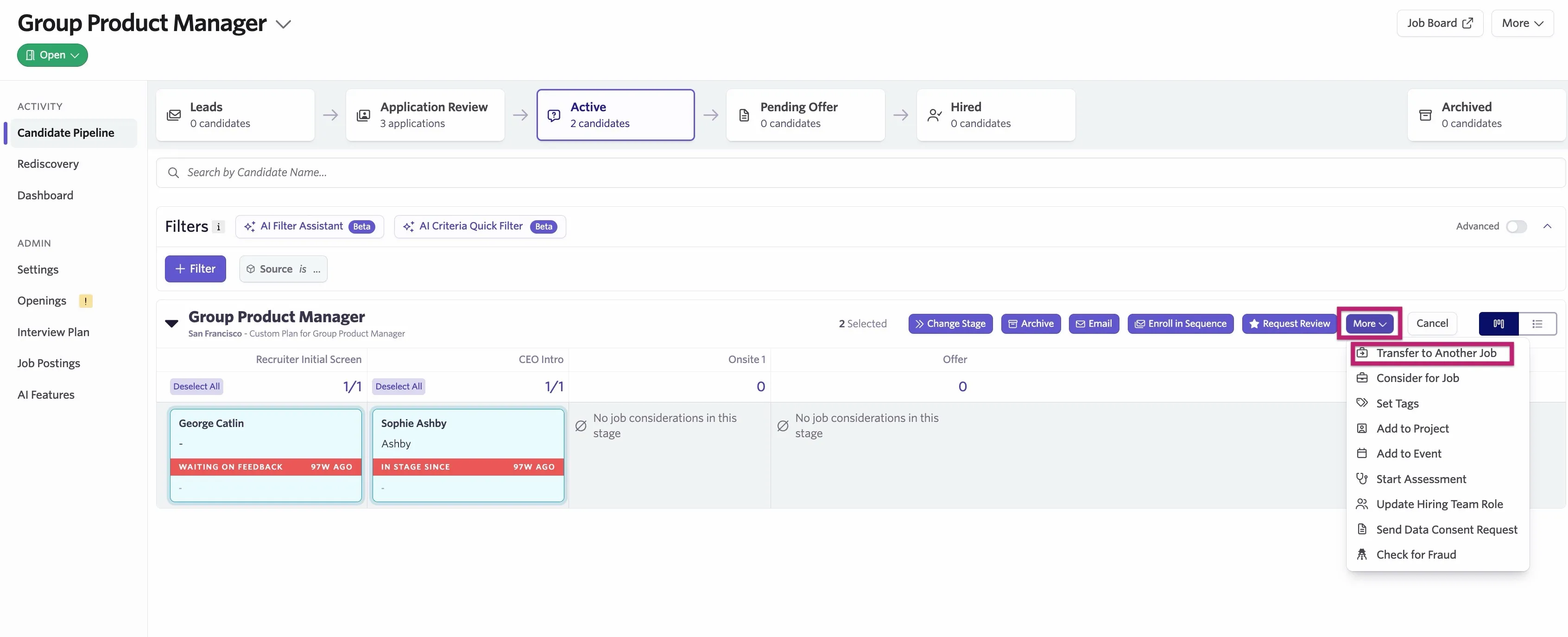
Using the Select option, select one or more candidates that you'd like to transfer to another job. From there, you can click the More button and select Transfer to Another Job from the dropdown.
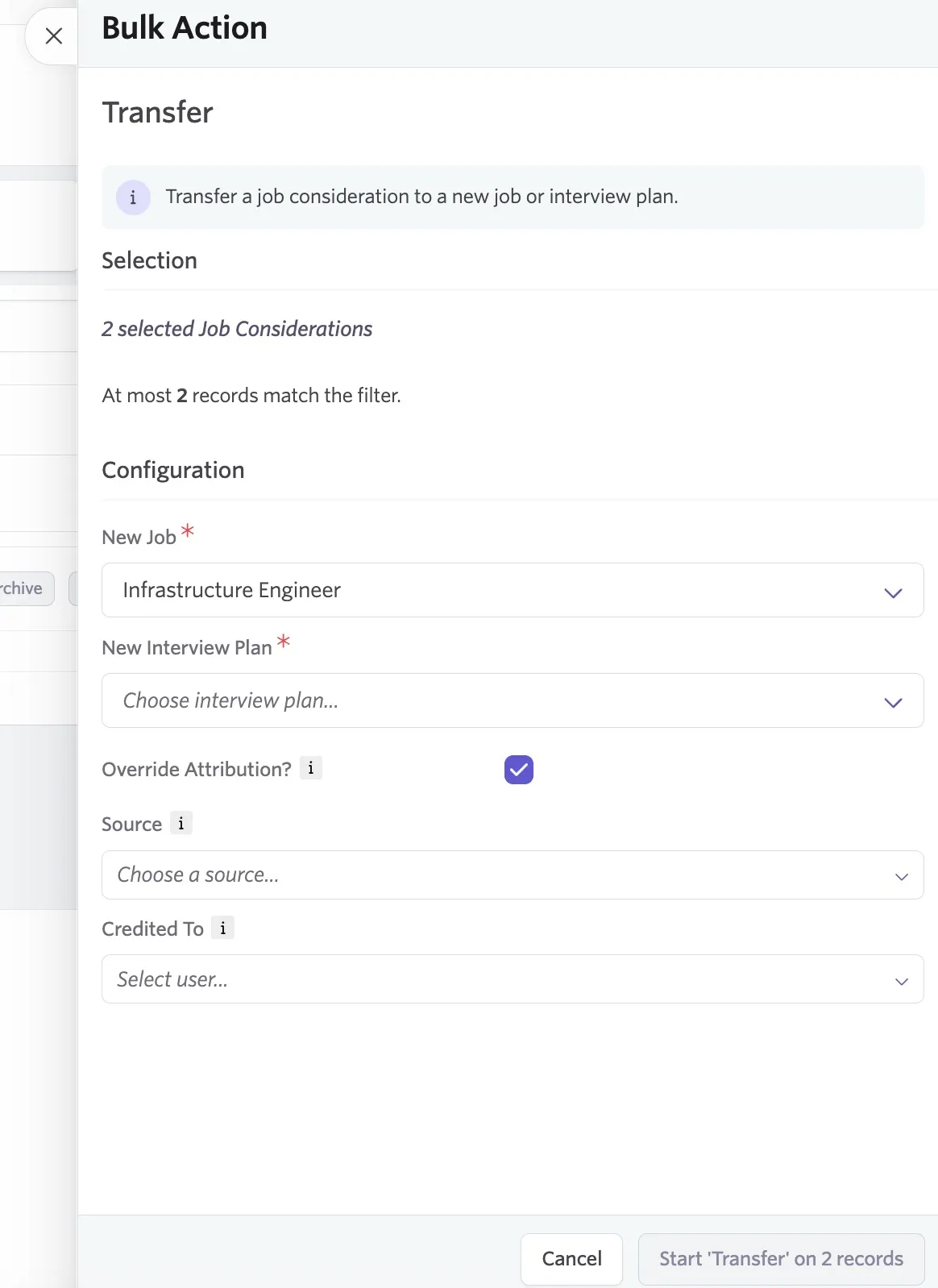
Once selected, you can specify the job and the interview stage you'd like candidates to be transferred to. You also have the option to override the attribution fields. Once you've configured your transfer, click Start 'Transfer' on X records.
When you transfer an application in Ashby to another job pipeline, Ashby retains all historical information within the application history. That means you can see all of the details prior to the change on the Candidate Profile. Ashby also retains any notes, application forms, completed surveys, feedback forms, and referral forms, so if the candidate is moved to a new job via the Transfer option, you won't lose that data.
For reporting, since Ashby retains all the application history, your Time in Process, Time to Hire, and Time to Offer calculations continue to be accurate for transferred candidates.
Any scheduled and upcoming activities such as interviews and take-home activities remain scheduled after a transfer. You can manually delete any activities you don't need before transferring an application.
The job consideration's hiring team is overwritten and takes on the hiring team of the job that the candidate transfers into.
FAQ
How do I remove or reject a candidate from a job consideration?
While viewing the job consideration on the Candidate Profile, click the Archive button. You can then select an archive reason and optionally schedule a rejection email to be sent to the candidate.
