Asendia
Asendia AI's recruitment platform helps companies find top talent with AI-powered tools. This integration allows Ashby customers to send Asendia assessments and retrieve the results all from within the Ashby platform.
Setup
Create an Access Token in Ashby
- Log into Ashby and click your profile icon (to the top-right of the navigation bar), then select Settings.
- Go to API & Apps and choose Personal Access Tokens.
- Click Create New Token.
- Name it something like “Integration with Asendia”.
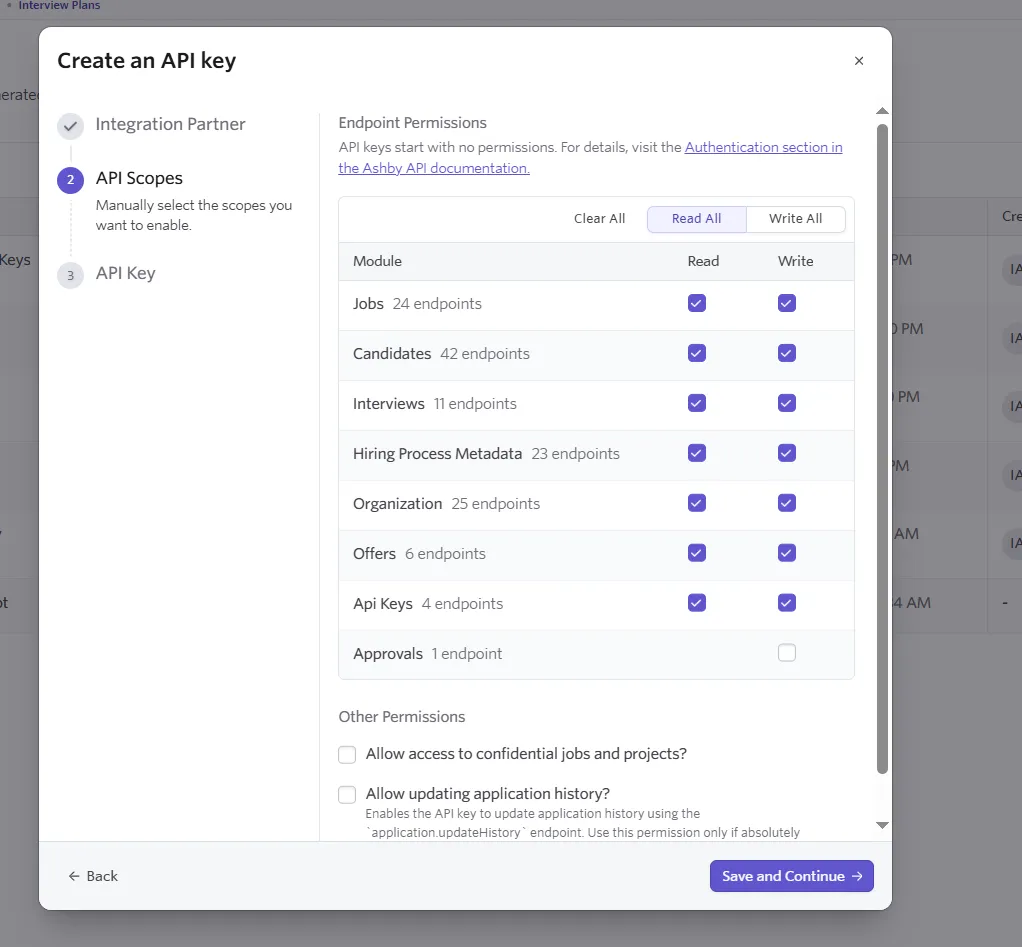
- Scopes: Make sure these options are selected (check the boxes):
- Jobs (so we can see your open positions)
- Candidates (so we can read candidate details)
- Interviews (so we can access resumes)
- Hiring process metadata (To get hiring process details)
- API Keys (so we can setup webhooks and get updates whenever something changes)
- Organization (so we can send feedback back into Ashby)
- Click Generate, then Copy the token that appears. Store it somewhere safe - you won't be able to see it again!
Create “Asendia AI Interview” Stage
- In Ashby, click Admin in the top menu.
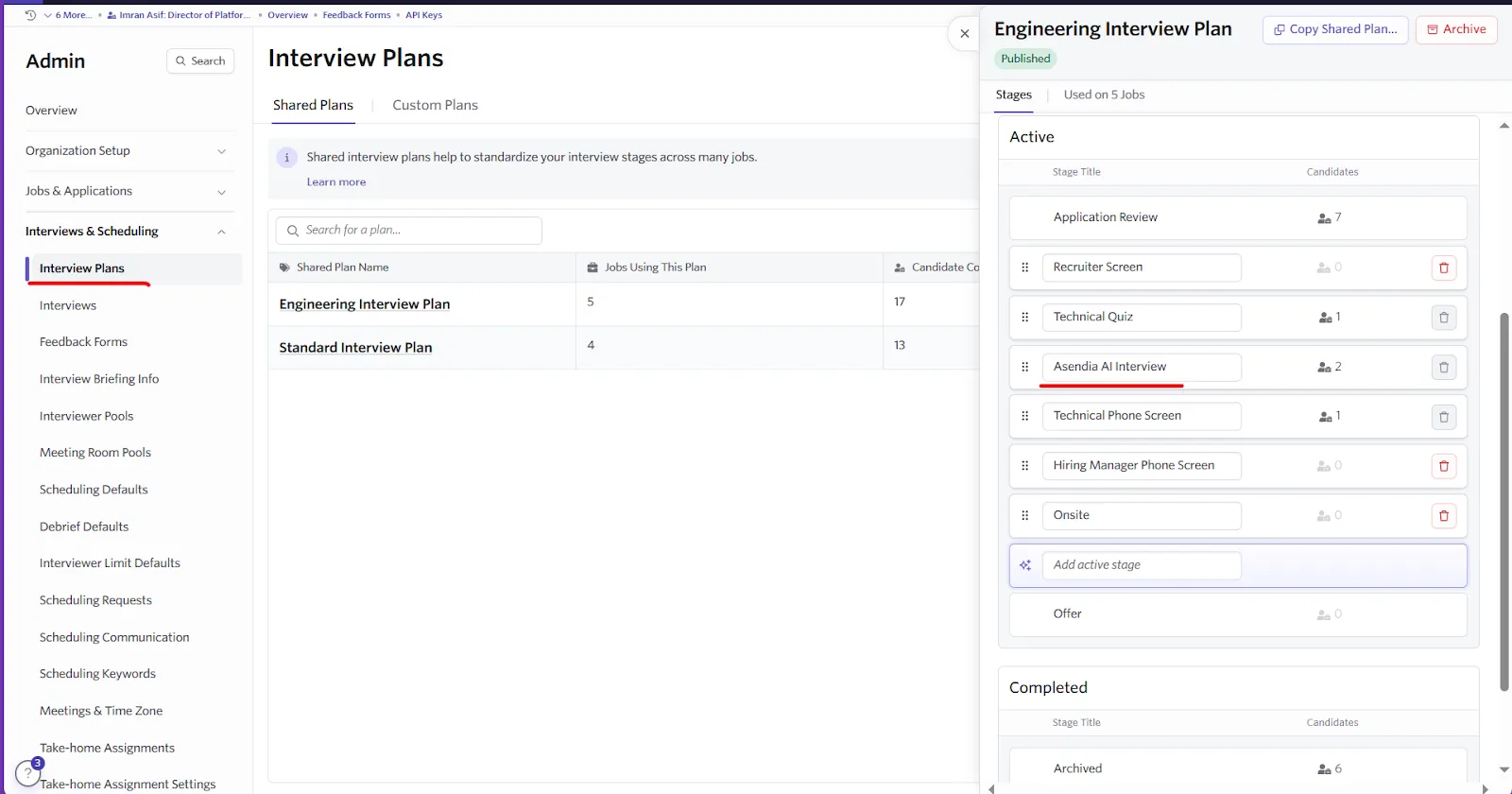
- Under Interviews & Scheduling, select Interview Plans.
- Choose your Shared Plan (e.g. “Engineering Interview Plan”) or switch to Custom Plans to make a new one.
- Click the plan name to open its details, then scroll to the Active section.
- Click Add active stage, enter Asendia AI Interview, and press Enter.
- Drag the new stage into the desired order, then click Save (if prompted).
Create “Asendia AI Interview Feedback” Form
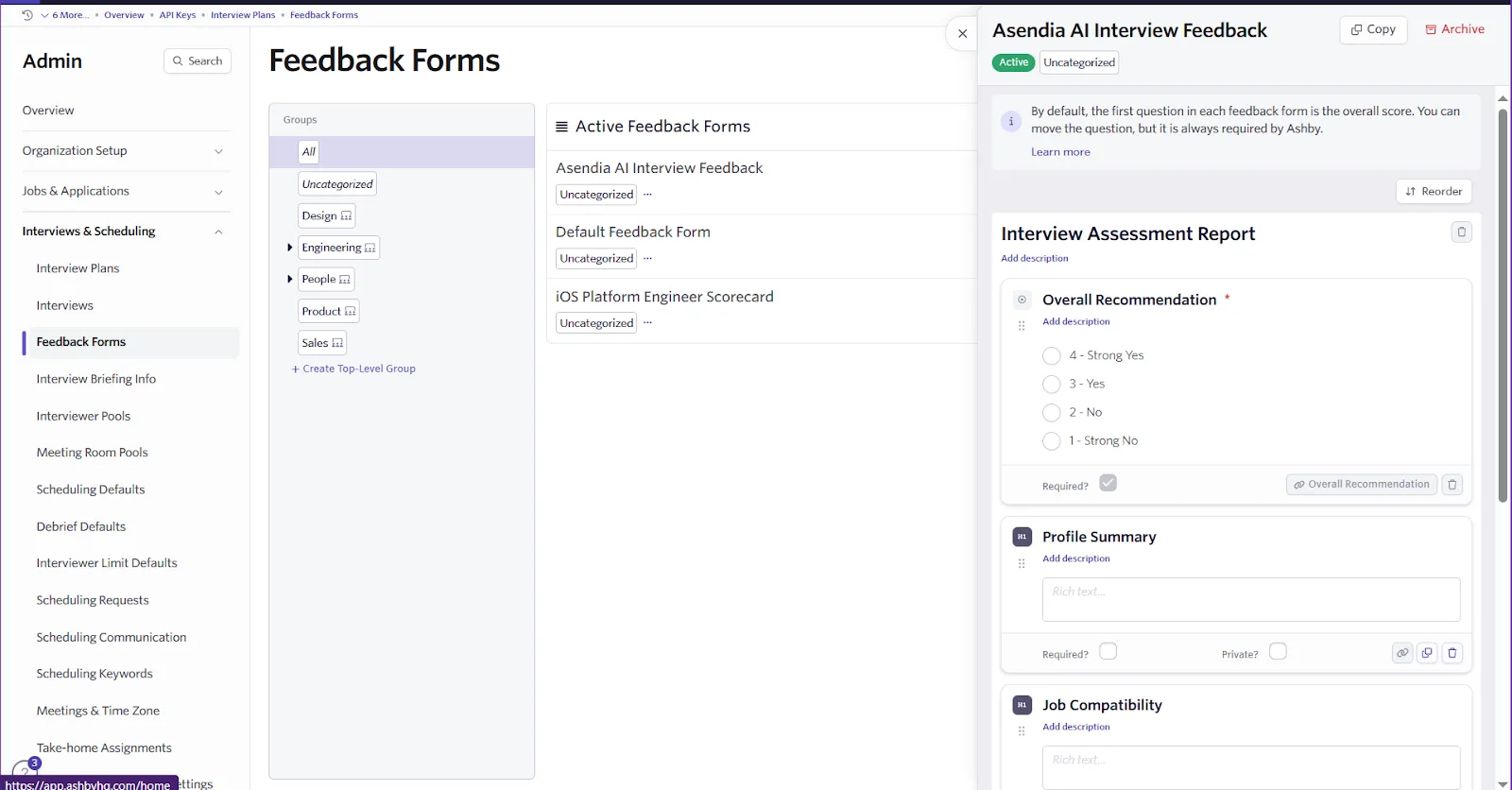
- Still under Admin → Interviews & Scheduling, select Feedback Forms.
- Click Create form (usually a + or New Form button).
- In the form builder:
- Title: Asendia AI Interview Feedback
- Add fields matching exactly (use Add Field):
- Overall Recommendation (Single Select; options: Strong Yes, Yes, No, Strong No)
- Profile Summary (Rich Text)
- Job Compatibility (Rich Text)
- Interview Video (URL)
- Complete Assessment (URL)
- Click Save or Publish to make the form available.
Link Ashby to Asendia
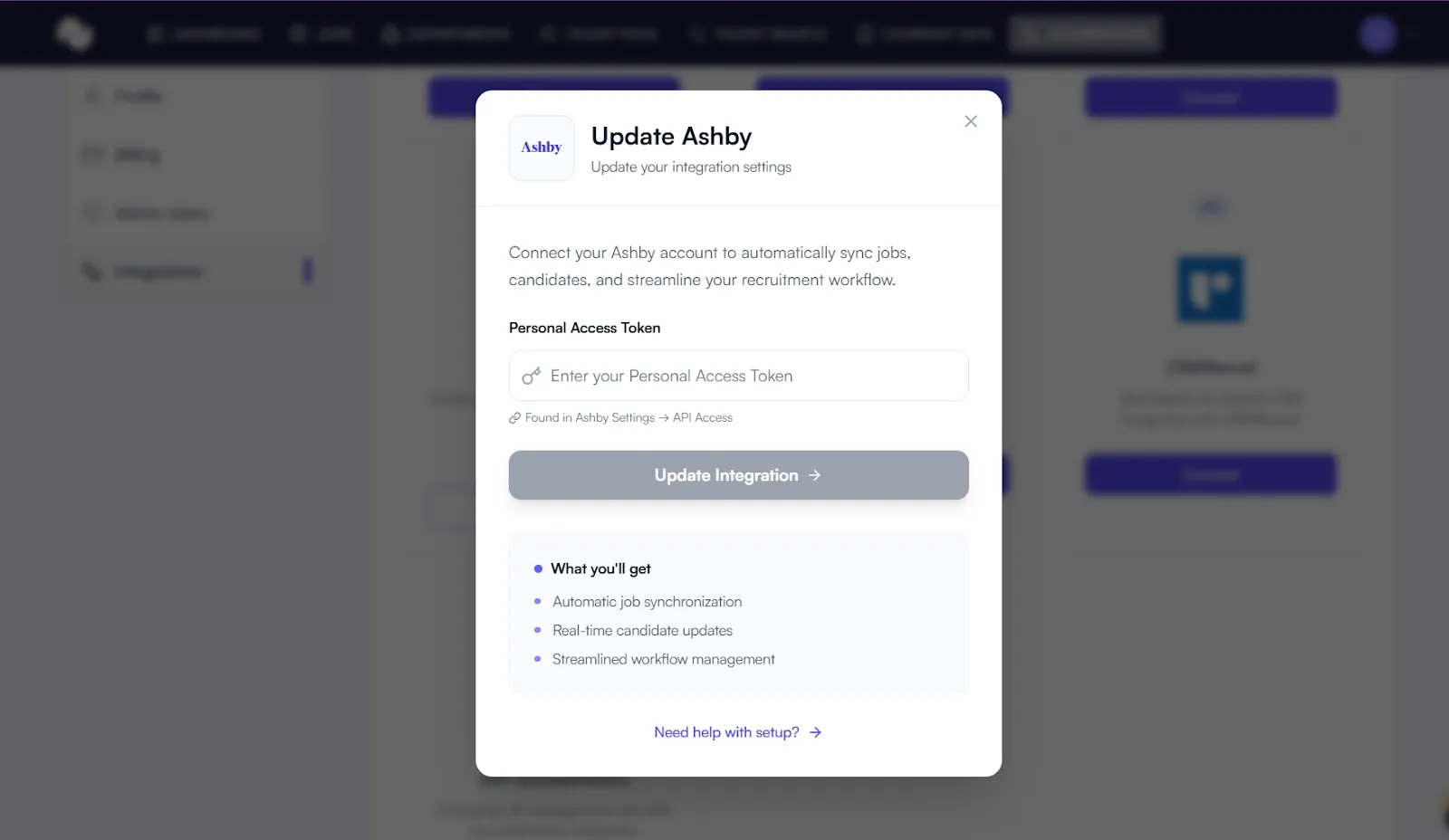
- In Asendia, go to Integrations→ Ashby.
- Paste the token you created into the API Keyfield.
- Click Connect or Save.
- You’ll see Connected successfully when it’s done.
Automatic Webhook Setup
Once you click Connect, the Asendia system automatically registers the necessary webhooks in your Ashby workspace. You don’t need to set up anything else manually. This ensures Asendia receive updates whenever you:
- Publish or remove a job
- Move a candidate through different stages
Double‑Check and Test
- In Asendia, the integration status will show Connected.
- To test:
- Create a test job in Ashby - it should appear in the Asendia Jobs list within a minute.
- Move a candidate to a new stage in Ashby - you should get an invitation email sent from Asendia.
If it all works, you’re good to go!
Troubleshooting Tips
- Invalid token: Make sure you copied the entire token, and that it has all the scopes checked.
- No jobs appearing: Confirm you have active (published) jobs in Ashby.
- No emails: Verify that webhooks are set up correctly in Ashby - check for delivery errors in Ashby’s Webhook logs.
If you need help, please reach out to Asendia.
After You Connect: What Happens Behind the Scenes
Once you press Connect, a series of behind‑the‑scenes steps keep your jobs and candidates flowing smoothly. This guide explains what to expect- no technical jargon required.
1. One‑Time Setup (Instant)
Step | What Asendia Does | What You See |
|---|---|---|
Token Check | We confirm the token you provided works. | A green Connected badge. |
Webhook Registration | We quietly tell Ashby to notify us whenever jobs or candidates change. | No action needed. |
Initial Job Import | All active, published jobs are copied into your Jobs dashboard. | A synced list of your current open roles. |
2. Continuous Job Sync (Always On)
- New job posted in Ashby → appears in Asendia within ~60 seconds.
- Job updated or closed in Ashby → status refreshes automatically.
3. Candidate Flow
- Move a candidate to the “Asendia AI Interview” stage in Ashby.
- Within seconds, Asendia:
- Generates a unique interview link.
- Sends a branded invitation email to the candidate.
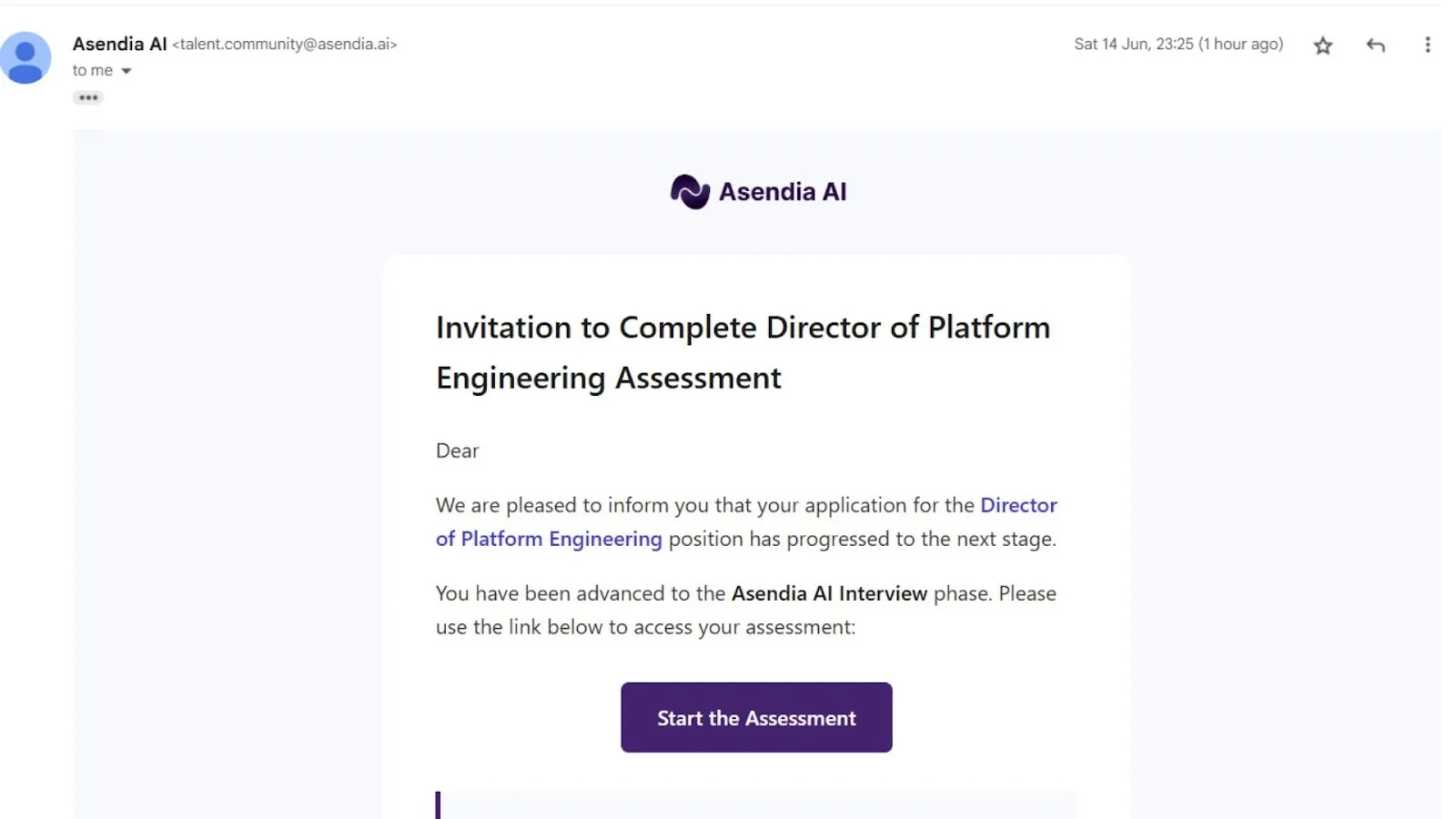
- Candidate completes the AI interview → recording and transcript attach to their profile.
4. Feedback Loop Back to Ashby
After an AI interview is reviewed in our platform:
- A PDF report is generated, along with the interview video link.
- We fill out your “Asendia AI Interview Feedback” form inside Ashby with:
- Overall recommendation
- Profile summary & job compatibility notes
- Links to the interview video and complete assessment PDF
If you have any questions, please contact [email protected].