AI Notetaker Reporting
Ashby's reporting tools give you visibility into AI Notetaker activity and candidate recording consent across your organization. This article covers the available reporting subjects and example reports you can build to track recordings and consent choices.
Prerequisites:
- Access to custom reports requires a Plus, Enterprise, or Legacy Plus plan. Custom reports are not available on the Foundations plan.
- Building and viewing reports requires the appropriate reporting permissions for your role.
The AI Notetaker Recordings subject provides insight into recordings happening across your organization. Use this subject to filter, sort, and navigate directly to specific interview recordings.
Available report fields
The following fields are available within the AI Notetaker Recordings subject:
Field | Definition |
|---|---|
Recording mode | Shows the speaker configuration (gallery, speaker, or audio). |
Has available transcript? | Indicates whether a transcript was generated. |
Has available video? | Indicates whether video is available for the recording. |
Recording URL | A direct link to the recording (accessible to users with viewing permissions). |
Recording status | Shows the status of the recording. See Possible recording status values below for further details. |
Possible recording status values
Status | What it means |
|---|---|
Scheduled | The AI Notetaker bot is scheduled to join a future interview but hasn't yet. No recording exists yet. |
In Progress | The bot is currently in the call and actively recording. |
Processing | The interview ended and the recording is being processed (not yet available to view). |
Completed | The recording finished successfully and is available. |
Expired | The recording is past the 14-day availability window when using the AI Notetaker free trial. |
Deleted | The recording was completed, but has been deleted due to retention policy or manual deletion. |
Failed / Error | The bot was scheduled but couldn't record — e.g., it was never admitted from the waiting room, the call never happened, or a technical error occurred. |
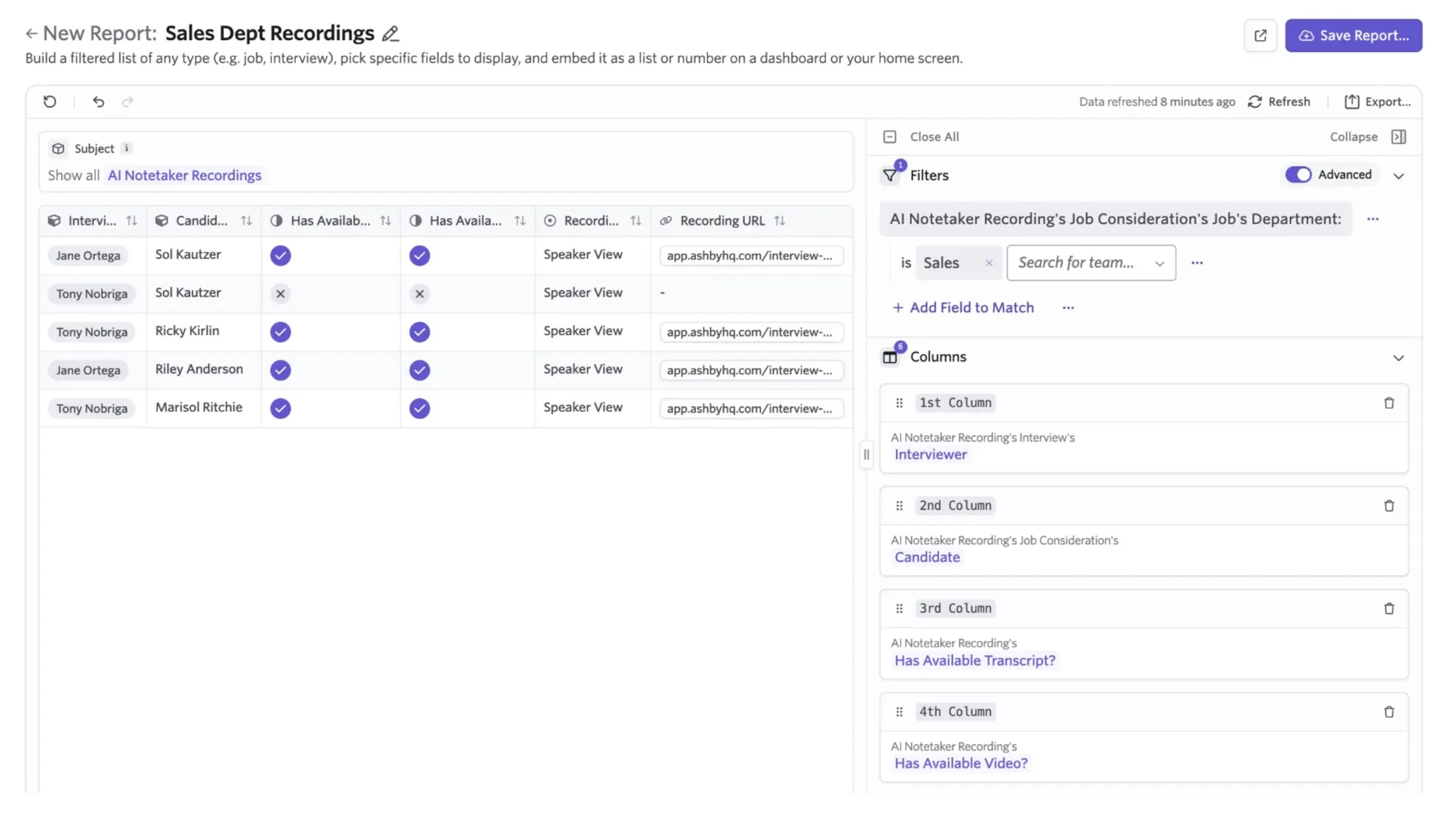
AI Notetaker recording list report
This report generates a list of all recording URLs for a specific department.
- Report type: Custom List
- Subject: AI Notetaker Recordings
- Filters: AI Notetaker's Job Consideration's Jobs Department
- Columns (Fields to Show):
- AI Notetaker Recording's Interviewer
- AI Notetaker Recording's Job Consideration's Candidate
- AI Notetaker's Recording's Has Available Transcript?
- AI Notetaker's Recording's Has Available Video?
- AI Notetaker's Recording's Recording Mode
- AI Notetaker's Recording's Recording URL
Candidate recording consent reporting
The Candidate Recording Consent Choices subject provides data on candidate recording preferences. Use this to track when and how candidates opted in or out of recording.
The following fields are available within this subject:
Field | Definition |
|---|---|
Consent Choice | The candidate's specific selection. |
Submitted At | The timestamp of the submission. |
Submitted By | The individual who submitted the consent choice. |
Is Latest Choice? | Indicates if this is the candidate's most recent selection. |
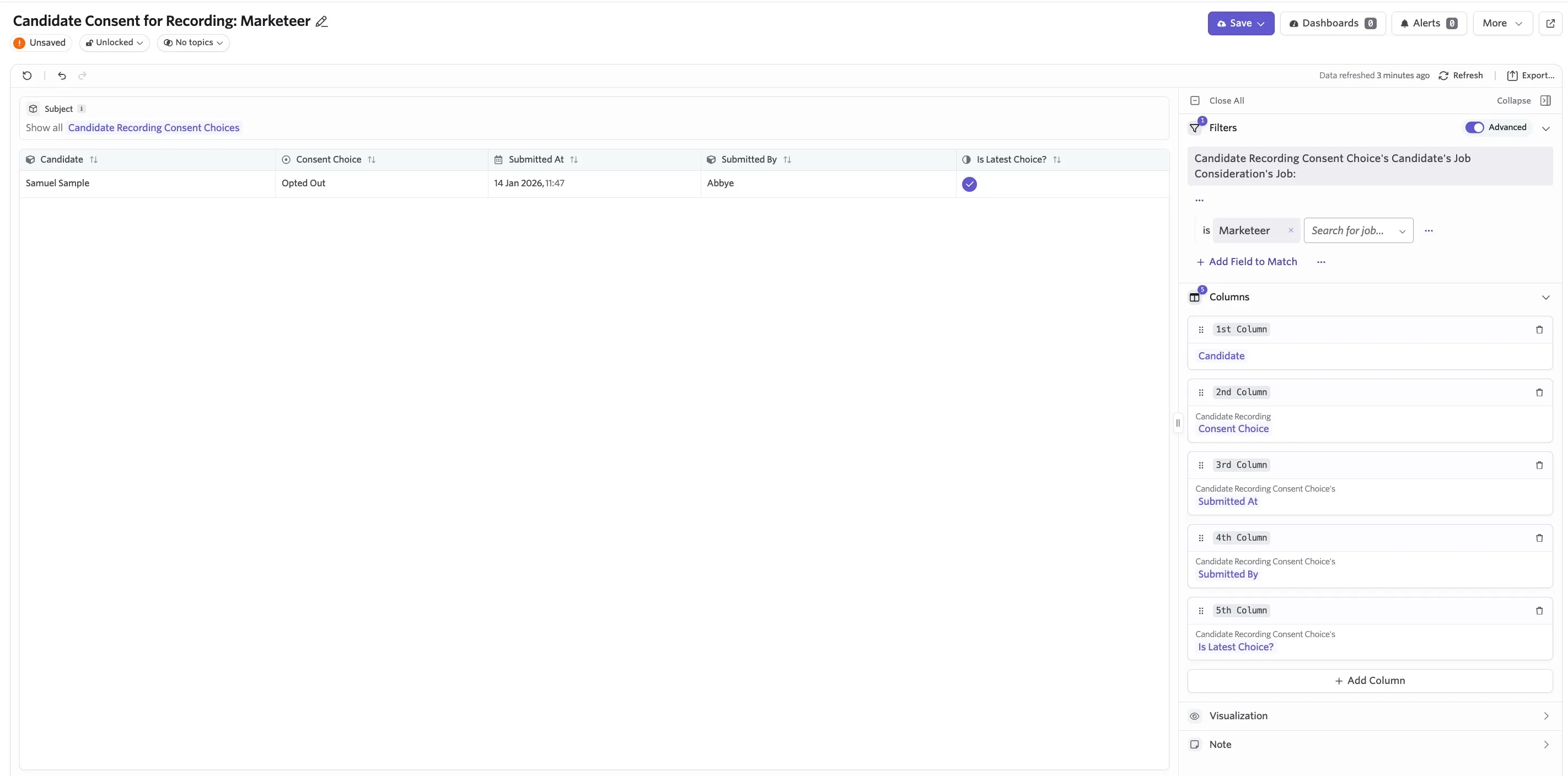
Candidate recording consent custom list report
This report covers consent choices, submission details, and the current status for a specific job.
- Subject: Candidate Recording Consent Choice
- Filters: Candidate Recording Consent Choice's Candidate's Job Consideration's Job
- Columns (Fields to Show):
- Candidate
- Candidate Recording Consent Choice
- Candidate Recording Consent Choice's Submitted At
- Candidate Recording Consent Choice Submitted By
- Candidate Recording Consent Choice's Is Latest Choice?