Adding Multiple Documents to an E-signature Offer
When extending an offer, you may need candidates to review and sign more than one document — for example, an offer letter alongside an NDA or a compensation agreement. This article explains how to add multiple documents to an E-Signature offer, so candidates can receive, review, and sign everything they need in a single request. You can include additional E-Signature Documents that require a signature, PDFs for reference only, or a combination of both.
Adding another document to an offer
To add additional documents to be sent alongside your E-Signature offer letter:
- Click Add Document when viewing the offer details in the candidate profile.

- Select the document type:
- PDF: A document included in the E-Signature request that doesn't itself require a signature from the candidate. Select this option, then upload your file.
- E-Signature Document: A document that the candidate is asked to sign as part of the E-Signature process. Select this option, then use the dropdown to select your E-Signature document from the E-Signature document templates you've already uploaded.
- Document Library: Select a document that has been uploaded to your company's document library.

- Upload or specify your document, then click Submit or Generate to confirm.
Your document is then added to your offer.
You can read more about E-Signature documents in E-Signature DocumentsE-Signature Documents.
Amending the added documents
Updating and deleting a document
To amend a document:
- Click on the pencil icon next to the document within the Offer Packet section of the offer.
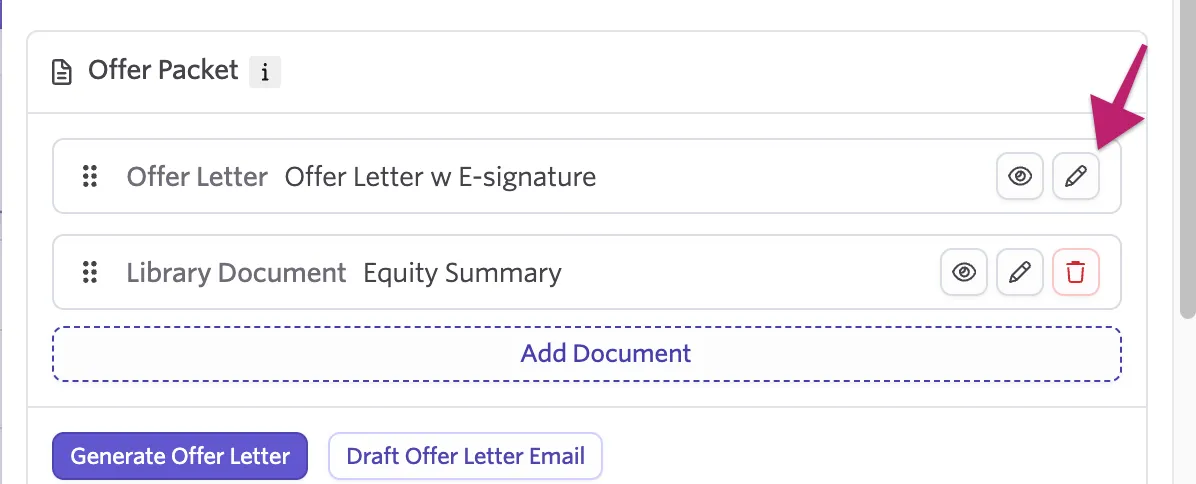
- Re-upload the file (if a PDF), switch the template, or update document library type as needed.
- Click to confirm.
To delete a document:
- Click on the trash can icon next to the document within the Offer Packet section of the offer.

- Click Delete on the pop-up to confirm the action. This cannot be undone.

Adjusting the display order of documents
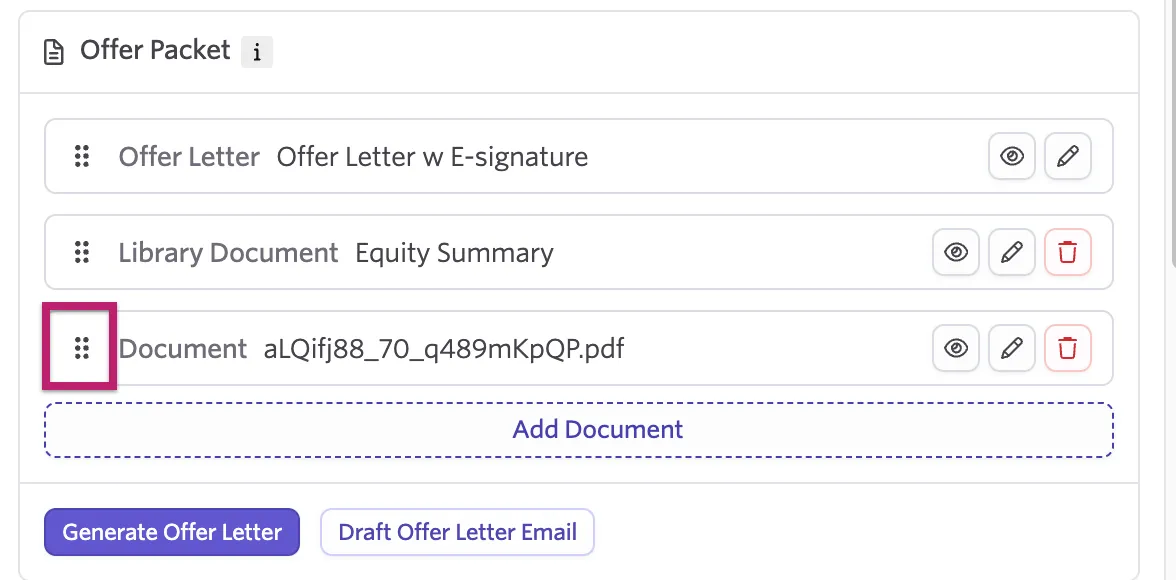
You can set the order of documents within your offer packet by clicking and dragging from the dots on the left side in the Offer Packet section when viewing the offer.
Previewing and sending the offer with documents as an E-Signature request
After adding all the documents you need:
- Click Send Offer E-Signature Request.
- Select a template, or assign a company signatory, confirm the signing order, optionally add a request expiration date, and set the message accompanying the request.
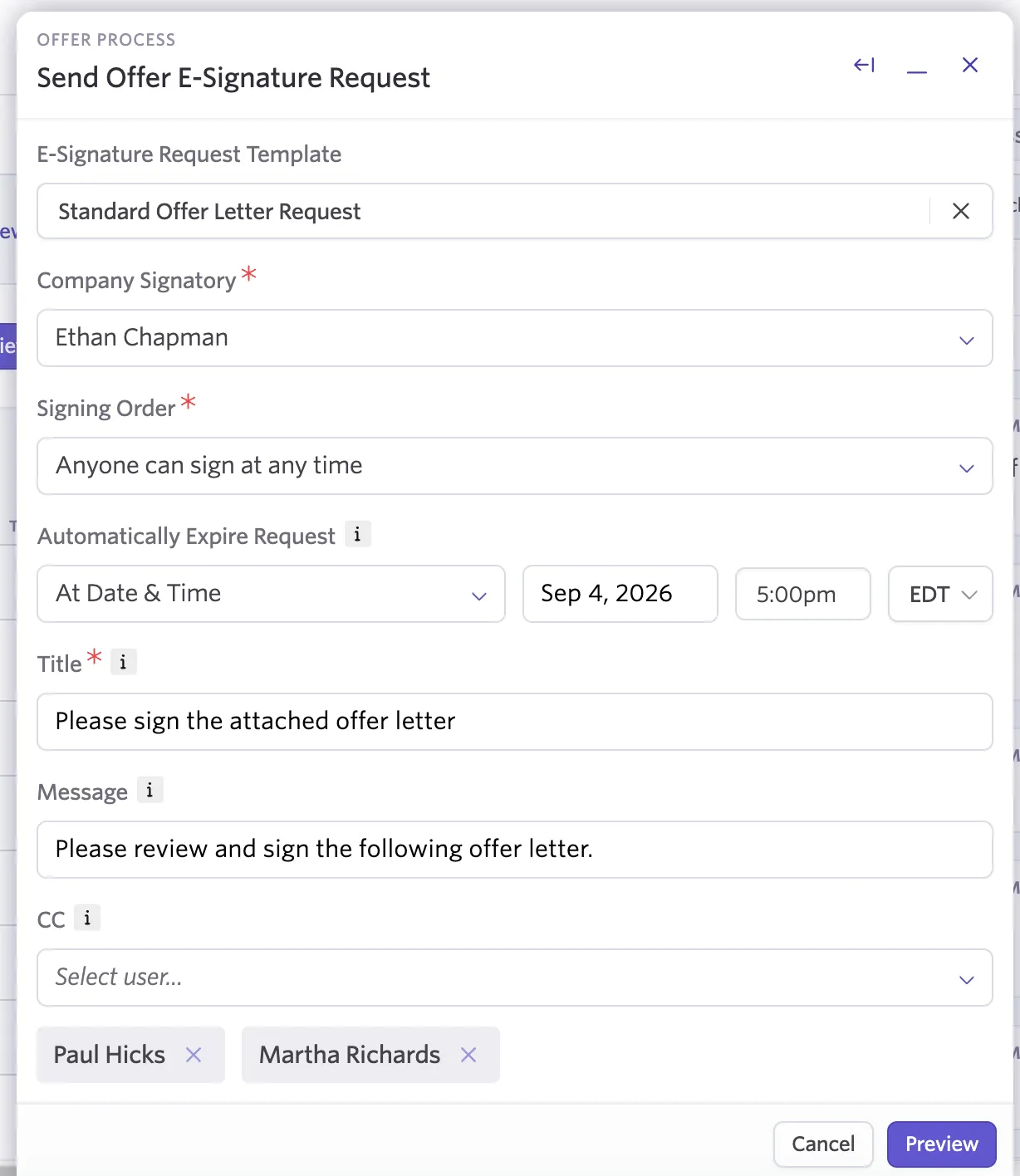
- Click Preview to preview your offer packet before sending.
- When ready, confirm to send the offer packet.