Accessing Ashby Academy
Ashby Academy is an on-demand learning hub designed to help you build confidence and practical skills in Ashby. The courses provided cover best practices and workflows ranging from foundational concepts to advanced use cases.
Ashby Academy is open to anyone and does not require an Ashby product account. Ashby Academy is open to anyone and does not require an Ashby product account.
Please note that your Academy login is separate from your Ashby platform login.
How to access Ashby Academy
Navigate to the Ashby Academy here: https://academy.ashbyhq.com. From there, you have two ways to sign in or create an account.
Option 1: Sign up or log in using a connected account
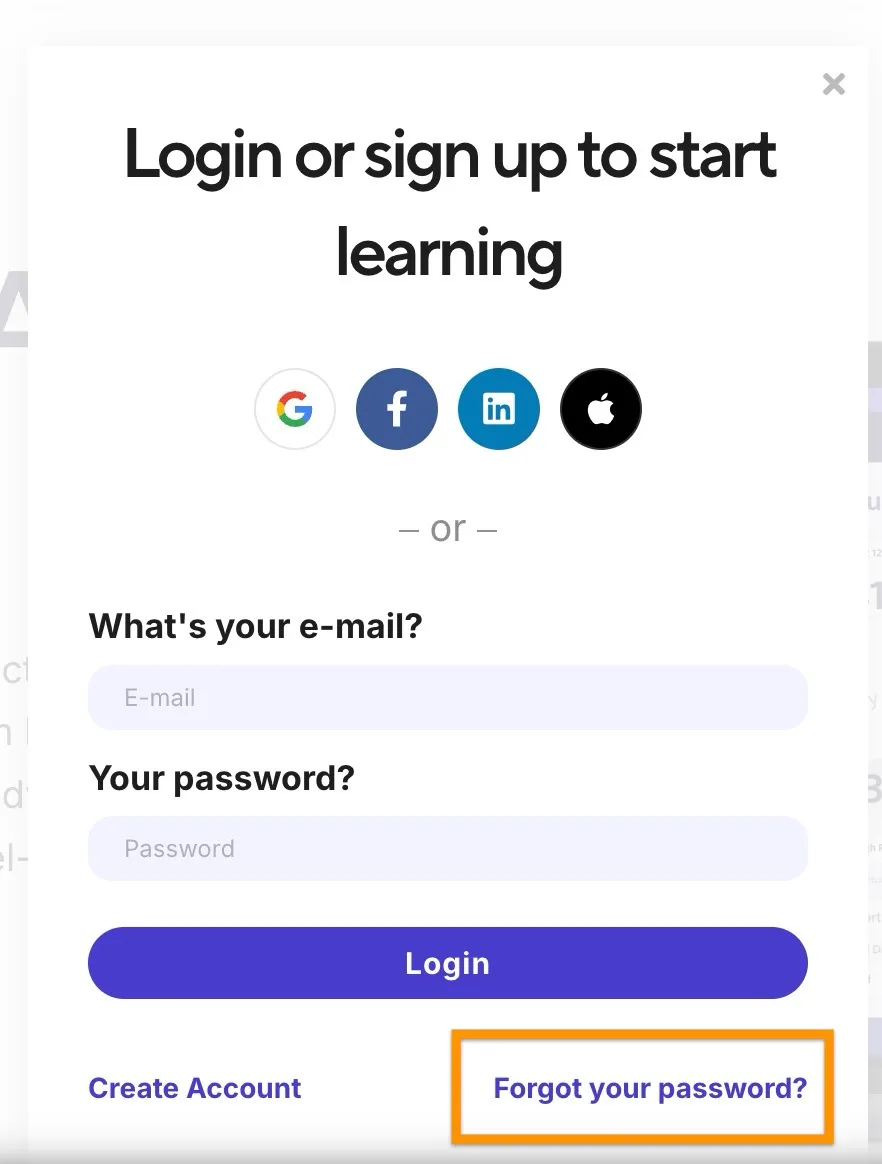
On the sign-up screen, you can choose to continue with one of the following login methods:
- Apple
If you’ve used one of these methods before, be sure to use the same option again when logging back in.
Option 2: Create an account with email and password
You can also create an account manually by entering:
- Your name
- Your email address
- A password of your choice
Once your account is created, you can log in anytime using that email and password.
Common login issues and quick fixes
If you’re having trouble accessing Ashby Academy, here are a few things to check:
Using the wrong login method If you originally signed up with Google, LinkedIn, Apple, or Facebook, you’ll need to use that same option to log back in.
Account not found This usually means an Academy account hasn’t been created yet for that email. Try signing up first.
Page not loading or acting oddly Try opening the Academy in an incognito/private browser window or clearing your browser cache.
Forgotten your password? Use the Forgot your password? link on the login screen to reset it.